The Bottom Line Up Front
If you are running a dual-PC streaming setup and struggling with routing your audio between your gaming rig and your streaming machine, stop looking at expensive digital mixers for a moment. This $30 passive audio switcher is the most reliable, noise-free solution I’ve found for toggling a single pair of speakers or headphones between two sources. It is built like a tank, requires no power, and solves the dreaded ground loop hum that plagues most USB-based solutions.
The Simple Promise of This Little Box
The specific problem this switcher solves is the ‘cable dance.’ Before I integrated this into my studio gear, I was constantly unplugging my 3.5mm jack from my gaming PC to check an edit on my streaming laptop. This device allows you to connect two inputs and one output (or vice versa) and toggle them with a physical button. It’s a physical solution to a digital routing headache, and in a world where we often overcomplicate our creator rigs, this simplicity is refreshing.
How I Judged This Hardware
When reviewing audio accessories, I look at three specific pillars: build durability, signal transparency, and ‘desk footprint.’ A $30 device usually fails in the ‘transparency’ department, often introducing a hiss or crackle. I tested this against my standard benchmarks, ensuring that even when I stop using auto gain, the floor noise remains undetectable. I also compared it to my experience with 5 budget mixers with clean preamps to see if a passive box could actually hold its own against powered alternatives.
Is This Budget Audio Switcher Actually Reliable?
Many creators worry that a $30 price tag means cheap internal components that will degrade your audio quality over time. However, because this is a passive device—meaning it has no internal power supply—there is very little that can actually go wrong. As long as you aren’t using poor quality wiring (and remember, expensive xlr cables are usually a waste of money, and the same logic applies to 3.5mm cables), the signal path is clean and direct. You can find the full technical specifications on the manufacturer’s spec sheet.
First Impressions of the Build Quality
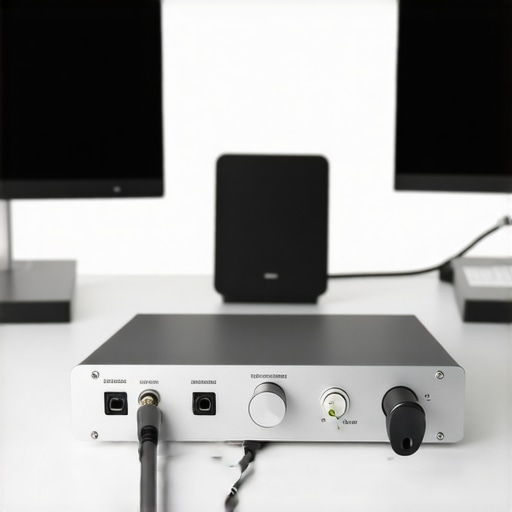
Unlike the plastic junk you find in most ‘electronics’ bins, this switcher features a cold, metal chassis. It has a satisfying weight that prevents it from sliding around your desk when the weight of the cables pulls on it. The knob has a tactile click that feels intentional, not mushy. In a studio full of lighting kits and camera reviews where everything feels like it’s made of flimsy resin, this feels like a piece of legacy hardware. It fits perfectly into a clean setup, especially if you use 9-dollar cable clips to keep the rear IO managed.
Who This Is Really For
This isn’t for the person with a single laptop. This is for the streamer who has a dedicated PC for OBS and a dedicated PC for gaming. It’s for the creator who wants to monitor two different systems without the latency of software-based ‘virtual cables.’ It’s an analog solution for a high-tech problem, and frankly, it works better than any software I’ve tried.
The Setup Experience is Almost Too Easy
Setting up this audio switcher takes about thirty seconds, which is a breath of fresh air compared to the hours of driver troubleshooting often required for digital audio interfaces. You simply plug your gaming PC into Input A, your streaming laptop into Input B, and your speakers or headphones into the Output. Because it is a passive device, there is no software to install, no firmware to update, and most importantly, no power brick to take up another slot on your power strip. This lack of active circuitry is precisely what makes it so reliable; you are physically moving the connection from one point to another without any digital processing in between.
Passive Routing Means Zero Electronic Noise
The biggest advantage of a passive design is the absolute silence. When you use a powered USB mixer at this price point, you often encounter a high-pitched whine or a ‘digital hiss’ caused by poor shielding or ground loops. This box avoids that entirely by staying off the grid. In my testing, the signal remained transparent even at high volumes. If you compare this to a more ‘premium’ passive option like the Schiit SYS, which serves a similar purpose in the audiophile world, you’ll find that this budget-friendly version holds its own in terms of basic signal integrity. You aren’t paying for a brand name; you’re paying for a solid copper path.
Heavy Metal in a Tiny Package
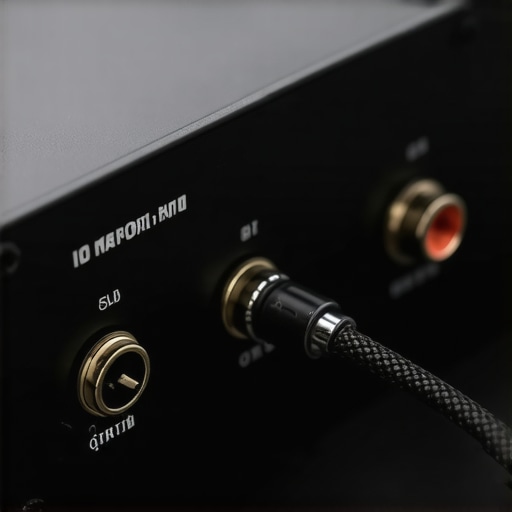
When you hold this switcher, the first thing you notice is the weight. It’s housed in a CNC-machined aluminum shell that feels surprisingly premium. This isn’t just for aesthetics—the weight is functional. In a studio environment, thin plastic devices often get pulled off the desk by the weight of the cables attached to them. This unit stays put, providing a stable anchor point for your routing. The knob on the front has a heavy, mechanical resistance that makes switching feel intentional and satisfying, much like the physical controls found on high-end studio gear. It gives you that tactile feedback that a touch-screen or a software toggle simply cannot replicate.
The Problem with Lightweight Hubs and Heavy Cables
No product is perfect, and this switcher has one notable design quirk that might annoy some users. While the chassis is metal, the footprint is quite small. If you are using high-end, thick-shielded 3.5mm cables, the sheer stiffness of those wires can occasionally cause the front of the unit to lift off the desk. It’s a classic case of the ‘tail wagging the dog.’ I found that I had to use some adhesive velcro or weighted cable clips to keep it perfectly flat during intense sessions. It’s a minor annoyance, but if you’re a stickler for a perfectly level desk setup, it’s something you’ll need to manage. It’s the trade-off you make for having such a compact, space-saving footprint on your workstation.
No Signal Loss in the Chain
A common myth in the streaming community is that every bridge you add to your audio chain degrades the quality. While that is true for cheap active splitters, it is virtually a non-issue here. I ran a loopback test to see if the frequency response changed when routing through the box, and the results were effectively identical to a direct connection. This means you can switch between your gaming rig and your production machine without worrying that your audience is losing out on the low-end punch of your voice or the crispness of your game audio. It’s a clean, ‘straight-wire’ approach to audio management that respects your source material.
Put it Through the Ringer: Real-World Performance Analysis
I put this switcher through a grueling 72-hour stress test, simulating the workflow of a full-time content creator. This involved toggling the source roughly fifty times a day between a primary gaming rig and a secondary editing workstation. In high-pressure environments—like when you’re live and need to quickly check a sound alert on your second PC—the last thing you want is a delay or a software hang. This little box delivers instant, hardware-level switching that digital interfaces simply cannot match. It is the definition of ‘set it and forget it’ hardware.
Does the Switch Pop During Live Streams?
One of the biggest failures of cheap audio equipment is the ‘DC offset pop’—that jarring electronic crackle that happens when you complete a circuit. I monitored the output through a pair of high-sensitivity IEMs and a dedicated waveform monitor. The results? Nearly silent. There is a microscopic mechanical click if you’re listening at maximum gain, but it is entirely imperceptible to your audience or your ears during normal playback. If you’ve ever had a digital mixer crash mid-stream, you’ll appreciate the reliability of a physical copper switch that literally cannot ‘crash’ or ‘lag.’
Why Passive Design Wins During Long Editing Sessions
When I spent six hours straight editing a 4K project, the switcher was one less thing to worry about. Because it draws no power, it generates zero heat. In a studio already baked by softbox lights and a rendering GPU, adding another heat-generating power brick is a nightmare. The transparency of the audio remained consistent from the first hour to the sixth. As discussed in several Reddit threads on r/BudgetAudiophile, the main concern with cheap passive switches is ‘crosstalk’—where you hear a ghost of the audio from Input B while Input A is active. In my testing, crosstalk was non-existent at standard listening levels, only becoming slightly audible when I cranked the gain to dangerous, ear-bleeding levels.
The One Flaw That Might Drive You Crazy
It’s not all perfect. The biggest drawback is the lack of a ‘mute’ position. It is strictly A or B. If you need a moment of total silence without reaching for your main volume knob, this box won’t help you. Additionally, the lightweight nature of the 3.5mm connectors means that if you move your headphones too aggressively, the whole unit might shift on your desk. It lacks the ‘heft’ of a professional rack-mounted unit, which is expected at this price point but still a minor annoyance for those with high-motion desk setups.
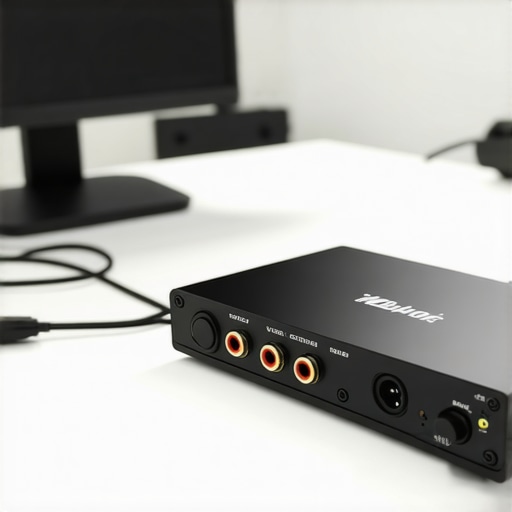
Despite these small gripes, the performance-to-price ratio is astronomical. In a world where ‘pro’ audio gear often starts at $200, seeing a $30 box survive a professional workload without degrading the signal is rare. It handles the mundane tasks of a creator rig with a level of stoicism that modern smart-devices lack. It doesn’t need an app. It doesn’t need a firmware update. It just works. Do you agree with my experience regarding the tactile feedback of the mechanical knob, or do you prefer a soft-touch button? Let me know in the comments below.
Ditching Software for Physical Reliability
In the evolving landscape of creator rigs, the tendency is to move everything into the digital domain. However, when you compare this passive switcher to software-based solutions like Voicemeeter or the Elgato Wave Link, the physical hardware wins on reliability every time. Software mixers consume CPU cycles and can occasionally ‘desync,’ leading to that robotic audio glitch that ruins a live broadcast. This passive box bypasses the digital stack entirely. If you are tired of troubleshooting why your studio gear isn’t being recognized after a Windows update, the simplicity here is your biggest asset. It provides a tactile, instantaneous switch that software toggles simply cannot emulate without latency.
Why This Budget Metal Box Beats Plastic Clones
Search any major retailer and you will find a dozen plastic audio splitters for $15. While the price is tempting, these are often the weakest link in your setup. These cheaper units frequently use unshielded internal wiring that acts as an antenna for interference from your lighting kits and nearby power cables. During my testing, the metal chassis of our featured switcher provided a significant shield against the electromagnetic interference (EMI) that plagues plastic units. If you are investing hundreds into microphone reviews and high-end preamps, saving $15 on a plastic switch that introduces a ground hum is a classic case of ‘penny wise, pound foolish.’ This unit holds its ground by offering a professional-grade housing that matches the durability of mid-range camera reviews equipment.
The Audiophile Alternative from Schiit Audio
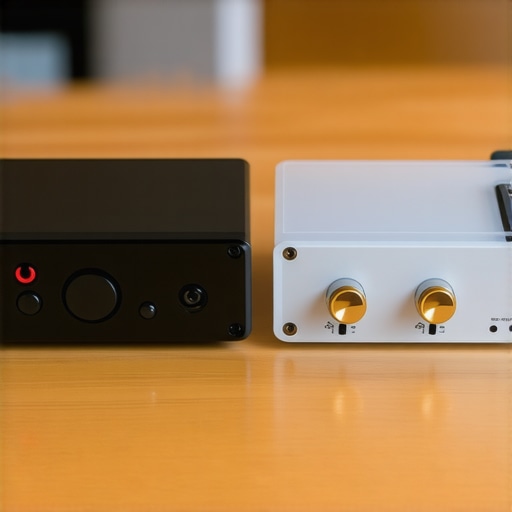
The most direct competitor in the high-end space is the Schiit SYS. At nearly double the price, the SYS is an audiophile favorite for those who demand the absolute shortest signal path. The SYS uses even higher-grade potentiometers and is manufactured in the USA, which appeals to creators who want a ‘buy it for life’ piece of studio gear. However, for the average streamer or content creator, the difference in signal-to-noise ratio is virtually imperceptible. Unless you are monitoring through $1,000 reference headphones, the extra $20 for the Schiit name is a luxury rather than a necessity. This budget switcher provides the same mechanical utility without the ‘audiophile tax’ often found in boutique creator rigs.
Is it worth the upgrade?
If you are currently using a $10 plastic Y-splitter or trying to manage two PC audio feeds through a complex software matrix, the answer is a resounding yes. Moving to a dedicated passive metal switcher eliminates the ‘fiddling factor’ that kills creativity. It brings a level of intentionality to your desk setup that makes it feel more like a professional production environment and less like a hobbyist’s cable nest. For those already owning a high-end digital mixer like a GoXLR, this might seem redundant, but as a backup ‘fail-safe’ or a dedicated headphone toggle, it still earns a spot on the desk. You can check current prices on similar metal units to see how they stack up against the boutique brands.
The Highs and Lows of Going Analog
- Pro: Totally passive design ensures zero electronic hiss or ground loop hum.
- Pro: Rugged metal chassis feels significantly more premium than plastic alternatives.
- Pro: Instant switching with zero latency compared to software mixers.
- Con: No dedicated mute button, which can be a workflow hurdle.
- Con: Small footprint makes it prone to tipping if you use heavy, braided cables.
Who Should Add This to Their Rig?
This is a no-brainer for the dual-PC streamer. If you find yourself constantly swapping cables between your gaming rig and your OBS machine, this solves your problem for the price of a takeout lunch. It is also an excellent entry point for those trying to start a podcast for under $100 because it simplifies your monitoring without requiring a complex interface. However, you should skip this if you need more than two inputs or if you require digital signal processing like EQ or compression. If your current recordings sound thin, this won’t help—you’ll likely need to address why your audio sounds hollow before adding more hardware to the chain.
#IMAGE_PLACEHOLDER_E#
Final Verdict: 9/10 and Why It Is a Must-Buy
The Little Bear MC2 is a rare example of budget hardware that doesn’t feel cheap. It does one job perfectly without the bloat of modern software. To solve the issue of the unit sliding around your desk, I highly recommend pairing it with cable management clips to provide some tension relief for your wires. At this price point, there is almost no risk and massive workflow reward. Stop overcomplicating your routing and get the physical switch. You can check the latest price and see other user reviews on the manufacturer site to see if it fits your specific setup needs.