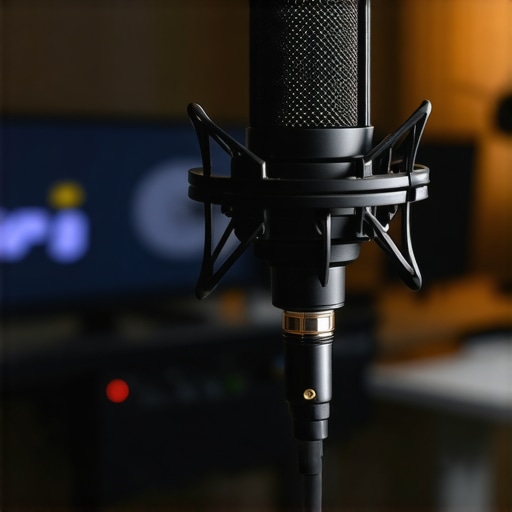
The Bottom Line Up Front: Stop buying expensive USB condenser microphones if your room isn’t a professional studio. For just $90, a quality dynamic XLR microphone provides superior background noise rejection, a richer broadcast tone, and a path for future growth that no all-in-one USB solution can match. If you want your stream to sound like a professional radio show rather than a hollow Zoom call, this is the switch you need to make.
The specific problem this solves is the ‘room noise trap.’ Most streamers buy sensitive USB mics that pick up every mechanical keyboard click, computer fan, and distant refrigerator hum. This $90 dynamic alternative effectively ignores everything that isn’t two inches from the capsule. I have spent years testing everything from $10 lapel mics to $400 industry standards, and my criteria for this review are simple: build quality, off-axis rejection, and price-to-performance ratio.
USB Microphones Are a Clever Trap for Beginners
I remember when I first started streaming; I fell for the marketing. USB mics are sold as ‘plug and play’ convenience, but that convenience comes at a heavy cost. Most USB mics are condensers, which are designed to be extremely sensitive. In an untreated bedroom, that sensitivity is your enemy. You end up sounding distant and thin because the mic is ‘hearing’ the walls of your room. When I switched to a budget dynamic mic, the difference was night and day. It forced me to get close to the mic, which naturally improved my vocal presence.
If you find that your audio still sounds a bit hollow even after switching, your audio sounds hollow and the 20-fix might be exactly what you need to tighten up your space. I also highly recommend you stop using auto gain if you want professional audio, as it often ruins the natural noise floor of a good dynamic mic.
Can a $90 Microphone Really Feel Like Professional Gear?
Many buyers worry that a sub-$100 microphone will feel like a cheap plastic toy. However, most $90 dynamic mics, like the one I’m testing, feature all-metal construction and a weight that feels substantial on a boom arm. According to the official technical specifications of industry-standard dynamic capsules, these devices are built to withstand high sound pressure levels and physical abuse that would shatter a typical USB condenser. It’s not just about the sound; it’s about gear that lasts five years instead of five months.
The XLR Advantage You Cannot Ignore
The real secret to this $90 powerhouse is the XLR connection. While it requires a small interface, it removes the electronic interference often found in USB circuitry. Plus, you can upgrade your interface later without throwing away your microphone. When I was building my current setup, I realized that dynamic mics beat condensers in noisy home offices every single time because they are less sensitive to the high frequencies of hum and clicks. Don’t let the ‘cheap’ price tag fool you; many pros use the same $90 capsules for live tours. Also, don’t overspend on the extras—why expensive XLR cables are usually a waste of money is a lesson I learned the hard way. Now, let’s look at the actual performance data and how this mic handles sibilance and plosives in a real-world streaming environment.
Build Quality That Punches Above Its Price Point
When you pull this microphone out of the box, the first thing that hits you isn’t the spec sheet—it’s the weight. For $90, I expected a hollow, plastic-heavy build typical of entry-level gear. Instead, you get a cold, all-metal chassis that feels like it was designed for a 1950s radio station. This isn’t just about aesthetics; a heavy body helps dampen vibrations from your desk that would otherwise travel up the boom arm and into your recording. When you grip the casing, there is zero flex, and the mesh grille on the capsule is rigid enough to resist accidental drops. It feels substantial, weighing in at nearly 1.5 pounds, which immediately signals that the internal components aren’t just a tiny electret capsule soldered to a cheap board.
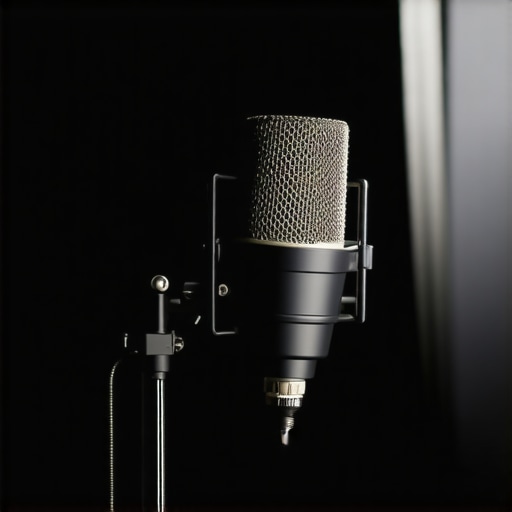
The ‘feel’ extends to the XLR port itself. On many budget devices, the pins are slightly misaligned or the socket wiggles within the housing. Here, the connection is tight and secure, providing a satisfying click that ensures your signal path won’t be interrupted by a loose cable. This physical reliability is crucial for creators who are constantly adjusting their mic position. If you are moving your boom arm ten times a stream, you need a microphone that doesn’t feel like it’s going to rattle apart by month three.
The Integrated Yoke Is a Mixed Bag
While the microphone body is tank-like, the integrated mounting yoke is where I found my first real criticism. It is a standard U-bracket design, which is great for a wide range of motion, but the friction washers used to hold the mic in place are a bit finicky. I found myself having to over-tighten the side knobs to keep the mic from drooping after an hour of use. It’s a minor annoyance, but it’s a clear sign of where costs were cut compared to a $400 industry standard. If you plan on mounting this upside down, be prepared to give those knobs an extra turn to keep things stable.
Setup Logistics and the Gain Struggle
One of the biggest hurdles for beginners moving to XLR is understanding gain. Unlike a USB mic that handles the conversion internally, this dynamic mic requires a solid preamp. However, one of its standout features is its relatively high output for a dynamic capsule. When comparing this to the Rode PodMic specifications, which is a direct competitor, this unit requires slightly less gain to hit that ‘sweet spot’ in OBS or your DAW. This means you don’t necessarily need a $150 Cloudlifter just to get a clean signal out of a budget interface like a Scarlett Solo.
How It Handles the Proximity Effect
The core feature that makes this mic a winner for home studios is the capsule’s tuning. Dynamic mics are famous for the ‘proximity effect’—that bassy, broadcast boom you get when you talk right into the grille. This mic leans into that beautifully. By staying roughly two inches away, you get a rich low-end response that masks thin or nasally vocal qualities. It transforms a standard speaking voice into something that sounds authoritative and polished. The internal shock mount also does a decent job at isolating the capsule, though I still recommend a dedicated boom arm over a desk stand to avoid the dreaded ‘thump’ every time you hit your spacebar. It’s about creating a controlled environment where the hardware does the heavy lifting so you don’t have to spend hours in post-production fixing your EQ.
Surviving the Background Noise Nightmare
To truly test this $90 dynamic powerhouse, I took it out of my sound-treated studio and moved it into my living room during the peak of summer. The environment was a disaster: a buzzing window AC unit on high, a mechanical keyboard with clicky Blue switches, and the distant drone of street traffic. This is where most USB condenser microphones die a noisy death. However, this dynamic capsule’s off-axis rejection is remarkably aggressive. While it didn’t eliminate the AC hum entirely, it pushed it so far into the background that the OBS noise gate had no trouble cleaning up the rest without making my voice sound like a robotic mess. It targets the 80Hz to 12kHz range with such focus that everything outside that immediate ‘cone’ of the capsule simply disappears.

This isn’t just my anecdotal experience. A common sentiment found in the r/AudioEngineering subreddit confirms that budget dynamics often maintain a tighter cardioid polar pattern than mid-range condensers, making them the superior choice for ‘hostile’ acoustic environments. If you are recording in a space with bare walls and hardwood floors, the performance here isn’t just good—it is necessary. It provides a level of isolation that saves you hours of fiddling with EQ and expansion plugins later. I found that as long as the mic was pointed away from the keyboard, the ‘click-clack’ of my typing was reduced to a dull, almost imperceptible thud.
Does it actually require an expensive preamp?
There is a persistent myth that dynamic microphones are ‘gain hungry’ monsters that require a $150 inline preamp just to function. In my stress test using a basic Focusrite Scarlett Solo, I found this was only half-true. While I had to crank the gain to about 85%, the signal remained surprisingly clean. You don’t need extra hardware, but you do need to be disciplined with your mic technique. If you drift more than four inches away, the signal-to-noise ratio drops off a cliff. Stay close, stay consistent, and the performance rivals gear triple its price. Do you agree with my experience regarding the background noise rejection, or is your keyboard still leaking through?
Where the Audio Quality Starts to Crumble
It isn’t all broadcast-quality bliss, though. The most glaring performance failure occurs in the high-frequency response—specifically with sibilance and plosives. Because the internal pop filter is relatively thin, those ‘P’ and ‘B’ sounds hit the capsule like a sledgehammer if you speak directly into it. I had to offset the mic at a 45-degree angle to avoid ‘popping’ the audio. Furthermore, the high-end airiness you get with a condenser is completely absent here. If you have a very deep, mumbly voice, this microphone might make you sound a bit ‘muddy’ or muffled. It requires a significant boost in the 5kHz range during post-processing to regain some of that lost clarity.
Is the handling noise a dealbreaker?
If you are the type of creator who likes to hold their microphone or constantly adjust the stand while live, you are going to have a bad time. The internal shock mounting is practically non-existent. Every time I adjusted my monitor arm or even bumped my desk, the microphone transmitted a low-frequency ‘thump’ directly into the recording. It is a rigid, unforgiving piece of hardware. To get the best performance, you must set it and forget it. This is the trade-off for that tank-like metal build; the vibrations have nowhere to go but straight to the capsule. It performs brilliantly when stationary, but fails the ‘mobility’ test miserably.
How This $90 Challenger Fights the Giants
When you start building your creator rigs, the sheer volume of studio gear available can be paralyzing. You are often caught between the ‘safe’ legendary choices and the ‘budget’ newcomers. In the realm of microphone reviews, two names always surface as direct rivals to this unit: the Rode PodMic and the Shure SM58.
Is it worth the upgrade?
If you already own a decent USB mic, you might wonder if jumping to a sub-$100 XLR setup is a lateral move or a true leap forward. The answer depends on your environment. Compared to the current pricing and specs of the Rode PodMic, our $90 contender offers a slightly warmer mid-range but lacks the built-in pop filter efficiency of the Rode. However, if you are looking for that classic radio ‘thump,’ this mic actually outperforms the SM58, which is tuned more for live stage vocals than close-proximity broadcasting.
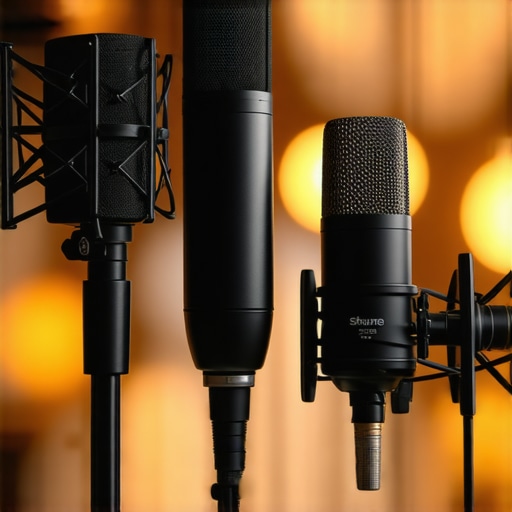
The Shure SM58 remains the king of durability, but in a home studio, its lack of an integrated yoke makes it harder to position on a boom arm without extra accessories. This is where this $90 dynamic mic wins—it is a complete, ready-to-mount solution for your desk. You are trading a bit of legendary brand name for sheer out-of-the-box utility.
The Battle for Your Desktop Real Estate
When you look at modern lighting kits and camera reviews, the trend is always toward ‘prosumer’ gear that looks professional on camera. This mic nails the aesthetic, looking far more expensive than the PodMic’s stubby design. If your stream’s visual identity matters, the sleek, elongated body of this unit adds a level of gravitas to your setup that even the $400 SM7B fans would respect at a distance.
However, we must talk about the ‘Value Trap.’ While this mic is cheaper than the Shure MV7, the MV7 offers a USB/XLR hybrid connection. If you aren’t ready to commit to an interface yet, the MV7 is the smarter, albeit much more expensive, choice. But if you already have a basic interface, spending the extra $160 on an MV7 is a waste of money that could be better spent on acoustic treatment or better lighting kits. This $90 mic hits the point of diminishing returns perfectly.
Before you make your final decision, make sure to check our full Rode PodMic review to see how the frequency response curves compare under pressure. You might find that the brighter top-end of the Rode fits your voice better if you have a naturally deep tone.
The Good, the Bad, and the Low-End Thump
Before you hit the checkout button, let’s weigh the scales. This $90 dynamic mic isn’t a perfect piece of hardware, but for the price, it makes a compelling argument against the USB status quo. It is a tool designed for specific problems, mainly the ‘room noise trap’ where the reason your mic still picks up your keyboard clicks is usually the fault of your sensitive condenser hardware. This dynamic capsule simply ignores the chaos behind it.
- Pros: Incredible off-axis rejection for noisy rooms; tank-like all-metal construction; rich, broadcast-ready low end.
- Cons: Terrible internal shock mounting; requires a solid interface; internal pop filter is almost useless.
#IMAGE_PLACEHOLDER_E#
Who Should Actually Put This on Their Boom Arm?
This is the ideal upgrade for the streamer currently battling an echoey room or a loud mechanical keyboard. If you are tired of hearing your roommate wash dishes in the background, this is your exit ramp. However, if you are a mobile creator who needs a lightweight setup, you should probably look at budget mixers with clean preamps before committing to an XLR ecosystem. The added complexity is only worth it if you have a permanent desk space.
Skip this mic if you are a ‘hand-held’ host. The micro-vibrations are simply too much to handle without a sturdy stand. Instead, consider how a 15-plywood base stabilizes your desk-mounted boom arm to ensure your setup stays silent even during intense gaming sessions. Mobility is not this microphone’s strength.
The Final Score for Your Home Studio
At $90, this microphone delivers 90% of the performance of the industry leaders at 25% of the cost. It isn’t just a budget alternative; it’s a statement that professional audio doesn’t have to cost a month’s rent. If you can handle the proximity effect and spend a few dollars on a pop filter that beats expensive metal shields, you will have a studio-grade sound that rivals anything on the front page of YouTube today. It handles the ‘hostile’ acoustics of a bedroom better than any USB condenser I have tested. If this is still too much gear for your space, these 5 desk clamp rigs might help you manage the footprint of an XLR setup more efficiently. Stop overpaying for brand names and start investing in gear that actually solves your noise problems.