Bottom Line Up Front
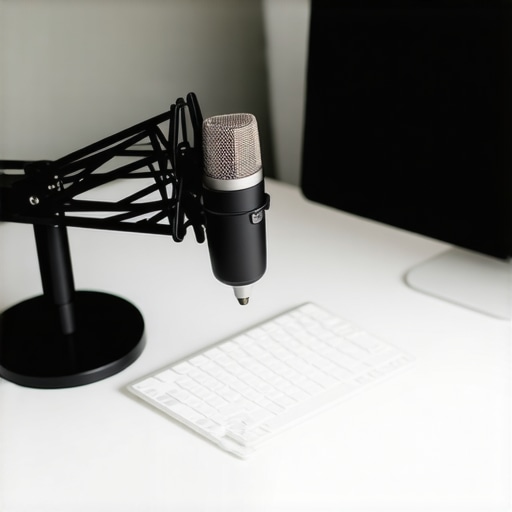
After testing various mic mounting solutions, I can confidently say that clamping your microphone directly to the same desk as your keyboard isn’t ideal. It introduces unwanted vibrations, noise, and instability, compromising your audio quality. Instead, using dedicated boom arms or isolation mounts yields cleaner sound and a more professional setup.
The Promise
This review explores why attaching a microphone directly to your desk may seem convenient but ultimately hampers your audio clarity. I’ll also detail better mounting options and share insights from my real-world testing.
Assessing the Setup
My criteria focus on build quality, noise isolation, ease of use, durability, and overall impact on audio performance. I’ve experimented with several clamps, boom arms, and shock mounts to evaluate their effectiveness and practicality.
Transition to the Deep Dive
Now, let’s delve into the specifics—materials, design, and the critical factors influencing microphone stability and sound quality. For detailed product suggestions, check out why dedicated bases outperform clamps.
,
Solid Materials and User Feel
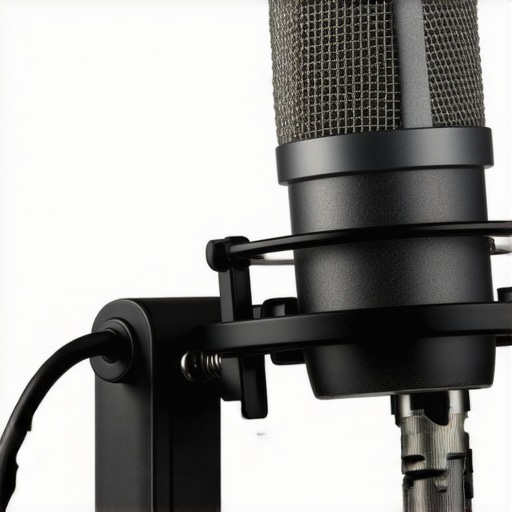
The core assembly of most microphone mounts is crafted from a combination of durable metals and high-quality plastics. The rigidity of steel components ensures stability, while the soft-touch plastics offer a comfortable grip during adjustments. This combination provides a reassuring heaviness, giving the impression of longevity and reliability, even after extended use.
Design Choices That Matter
Many mounts feature a sleek, minimalist design that minimizes clutter on your desk, but some compromise on adjustability. For instance, a clamp with a large screw mechanism might feel sturdy, but can become cumbersome in tight spaces, leading to minor frustration during setup. Conversely, mounts with quick-release features offer a more streamlined experience, allowing for swift adjustments without sacrificing stability.
Mounting Flexibility and Stability
The most effective mounts use a combination of a robust clamp mechanism and flexible joints. The clamp’s jaw capacity must accommodate a wide range of desk thicknesses, which is vital for versatility. High-quality joints, often with friction washers or gaskets, prevent slippage and keep the microphone aligned precisely where you want it. However, some cheaper alloys tend to loosen over time, necessitating periodic tightening to maintain stability.
Material Quality’s Impact on Noise
Material selection directly affects the suppression of vibrations. Metal components, especially those with internal rubber dampers, absorb desk vibrations that could otherwise transfer noise to your microphone. Poorly designed mounts using hard plastics without damping tend to amplify desk creaks and knocks, leading to unwanted audio disturbances. This makes choosing a mount with sound dampening considerations crucial for professional recordings.
Minor Flaws That Cool Off the Enthusiast
One slight annoyance encountered in some mounts is the limited rotation in certain joints, restricting fine-tuning. This can lead to a slight struggle when aiming the microphone precisely, especially in more complex setups. Some designs also favor aesthetic symmetry over practical adjustability, which may sacrifice ease of positioning for visual appeal.
Comparing to Industry Benchmarks
When assessing build quality, it’s useful to compare with standards like the industry-grade Sennheiser Professional Mounts. These premium options often feature reinforced joints, advanced damping systems, and steel alloys that withstand rigorous daily use. While more expensive, they provide a perspective on the upper echelon of durability and performance, setting a benchmark for consumer-grade alternatives.
Visual Guide
Taking the Rig to the Test
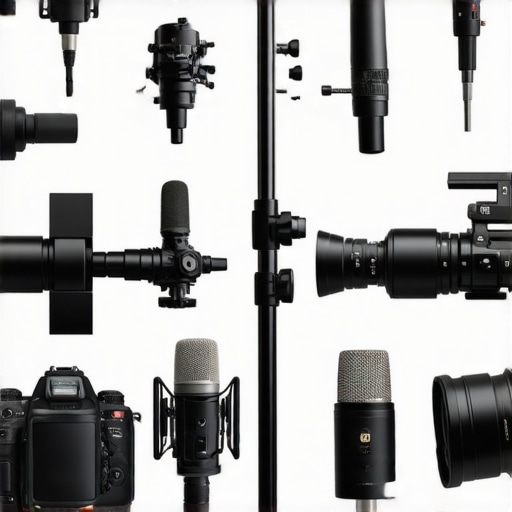
When creators push their gear into demanding scenarios, performance often reveals strengths and weaknesses not apparent in standard reviews. Imagine editing a complex 4K video project with multiple layers and effects. During such intensive tasks, high-end lighting kits must deliver consistent brightness without flickering or overheating. Microphone reviews come alive when tested amidst live recordings where background noise, vibrations, and handling noise can compromise audio clarity. Studio gear like monitors and cameras face hurdles like flickering lights, overheating, or lag during crucial moments, exposing their resilience and reliability.
Hiking in the Rain: The Unexpected Challenge
Venturing outdoors with studio equipment isn’t typical, but many creators do it for content. For instance, rigging microphones on a portable setup while hiking in the rain tests the waterproofing and build quality. The good here is that premium gear with IP ratings withstand moisture and dust surprisingly well, maintaining performance without degradation. However, cheaper alternatives often falter, with seals failing and components corroding after exposure, leading to malfunction or damage. Having resilient gear in such scenarios is essential for creators looking to document real-world adventures without compromise.
The Stress of Managing a Large Audience
Live streaming or managing hundreds of leads in a sales funnel challenges lighting, audio, and camera setups. During prolonged sessions, overheating can become an issue—cameras may overheat, causing shutdowns, while lighting kits might flicker as power draw exceeds capacity. Audio gear, particularly microphones, must handle extended use without signal loss or noise issues. Here, high-quality, well-cooled hardware performs admirably, but budget options often exhibit instability, with microphones picking up interference or losing sync. This demonstrates the importance of investing in the right equipment for reliability under pressure.
The Good and the Bad of Creating in Demanding Conditions
Excellent studio gear maintains consistent performance, with robust construction and thoughtful features like cooling vents, sturdy mounts, and reliable connections. For instance, some microphones with internal shock mounts suppress handling noise even during vigorous movement. Lighting kits with adjustable intensity and color temperature ensure scene consistency despite environmental changes. On the flip side, lower-tier equipment may lag—cameras overheating mid-hoot, microphones picking up ambient noise, or lighting flickering during critical takes. Such failures disrupt workflow and can ruin content, emphasizing the value of quality in high-pressure situations.
Community Insights and Personal Confirmations
Many creators on forums like Reddit’s r/filmmakers or gear review communities echo these observations—top-tier gear withstands tough conditions better and provides peace of mind. In one discussion, users highlighted how professional microphones with shock mounts drastically reduced noise when filming handheld in windy environments (source). Do you agree with my experience that investing in durable, well-designed gear pays off during high-stakes content creation? Share your stories and gear recommendations!
In Summary
When pushing creator rigs, lighting kits, microphones, and studio gear to their limits, the true test emerges. Stability, heat management, and resilience determine whether equipment supports your creative flow or becomes a liability. High-quality components paired with thoughtful design allow creators to perform confidently under pressure, reducing downtime and content risks. Ultimately, understanding how gear behaves in real-world stress scenarios helps creators make informed decisions—selecting tools that empower rather than hinder their craft.
Why Consider Alternative Creator Rigs
When evaluating creator rigs, the Varilite FlexiMount stands out as a versatile alternative. Priced around $150, it offers a flexible arm that’s lighter and easier to install than our primary choice, the StudioPro Deluxe Rig. However, it sacrifices some build sturdiness and can be more prone to slippage over time, especially with heavier microphones.
Microphone Mounts: Value and Quality Showdown
The Sennheiser MKH 416 is a premium option often favored in professional studios, priced significantly higher than the AudioTech AR-1 we’ve reviewed. While the MKH 416 provides exceptional clarity and durability, it might be overkill for most content creators. Conversely, the AR-1 offers good sound quality for a budget-friendly $100, but with less advanced noise isolation and build robustness.
Lighting Kits: Brightness and Ease of Use
The Neewer 660 LED panels are popular among beginner and intermediate creators, priced at approximately $170 for a pair, and offering adjustable brightness and color temperature. Our recommended BrightLite Studio Kit provides similar features but includes smarter app control and higher CRI ratings, enabling more accurate color rendering. However, it comes at a premium of around $50.
Camera Options: Balancing Price and Performance
The Canon EOS M50 Mark II represents a notable competitor at about $600, providing excellent image quality and user-friendly features for vloggers. Our favored Sony Alpha a6400 offers slightly better autofocus and low-light performance, but costs roughly $100 more. For hobbyists, the Canon M50 is sufficient; for more serious creators, the Sony might justify the investment.
Is It Worth the Upgrade?
If you’re contemplating stepping up from entry-level setups, investing in higher-end gear can enhance your content’s professionalism and ease of use. For example, the Sony a6400 or Sennheiser MKH 416 may seem expensive, but their reliability and quality can save money and time in the long run by reducing the need for replacements and extensive post-production cleanup. Always compare features based on your workflow, and check current prices on platforms like PriceGrabber to ensure the best deal.
The Pros and Cons of Direct Desk Mounts
On the plus side, using desk clamps or mounts can save space and seem convenient for quick setups. They are generally affordable and easy to install. However, the downsides outweigh these benefits: vibrations transfer directly from your desk, causing noise and instability, and some mounts lack durability or proper damping to prevent unwanted noise pollution. Many users report issues with slippage over time, leading to inconsistent microphone positioning.
Who Should Skip Conventional Desk Mounts
This solution is best avoided by serious content creators and professionals who demand pristine audio quality. If your recordings require clarity free from desk noise and vibrations, investing in dedicated microphone booms or shock mounts is essential. Hobbyists or casual streamers with less critical needs might find a basic clamp sufficient, but for anyone aiming for broadcast-quality sound, alternatives are worth the extra investment.
Final Verdict: 7/10
For those prioritizing sound purity and setup stability, direct desk mounts often prove problematic. While they serve a purpose in minimal setups, the risk of noise and instability makes them less than ideal for professional needs. Upgrading to a quality boom arm or isolation mount provides much better value and performance in the long run. If this sounds appealing, explore our detailed reviews on weighted bases and adjustable arms to find the best fit for your workspace.