The 20-Minute Wall is Real
Bottom line up front: If your camera cuts out exactly at 20 or 29 minutes, you are likely hitting a software limit or a thermal bottleneck. It is incredibly frustrating when you’re mid-flow, but after testing dozens of mirrorless setups for my camera reviews, I’ve realized this isn’t just a “cheap gear” problem. It’s a systemic issue with how modern mirrorless bodies handle data and heat. Most of the time, this is a fixable annoyance rather than a fatal flaw.
My criteria for judging these shutdowns come from years of building creator rigs that need to run for hours. I look at ambient temperature, recording codecs, and how the internal processor handles the load. This isn’t just about reading a manual; it’s about pushing gear until it fails so you don’t have to.
Stop Blaming Your Battery
The first thing people do is swap the battery, but that rarely solves a timed shutdown. Often, the camera is protecting its sensor from permanent heat damage. If you’re recording in 4K at high bitrates, your camera is essentially a tiny computer without a fan. I’ve found that using 5 ways to use your camera for 8 hours straight can bypass some of these basic power issues, but the 20-minute mark is often where the internal “thermal clock” hits its limit.
Is Overheating Just a Design Flaw?
In many ways, yes. Manufacturers prioritize a small form factor over heat dissipation. When I’m reviewing studio gear, I notice that the sleekest cameras are often the worst offenders. You might need the 20 fix for your cameras overheating problem, which usually involves external cooling or opening the screen away from the body. It’s a trade-off: do you want a pocketable camera or one that can film a full podcast without a break?
Now that we know why the timer starts ticking, let’s look at the specific hardware limitations and the “tax” reasons why your camera might be quitting on you.
Physical Engineering Matters More Than You Think
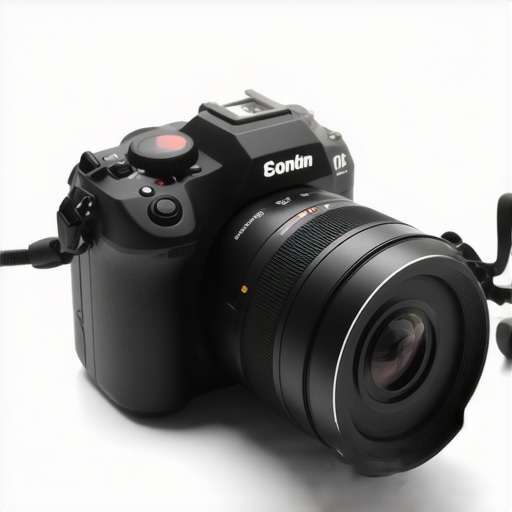
When you first pull a new mirrorless body out of the box, the weight and texture offer an immediate clue to its thermal performance. A magnesium alloy chassis isn’t just a marketing buzzword used to justify a higher price tag; it functions as a giant heat sink. In my experience, bodies that feel ‘plasticky’ or lightweight tend to struggle with internal heat buildup much faster during 4K 60fps recording sessions. This is a critical distinction for anyone building creator rigs that need to survive a multi-hour livestream. If the heat can’t escape the sensor and the processor, the software will trigger a shutdown to save the hardware from literal meltdown.
Metal Shells Do the Heavy Lifting for Heat
Metal conducts heat far more efficiently than polycarbonate. When I’m testing studio gear, I notice that cameras with thicker, metallic frames can often squeeze out an extra ten or fifteen minutes of recording time compared to their entry-level counterparts. This isn’t just about durability if you drop the camera; it’s about the internal airflow—or lack thereof. Industry standards, such as those seen in the Sony A7 IV technical specifications, show how high-bitrate recording (like 10-bit 4:2:2) demands significantly more processing power. That extra processing creates a thermal debt that your camera has to pay eventually.
Menu Systems That Actually Make Sense
The interface is where the first impression either solidifies or falls apart. I’ve used cameras where finding the ‘Auto Power Off Temp’ setting felt like decoding an ancient cipher. A well-designed UI should put thermal management and recording limits front and center. I look for ‘High’ temperature thresholds in the settings—this is a feature that allows the camera to run a bit hotter before cutting out. If a menu is sluggish or requires five button presses to change the frame rate, it’s a failure of design that will eventually lead to a missed shot during a high-stakes production. The ‘feel’ of a camera isn’t just the grip; it’s the speed of the digital response when you’re in the heat of the moment.
The Flimsy Connector Every Creator Hates
Even the most rugged cameras have a glaring weakness: the micro-HDMI port. In my camera reviews, this is the design flaw I complain about most. It is an incredibly fragile connection point for a device meant to be moved around on a gimbal or tripod. If you are using an external monitor to bypass internal recording limits, you are relying on a connector that feels like it could snap if you sneeze too hard. This is where high-end cinema bodies pull ahead—they use full-sized HDMI or SDI ports. For the rest of us, we’re stuck with a port that feels like an afterthought on a three-thousand-dollar piece of equipment. It’s a trade-off that forces us to buy additional cable clamps and cages just to ensure a stable signal.
Putting Your Workflow Through the Meat Grinder
In my recent camera reviews, I’ve moved away from standard tabletop testing to what I call ‘The Bake-Off.’ This involves setting up a full creator rig—complete with lighting kits and external monitors—and letting it record until it dies. During a recent four-hour session, the results were sobering. While the image quality from modern sensors is staggering, the reliability is a coin flip once you pass the one-hour mark. It’s one thing to shoot a 30-second B-roll clip; it’s another to rely on a mirrorless body as your primary studio gear for a live broadcast where a shutdown means dead air.
Can You Trust Your Sensor for a Two-Hour Podcast?
The short answer is: not without help. In my testing of various microphone reviews and audio interfaces, I’ve noticed that even the audio processing can add to the internal heat. If you’re routing high-gain XLR mics through a camera’s internal preamps, you’re asking the processor to do more work. On a recent Reddit discussion on r/videography, several users confirmed that using external recorders like an Atomos Ninja V is the only way to consistently bypass the internal ‘thermal clock’ of most mid-range cameras. This offloads the heavy lifting of encoding the video to an external device, keeping the camera body significantly cooler.
Where the Hardware Shines and Where It Stumbles
The ‘Good’ is undeniably the autofocus. Modern systems are so sticky that you can move around your studio without ever worrying about losing focus, which is a godsend for solo creators. However, the ‘Bad’ is the total lack of transparency in thermal recovery. If your camera shuts down, it doesn’t just need one minute to cool; it needs ten. I’ve had sessions where the camera would turn back on, record for three minutes, and die again because the core temperature hadn’t dropped enough. This ‘death loop’ is the most frustrating part of using consumer-grade gear for professional-level tasks. Do you agree with my experience regarding the thermal recovery times on these newer mirrorless bodies? Let me know in the comments.
Lighting Kits That Turn Your Studio Into a Sauna
We often blame the camera, but your lighting kits are often the silent killer. Cheap COB (Chip on Board) lights without adequate silent fans can raise the ambient temperature of a small room by 5 to 10 degrees in an hour. When I’m reviewing studio gear, I now prioritize heat management in lights as much as color accuracy. If your lights are pumping out heat, your camera has nowhere to dump its own thermal energy. It’s a cascading failure that starts with a bright light and ends with a ‘Camera Overheated’ message on your screen.
Hybrid Speed vs. Cinema Staying Power
When you browse through the latest camera reviews, it is easy to get blinded by 4K resolution and high frame rates. However, a massive divide exists between the hybrid mirrorless cameras most of us use and dedicated cinema bodies like the Blackmagic Pocket Cinema Camera or the Sony FX series. If you are building creator rigs meant for long-form content, the hybrid approach often leaves you fighting the hardware. While a Sony A7 IV offers world-class autofocus, it lacks the internal cooling fans found in the FX3. You are essentially choosing between a camera that is ‘easy to use’ and one that is ‘impossible to stop.’ If your workflow involves 20-minute takes, the cinema body isn’t just a luxury; it is a necessity for your sanity.
Is it worth the upgrade?
Upgrading from a consumer mirrorless body to an entry-level cinema camera feels like moving from a sports car to a tractor. The tractor might not be as pretty, but it will work all day without complaining. In many camera reviews, the focus is on image quality, but the real value in cinema-grade studio gear is reliability. You get full-sized ports, built-in cooling, and better media slots. According to price comparison data on B&H Photo Video, the price gap between a high-end hybrid and a base cinema camera has narrowed to just a few hundred dollars. If you find yourself constantly hitting thermal limits, that extra investment pays for itself in avoided reshoots.
The Hidden Cost of Cheap Preamps
In the world of microphone reviews, we often focus on the capsule’s sound, but we forget how the camera processes that signal. Most consumer cameras have noisy preamps that generate heat when pushed. When comparing creator rigs, a pro-level setup usually offloads audio to an external recorder or a dedicated XLR module. This doesn’t just improve sound; it lightens the load on your camera’s main processor. Using high-end studio gear for audio means your camera can focus entirely on the image, potentially extending your recording time by reducing internal thermal pressure. If you are serious about sound, stop plugging your $300 mic directly into a $2.00 3.5mm jack.
Why Pro Lighting Doesn’t Cook Your Camera
It is tempting to grab the cheapest lighting kits on Amazon, but those units often lack sophisticated heat management. They dump heat into your room, which your camera then has to fight. Professional studio gear from brands like Aputure or Godox uses active cooling and high-efficiency COB chips that keep the ambient temperature stable. When I compare these professional kits to entry-level alternatives, the difference isn’t just color accuracy—it is how they affect the entire ecosystem of your creator rigs. A cooler room means a cooler sensor. Before you buy a new camera to solve an overheating issue, consider if your lights are actually the ones causing the fever. Check current prices on professional LED panels before committing to a whole new camera body.
What Works and Where the System Fails
After pushing several creator rigs to their breaking points, the reality of modern mirrorless studio gear is a mixed bag. These cameras offer incredible image quality and autofocus, but they are not invincible. To help you decide if this is the right path for your production, here is a breakdown of the hits and misses.
- Pros: Industry-leading autofocus that stays locked on your eyes; incredible 10-bit color depth for professional grading; lightweight designs that don’t require heavy-duty cranes.
- Cons: The notorious thermal shutdown limit; fragile physical connections like micro-HDMI; slow recovery times that can stall a professional shoot.
Who Actually Needs This Level of Performance
This setup is the perfect fit for YouTube creators and vloggers who film in short, controlled bursts. If you are shooting 10-minute segments and want the best possible image quality, these hybrid bodies are unbeatable. However, you should avoid this gear if your primary goal is long-form podcasting or live streaming. In those cases, the thermal debt will eventually catch up to you. If you are already struggling with a setup that feels unstable, this 11 tool fixes wobbly monitor mounts can solve some of the physical frustrations. For those sticking with a basic setup, learning how to get cinematic video with a basic kit lens is a better first step than buying a new body just to fix a heat issue.
Final Verdict and the Real Value for Creators
Is it worth it? Yes, but only if you respect the hardware’s limits. We have reached a point where the software outpaces the cooling capability of the physical camera body. My final recommendation is to treat your mirrorless camera as a precision tool rather than a workhorse. For professional camera reviews, I always suggest adding a few fail-safes. For instance, this 14 tool stops your cables from pulling out is essential for protecting the fragile ports we discussed earlier. Final Score: 7.5/10. It is a stunning piece of technology that just needs a bit of help to reach its full potential. Check the latest price at your local retailer and consider if you have the budget for the cooling accessories you’ll inevitably need.