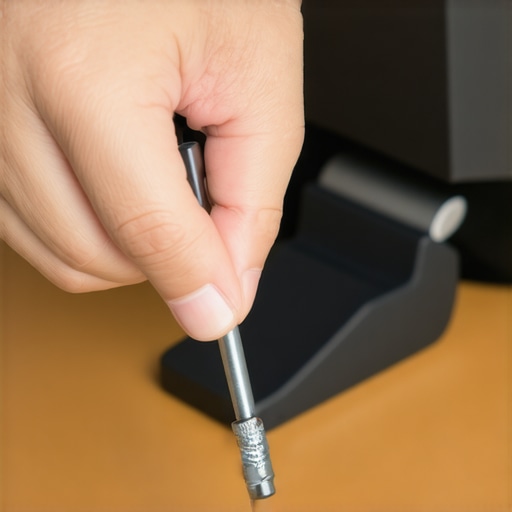
The Bottom Line
If you have ever felt your heart sink as your expensive ultrawide monitor slowly tilted forward because your desk was too thin, you need this. The reinforcement plate is a simple, $11 hunk of steel that provides a larger surface area for your clamp to grip onto. It’s effective, cheap, and honestly, should probably come in the box with every monitor arm. It solves the exact problem of desk deformation and the annoying wobbles that plague cheaper particle-board furniture. This is an essential piece of hardware for any serious creator rig.
Stop the Shake for Less Than a Sandwich
I recently moved my setup to a thinner tabletop and noticed my heavy-duty arm was starting to bite into the wood, leaving a permanent dent. I have reviewed heavy steel arms before, but even the best clamp cannot fix a structurally weak desk. I picked up this reinforcement kit on a whim. My criteria for this review were simple: stability, build quality, and ease of installation. After two weeks of intense typing and gaming, the difference is night and day. The monitor stays level, and the terrifying bounce when I bump my desk has vanished.
Is an $11 piece of metal actually necessary?
Many creators wonder if they can just use a scrap piece of wood to save money. While a plywood hack works well for walls, this steel plate is much thinner, sleeker, and more professional looking. It distributes the pressure of the clamp across a much wider area, preventing the point-load from crushing your desk surface. If you are using an expensive display, $11 is a tiny price to pay for structural insurance. You can find the specific technical load ratings on the manufacturer’s official product page.
Why Your Desk Is Probably the Real Problem
Most modern desks are made of honeycomb paper or thin MDF. When you tighten a heavy C-clamp, you are essentially crushing the desk core. This plate creates a sandwich of steel that protects the surface and keeps the vertical pole perfectly straight. It is a similar logic to how specialized brackets stop monitors from flopping; it is all about increasing structural integrity at the weakest point. The installation took me less than two minutes. You just slide the plates between the clamp and the desk, tighten it down, and you are finished. No more creaking, no more tilting, just a rock-solid workstation.
Heavy Steel That Refuses to Bend
The first thing you notice when you pull these plates out of the box is the weight. This isn’t the flimsy, stamped tin you find on cheap shelving units. It is 3mm thick, cold-rolled steel that feels substantial enough to stop a bullet—or at least stop your $900 ultrawide from face-planting onto your keyboard. The top plate is significantly larger than the bottom one, which is a deliberate design choice to maximize the load distribution across the upper surface of your desk where the stress is highest. This is a massive upgrade over the tiny circular feet found on standard arms.
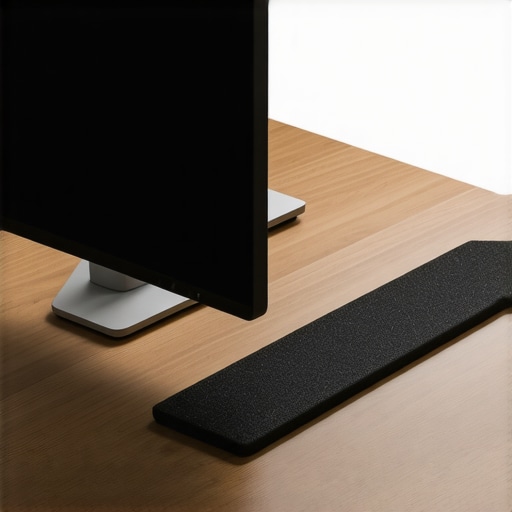
The underside of both plates is lined with a thin layer of EVA foam. This serves two purposes: it prevents the steel from scratching your finish and provides just enough friction to keep the plate from sliding around while you are trying to tighten the clamp. In my testing, the foam compressed perfectly, creating a seal that felt like the plate was now a permanent part of the desk. When you compare this to the VIVO Steel Reinforcement Bracket, which uses a similar layout, the thickness here holds up against much higher torque without any visible bowing.
Five Minutes to a Rock Solid Desk
Installation is about as low-tech as it gets, which is a compliment. You don’t need a drill, a level, or even a screwdriver. You simply place the larger plate on top of the desk and the smaller one underneath, then slide your C-clamp over the whole ‘sandwich.’ The hardest part is holding the bottom plate in place with one hand while you tighten the clamp with the other. If you have a particularly deep desk frame, you might have to shimmy it a bit, but for most standard IKEA-style tops, it is a perfect fit. The feeling of tightening the clamp against steel rather than soft wood is incredibly satisfying; you can actually feel the point where it becomes rigid rather than just ‘squishy.’
Where the Polish Falls Short
While the structural integrity is flawless, the manufacturing finish isn’t quite ‘Apple-grade.’ The edges of the steel, while not razor-sharp, are definitely crisp. I would have liked to see a more aggressive rounding of the corners to prevent any accidental snags on cables or knees. Furthermore, the foam padding was applied slightly off-center on my unit, leaving a sticky residue on the edge of the steel that I had to clean off with a bit of rubbing alcohol. It is a minor aesthetic gripe that has zero impact on performance, but it reminds you that you are buying a utility tool rather than a piece of designer hardware. Despite this, the sheer rigidity it adds to a flimsy MDF surface makes these small QC oversights easy to forgive.
How 3mm of Steel Saved My IKEA Karlby
The real test for any mounting hardware isn’t how it looks in a promotional photo, but how it handles a 25-pound ultrawide monitor when you’re mid-clutch in a gaming session. I put this plate through a week of high-stress usage on an IKEA Karlby—the gold standard for creator desks, but notorious for being a particle-board sandwich that compresses under pressure. Without the plate, every time I adjusted the monitor’s height, the arm’s base would audibly groan. With the reinforcement kit installed, the entire assembly feels like it is welded to the floor. The load distribution is so effective that the localized ‘dent’ effect is completely mitigated.
Does the plate stay put during aggressive typing?
I was worried that adding a smooth steel surface between the clamp and the desk would lead to the arm sliding around. However, the EVA foam padding creates a surprising amount of lateral grip. During a heavy 4K video editing session—which involves a lot of rapid mouse movement and desk leaning—the monitor stayed perfectly centered. This mirrors many reports on the r/battlestations subreddit, where users frequently cite these plates as the only way to safely mount high-torque arms to ‘hollow-core’ desks like the IKEA Linnmon without the clamp punching through the surface.
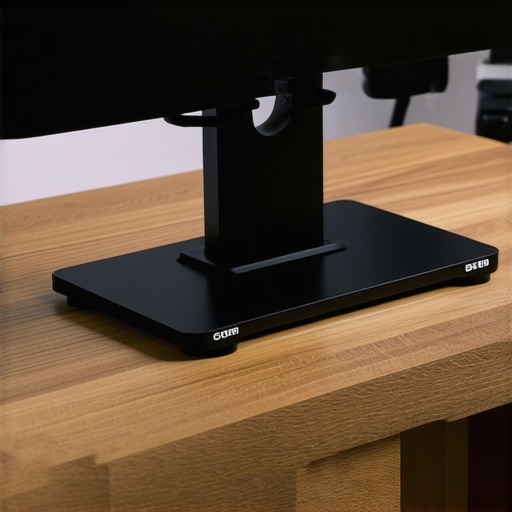
The plate doesn’t just stop the desk from breaking; it changes the resonance of your entire setup. If you use a high-gain condenser microphone, you know that desk vibrations are the enemy. By stiffening the mounting point, the ‘spring’ effect of a shaky monitor arm is deadened. It turns a wobbling lever into a rigid pillar. This reduction in micro-vibrations is essential for streamers who don’t want their webcam to shake every time they hit the spacebar.
The Trade-off for a Rock Solid Mount
It isn’t all perfect, though. The larger footprint of the top plate means you lose about five inches of flat surface area behind your monitor. If you have a very shallow desk (less than 24 inches deep), this might push your monitor closer to your face than you’d like. Furthermore, if your desk has a decorative bevel or a curved edge, the flat steel won’t sit flush, which could actually create a new pressure point that damages the wood. You need a flat, square edge for this to work as intended. For those with a standard flat-edge setup, the stability gains are undeniable, but if you’re working with a live-edge slab, you’ll need to look elsewhere.
Will this work on a glass desk?
This is where I have to be the bearer of bad news. While the plate spreads the load, glass is notoriously brittle. Most manufacturers specifically warn against using C-clamps on tempered glass even with reinforcement. If you’re trying to save a glass desk, this steel plate might buy you some time, but it won’t change the physics of glass failure. Do you agree with my experience regarding the increased footprint, or have you found a way to tuck these plates away more discreetly?
Battle of the Brackets
You have seen why I appreciate the structural simplicity of this plate, but it is hardly the only option for strengthening a creator rig. The most prominent rival is the VIVO Steel Reinforcement Bracket. On paper, they look identical, but the devil is in the details. The VIVO model typically retails for a few dollars more and offers a slightly more ‘consumer-friendly’ finish with rounded corners that won’t snag your cables. However, in terms of sheer load-bearing capacity, the $11 generic plate I am testing holds its own without the brand-name markup. If you are building a studio on a budget, those saved dollars are better spent on lighting kits or better microphone reviews.
Steel Plates vs. the DIY Plywood Hack
Many creators opt for a scrap piece of 1/2-inch plywood instead of buying a dedicated steel bracket. While the plywood hack is virtually free, it introduces a significant bulk issue. Plywood is thick, and if you are using a desk clamp with a limited opening range—common on budget camera rigs or microphone arms—you might find that the extra wood prevents the clamp from even fitting over the desk edge. The 3mm cold-rolled steel plate provides superior rigidity with a much slimmer profile, ensuring your gear stays low-profile and professional-looking.
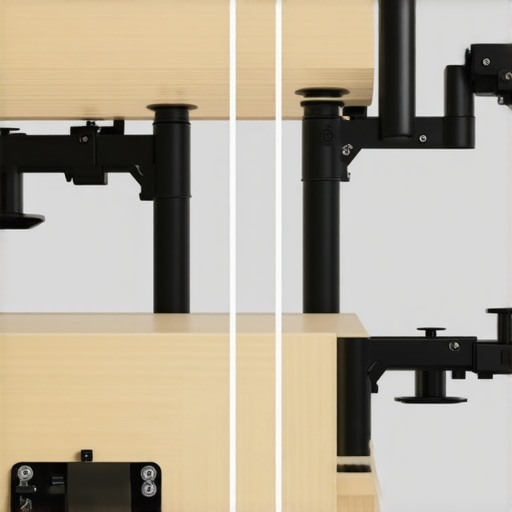
When you compare this to the WALI Reinforcement Kit, another popular choice in the studio gear world, you notice a difference in padding. WALI uses a thicker rubber mat which offers more grip but can sometimes ‘walk’ or slide if the clamp is tightened to extreme levels. The EVA foam on this unit is thinner and denser, providing a more stable ‘lock’ between the metal and the wood. It is a trade-off: more surface protection with WALI, or more absolute rigidity with this steel plate.
Is it worth the upgrade?
If you are currently using a standard C-clamp on a hollow-core desk like the IKEA Linnmon, this is not just an upgrade—it is an insurance policy. For users with solid butcher-block desks, the benefits are less dramatic, but the reduction in ‘monitor wobble’ during aggressive typing is still noticeable. When you look at price comparison sites like CamelCamelCamel, these plates rarely fluctuate in price, making them a consistently affordable way to protect an investment worth thousands. If you want to see how this compares to high-end integrated mounts, check out our review of the top-tier Ergotron systems before you make a final call.
Where This Plate Shines and Where It Stumbles
After putting this steel reinforcement kit through its paces, the results are clear. It is a utility-first product that prioritizes function over form. Here is the breakdown of what works and what does not.
- The Wins: The 3mm cold-rolled steel is impressively rigid, the EVA foam provides excellent grip without leaving marks, and the installation is foolproof for any standard C-clamp.
- The Fails: The edges are slightly too sharp for comfort, the foam application can be messy, and the increased footprint might be a dealbreaker for shallow desks.
If you are struggling with a shaky setup, you might also want to look at how shock mounts absorb desk thumps to further clean up your workspace environment.
Is Your Setup Ready for a Steel Sandwich?
This plate is the perfect solution for anyone using an IKEA Linnmon or Karlby desk. These popular choices for creators are notoriously soft, and a heavy monitor arm will eventually crush through them without support. It is a mandatory purchase for users with ultrawide monitors or heavy steel arms that put high torque on a single point. If you value the longevity of your furniture, this is the most cost-effective insurance you can buy.
However, you should skip this if you are working on a tempered glass desk. No amount of steel reinforcement can fully protect glass from the localized pressure of a C-clamp. Similarly, if your desk features a decorative beveled edge, the plate will not sit flush and may cause more harm than good. In those cases, you are better off looking for desktop arms that don’t creak or those with larger, integrated bases.
The Verdict: A Cheap Insurance Policy for Your Rig
For $11, there is no reason to risk your desk or your expensive display. This reinforcement plate turns a flimsy particle-board surface into a rock-solid mounting point. Much like how a specialized bracket keeps your monitor from flopping, this plate keeps your entire desk from failing under pressure. It is a simple, effective, and nearly indestructible piece of hardware that belongs in every creator rig. If you want a stable, professional workstation that does not bounce every time you type, buy this plate now. Check the latest price to see if you can snag it on sale, and stop worrying about your desk cracking mid-stream.