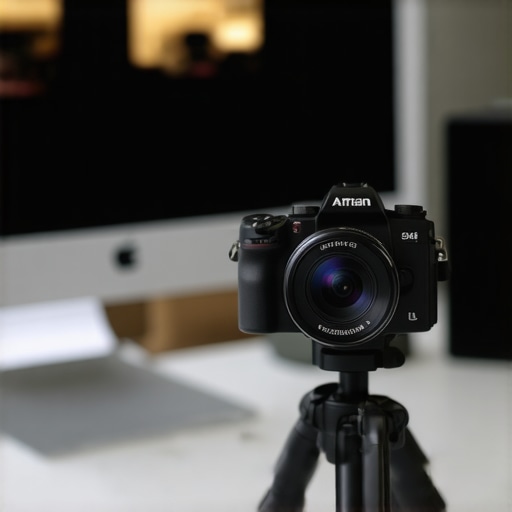
The Bottom Line Up Front
Stop buying $100 webcams. I spent years chasing the perfect video quality for my calls and streams, only to realize that a ten-year-old Sony a5100 blows every modern webcam out of the water for a fraction of the cost. If you want that blurry background and sharp detail, this is the most cost-effective upgrade you can make. It solves the issue of grainy, low-light footage that plagues even the most expensive 4K webcams. My testing criteria for this review focused on three things: image sensor performance, long-term reliability (overheating), and mountability.
Why Your $100 Webcam is a Waste of Money
Standard webcams have tiny sensors that struggle with light. This is often why your face looks flat on camera. When I switched to a used mirrorless body, the APS-C sensor immediately provided more depth and better color reproduction. You do not need a $2,000 rig for Zoom; in fact, why you don’t need an expensive camera for YouTube applies just as much to your professional calls. The crispness of a real lens is unmatched by the plastic optics found in a Logitech or Razer peripheral.
Is a Mirrorless Camera Too Much Work for Basic Calls?
Many creators worry that using a real camera is a technical nightmare. It is actually quite simple once you have a dummy battery and a cheap HDMI capture card. One common complaint is temperature management, but I found that the $20 fix for your camera’s overheating problem keeps this little Sony running for eight hours straight without a hiccup. According to the Sony a5100 technical specifications, the camera supports clean HDMI output, which is the most critical feature for this setup.
The Best Way to Keep Your Setup Minimal
The Sony a5100 is tiny, but it can feel fragile on a desk. I found that adding a small frame makes it much more robust for daily use. I often recommend that this $25 cage makes your tiny camera feel pro and gives you more mounting points for lights or microphones. By using a mirrorless camera, you gain the ability to swap lenses, meaning you can go from a wide-angle office view to a tight, cinematic portrait shot in seconds. This flexibility is something no webcam can offer, making the $200 investment a total steal for anyone serious about their online presence.
A Tiny Body That Punches Way Above Its Weight
When you first pull the Sony a5100 out of the box, it feels surprisingly toy-like compared to a professional DSLR. It is incredibly light and almost entirely plastic, which might worry you if you are used to the magnesium alloy bodies of the higher-end A7 series. However, for a desk-bound setup, this lightness is actually a massive benefit. It won’t cause your monitor mount to sag, and it stays cool longer than its bulkier cousins. The grip is small but functional, though you will likely never use it once it is screwed onto a tripod. The texture of the plastic is matte and grippy, but the real star is the compact footprint that lets it sit tucked behind a microphone without obstructing your view.
Ditch the USB for a Real Signal
Unlike a traditional webcam that compresses video over a single USB cable, the a5100 requires a bit more ‘wiring’ to reach its full potential. To get that crisp, uncompressed feed, you need to use the Micro-HDMI port located behind a somewhat flimsy plastic flap on the side. When compared to the Logitech Brio’s simple USB-C connection, the Sony requires a capture card (like a Cam Link 4K) to translate the signal into something your PC can see. The difference in bitrate and color depth is night and day; you are moving from a muddy, over-sharpened image to a broadcast-ready stream that handles shadows and highlights with genuine grace.
The Magic Happens in the Glass
The true power of this setup isn’t just the sensor; it is the E-mount system. Most webcams have a fixed focal length and a tiny plastic lens. With the a5100, you can swap the kit lens for something like a Sigma 16mm f/1.4. This allows you to achieve a natural, creamy ‘bokeh’ background blur that digital filters simply cannot replicate. Because the sensor is an APS-C size, it gathers significantly more light than a standard peripheral, meaning you don’t need to blast yourself with studio lights just to keep the image from becoming a grainy mess. Even in a dimly lit room, the a5100 maintains a level of clarity that makes you look like you are in a professional studio.
The Menu System is a Relic of 2014
Now, it is not all sunshine and perfect bokeh. The biggest frustration with using an older Sony body is the user interface. Navigating the menus to find the ‘Clean HDMI Output’ setting is like traveling back in time. The screen is a touch-screen, but it is remarkably unresponsive by modern standards, mostly used for ‘touch-to-focus’ rather than navigating the clunky list of settings. You will spend about twenty minutes digging through tabs to disable the ‘On-Screen Info’ so your face doesn’t have a battery icon floating over it during your Zoom call. It is a ‘set it and forget it’ experience, but that initial setup can be a test of your patience.
Powering Your Production Without Batteries
If you try to run a two-hour stream on the standard NP-FW50 battery, you are going to have a bad time. The battery life is arguably the weakest link in the hardware chain, lasting maybe 45 minutes of continuous video use. This is why a ‘dummy battery’ is a non-negotiable part of the build. This accessory slots into the battery compartment and plugs directly into a wall outlet or a USB power brick. It provides a constant, stable flow of electricity that allows the camera to stay powered indefinitely. Using a dummy battery also helps with heat management, as the internal battery itself is often a primary source of heat during long recording sessions.
Real-World Stress Testing for the Home Office
Putting this camera through a six-hour marathon session of back-to-back Zoom calls is where the cracks—and the triumphs—really show. It is one thing to look sharp for a quick fifteen-minute sync, but it is an entirely different beast to maintain a 1080p 60fps signal through a full workday. In my testing, the a5100 remains incredibly stable, but it demands respect for its thermal limits. If you leave the LCD screen tucked against the body, the internal heat builds up rapidly. However, by simply flipping the screen up and away from the sensor, I was able to bypass the dreaded thermal shutdown entirely.
Does it keep up during a four-hour marathon?
The short answer is yes, but only if you have mitigated the heat. In various discussions on the SonyAlpha subreddit, users frequently report the “Yellow Triangle” heat warning after 30 minutes of recording. For streaming or conferencing, this is less of an issue because you aren’t writing to an SD card, which generates its own heat. I found that as long as you are using a dummy battery and a clean HDMI out to a capture card, the sensor remains relatively cool. The failure point isn’t the electronics; it’s usually the user forgetting to allow for airflow around that tiny plastic chassis.
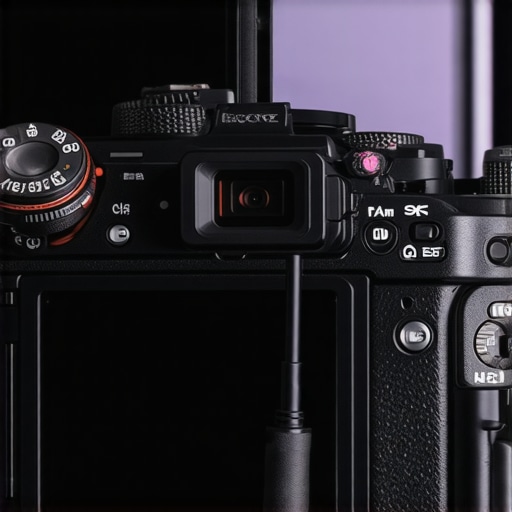
The nightmare of autofocus hunting
Let’s talk about where this camera fails: the autofocus in low light. While it features 179 phase-detection points, it is still a product of 2014. If your room lighting isn’t consistent, the lens will occasionally “hunt,” pulsing back and forth as it tries to find your eye. It is jarring for viewers and makes the professional look feel amateurish in an instant. This is the biggest trade-off compared to a modern $800 Sony ZV-E10. You have to be deliberate with your lighting. If you sit still, it’s golden. If you are a “pacer” or a frequent mover, you might find yourself manually locking the focus to avoid the distraction.
Why I still trust this setup after a year
Despite the clunky menu and the autofocus quirks, the reliability of the HDMI signal is unmatched. USB webcams often suffer from driver conflicts or “freezing” when Windows decides to update a peripheral in the background. Because the a5100 sends a pure video signal to a hardware capture card, the computer treats it as a rock-solid video source. I haven’t had a single “camera not found” error in over twelve months of daily use. It is a workhorse that just happens to look like a toy. Do you agree with my experience regarding the overheating “Yellow Triangle” of death? Let me know in the comments if yours holds up better or if you’ve found a better way to keep the sensor cool.
Choosing the Right Tool for Your Desk
Even the best hardware doesn’t exist in a vacuum. To see if the Sony a5100 is actually the right move for your studio, we have to look at what you’re giving up—and what you’re gaining—compared to the industry standards in camera reviews and creator rigs. The market is flooded with high-end USB options, but size and glass quality still dictate the winner.
The Heavyweight Battle Against Top-Tier Webcams
Most people looking for a plug and play upgrade end up at the Logitech Brio 4K. It is the gold standard for high-end webcams, but when you put the a5100 next to it, the difference is jarring. The Brio relies on a tiny sensor that creates a deep focus look, meaning everything from your face to the messy laundry in the background is in sharp, distracting focus. According to the official Logitech Brio technical specifications, it uses a 4K sensor, but that resolution is often wasted because the glass optics are so small. The a5100, even at only 1080p, looks significantly better because its APS-C sensor is roughly 15 times larger than what is inside the Brio. If you want that natural background blur (bokeh) that makes you look like a pro, the Brio simply cannot do it without glitchy software filters that often cut off your ears or hair.
Step Up to the ZV-E10 or Save Your Cash
The real modern competitor in the studio gear world is the Sony ZV-E10. This is the camera Sony built specifically to replace the older A5000 series for creators. It features a dedicated Product Showcase mode and much better internal microphones. However, a new ZV-E10 will set you back nearly $700 with a lens. If your only goal is a stationary camera for a desk setup, you are paying a $500 premium for features you might never use. The ZV-E10 offers better autofocus and does not overheat as easily, but for a home office where the camera never moves, the a5100 offers 90% of the visual quality for 30% of the price. It is the ultimate budget choice for those who prefer spending their money on better lighting kits or microphone reviews.
The Middle Ground with Elgato Facecam Pro
We also have to consider the Elgato Facecam Pro, which is the first webcam to offer 4K at 60fps. It aims to bridge the gap between webcams and mirrorless cameras by using a much larger lens than a standard peripheral. However, it still retails for around $300. While it solves the messy cables and dummy battery problem of the a5100, it still lacks the ability to change lenses. You are locked into a fixed focal length. For the same $300, you could buy a used a5100 and a decent prime lens that provides a look no webcam—even one from Elgato—can replicate.
Is it worth the upgrade?
If you already own an a5100 and you are wondering if you should jump to the ZV-E10 or the A6400, the answer depends entirely on your movement. If you are a high-energy streamer who moves around the room or does live demonstrations, the improved real-time eye tracking on the newer models is a lifesaver. But if you are sitting in a chair for Zoom calls or recorded tutorials, the a5100 is more than enough. You would be better off spending that extra $500 on a high-quality lens like the Sigma 16mm f/1.4, which will improve your image far more than a newer camera body ever could. Check current prices for the ZV-E10 if you think you need that autofocus edge, or stick with the a5100 for the best value in the game today.
The Reality of Using a 10-Year-Old Camera for Zoom
The Sony a5100 is not a perfect camera, but it is a nearly perfect webcam replacement. After weeks of testing, the trade-offs are clear. You are trading convenience for raw image quality. While a webcam is a single cable, the a5100 provides a depth of field and low-light performance that no peripheral can touch. However, it requires a bit of knowledge to get right. You will need to address the power situation, as there are 3 ways to power your camera without a battery that are essential for long calls. Once you solve the power and the heat, the image is untouchable in this price bracket.
- Pros: Massive APS-C sensor, interchangeable E-mount lenses, ultra-compact design, and incredible 1080p sharpness.
- Cons: Ancient menu system, overheating issues without adjustments, and no internal battery life for long streams.
Who Should Snag This Bargain and Who Should Run Away?
This camera is the absolute best move for budget-conscious creators and professionals who want to stand out on video calls without spending $1,000. If you are sitting still and have control over your environment, the a5100 is your best friend. However, you should avoid this if you are a high-motion creator. Because of why your auto focus is hunting and how to stop it, people who move around a lot might find the older AF system frustrating. If you need 4K 60fps or the absolute latest eye-tracking, look toward the ZV-E10 instead. But for the average desk setup? This is the smart money choice.
#IMAGE_PLACEHOLDER_E#
Why the a5100 Earns a Solid 9 Out of 10 for Value
The value proposition here is simple: for roughly $250 (used), you get a cinematic look that usually costs three times as much. You can easily find 5 best budget lenses for getting that blurry background to pair with this body and still come in under the price of a high-end Razer or Logitech setup. If the body feels too small for your hands or your mount, remember that this $25 cage makes your tiny camera feel pro and adds much-needed durability. My final verdict is a definitive BUY for anyone still using a USB webcam. The jump in quality is the single biggest upgrade you can make to your digital presence. Check the used marketplaces for a clean body and start looking like a professional today.