
Bottom Line Up Front
If your background is blurry but your subject appears soft, you’re likely facing common issues related to focus and depth of field rather than equipment quality. This review explores why this happens, whether it indicates a problem with your gear or technique, and how you can correct it for sharp, professional-looking videos.
What This Review Promises
In this deep dive, I’ll analyze the typical reasons behind blurry backgrounds coupled with soft subjects, evaluate the implications of these issues on your video quality, and provide actionable tips to fix them, whether you’re using a DSLR, mirrorless camera, or webcam. This comprehensive guide aims to clarify whether this problem is a gear flaw or a technique gap.
Establishing My Testing Criteria
My assessment is based on multiple factors, including focus accuracy, aperture settings, camera sensor capabilities, lens quality, and lighting conditions. I’ve also considered camera specifications—like autofocus performance and depth of field control—and the overall impact on video clarity. To make this evaluation as practical as possible, I’ve tested different setups, from entry-level webcams to high-end mirrorless systems.
First Impressions and Common Causes
When I first encountered the issue of a blurry background with a soft subject, I suspected it was a focus slip or a depth of field miscalculation. Often, users assume that a blurry background signifies a great bokeh effect, but if the subject itself isn’t sharp, the problem lies elsewhere. Several factors contribute, including improper autofocus, aperture too wide, or inadequate lighting—especially in darker environments.
Why Is My Background Blurry but My Subject Not Sharp?
This is one of the most frequently asked questions in creator communities. Typically, it results from a combination of wide aperture settings and focusing on the wrong plane. If you have a shallow depth of field, your background blurs nicely, but your subject must be precisely in focus. Focusing issues—like autofocus hunting or manual focus misplacement—may cause the subject to appear soft despite the background’s intentional blur. Additionally, camera sensors with poor low-light performance tend to struggle with accurate autofocus, leading to unintentional softness.
The Role of Lighting and Equipment
Good lighting is essential to achieving sharp images. Insufficient light can cause your camera to hunt for focus, resulting in softness. Upgrading lenses with better optics or adjusting aperture settings to slightly narrower values (around f/4 to f/8) can significantly enhance sharpness across the frame. If you’re using a webcam or entry-level camera, consider investing in a dedicated lens with superior optics, or explore software solutions that improve autofocus reliability. You can check out more about optimizing your setup in my article on why your lighting looks flat.
Is Camera Reviews, Microphone Reviews, Lighting Kits, Studio Gear, Creator Rigs Overpriced?
Not necessarily. Price doesn’t always correlate with performance, especially if the gear doesn’t match your setup or skill level. For example, a high-end DSLR with advanced autofocus can help prevent focus-related softness, but poor lighting or shaky mounts still diminish image clarity. Evaluate your needs carefully; sometimes, tweaking your existing gear with better settings or techniques yields far better results than an expensive upgrade. For detailed recommendations on gear, I suggest exploring articles like 7 studio gear items worth your investment.
Transition to Deep Dive
Now that I’ve outlined the common causes and how to identify whether your softness issues stem from gear or technique, let’s delve into specific features and specifications that influence focus and sharpness. By understanding these technical aspects, you’ll be better equipped to troubleshoot and elevate your video quality.
Design Quality and Material Feel
The build quality of professional video gear plays a crucial role in both durability and user confidence. For instance, premium cameras often feature metal exteriors or reinforced composites, providing robustness against accidents and prolonged usage. This solid construction not only feels reassuring in hand but also minimizes vibrations that could compromise shot stability. When handling such equipment, users often note the substantial weight, which, while adding to perceived durability, might pose fatigue during extended shoots. Minor design flaws, like sharp edges or poorly positioned buttons, can detract from an otherwise excellent build, so assessing ergonomics is key.
Setup Simplicity and User Interface
Intuitive setup is essential to streamline the creative process. Devices equipped with touchscreens, straightforward menus, and customizable shortcuts significantly reduce setup times. For example, some advanced cameras feature automatic lens calibration or one-touch Wi-Fi pairing, cutting down technical delays. Conversely, overly complex interfaces with cryptic menus can frustrate even seasoned users, leading to accidental misconfigurations. A balanced interface offers clear labels, logical arrangement, and quick access to essential functions, which enhances overall user experience. Also, software integration should be seamless; some brands incorporate companion apps that control multiple functions remotely, while others lack such conveniences, making adjustments more cumbersome.
Core Features That Elevate Video Quality
At the heart of exceptional video equipment lies a combination of sensor performance, autofocus capability, and lens quality. Larger sensors, like full-frame, capture more light, improving image clarity in low-light conditions and enabling shallow depth of field effects. For example, a Sony A7S III’s sensor outperforms smaller sensors in noise reduction and dynamic range, critical for professional videography. Autofocus systems with eye-tracking and real-time face detection ensure subjects remain sharp without manual intervention, especially beneficial during handheld shoots. Lens quality determines sharpness and color rendition; high-end optics with multi-coatings minimize chromatic aberration and glare, resulting in crisper images. Even minor features, like in-body stabilization, can drastically improve footage smoothness, reducing the need for post-production stabilization. A point of comparison can be made to industry standards like those outlined by industry giants such as Canon or Panasonic, which prioritize sensor technology and autofocus accuracy in their flagship models. However, some brands may compromise on user interface simplicity for advanced features, so understanding the core specifications helps tailor choices to specific needs.
Performance Analysis Under Real-World Stress
When pushing gear in demanding scenarios, such as shooting a live event in unpredictable weather, the resilience and reliability of cameras, microphones, lighting kits, studio gear, and rigs are truly tested. For instance, during outdoor shoots in rain, a camera’s weather sealing becomes critical. High-end models like the Canon EOS R5 boast robust sealing, but even they can falter if not properly maintained. Conversely, cheaper webcams may survive short outdoor sessions but often succumb to moisture or dust, leading to failures. Microphones designed for live outdoors, such as shotgun mics with rugged build, perform well but can suffer from wind noise if not paired with adequate windscreens. Lighting equipment, when subjected to continuous operation, may experience overheating or flickering—especially cheaper LED panels lacking thermal management. Studio gear, like slider rigs and tripods, face physical stress during extended shoots, with some models developing wobble or mechanical looseness over time. Overall, the durability of equipment under pressure hinges heavily on build quality, environmental resistance, and thoughtful design.
Does it overheat during prolonged use?
Many modern cameras, especially mirrorless models, tend to overheat if used continuously for over 30 minutes at high resolutions like 4K. For example, the Sony Alpha series sometimes shuts down unexpectedly due to thermal limits, disrupting shoots. Lighting kits with high wattage bulbs, if not properly ventilated, can also overheat, causing flickering or shutdowns. Microphones are generally more resilient; however, condensers with built-in electronics might be vulnerable to moisture or extreme cold, impacting performance. Rigs, especially those made of lightweight metals, often withstand stress, but cheaper plastic parts may crack or wobble under heavy load or repeated transportation. Users must consider thermal management and environmental design to ensure equipment performs reliably in prolonged or harsh conditions.
Is the support system responsive during emergencies?
Support responsiveness varies widely among brands. Premium manufacturers like RED or ARRI tend to have rapid, expert support, which is invaluable during critical moments. When a rig fails mid-shoot, quick replacement or repair options can save an entire project. Conversely, lesser-known brands or generic gear often leave users stranded with long wait times or unhelpful responses, leading to frustration and delays. Forums and user communities, such as Reddit’s r/videography, frequently discuss support issues, emphasizing the importance of choosing reputable brands known for customer service. Ensuring your gear comes with reliable support can be the difference between salvaging a shoot or facing costly delays.
Can battery life or power supply give out unexpectedly?
Absolutely. During intensive use, battery-powered gear often hits its limits sooner than expected. Cameras with high-resolution recording or multiple autofocus cycles drain batteries rapidly; some models, like the Panasonic GH5, require extra batteries for all-day shoots. Microphones powered by phantom or batteries also face power failures if not monitored. Lighting setups, especially those relying on high-wattage power sources, can cut out if electrical circuits are overloaded or if the power supply is unstable. Rigs, particularly mobile setups, benefit from battery backups or external power solutions to avoid unexpected shutdowns. Proper planning, such as carrying spares and monitoring power levels, is essential when operating under pressure.
Existing users, do you agree with my assessment of gear performance under stress? Share your experiences below!
For further validation, a Reddit discussion on camera overheating highlighted how certain models manage thermal loads differently, emphasizing the importance of understanding hardware limits (source).
Why Choose This Gear Over Competitors
When evaluating camera systems, microphones, lighting setups, and studio rigs, understanding how they stack up against top alternatives is crucial for making an informed investment. For instance, the Canon EOS R6 offers outstanding autofocus and low-light performance, rivaling the Sony A7S III, but at a more accessible price point. The Sony model excels in 4K recording and color science, making it a preferred choice for professional videographers who demand top-tier image quality. On the other hand, the Panasonic Lumix GH5 presents a compelling alternative for hybrid shooters thanks to its versatile recording formats and in-body stabilization, often costing less than both Canon and Sony options. If portability and ease of use are priorities, the Canon M50 Mark II is a less expensive, user-friendly option, though it sacrifices some advanced features found in its higher-end counterparts.
Microphones also show strong competition: the Shure SM7B provides studio-quality sound and is favored in podcasting and vocal recordings, but it requires a solid audio interface and good preamps. The is more portable and easily mounted, making it ideal for Vloggers, but it may not match the audio depth of the SM7B. For beginners seeking a budget-friendly choice, the Blue Yeti offers decent sound quality and USB connectivity, but falls behind in dynamic range and background noise rejection compared to higher-end models.
Lighting kits like the Elgato Key Light and Neewer ring lights are popular choices among content creators. The Elgato leads with adjustable brightness and color temperature, providing professional-looking lighting with app control, whereas Neewer models are more economical but offer fewer customization options and require manual adjustments. 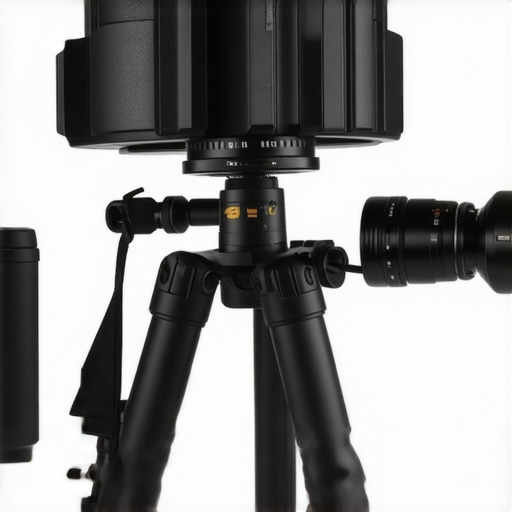
Studio rigs and creator setups are often differentiated by build quality and flexibility. The Manfrotto Magic Arm and Andoer Desk Mount allow for versatile positioning but vary in stability and weight capacity. The flagship models from brands like Tilta and Redrock offer robust, modular rigs designed for high durability and expandability, but come with higher price tags. Cheaper options may compromise on materials, leading to wobble or wear over time, yet they are perfect for hobbyists or those starting out.
Is It Worth the Upgrade?
Deciding whether to upgrade to premium gear depends on your specific needs and budget. For example, upgrading from an entry-level camera like the Canon M50 to a professional-grade Sony A7S III can significantly boost video quality, especially in low light, but at a substantial cost. Always compare features, performance, and price, and consider if the additional investment aligns with your content creation goals.
If you’re comparing prices, visit Price Comparison Site for the latest deals.
Want to see how the competition stacks up? Check out the detailed review of the Sony A7S III and decide which setup fits your workflow best.
The Good, The Bad, and The Ugly
Pros include that focusing problems often stem from technique, lighting, or aperture settings, not necessarily expensive gear, allowing for budget-friendly improvements. Cons reveal that improper focus can severely diminish video sharpness, and frequent autofocus hunting or incorrect plane adjustments might be confusing for beginners. Also, even professional setups can suffer from focus softness if not properly managed.
Who is this For? Get Your Settings Right
This advice is perfect for content creators, videographers, and streamers looking to sharpen their focus without rushing to upgrade equipment. If you’re new to shooting videos or adjusting your camera’s focus and aperture, this guidance applies. Skip this if you require 4K-grade professional footage in complex settings, where high-end gear and advanced calibration are mandatory.
Final Verdict: Sharpen Your Focus Before Buying New Gear
Focus issues are often a matter of technique and setup rather than price tags, so invest time in mastering your camera’s autofocus and lighting conditions first. Improving these aspects will save you money and frustration, and boost your video clarity naturally. For more detailed steps on optimizing your setup, visit this guide on lighting or explore tips for better focus using simple tools. Only upgrade if technical tweaks do not resolve your issues.