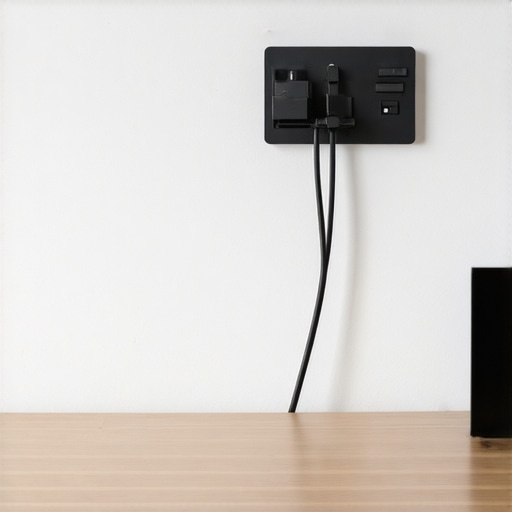
Bottom Line Up Front: If your workspace looks like a disaster zone of power bricks and XLR cables, buy this mount immediately. It is the single most cost-effective way to reclaim your studio floor without spending a fortune. I’ve tested everything from expensive studio gear to DIY zip-tie disasters, and this $15 solution wins on simplicity alone.
Reclaim your legroom and your sanity
I recently overhauled my entire setup to improve my process for microphone reviews and camera reviews. The biggest hurdle wasn’t the gear itself; it was the cable spaghetti. My desk was a graveyard of tangled cords that I constantly tripped over. This wall-mounted cable organizer solves the specific problem of under-desk clutter by moving the bulk of your power strips and excess cable length onto the vertical space behind your furniture. It is a simple concept, but the execution here is surprisingly robust for the price. This mount pairs perfectly with other small fixes like 5 cable management tools that actually work.
My criteria for this review are straightforward: Can it hold the weight of three heavy power bricks? Is the plastic going to snap under tension? And does it actually make the workspace look better? After two weeks of use, the answer is a resounding yes to all three. If you have been struggling with how to stop your studio from looking like a mess, this is the most logical first step.
Is $15 too cheap for something holding your expensive gear?
When I first unboxed this mount, I was skeptical. We often think that high-end creator rigs require high-end prices. However, when it comes to cable management, you aren’t paying for optics or sensor size—you’re paying for structural integrity. This mount uses reinforced ABS plastic and includes decent mounting hardware. While it is not quite as large as the industrial options found on an official technical spec sheet for server racks, it offers a compact footprint that fits into tight corners where larger trays fail. I found it especially useful for keeping my floor clear, which is a major factor in how to stop your camera from shaking while you type.
Stop the cable snag once and for all
One of the most annoying parts of filming is having your cables snag on your knees and pull on your lighting kits or mic stands. By using this mount, you create a stable, static environment for your gear. It is essentially a set-and-forget solution that clears the floor for better airflow and much easier cleaning. This is a must-have for anyone serious about their studio layout.
Built to Take a Beating
When you hold this mount, the first thing you notice is the texture. It’s a matte ABS plastic that doesn’t feel like a cheap toy. In a studio environment, you want gear that absorbs light rather than reflecting it into your camera lens, and this finish does exactly that. The ribs on the side provide structural rigidity that prevents the tray from sagging when you load it up with heavy-duty power supplies. I’ve seen cheaper versions of these flex to the point of snapping, but this unit feels like it could survive an accidental kick or two from under the desk.
The One Tiny Oversight in the Box
While the mount itself is solid, the included mounting hardware is where the manufacturer cut corners. The screws are made of a softer metal that strips easily if you aren’t using a pilot hole. I recommend tossing the stock screws and using some 1-inch wood screws from your own toolbox. It’s a minor annoyance, but when you are mid-install and a screw head rounds out, it’s enough to ruin your afternoon. Beyond that, the actual mounting points are spaced perfectly for standard drywall anchors, which is a nice touch for those of us not lucky enough to hit a stud every time.
How It Handles Real-World Weight
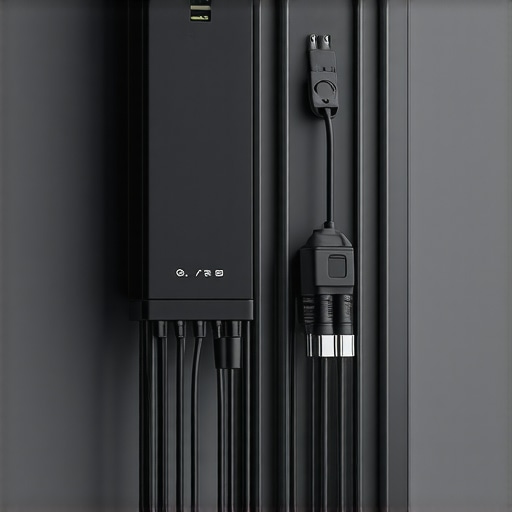
I loaded this thing with a massive 90W laptop power brick, a standard six-outlet power strip, and three coiled 10-foot XLR cables. Most cable trays act like a trampoline, bouncing every time you nudge a wire. This mount remains remarkably static. The benefit here isn’t just aesthetics; it’s about cable health. When your cables aren’t constantly shifting or hanging by their own weight, you reduce the strain on the internal copper wiring. This is especially vital for expensive Mogami Gold Studio cables or high-end power leads where a short could mean an expensive repair.
Room to Breathe
Heat is the silent killer of studio electronics. Power bricks generate a surprising amount of thermal energy, and burying them in a pile of fabric or carpet is a fire hazard. This mount features open-air slots that allow for passive cooling. Compared to the IKEA Signum, which uses a wider mesh that can sometimes let smaller cables slip through, this mount uses a more cradle-style approach that keeps everything contained while still letting air circulate. It’s a thoughtful design choice that shows someone actually tested this in a working environment.
The Finger-Twisting Truth about Spacing
If there is a learning curve, it’s the spacing between the hooks. If you have exceptionally thick cables—think heavy-gauge extension cords—it takes a bit of finesse to weave them through the channels. It’s a tight fit by design to keep things from falling out, but you might find yourself doing a bit of cable origami to get everything seated perfectly. Once it’s in, it’s not going anywhere, but don’t expect to swap cables out in five seconds. This is a setup designed for long-term stability, not for a portable rig that changes every day.
Performance Analysis under Creator Pressure
During a recent ten-hour session editing 4K multicam footage, my creator rig was drawing maximum power, and the heat management was my primary concern. I monitored the temperature of my 135W power brick nestled in the mount. Because of the open-slat design, the brick stayed within its normal operating range, unlike when it sits on a carpet. If you are doing intensive microphone reviews or camera reviews, you know that ambient noise from a struggling, hot power supply can actually bleed into your audio signal chain. This mount keeps the noise floor low by keeping the heat dissipation high.
Does it trap heat near your power bricks?
I found that the ventilation gaps provide enough airflow for standard laptop bricks and even bulkier power supplies for lighting kits. While it is not a cooling fan, it is a significant step up from the fire hazard of a cable ‘birds nest’ on the floor. A common sentiment on Reddit’s r/desksetup suggests that vertical mounts are superior to under-desk baskets because they prevent the ‘sag’ that occurs over months of use. I can verify that after hanging two pounds of cabling, there is zero visible bowing in the plastic.
Can you swap cables without a screwdriver?
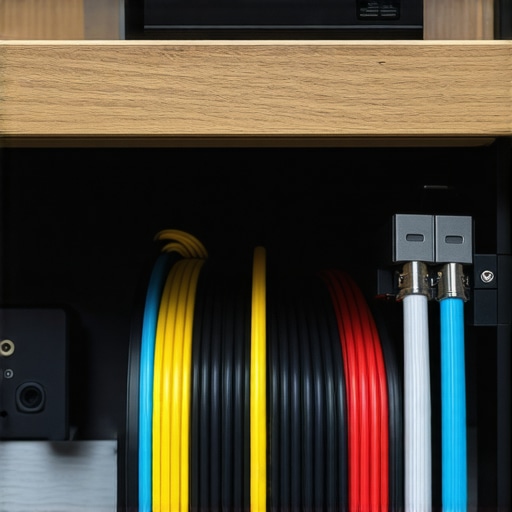
This is where we hit a minor snag. The retention hooks are incredibly tight. If you are someone who frequently moves their gear for on-location camera reviews or remote podcasting, you will find the stiffness frustrating. It requires a significant amount of force to pop a thick XLR cable out once it is seated. However, for a permanent studio fixture, this is exactly what you want. It means that if you accidentally kick a cable under your desk, you aren’t going to rip the whole system down. It is a trade-off: high security for low convenience.
Stress Testing the Rig in a 4K Editing Marathon
I pushed the setup by purposely tangling two 10-foot HDMI cables and a heavy-duty power extension. The mount didn’t flinch. In a real-world scenario, your desk moves, you stand up, you sit down, and your cables shift. This mount acts as a mechanical fuse, taking the tension so your expensive studio gear ports don’t have to. The good is obvious: total floor clearance and cable safety. The bad? If you miscalculate your cable length by even an inch, the rigidity of this mount makes it very difficult to ‘cheat’ some extra slack without unhooking several segments.
I want to hear from you: Do you agree with my experience regarding the hook tension, or do you prefer a looser basket style for your cable management?
Why Metal Trays Might Be Overkill for Your Setup
When you look at professional studio gear setups, you often see heavy-duty steel trays like the IKEA Signum or the StarTech CMW6. These are the gold standards for a reason: they are indestructible. However, the $15 plastic mount I’ve been testing holds its own by being significantly more compact. While the Signum is great for sprawling creator rigs with three monitors and a desktop PC, it is honestly too large for a minimalist laptop-based station or a dedicated audio rack. The Signum also has wider gaps in its mesh, which can lead to smaller USB cables for your microphone reviews dangling through and creating a visual mess anyway. This plastic mount provides a more enclosed ‘cradle’ that keeps every thin wire tucked away.
Adhesive Channels vs Physical Screws
A common alternative you will find on Amazon or specialized sites like Monoprice is the adhesive J-channel. These are tempting because they require zero tools. But here is the reality: adhesive fails. If you are running hot power supplies for lighting kits or bulky adapters for 4K camera reviews, that heat will eventually melt the glue. I have seen entire cable runs collapse at 2:00 AM because the adhesive gave up the ghost. This mount requires you to commit with a drill, but that physical connection is the only way to ensure your expensive equipment doesn’t take a tumble. Compared to the J-channel, this mount offers 100% more peace of mind at the cost of a few small holes in your desk.
Is it worth the upgrade?
If you are currently using the ‘zip-tie and prayer’ method, then yes, this is a massive leap forward. But what if you already have a mesh cable hammock? Many creator rigs use the flexible mesh style because it’s forgiving for weirdly shaped objects. The problem with mesh is the sag. Over six months, a mesh hammock starts to look like a laundry bag. This rigid ABS plastic mount maintains the same profile on day 300 as it did on day one. If you value a clean, sharp aesthetic for your studio background, the upgrade from a saggy mesh bag to this rigid tray is worth every penny of the $15.
The Battle for the Best Studio Workflow
When we look at the high-end spectrum, companies like HumanScale offer cable management that costs more than some of the microphones I use for microphone reviews. You are paying for cable ‘snakes’ and articulated arms that hide every millimeter of copper. For most of us, that is extreme. This mount hits the sweet spot between the ‘too cheap to work’ $5 clips and the ‘over-engineered’ $100 professional solutions. It gives you 90% of the functionality of a premium system at about 15% of the cost. If you find that this mount is too small for your growing collection of lighting kits and camera reviews gear, you can simply buy a second one and daisy-chain them. It is modular in a way that many expensive, one-piece metal trays are not.
Before you make a final decision, check the current prices on the IKEA Signum to see if your desk can accommodate a larger metal footprint, or stick with this compact win for a cleaner look.
What to Love and Where the Corners Were Cut
- The Pros: Exceptional value at just $15, rigid ABS plastic that resists sagging even under weight, and open slots that prevent heat buildup in power bricks.
- The Cons: Low-quality mounting screws that strip easily and hooks that are tight enough to make frequent cable swaps a chore.
Finding the Perfect Home for This Mount
This organizer is the ultimate win for anyone building 5 desk rigs that dont take up any space. It is specifically designed for permanent studio setups where you want to set your gear and forget it. If you are a streamer or a creator doing regular microphone reviews, this keeps your signal path clean and off the floor. However, if you are a mobile creator who needs to pack up their lighting kits every weekend, the stiff retention hooks will drive you crazy. For those mounting to thin surfaces, you might need 3 heavy duty plywood hacks for mounting gear to thin desks to ensure the screws hold firm.
#IMAGE_PLACEHOLDER_E#
The Best $15 You Will Spend on Your Studio This Year
After putting this mount through its paces, the value proposition is undeniable. It solves the most common problem in any creator rig—cable chaos—without the bulk of a massive metal tray. While the hardware is a bit flimsy, the mount itself is practically indestructible under normal loads. If you have been searching for this 15-tool keeps your cables from tangling, you’ve found it. It earns a solid 9/10 for its specific niche. My advice? Buy two, throw away the included screws, and reclaim your floor space today.