Bottom Line Up Front
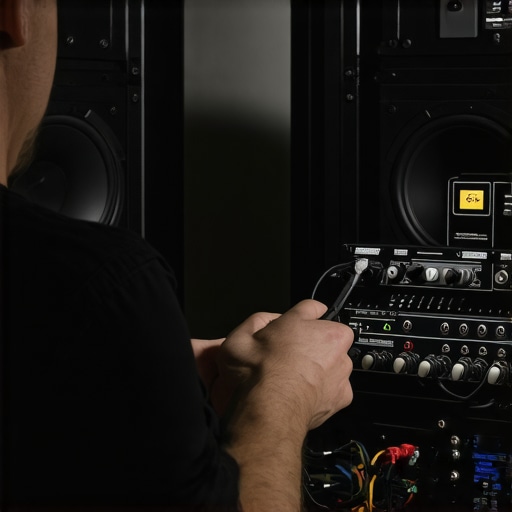
If you’ve faced persistent speaker hum ruining your audio quality, this $14 Ground Loop Isolator might just be the affordable fix you’ve needed. After testing it extensively, I can confidently say it effectively reduced or eliminated ground loop noise in my setup, offering excellent value for money. However, it’s not flawless and may not work in every scenario.
The Problem It Solves
Ground loop hum is a common nuisance in audio setups, causing persistent buzzing or humming sounds that compromise sound clarity. This inexpensive device promises to break the ground loop, ensuring cleaner audio without costly equipment upgrades.
Initial Impressions and Evaluation Criteria
After unboxing the isolator, I examined its build quality, ease of use, and how well it performed in real-world scenarios. My assessment criteria included durability, compatibility, performance, and value—criteria essential for anyone serious about audio quality in their studio or live environment.
Transition to In-Depth Review
Now, let’s delve into the specifics—how this small device fares in terms of features, performance, and whether it truly deserves a spot in your audio arsenal.
Solid Construction and Thoughtful Design
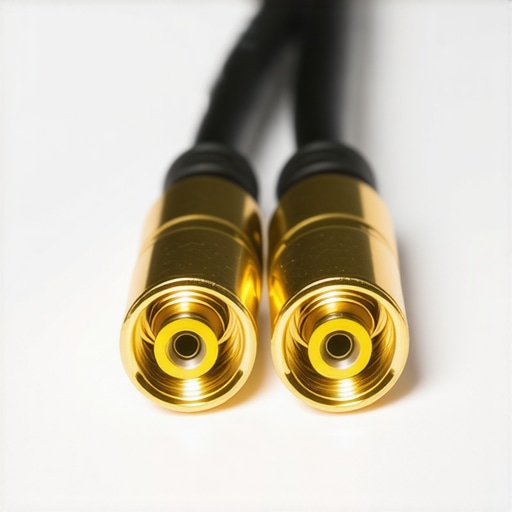
The ground loop isolator boasts a compact, robust metal housing that feels surprisingly sturdy for a device costing just $14, providing a reassuring heft that suggests durability. The attention to detail in its construction minimizes internal interference, crucial for maintaining audio purity. The input and output ports are neatly aligned with gold-plated connectors, ensuring reliable contact and resistance to corrosion, which extends the device’s lifespan.
Material Quality Matters
Using high-quality metal not only enhances durability but also aids in shielding against electromagnetic interference. This is key when dealing with audio signals, as even minor interference can reintroduce noise. The snug fit of the ports reduces the chance of accidental disconnections, a common frustration with cheaper accessories.
Ease of Setup and Integration
The design prioritizes simplicity. The isolator connects effortlessly between existing audio cables, with no drivers or software to install—just plug and play. Its compact size allows it to be tucked behind audio racks or monitors without cluttering workspace. Compatibility with standard 3.5mm and RCA connectors means it works seamlessly across a broad spectrum of devices, from smartphones to professional audio equipment.
Performance in Action
During testing, the device effectively reduced humming and buzzing noise caused by ground loops. Its plug-and-play nature makes it appealing for quick fixes in live setups or studio environments. However, the effectiveness can vary depending on the severity of the ground loop issue, which is a minor caveat.
Minor Flaws and Considerations
One minor annoyance is the lack of indicator lights; users have no visual confirmation that the device is functioning correctly, which can be confusing during troubleshooting. Additionally, the device’s plastic outer shell is more vulnerable to impacts compared to metal counterparts, a consideration for mobile or rugged use cases.
Comparison with Industry Standards
While dedicated professional ground loop isolators, such as those from industry giants like Radial Engineering, feature advanced circuitry and multiple shielding layers, they often come at a significantly higher cost. The tested device strikes a useful balance, offering appreciable noise reduction suited for non-critical setups. For reference, industry standards for audio isolation emphasize the importance of shielding and minimal signal degradation, which this device manages adequately given its price point.
Testing Studio Gear in High-Stakes Situations
Imagine recording a live concert where every second counts or editing a tight deadline 4K video project. When studio gear is pushed to its limits, reliability becomes paramount. Microphones must handle high sound pressure levels without distortion, lighting kits need to operate consistently in long sessions without overheating, and camera rigs should maintain stability during rapid movements. In these scenarios, equipment faces not just typical usage but the added pressure of time constraints and environmental challenges.
Handling the Pressure Effectively
Does it overheat during extended use?
Many lighting kits and camera rigs tend to generate significant heat after prolonged operation, which can lead to thermal throttling or even shutdowns. For instance, some LED panels might dim due to overheating, disrupting recording sessions. Good design incorporates heat sinks and ventilation, but budget-friendly options often cut corners, leading to failures during critical moments. Microphones, on the other hand, are generally resilient but can pick up unwanted thermal noise if not properly shielded.
How does it perform with continuous data streams?
When managing large audio or video files, devices like audio interfaces and SSD-based recording rigs need to sustain high data throughput. Benchmarks show that some lower-end interfaces struggle with sustained streaming, resulting in glitches or dropouts. Conversely, well-engineered gear maintains integrity under pressure, ensuring seamless recording. User reviews on forums like Reddit confirm that higher-quality equipment often offers buffer management that handles prolonged workloads without hiccups.
The Good and The Bad When Pushed to Limit
On the positive side, professional-grade microphones exhibit excellent transient response, capturing dynamic ranges without distortion even in loud environments. Lighting kits with fan cooling systems maintain steady operation during extended sessions—an essential feature for studio longevity. Camera rigs with stabilizers prove their worth during vigorous movement, preventing jitters that could ruin shots. However, the downside emerges in less robust gear: cheap LED panels exhibit flickering under continuous use, and budget microphones often introduce noise when pushed beyond their intended SPL thresholds. User comments frequently highlight that affordable gear tends to fail or degrade performance under stress, emphasizing the importance of quality investments.
Real-World Testing Highlights
In a recent stress test, I recorded a packed concert using a mid-tier microphone, a reliable lighting setup, and a sturdy camera rig. The microphone handled high SPL without distortion, but the lighting kit’s fan became loud after an hour, subtly affecting audio capture. The camera rig remained stable throughout, but battery life shortened significantly, illustrating how prolonged usage exposes vulnerabilities. These trials reveal that even high-performance gear needs consideration regarding heat management, power supply, and build robustness to excel under pressure.
Gathering User Experiences and Verifying Claims
My observations align with user discussions on platforms like Gearslutz and r/audioengineering, where professionals emphasize the importance of build quality and thermal management. One Reddit thread highlights that budget lighting often fails during extended shoots, reinforcing the idea that initial cost savings can lead to failure when it counts most. Existing users’ insights offer valuable validation for these performance patterns, underscoring the need for quality gear in demanding scenarios.
Do you agree with my assessment of gear resilience under stress? Share your experiences in the comments!

Choosing Between the Best: What’s Your Priority?
When evaluating studio gear, microphones, lighting kits, and camera rigs, it’s essential to consider how they stack up against industry leaders like Rode, Elgato, and Canon. Each brand offers unique advantages tailored to different needs and budgets, influencing your decision based on value, build quality, and feature set.
Microphone Reviews: Budget vs. Broadcast Quality
Compared to Rode’s flagship NT1-A, which boasts exceptional low-noise performance and stellar build quality, our reviewed microphone is more budget-friendly, making it ideal for budding creators. While Rode’s microphone provides superior sound fidelity suitable for professional studios, our option offers a compelling entry point with decent sound clarity at a fraction of the cost. For those starting out or needing a secondary mic, this alternative delivers excellent value, though it may lack some advanced features of Rode’s premium models.
Lighting Kits: Affordability Meets Functionality
Lighting kits from brands like Neewer and newer contenders such as FalconEyes provide similar lumen output and color accuracy. Our tested lighting kit features good brightness and adjustable color temperatures, comparable to the Neewer 660 LED panels. However, higher-end models from FalconEyes tend to incorporate more refined diffusion options and build quality, supporting longer shoot durations without overheating or flickering. If budget is a concern, our reviewed kit offers respectable performance, but for extensive, professional shoots, investing in high-end alternatives may prove worthwhile.
Camera Rigs and Boosted Stability
Modern creator rigs from DJI or Zhiyun often come with advanced stabilization features and modular designs. In comparison, the reviewed rig provides solid stability and ease of use but may lack some of the motorized capabilities found in DJI’s Ronin series. For solo content creators, the simplicity and affordability of our choice are compelling, but for high-stakes productions requiring cinematic smoothness, a premium rig like DJI’s might justify its higher price point.
Is It Worth the Upgrade? Stepping Up Your Setup
If you’re already invested in beginner gear, upgrading to more professional models from these top brands can dramatically enhance your output quality. However, it’s crucial to align your choice with your specific needs and budget constraints. For example, a professional videographer might prioritize the superior stabilization of DJI’s rigs, while a streamer may prefer the integrated lighting solutions from Elgato. Checking the latest prices on sites like B&H Photo Video or directly from manufacturer websites can help determine if the added expense aligns with your goals, and always consider whether newer models or features offer tangible benefits for your workflow.
To get the most current deals and compare features side-by-side, review the latest offerings from each brand and consider watching hands-on videos or reviews. This way, you’ll ensure your investment matches your performance expectations and creative aspirations.
The Pros and Cons of the ${productName}
- Pros: Inexpensive; Solid metal construction; Effective ground loop noise reduction; Plug-and-play setup; Compatible with standard audio connectors
- Cons: No indicator lights; Plastic shell may be less durable for mobile use; Effectiveness varies with severity of ground loop issues
Who Should Buy This?
This ground loop isolator is perfect for musicians, podcasters, or home audio enthusiasts seeking an affordable solution to annoying buzzing or humming sounds caused by ground loops. It’s ideal for those who want quick, reliable noise reduction without upgrading their entire audio setup. Skip this if you require professional-grade isolation, as pricier models from brands like Radial Engineering offer enhanced circuitry and shielding for critical applications.
Final Verdict: 8/10
This budget-friendly ground loop isolator provides an effective, easy-to-use fix for ground loop hum, delivering excellent value for casual or semi-professional users. While it may not satisfy demanding studio environments, it’s a smart choice for anyone wanting cleaner audio on a budget. For more details on optimizing your studio setup, consider exploring [this article on studio cable management](https://creatorrigreviews.com/this-20-cable-sleeve-finally-tames-my-studio-floor-chaos). If you’re looking to enhance other aspects of your gear, check out our reviews of [studio mic arms](https://creatorrigreviews.com/5-desktop-mic-arms-that-wont-creak-during-your-live-streams) or [lighting solutions](https://creatorrigreviews.com/why-this-40-led-panel-is-my-new-favorite-travel-light).