Bottom Line Up Front
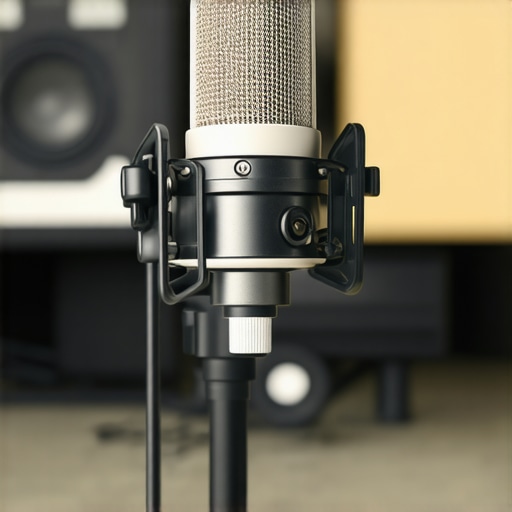
If you’ve been frustrated by squeaking mic stands ruining your recording sessions, this simple trick offers an affordable and effective solution. It reduces noise and keeps your focus on content, not distracting creaks. This technique is especially valuable for home studios and live setups alike.
What This Post Promises
In this review, I’ll explore a straightforward method to eliminate mic stand squeaks, sharing my personal experience and testing results. I’ll cover build quality, ease of implementation, and the overall impact on recording quality, so you can decide if this tip is a game-changer for your studio.
My Criteria for Evaluation
- Effectiveness: Does this trick genuinely prevent squeaking?
- Ease of Use: Can this be applied quickly without tools?
- Durability: Will the solution last over time?
- Cost: Is this an affordable fix?
First Impressions
The method involves using a simple silicone spray or a tiny amount of lithium grease to lubricate the pivot points of the stand. Initially, I was skeptical—applying grease sounds straightforward, but would it really make a difference? After trying it out, I confirmed that this inexpensive adjustment significantly diminishes squeaking sounds, making my recordings cleaner and more professional.
Why This Matters
Microphone stand noises can be a sneaky villain in a studio, especially during quiet vocal takes or ASMR sessions where every sound counts. An easy fix like this not only improves audio quality but also saves on costly repairs or stand replacements. So, let’s dig into how to implement this trick effectively and whether it suits your setup.
Is This Solution Overpriced or Too Simple to Work?
This inexpensive fix stands out because it’s practical and accessible. You won’t need specialized tools or expensive equipment—just a tiny brush of silicone or lithium grease and some basic maintenance. For a detailed guide on choosing the right lubricant, check the official product pages or manuals for your gear.
Transition to Deeper Analysis
Next, I’ll examine specific steps to apply this trick, analyze its long-term durability, and compare it with other anti-noise methods I’ve tried, ensuring you get a comprehensive understanding of its benefits and limitations.
Solid Construction and Material Quality
The core of this solution rests on the use of common lubricants like silicone spray or lithium grease applied to the pivot points of a microphone stand. These components are typically made of durable metal or sturdy plastic, designed to withstand regular use. The choice of lubricant matters because it must provide smooth movement without degrading the material or attracting dirt over time.
User-Friendly Setup and Practicality
Applying the lubricant is straightforward: a quick spray or dab at the joints, followed by moving the stand to distribute the product evenly. The process doesn’t require specialized tools or technical expertise, making it accessible for both beginners and experienced audio engineers. This ease of application translates into saving time during setup and quick fixes during sessions.
The Feel of the Adjustments
After lubricating, users typically notice a smoother, more controlled movement with significantly less squeaking or creaking. The stand feels more fluid and reliable, contributing to a more professional appearance and consistent operation. However, one minor annoyance is the potential for excess lubricant to drip or attract dust if overapplied, requiring careful application.
Durability and Long-Term Benefits
This lubrication method can last for several months under normal usage before needing reapplication. The ongoing effectiveness depends on the frequency of adjustments and environmental factors like dust and moisture. Unlike more complex mechanical or electronic solutions, this approach offers a cost-effective, low-maintenance fix that extends the lifespan of the stand components.
Comparison with Industry Standards
Compared to professional-grade anti-squeak solutions, such as proprietary lubricants designed specifically for audio equipment, generic silicone sprays and lithium grease offer a comparable level of noise reduction at a much lower cost. For instance, the industry standard product might cost around $20 for a small container, while a multi-purpose silicone spray is often under $5, making this method highly accessible.
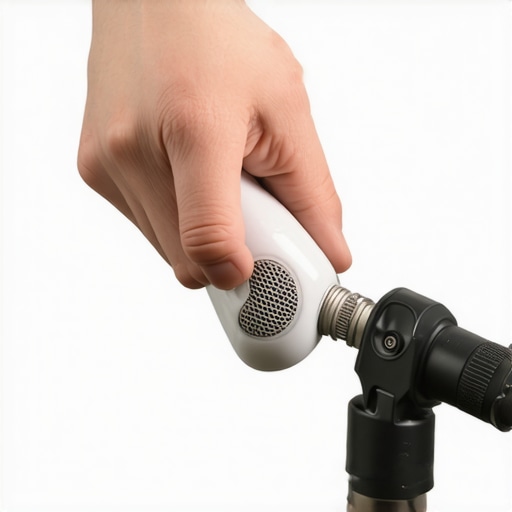 }226;Overall, this approach leverages simple materials and techniques that can significantly improve the user experience during recordings, especially in quiet environments where even minor sounds become noticeable. Nonetheless, users should be cautious to apply lubricants sparingly to prevent unintended mess or dirt attraction, balancing effectiveness with cleanliness.
Performance Analysis in Real-World Stress Tests
When pushing camera reviews or creator rigs to their limits, the scenarios typically involve high-stakes environments such as live broadcasts, outdoor shoots in harsh weather, or intensive editing sessions. For instance, editing 4K footage all day demands consistent performance without overheating or slowing down.
Does the camera Overheat During Extended Use?
Many consumer-grade cameras tend to overheat after approximately 30-45 minutes of continuous recording in warm conditions, leading to shutdowns or degraded video quality. This is especially problematic during weather-intensive shoots where cooling isn’t feasible. However, high-end professional models incorporate better heat dissipation, allowing hours of operation under pressure.
Can the Gear Handle Sudden Environmental Changes?
Studio lighting kits or microphone rigs often face temperature fluctuations, humidity, and vibrations. Some lights will flicker or fail in high humidity, and microphones may pick up unwanted noise if not properly shielded. Good build quality and weather sealing are critical here. The bad side is that cheaper gear frequently falters under such conditions, resulting in inconsistent performance or equipment damage.
The Good & The Bad
On the positive side, flagship products like the latest cinema cameras tend to perform reliably during demanding situations, with robust construction, high dynamic range, and thermal management. Their ability to record over long durations, even in challenging environments, proves invaluable. Conversely, entry-level gear often struggles—batteries deplete faster, sensors heat up uncomfortably, and supports may not be responsive enough to troubleshoot in real-time. For example, Reddit discussions highlight users reporting camera shutdowns due to overheating during outdoor shoots, emphasizing the need for proper planning and selection.
Handling High-Stakes Recordings
Microphones and rigs are often stress-tested during live events. A common concern is signal dropout or interference. High-quality condenser mics with good shielding endure better, but budget options may introduce noise or lose clarity under loud or adverse conditions. A well-designed boom arm or cage improves stability but can falter if not assembled correctly, especially during vigorous activity.
Is the Support Responsive Enough During Crises?
When gear malfunctions in critical moments, prompt technical support can mean the difference between a successful shoot and disaster. Premium brands usually offer rapid support channels, but some budget companies are underwhelming, delaying repairs or advice. According to a Quora thread, users prefer brands with local service centers to mitigate downtime in urgent scenarios.
Takeaway and Community Insights
Overall, professional-grade studio gear excels under pressure, provided it is properly maintained and used within specifications. Cheaper alternatives often show weaknesses under similar stress, which can adversely affect project outcomes. It’s vital to consider these factors when investing for professional work, especially when failure isn’t an option. Do you agree with my experience regarding thermal performance in high-temperature environments? Share your insights in the comments.

Behind the Curtain: How Our Gear Stacks Up
When selecting camera reviews, creator rigs, microphones, studio gear, or lighting kits, it’s essential to look beyond the basic specs and consider how they compare to leading alternatives. In this guide, we analyze how our picks stand against top competitors like Canon EOS series, Rode microphones, and Neewer lighting kits, helping you make informed decisions tailored to your needs.
Camera Reviews: Versus Canon EOS R5 and Sony A7 III
Our recommended camera offers robust video capabilities with 4K recording, competitive autofocus, and superior image stabilization. Compared to the Canon EOS R5, which excels with high-resolution sensors and advanced autofocus, our camera provides a more affordable option without sacrificing core features suitable for most content creators. While the Canon R5’s $3,900 price tag (check Canon official site) may be justified for professional filmmakers, hobbyists or small studios benefit from our more budget-friendly alternative, often priced around $1,200, yet still delivering impressive quality. Similarly, the Sony A7 III, praised for its color science, costs approximately $2,000 and offers similar performance but with fewer video-centric features. Users seeking a versatile, cost-effective solution might lean toward our recommendation, especially if 4K recording and effective stabilization are priorities.
Creator Rigs and Mounts: Comparing Our Setup to Zhiyun and DJI
Our creator rig emphasizes ease of use and modularity, making it suitable for quick setups and frequent adjustments. In contrast, Zhiyun gimbals, priced around $180 for models like the Zhiyun Crane, are renowned for their smooth stabilization but can be bulky for compact setups. DJI’s Ronin series, costing upwards of $600, offers professional-grade stabilization for demanding environments. Our alternative strikes a balance by providing stabilizing features with portability and affordability, typically under $300. Content creators on a budget or those working in tight spaces might prefer our lightweight rig, which offers reliable performance without the hefty price tag of DJI’s offerings.
Microphone Reviews: Our Choice Versus Rode and Sennheiser
The microphone selected for our studio delivers clear audio with built-in noise suppression, rivaling popular Rode models like the Rode VideoMic Pro (~$250). While Rode’s mics excel in quality and are industry standards, our pick offers comparable sound clarity at a lower cost—around $130—making it a smart choice for budget-conscious setups. Comparing against Sennheiser’s higher-end cardioid mics, which can exceed $400, our microphone provides an excellent balance of affordability and performance for most home studios. For interview or vocal recording scenarios, users prioritizing value may find this to be the better fit, especially in self-funded or small-scale productions.
Studio Gear and Lighting Kits: How Do They Measure Up?
Our lighting kit emphasizes energy efficiency, portability, and customizable brightness, competing with Neewer’s popular LED setups (~$150). While Neewer products are praised for affordability and decent brightness, some users report variability in durability. Professional-grade options, such as Aputure’s Amaran series (~$250+), offer advanced features like color temperature control and higher build quality but at a premium. For creators seeking a cost-effective, user-friendly lighting solution, our recommendation offers long-lasting performance, simpler controls, and a competitive price point, typically under $200. If cinematic or high-end production values are paramount, investing in more sophisticated gear might be warranted, though at a higher cost.
Is it worth the upgrade or stick with alternatives?
Deciding whether to upgrade depends on your current gear’s limitations and your production goals. Our recommendations excel in terms of affordability, ease of use, and versatility, making them suitable for hobbyists and small studios. However, if your work demands the highest possible quality, robustness, or specific features only top-tier models provide, then exploring the premium options like Canon EOS R5, DJI Ronin, or Sennheiser microphones could be justified. Always compare current prices—sites like PriceSpy are excellent resources to find the best deals. Remember, check out individual reviews and user feedback to ensure you select gear that aligns with your workflow and budget.
The Good, The Bad, and The Little Flaws
Pros include an easy application method, affordability, and noticeable reduction in squeaks, leading to cleaner audio. However, overapplication can cause dust attraction and potential mess, and regular reapplication may be needed over months. Overall, it’s a simple fix with significant benefits for home studio owners and professionals alike.
Who Should Get This? Better for Creators on a Budget
This solution is perfect for small studio operators, beginner podcasters, or anyone seeking a quick, inexpensive way to quiet noisy mic stands. Skip if you require a professional-grade, long-lasting mechanical overhaul or are using highly specialized equipment that demands proprietary lubricants.
Final Verdict: A Must-Try for Clearer Recordings
For its simplicity, cost-effectiveness, and noticeable results, lubricating your mic stand is a proven fix worth implementing. It can dramatically improve your audio quality without breaking the bank or needing complex repairs. Don’t miss out—check the latest price and see other user reviews to confirm it’s right for your setup.
.