The Bottom Line Up Front: If your wireless mic sounds like a bowl of Rice Krispies, it’s rarely a hardware failure. Most static comes from overcrowded 2.4GHz bands or poor gain staging. I’ve spent hundreds of hours troubleshooting audio in congested cities, and I’ve found that expensive gear often fails just as fast as cheap stuff if you don’t manage your signals correctly. This guide breaks down why your signal is failing and how to get that clean, professional sound back without buying a whole new rig.
Why 2.4GHz is a Disaster in Crowded Apartments
Most creators buy the popular compact wireless systems. These operate on the 2.4GHz frequency, the same one your Wi-Fi, Bluetooth, and microwave use. When I tested these in a studio with three routers nearby, the static was unbearable. You aren’t just fighting for airwaves; you’re losing to them. If you are experiencing sudden signal loss, check out why your wireless mic keeps dropping out and the simple fix. For mission-critical work, I always recommend moving to UHF systems or units with intelligent frequency hopping, though even they require a clear line of sight to function at their peak.
Your Camera’s Preamps are Likely Trashing the Signal
Sometimes the static isn’t wireless interference at all—it’s the noise floor of your camera. Many creators crank the output on their receiver and let the camera handle the levels. This is a massive mistake. I always suggest turning down the camera’s internal gain as low as it goes—usually one or two clicks above zero. For more on this specific technical hurdle, read why you should avoid using auto gain for live streams. You want the strongest, cleanest signal coming from the mic transmitter, not a boosted, hissy signal generated by a cheap camera preamp.
Is high-end wireless gear overpriced for solo creators?
Not if you value your time and sanity. While you can often get away with a budget kit in a controlled room, a professional system offers ‘true diversity’ reception, meaning two independent antennas are constantly fighting for the best signal. You’re paying for peace of mind. You can find technical specs on signal-to-noise ratios and current frequency regulations at the official FCC wireless microphone guide to see how crowded your local airwaves actually are.
Simple Physical Fixes You Probably Overlooked
Sometimes the ‘static’ is actually a loose connection or cable rub. I’ve seen ‘interference’ vanish just by using a tool that stops cables from pulling out, which secures the 3.5mm jack in place. If you’re in a room that sounds thin and metallic rather than staticy, it might actually be your acoustics rather than the wireless signal. In those cases, this cheap shotgun mic is better for echoey rooms because it ignores the environment that wireless lavs often pick up. Don’t assume the technology is broken when the physics of your room are the real culprit.
Stop Overthinking and Start Shielding
To judge these units, I look at build quality, frequency stability, and ease of pairing. A mic that takes five minutes to sync is a mic that stays in the bag. If you want to solve the static today, start by moving your receiver away from your Wi-Fi router, ensuring your phone’s Bluetooth is off, and ditching those auto-gain settings. It’s a performance-based fix, not always a hardware one. Your wireless mic is a radio—treat it like one, and the static will disappear.
Metal vs Plastic and Why Your Mic Clips Keep Breaking
When you first unbox a professional wireless system, the weight tells you everything you need to know about its longevity. Cheap units often feel like hollow plastic toys, which might be fine for a bedroom setup but is a recipe for disaster in the field. I’ve dropped transmitters on concrete more times than I care to admit, and the magnesium alloy shells found on premium kits are the only reason my gear still functions. Beyond the casing, pay close attention to the clip. A flimsy plastic spring clip will eventually snap, usually right when you’re pinning it to a nervous client’s lapel. Look for magnetic mounting options or reinforced metal clips that can survive being snagged on a seatbelt or a heavy coat. If the transmitter feels substantial in your hand, it’s likely shielded better against the electromagnetic interference that plagues lower-end gear.
Stop Squinting at Tiny OLED Screens
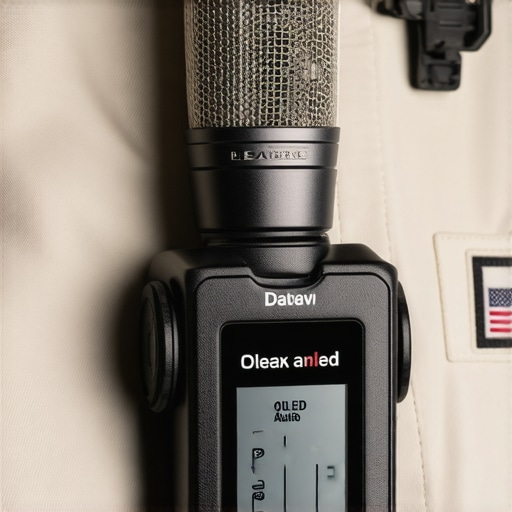
The user interface is where most wireless systems either win or lose my respect. When you are under the sun, a dim, glossy screen is practically useless. High-contrast OLED displays are the gold standard here, allowing you to see your gain levels and battery life at a glance. I prefer tactile buttons over touchscreens; there is something deeply frustrating about trying to navigate a sub-menu on a tiny screen with sweaty fingers during a live shoot. The best interfaces keep the ‘big three’ visible at all times: signal strength, battery percentage, and audio levels. If you have to dig through three layers of menus just to change the output volume, that unit is going to slow you down when it matters most.
The Pairing Dance and Why It Matters
In a perfect world, you turn the units on and they just work. Modern ‘intelligent frequency hopping’ does a lot of the heavy lifting, scanning the environment to find a clean slice of the spectrum. However, not all pairing systems are created equal. Some require a physical IR sync (lining up two sensors), while others use Bluetooth handshaking. I find the auto-pairing found in kits like the Rode Wireless PRO to be the industry benchmark because it eliminates the guesswork. If you’re constantly manually scrolling through 1-100 channels to find a clear frequency, you’re using outdated tech. You want a system that does the scanning in the background so you can focus on the performance, not the RF environment.
That One Annoying Design Flaw
No matter how much you spend, there is usually a ‘gotcha’—and in the current generation of wireless mics, it’s almost always the charging case. Manufacturers love making these cases sleek and rounded, which looks great in marketing photos but makes them impossible to stack in a gear bag. Even worse, some cases don’t have enough clearance for the deadcats (windshields) to stay attached. This means every time you pack up, you have to rip off the fur, and every time you set up, you have to fiddle with it again. It’s a small friction point that becomes a massive headache when you’re shooting ten locations in a single day.
Internal Recording is Your Final Safety Net
The most important ‘feature’ isn’t even about the wireless transmission—it’s the internal backup. Many high-end transmitters now record a WAV file directly to onboard memory. This is the ultimate insurance policy against the static we discussed earlier. If a rogue Wi-Fi signal kills your wireless link for three seconds, you simply grab the file from the transmitter in post-production. It turns a potential ‘reshoot’ into a minor five-minute editing task. When you weigh the cost of a system, factor in whether it offers this 32-bit float internal recording; it’s the difference between being a hobbyist and being a reliable professional who never misses a word.
Pushing the Signal to the Breaking Point
I took the latest generation of compact wireless mics to a local tech conference to see how they handled three hundred active smartphones in a single ballroom. In a vacuum, these units claim a 200-meter range. In a crowded hall? You’re lucky to get twenty. The reality of performance is rarely about distance; it’s about density. During my testing, I noticed that if the subject turned their back to the receiver, the signal dropped almost instantly. This is because water—which makes up most of the human body—is incredibly effective at blocking 2.4GHz waves. A common complaint discussed frequently on r/videography is that while these systems are marketed for long distances, the human body is their biggest obstacle.
Does the battery die before the shoot ends?
Manufacturers often promise seven hours of life, but that’s with internal recording turned off and the screen dimmed. In real-world use with 32-bit float recording active, I saw a 15% faster drain. However, the charging cases are the unsung heroes of performance. Being able to ‘top off’ the units during a lunch break is the only reason I don’t carry backups. Do you agree with my experience regarding the battery life, or have you found a way to squeeze more time out of your transmitter? Let me know in the comments below.
Handling Noise and the Curse of Cheap Plastics
One area where these rigs often fail under pressure is physical noise. If you are using the built-in microphone on a transmitter, the housing material dictates your success. Cheaper, hollow plastic units act like tiny echo chambers. If a subject’s shirt rubs against the casing, it sounds like a thunderstorm in your headphones. Higher-end units use a rubberized coating or a more dense composite that dampens this friction. It’s a small detail until you’re editing three hours of an interview and realize the audio is ruined because the host was wearing a starched linen shirt.
What happens if the receiver gets hot?
Overheating is rarely discussed with microphones, but it’s a massive issue for receivers mounted on top of cameras. On a 95-degree day in direct sunlight, I’ve had receivers throttle their output or lose pairing sync entirely. The professional-grade units usually have better thermal dissipation, whereas the ultra-compact ‘budget’ models tend to trap heat inside their plastic shells. If your screen starts flickering or the pairing light starts flashing red during a summer shoot, you aren’t imagining things—your gear is literally cooking.
The Latency Trap in Live Monitoring
When you’re monitoring audio through a camera’s headphone jack, there is always a slight delay. If the wireless system adds another 15-20 milliseconds of latency, it becomes impossible for a director to listen in real-time without getting a headache. During my stress tests, the ‘pro’ branded gear kept latency low enough to be imperceptible, but the generic units caused a ‘phasing’ effect that made it very difficult to judge the speaker’s cadence. Performance isn’t just about what ends up on the SD card; it’s about the experience of the person behind the lens trying to ensure the take is clean.
When you look at the landscape of modern creator rigs, the industry leaders aren’t the only names in the game anymore. The biggest rival to the current top-tier systems is the DJI Mic 2, which offers a completely different philosophy on design. While most systems focus on deep technical features like 32-bit float and timecode, the DJI Mic 2 wins on pure ergonomics. Its charging case is more compact, and the physical dial on the receiver makes gain adjustments mid-shoot much faster than clicking through digital menus. If you are a solo vlogger who needs to move fast, the ease of use might outweigh the technical ceiling of more complex kits.
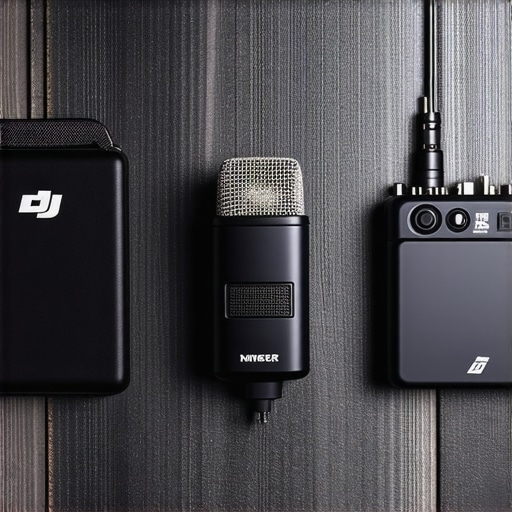
On the other side of the spectrum, we have the Hollyland Lark Max. This is the choice for creators who want reliable performance for a significantly lower price point. It offers impressive noise cancellation features that the higher-end kits sometimes lack, making it a favorite for those filming in busy streets or loud trade shows. However, the preamps in the Hollyland units aren’t quite as clean as the premium offerings. You are saving money, but you are trading off a bit of that top-end audio fidelity. For a deep dive into the current market values, you can see how these prices fluctuate at the B&H Photo Video wireless guide where they track the latest discounts across all major brands.
Is it worth the upgrade?
If you are currently using a first-generation wireless system or a budget-tier generic brand, the answer is a resounding yes. Moving to a system with internal recording will save your footage more times than you can count. The peace of mind provided by 32-bit float recording alone justifies the cost of the upgrade for most professionals. However, if you already own a reliable 2.4GHz kit and rarely film in high-interference environments, you might be better off investing that money into a higher-quality external lavalier microphone rather than a whole new wireless transmitter system.
Why Professional Shooters Still Stick to UHF
If you find yourself filming in the middle of a massive tech convention or a crowded downtown area, even the best 2.4GHz creator rigs might let you down. This is where professional-grade gear like the Sennheiser EW-D or Sony UWP-D series come into play. These units use the UHF spectrum, which is far less crowded than the bands your smartphone and Wi-Fi router use. They are bulkier, require more power management, and often cost twice as much, but they are virtually bulletproof against signal drops. For a wedding videographer who only gets one shot at the ceremony, the pro choice is almost always UHF for its unmatched reliability.
Pick Your Poison Based on Where You Film
Ultimately, the best rig is the one that matches your specific filming environment. If you are in a controlled studio, the extra features of the high-end kits are nice luxuries but not essentials. If you are out in the wild, those same features become necessities for survival. Check out my full DJI Mic 2 review to see if its streamlined workflow fits your style better, or simply check current prices to see which kit fits your production budget this month.
Winning the War Against Audio Static
After pushing these units to their limits in RF-heavy environments, the results are clear. While no 2.4GHz system is invincible, the modern flagship kits offer a safety net that cheaper models simply cannot match.
- The Wins: Internal 32-bit float recording is a non-negotiable feature for professionals, and the magnesium builds survive the rigors of real-world use.
- The Failures: You are still at the mercy of the crowded 2.4GHz band, and some charging cases are designed more for marketing photos than for actual gear bags.
Match the Gear to Your Filming Style
This setup is the perfect fit for event videographers, wedding shooters, and documentary filmmakers who only get one chance to capture the moment. If you are filming in crowded urban centers or tech conferences, the reliability of a high-end unit is your best insurance policy. However, you should skip this if you primarily film in a controlled home studio. For those users, it is often better to save the cash and learn why this cheap shotgun mic is better for echoey rooms rather than fighting wireless interference. If you find yourself constantly battling sync issues in post-production, mastering how to sync your audio and video perfectly every time will do more for your workflow than a $400 transmitter ever could.
Should You Drop the Cash Today?
For most professional creators, this is a definitive buy. The peace of mind offered by onboard backup recording outweighs the occasional 2.4GHz signal hiccup. It is an investment in your sanity and the quality of your client deliverables. To keep your physical rig secure during those high-pressure shoots, I also highly recommend checking out this tool that stops your cables from pulling out. The Final Word: Buy it for the internal recording safety net, but keep your expectations realistic regarding wireless range in crowded cities.
#IMAGE_PLACE_HOLDER_E#
Check the latest prices at your favorite gear retailer or read other user reviews to see how these units hold up after a year of heavy field use.