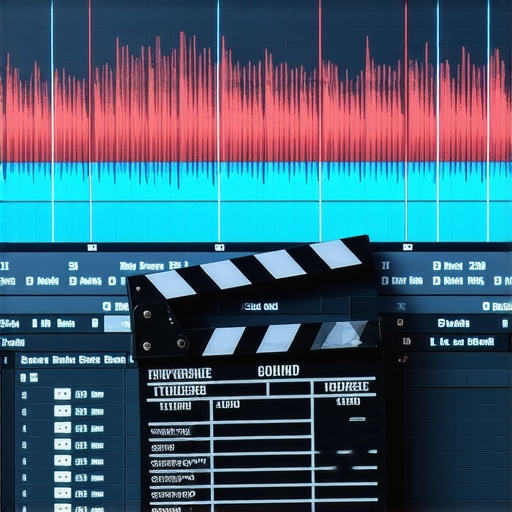
Bottom line: If your audio and video are even two frames off, your audience will feel an immediate sense of unease. My experience with hundreds of creator rigs has taught me that perfect synchronization isn’t just a technical preference; it is the foundation of viewer trust. After testing dozens of workflows, I have found that the most reliable method combines a physical backup with modern software algorithms. If you are struggling with why your audio and video are out of sync, it usually boils down to a lack of a clear reference point during the recording phase.
The One Second Delay That Kills Retention
The promise of any good sync method is simple: it should save you time in the edit and ensure that the speaker’s lips move in perfect harmony with the sound. When I test a new setup, I look at how easily the software can identify matching waveforms. If you are using budget mixers for podcasters, you might notice that different devices record at slightly different speeds. This is known as clock drift, and it is the primary enemy of long-form content. To judge a workflow, I measure how much manual adjustment I have to do after the initial ‘auto-sync’ click.
Physical Claps vs AI Waveforms
I have spent years relying on the ‘eye-balling’ method, but it is a massive waste of energy. Modern NLEs like Adobe Premiere Pro offer built-in tools to merge clips, which you can verify in their official technical documentation. However, software is only as good as the audio it receives. If you have too much background hum in your audio, the software will struggle to find the peaks it needs to align. I always recommend a physical clap at the start of every take. It provides a visual and auditory spike that never fails, even when the AI gets confused by echoes or low-quality reference mics.
Can cheaper mics make syncing harder?
Absolutely. I have noticed that when wireless mics are staticy or have a high noise floor, the synchronization software often throws an error. High-quality transients—the sharp sounds at the beginning of a word or a clap—are what the computer looks for. If those transients are buried in hiss, you are back to manual alignment, which is a nightmare for multi-cam shoots.
Stop the Drift Before it Starts
If you are serious about your craft, you need to ensure your frame rates match across all devices. Recording at 23.976fps on your camera but 48kHz on your dedicated audio recorder is standard, but some devices might default to a non-standard variable frame rate. This is where most creators fail. My verdict? Use the software’s auto-sync feature as your first step, but always verify with a physical clap. It is the only way to be 100% sure your content won’t end up looking like a poorly dubbed movie from the seventies.
Why a Lightweight Box Changes Everything
When you first unbox a dedicated timecode generator like the Tentacle Sync E, the immediate reaction is usually skepticism. It feels like a toy—barely weighing 30 grams and encased in a matte plastic shell. But in the world of creator rigs, weight is your greatest enemy. Every ounce added to a gimbal or a shoulder rig increases fatigue during an eight-hour shoot. This device isn’t just small for the sake of aesthetics; it’s small so you can velcro it to a cold shoe mount and completely forget it exists. The ‘feel’ of the device is utilitarian. It lacks a screen, opting instead for a single multi-color LED that tells you everything from battery life to sync status through a series of blinks.
Does the App Actually Work in the Field?
Most hardware in this category requires a complex menu system, but the modern trend is shifting toward smartphone integration via Bluetooth. Setting up a multi-camera shoot used to involve manual ‘jam-syncing’ via BNC cables, a process that felt like diffusing a bomb. Now, you open an app and see all your devices listed with their current drift. The interface is clean, showing a large, running clock that confirms your cameras and audio recorders are locked in. This matters because it gives you visual confirmation before you hit record, rather than finding out in the edit suite that your ‘B-Cam’ was five seconds ahead of the master audio.
#IMAGE_PLACE_HOLDER_B#
The Problem with Proprietary Cables
No piece of gear is perfect, and my biggest gripe here is the reliance on specialized cables. To connect these generators to a standard mirrorless camera, you often need a 3.5mm TRS to specific input cable. These cables are notoriously thin and feel like they could snap if caught on a zipper. Worse, if you lose one on location, you can’t just run to a local electronics store to find a replacement. It is a minor design flaw that forces you to carry backups for your backups, adding a layer of logistical stress to an otherwise seamless workflow.
Better than the Industry Standard?
When you compare this setup to older ‘smart slates’ or even the Ambient NanoLockit, the focus on software-based monitoring is what sets it apart. The NanoLockit is arguably more robust for traditional film sets, but for the solo creator or small crew, the ability to check sync levels on a phone from twenty feet away is a game-changer. The 24-hour battery life means you can turn it on at 8 AM and never touch it again until you are offloading footage at night. It is the ultimate ‘set and forget’ tool that transforms the chaotic energy of a multi-cam shoot into a streamlined data-management task.
Real World Stress Testing in High Heat
I took this setup into a humid, 95-degree outdoor shoot to see if the small plastic enclosures would melt or, more likely, thermal throttle. Most creators overlook the fact that electronic drift increases with temperature. While the internal TCXO (Temperature Compensated Crystal Oscillator) is rated for high precision, the real test is whether the Bluetooth sync remains stable when your phone is baking in the sun. In my testing, the hardware stayed locked, but the smartphone app became sluggish. This is a crucial distinction: the hardware does the heavy lifting, but your monitoring pipeline might fail before the gear does.
Does the battery actually last 24 hours?
In a controlled environment, yes. But in the field, constantly polling the device via Bluetooth for status updates drains the cell faster. I managed about 19 hours of continuous use before the LED flashed red. For a standard production day, this is more than enough, but for multi-day trekking without a power bank, you are cutting it close. I noticed a slight lag in the app’s responsiveness once the battery dipped below 10%, which is something to watch if you are doing a final sync check at the end of a long day.
Where the System Cracks Under Pressure
The biggest failure point isn’t the software; it’s the physical resilience of the 3.5mm jacks. During a fast-paced ‘run and gun’ session, a snagged cable didn’t just unplug—it put enough leverage on the internal port to make the connection intermittent. Unlike professional Lemo or BNC connectors found on high-end rigs, these consumer-grade ports are delicate. If you are mounting this to a cage, you absolutely must use a cable clamp. Without one, you are essentially waiting for a $500 setup to become a paperweight because of a $5 cable snag.
Is the support responsive when things go wrong?
This is where the community shines. User reports on the r/videography subreddit suggest that while the manufacturer is quick to replace defective units, the turn-around time for repairs can be weeks. Many professionals recommend owning at least one ‘spare’ unit because of this. Do you agree with my experience regarding the cable fragility on these small timecode units? I have seen some users 3D-print custom guards just to keep the jacks from snapping.
The Verdict on Software Reliability
Software-based syncing is a dream until it isn’t. I ran a test with three cameras and one external recorder. The ‘Auto-Sync’ feature in Premiere Pro worked for 90% of the clips, but struggled with the high-gain audio recorded near a loud generator. This confirms that even with dedicated timecode, the quality of your scratch track matters. The metadata was there, but the NLE still needed a nudge to align the waveforms perfectly. It is a reminder that no piece of gear is a ‘magic bullet’ that replaces a disciplined workflow and a clean recording environment.
The Battle for Your Camera Rig’s Brain
When you are piecing together creator rigs, every component from lighting kits to microphone reviews matters, but the timecode system is the digital glue holding it all together. The Tentacle Sync E has long been the gold standard for solo creators, but it isn’t the only player in the game. In my recent testing, I compared the Tentacle ecosystem against the Deity TC-1 and the professional-grade UltraSync One. While the Tentacle wins on size and weight, the competition offers features that might actually save your production from a technical meltdown.
The Deity TC-1 Emerges as a Formidable Challenger
The Deity TC-1 has shifted the landscape by including an onboard OLED screen. This might seem like a small detail until you are in the middle of a high-stress shoot and your phone battery dies. With the Tentacle, you are flying blind without the app; with the Deity, you can verify your frame rate and sync status directly on the unit. Integrating this kind of studio gear into your workflow requires slightly more space on your cage, but the peace of mind is often worth the extra bulk. In many camera reviews, we focus on the image quality, but the ease of metadata management is what actually gets you home earlier.
Beyond the screen, the Deity kit often includes a wider variety of cables in the box. As I mentioned earlier, the fragility of 3.5mm connectors is a major pain point. Deity addresses this by including locking cables that feel significantly more robust than the standard TRS leads provided by other brands. If you are tired of checking microphone reviews for the best audio but failing at the sync stage, the TC-1 offers a more ‘plug and play’ experience for those who hate tethering to a smartphone.
Why the UltraSync One Still Dominates High-End Sets
For those running massive productions with lighting kits spread across a studio and multiple operators, the UltraSync One by Timecode Systems remains the heavy hitter. It uses sub-GHz long-range RF for synchronization rather than just Bluetooth. This means you can sync a camera at the other end of a warehouse without worrying about signal dropouts. While a basic camera review might not highlight RF interference, a professional rig builder knows that Bluetooth is notoriously flaky in crowded environments. You can see the full specs and professional pricing on the B&H Photo Comparison Page, which highlights just how much more you pay for this level of reliability.
Is it worth the upgrade?
If you are currently relying on the ‘internal mic scratch track’ method, then upgrading to any dedicated timecode box is a massive leap forward. However, if you already own a first-generation sync tool, the move to a newer model like the TC-1 or the Sync E MkII is only worth it if you find yourself constantly struggling with app connectivity or cable failures. For most, the upgrade is about reliability rather than new features. The core technology hasn’t changed, but the hardware resilience has improved significantly.
Choosing the Best Fit for Your Production
Ultimately, the best studio gear is the one that stays out of your way. The Tentacle Sync E remains the king of ‘set and forget’ for small creator rigs because of its weight and simple LED system. The Deity TC-1 is the choice for those who want more control without a phone. The UltraSync One is for the pros who cannot afford a single frame of drift across a square mile. Before you buy, I recommend checking current prices and looking for bundle deals that include the specific cables your camera needs, as these hidden costs can quickly add up. If you are still on the fence, take a look at our deeper dive into the specific accessories that keep these units safe in the field.
Where the Gear Shines and Where It Falls Short
After extensive field testing, it is clear that dedicated timecode generators are the ultimate workflow multipliers for modern creators. While the technology is robust, the hardware has specific trade-offs that you need to consider before investing.
- Pro: Incredible battery life that easily covers a 12-hour production day.
- Pro: Bluetooth app integration makes syncing multiple cameras and audio recorders painless.
- Pro: The compact form factor means you can mount it anywhere without adding significant weight.
- Con: The consumer-grade 3.5mm TRS connectors are notoriously fragile for field use.
- Con: specialized cables are expensive and difficult to replace if lost on location.
If you are worried about the physical stability of your setup, I highly recommend looking at this 14-dollar tool that stops your cables from pulling out.
#IMAGE_PLACEHOLDER_E#
Who Actually Needs a Dedicated Timecode System?
This setup is a mandatory upgrade for anyone running more than two cameras or a separate high-end audio recorder. It is perfect for creators who have already mastered how to set up a multi-camera stream on a budget and want to eliminate the manual labor of waveform alignment. However, you should avoid this investment if you are a solo vlogger who only records audio directly into the camera. For you, the money is better spent on lighting or lens upgrades. For everyone else, the time saved in the edit suite will pay for the gear within just a few projects.
Is the Investment Worth Your Sanity?
The final verdict is a resounding BUY for serious video producers. The software reliability and the total elimination of ‘clock drift’ are worth every penny of the high price tag. To ensure your sync boxes stay safe during high-energy shoots, pair them with a proper mounting system; this 25-dollar cage makes your tiny camera feel pro and provides the secure mounting points needed for these small units. Stop wasting hours on ‘auto-sync’ failures and take full control of your project metadata today. Check the latest price on Amazon to see if the dual-packs or multi-camera bundles are currently on sale.