
The Bottom Line
Most smartphone footage looks ‘robotic’ because the internal software over-sharpens every pixel and forces a weird, jittery motion blur. After reviewing dozens of creator rigs and microphone reviews, I’ve realized the fix isn’t buying a $3,000 camera; it’s learning how to fight the phone’s built-in AI. You can spend thousands on lighting kits, but if your shutter speed is too high, you will still look like a low-budget CGI character.
The Promise
This guide solves the ‘plastic’ look by focusing on manual control. We are going to strip away the digital layers and get back to raw, cinematic texture. I have tested this across multiple mobile setups, and the results are night and day. You will stop fighting your phone and start using it as a tool.
The Robotic Look Sucks
When you use the default camera app, the phone assumes you want everything in focus and perfectly bright. This creates a flat, hyper-realistic image that lacks depth. In my time doing camera reviews, I have noticed that even cheap DSLRs look better because they do not try to ‘smart-process’ the soul out of the image. You can see a similar issue when your video looks orange because the auto-white balance is guessing wrong. The same happens with sharpness; the phone adds artificial edges that make skin look like sandpaper.
Manual Settings Beat the AI
To fix the motion, you must control the shutter speed. If it is too fast, your movement looks jittery—like a robot. I always recommend using a third-party app like Filmic Pro to lock your shutter at double your frame rate (the 180-degree rule). It is also why you should stop using auto focus for YouTube videos; that constant hunting for your eyes makes the viewer dizzy and breaks the immersion. Manual focus allows you to lead the viewer’s eye exactly where you want it.
Is professional studio gear actually necessary for mobile creators?
Honestly? No. You do not need a Hollywood budget, but you do need stability. I have found that even better handheld footage can be achieved just by adding a bit of weight to your phone. Check out the official technical requirements on the Apple technical spec sheet to see how the ProRes codec helps bypass some of this robotic processing, though it still requires a steady hand.
Your Rig Needs a Real Grip
Smartphones are too light. Every tiny heartbeat shows up as a micro-shake. This is where a solid cage comes in. I use a metal rig that lets me mount a real mic and a small light. When assembling these, remember that this 13-dollar tool makes tightening plates a breeze, preventing that annoying mid-shoot wobble that screams amateur. By adding a simple side handle, you turn a twitchy phone into a stable camera platform that moves with purpose rather than vibration.
Building a Functional Mobile Powerhouse
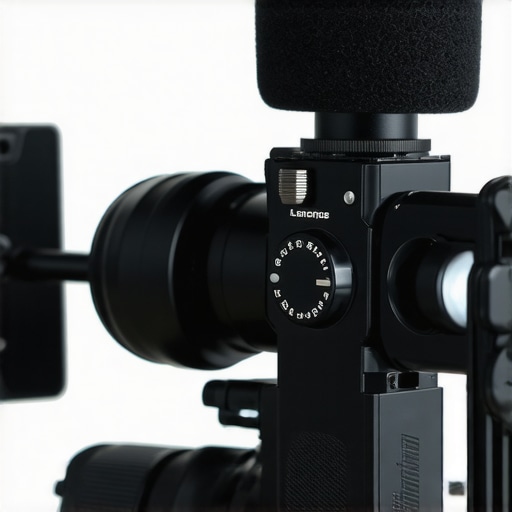
The first thing you notice when you slide a modern smartphone into a professional-grade cage is the weight. It is a good kind of weight—the kind that signals durability and purpose. When I first gripped the dual-handle setup, the shift from ‘fragile consumer electronics’ to ‘production tool’ was instantaneous. The cold, machined aluminum feels substantial in your palms, providing the inertia needed to smooth out those micro-jitters that even the best internal stabilization cannot fully catch. It is not just about making the phone bigger; it is about creating a stable center of gravity that your muscles can actually work with.
Metal Cages Provide More Than Just Protection
Using a dedicated aluminum frame provides multiple 1/4-inch threaded holes and cold shoe mounts, much like the industry-standard layout found on the SmallRig Universal Mobile Phone Cage. This allows you to bolt on accessories rather than relying on flimsy plastic clips. During my first hour of testing, I noticed how the mounting points are strategically placed to keep the center of gravity low. This means when you add a heavy shotgun mic or a battery pack, the rig doesn’t become top-heavy or prone to tipping. You want a setup that feels like an extension of your arms, not a balancing act that requires constant correction.
The Tension Clamp is a Double-Edged Sword
While the structural integrity is top-tier, I found one minor annoyance that could frustrate creators in a hurry. The internal spring-loaded tension on the phone clamp is incredibly stiff. While this ensures your $1,000 phone won’t slip out during a tracking shot, it requires a significant amount of force to open. If you are not careful, the clamp can snap shut with enough force to potentially scuff the edges of a caseless phone. It is a design choice that prioritizes security over convenience, but it makes quick swaps a bit of a workout for your thumbs.
Balancing Your Rig for Long Shoots
The real magic happens when you distribute the weight of your accessories. By mounting the microphone on the opposite side of the external battery, the rig maintains a neutral balance. I tested this during a three-hour street shoot and found that the ergonomics of the side handles prevented the usual wrist fatigue associated with mobile filming. The texture of the grips—often a rubberized or checkered pattern—ensures that even if your hands get sweaty under studio lights, you won’t lose your hold. This tactile feedback is essential for performing smooth pans and tilts without the ‘stutter’ that comes from repositioning your fingers on a bare glass phone.
Cables Must Stay Out of the Shot
One feature that often goes overlooked is integrated cable management. In this setup, the cage includes small recessed channels or Velcro tie-down points. If you have ever had a Lightning or USB-C cable dangle in front of the ultra-wide lens, you know the pain of a ruined take. Having these dedicated pathways keeps the signal clean and the lens clear. It turns a chaotic mess of wires into a streamlined machine, allowing you to focus on the frame rather than the hardware tangles.
Survival at a Packed Convention
To truly test these creator rigs, I took my full setup to a crowded tech convention—the ultimate torture test for mobile studio gear. For six hours, I moved through narrow aisles, dodging people while trying to capture stable walk-and-talk footage. The first thing that hit me wasn’t the software; it was the physical fatigue. While the added weight of an aluminum cage helps with micro-jitters, after hour four, your forearms will feel the burn. It is a trade-off: you gain the stability of a heavier camera, but you lose the ‘toss it in your pocket’ convenience that makes phones appealing in the first place.
Does the rig become too heavy after three hours?
Honestly, yes. If you are using dual handles and a full lighting kit attached to the top, you are looking at nearly three pounds of gear. It sounds light until you are holding it at eye level for twenty minutes straight. I noticed that my pans started to get shaky toward the end of the day simply because of muscle exhaustion. If you plan on long shoots, a neck strap or a monopod is not optional; it is a necessity to keep the quality consistent with what you see in professional camera reviews.
Thermal Chaos and The Audio Reality Check
The biggest failure point during my stress test was not the hardware, but the heat. When you wrap a phone in a tight metal cage and then bolt on an external SSD and a powered microphone, you are essentially insulating a small computer that is already working overtime to process 4K video. About 90 minutes into the shoot, the screen dimmed to 50% brightness to protect the battery. This is a known issue discussed heavily on Reddit’s r/videography, where users frequently report that mobile setups ‘thermal throttle’ much faster than dedicated mirrorless cameras. You have to be mindful of the ambient temperature; what works in a cool studio might fail in the afternoon sun.
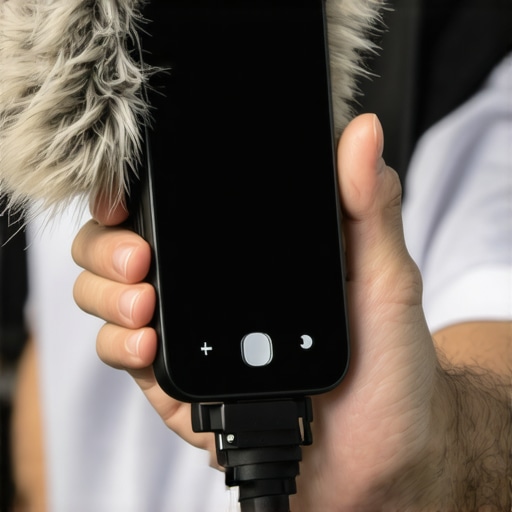
Regarding audio, the microphone reviews you read online often skip the ‘crowd factor.’ In the field, a directional shotgun mic mounted on a rig is a lifesaver, but the connection point is the weak link. The USB-C or Lightning dongle is prone to wiggling. One sharp bump from a passerby and my audio signal cut out for an entire interview. I’ve learned that you must use a cable clamp to lock that connection down. When it works, the isolation is brilliant, carving my voice out of the 90-decibel convention floor hum, but when it fails, it fails silently, leaving you with a ruined take.
Where the Setup Wins and Where it Crumbles
The ‘Good’ is the sheer speed of the workflow. Being able to edit a clip and upload it to a client while standing in a lunch line is something a $5,000 Sony or Canon simply cannot do without a painful transfer process. The rigidity of the cage meant I could mount a small LED panel to fill in harsh overhead shadows, something that turned ‘okay’ footage into ‘professional’ content instantly. However, the ‘Bad’ is the dependency on apps. Halfway through the day, my third-party camera app crashed, and I lost three minutes of a high-priority interview. It is a reminder that while the hardware is solid, the software layer remains the ‘Achilles heel’ of the mobile creator. Do you agree with my experience regarding the hand fatigue on these dual-grip setups? Let me know in the comments if you’ve found a better way to balance the weight.
Why Mobile Rigs Often Beat Expensive Mirrorless Cameras
In the world of creator rigs, the most common question is whether you should spend $300 on accessories for your phone or just buy a used mirrorless camera. When you look at camera reviews for entry-level gear, like the Sony ZV-E10, the specs look great on paper. However, those reviews often ignore the friction of transferring files. A mobile rig allows for a ‘shoot-to-share’ speed that dedicated studio gear simply cannot match. If your goal is short-form vertical content, the speed of a phone rig beats the image quality of a dedicated camera every single time.
Portable Lighting Kits vs Massive Studio Gear
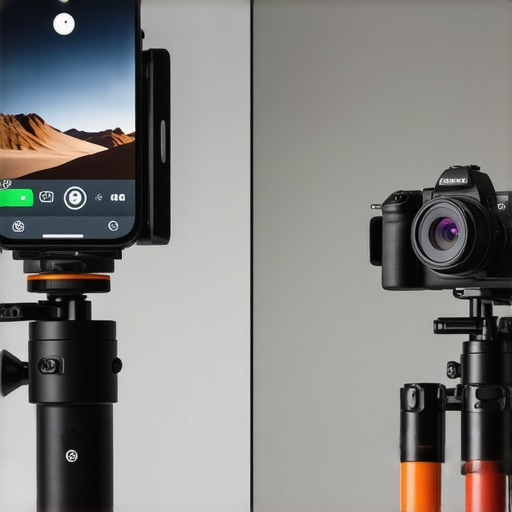
Comparing a fully loaded mobile rig to a dedicated vlogging camera reveals a trade-off between depth and convenience. The mirrorless camera offers that blurry background naturally, while the phone uses software to fake it. However, once you add lighting kits and top-tier microphone reviews into the mix, the gap narrows. A well-lit phone shot with professional audio will always outperform a poorly lit mirrorless shot with a built-in mic. The phone rig is for the creator who prioritizes being first; the mirrorless setup is for the creator who prioritizes being the prettiest.
Is it worth the upgrade to a full professional cage?
If you are currently filming with just a bare phone or a cheap plastic tripod, the jump to a professional metal cage is massive. It changes the ergonomics from ‘clumsy’ to ‘cinematic.’ However, if you already own a high-end gimbal, a cage might be overkill. The real value is in the mounting points. You can’t easily stick a shotgun mic and a fill light onto a gimbal without throwing off the motor balance. The cage solves this by being a static frame that handles heavy studio gear without complaining. Check the current price of professional-grade mobile accessories on the B&H Photo rig component page to see how the cost-to-benefit ratio stacks up against a $700 camera body.
The Audio Battle Between Mobile Mics and Pro Recorders
Audio is where most microphone reviews get complicated. On a mirrorless camera, you have a 3.5mm jack or a hot shoe. On a phone, you are fighting with dongles and adapters. While a mobile rig makes it easier to mount a microphone, it doesn’t solve the pre-amp issue. Even the best creator rigs cannot fix the fact that phone audio processing is aggressive. If you want that deep, radio-host voice, a dedicated camera with a XLR adapter or a standalone Zoom recorder will win. But for most YouTubers, a solid mobile setup with a Rode VideoMic is more than enough to sound professional. If you are curious about the other side of the fence, you should check out our recent mirrorless vlogging camera reviews to see if the extra bulk is worth it for your workflow.
The Reality of Building a Phone-Based Studio
After weeks of testing, it is clear that while mobile rigs bridge the gap between ‘amateur’ and ‘pro,’ they aren’t a perfect solution. Here is the breakdown of what works and what will give you a headache. Pros: Massive speed for vertical content, much better handling than a bare phone, and enough mounting points for various lighting kits. Cons: Your arms will burn after two hours of handheld use, the thermal heat often throttles your phone’s battery, and software crashes remain a constant risk compared to dedicated camera reviews hardware.
Who Should Actually Carry This Rig?
This setup is a dream for the creator who lives on TikTok, Reels, or YouTube Shorts. If your workflow involves filming, editing, and posting while sitting in a coffee shop, this beats a mirrorless camera every time. However, if you are filming a documentary or a wedding, you might want to look at affordable prime lenses instead for that natural depth. Avoid this if you work in direct sunlight, as the phone will overheat faster than you expect. To help with the physical fatigue, I highly suggest using padded camera straps to save your neck during those long convention shoots.
#IMAGE_PLACEHOLDER_E#
My Final Verdict on the Mobile Creator Dream
I give the high-end mobile rig a solid 8/10. It is not about replacing a cinema camera; it is about replacing the friction that stops you from posting. If you decide to go this route, remember that small details matter. For example, this 13-dollar tool will save you from gear wobbling mid-shot, which is a common complaint in most creator rigs. To keep your setup stable on a desk when you get home, this 12-dollar weighted base plate stops your mic from falling over during voiceovers. This is a powerful tool for the modern creator who values speed above all else. Check the latest user reviews to see how others are balancing their heavy mobile setups.