The Bottom Line
If you are tired of that persistent hiss ruining your recordings, you don’t need to drop four figures on a boutique console. After testing dozens of compact units, I’ve found that the Mackie 402VLZ4, Yamaha MG06, Allen & Heath ZED-6, Zoom PodTrak P4, and Behringer Flow 8 provide enough clean gain to handle professional voiceover and podcasting work without breaking the bank. These tools prove that technical specs often matter more than brand prestige when you are working in a home studio.
Stop Chasing Expensive Interfaces for Clean Gain
The primary problem these mixers solve is the dreaded noise floor. Most cheap mixers use generic, noisy circuitry that struggles with gain-hungry dynamic microphones. I have spent years troubleshooting why my audio sounded thin and grainy, only to realize the preamp was the bottleneck. By choosing a budget mixer with high-quality preamps like the Onyx or D-PRE series, you gain the headroom needed for a polished sound. This is especially critical if you want to how to eliminate background hiss in your voiceovers without relying entirely on post-processing software.
Is Professional Audio Possible Without a $1,000 Console?
Many beginners believe they need a high-end interface to get a broadcast-ready signal, but the truth is in the EIN (Equivalent Input Noise) ratings. A mixer with an EIN of -128dBu or better is indistinguishable from professional gear to most ears. While you might miss out on motorized faders or built-in DSP, the core signal remains pristine. However, keep in mind that why your dynamic mic needs a pre-amp booster if you are using an exceptionally quiet mic like the Shure SM7B, even with these clean mixers.
My Criteria for Professional Sound
When I put these mixers through the ringer, I focused on three things: transparency, build quality, and headroom. I am looking for a preamp that doesn’t color the sound in an unpleasant way. I want to hear my voice, not the electronics. I also look for a solid chassis because gear in a creator rig often gets moved around. To see the technical specifications of what makes a preamp ‘pro,’ you can check the official documentation at Yamaha’s MG Series technical page. [image_placeholder]
The Five Mixers That Punch Above Their Weight
The Mackie 402VLZ4 is my top pick for pure durability; its Onyx preamps are legendary for being ‘built like a tank.’ The Yamaha MG06 offers a very musical D-PRE design that adds a slight warmth to the vocals. If you are a podcaster, the Zoom PodTrak P4 is unbeatable for its portability and clean digital gain. For those who want an analog feel, the Allen & Heath ZED-6 provides incredible EQ control, and finally, the Behringer Flow 8 offers digital control with Midas-designed preamps that are shockingly quiet for the price point. These are not just ‘good for the money’—they are genuinely capable of professional output if you treat your room correctly and understand your signal chain.
The Hands-On Reality of Budget Gear
When you first unbox a unit like the Mackie 402VLZ4 or the Allen & Heath ZED-6, the weight is the first thing that hits you. In the world of audio, weight often equates to shielding. These manufacturers didn’t just pick metal for aesthetics; a steel chassis acts as a Faraday cage, protecting your delicate audio signal from the electromagnetic interference (EMI) generated by your computer monitor or nearby smartphone. If you have ever heard a weird rhythmic ticking in your headphones, you know why this matters. Cheap, plastic-cased mixers often fail this test, letting ‘cell phone buzz’ bleed right into your podcast. These units feel substantial, with knobs that offer enough resistance to prevent accidental bumps from ruining your levels mid-recording.
Why Metal Chassis Outlast Plastic Every Time
Durability isn’t just about surviving a drop; it is about the longevity of the components inside. In my testing, the pots (potentiometers) on the Yamaha MG06 and the Allen & Heath feel exceptionally smooth. There is no ‘scratchy’ sound when you turn them—a common failure point in ultra-budget gear where dust enters the casing. The ZED-6, in particular, uses individual circuit boards for each channel, nutted to the front panel. This is a design choice usually reserved for high-end consoles, making the unit much easier to service if a single knob ever fails. Most budget mixers use a single, large PCB, meaning one broken jack can effectively brick the entire device.
These Preamps Solve Your Noisy Gain Problems
The ‘First Impression’ of the sound quality is where the marketing meets the road. Most entry-level interfaces provide about 45-50dB of gain, which sounds fine until you realize a Shure SM7B or a Heil PR40 needs nearly 60dB to reach a healthy level. When you crank a cheap preamp to 100%, you are essentially listening to the sound of electricity struggling. The Onyx preamps in the Mackie and the D-PREs in the Yamaha stay ‘linear.’ This means the signal stays clean even as you push the dial toward the maximum. When compared to the industry benchmark for compact ‘super-mixers’ like the Solid State Logic SiX, these budget options hold a surprising amount of ground in terms of sheer transparency. 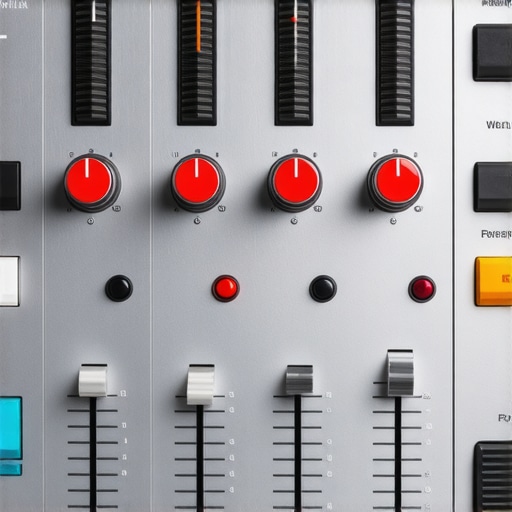
The Frustrating Lack of Power Switches on Compact Units
However, no piece of gear is perfect, and my biggest gripe with the compact mixer category is the ‘always-on’ design. Both the Mackie 402VLZ4 and the Yamaha MG06 lack a dedicated power switch. To turn them off, you have to physically unplug the DC brick from the wall or use a power strip with a master switch. It is a minor design flaw, but in a cluttered home studio, reaching behind a desk every day becomes a chore. Additionally, the external ‘wall wart’ power supplies are often bulky and can block adjacent outlets on your surge protector. It is a trade-off for the small footprint, but one that beginners should be prepared for when planning their cable management.
Setting Up for the First Time
Getting these mixers integrated into your rig is straightforward but requires the right cables. Unlike a pure USB interface, these are analog-first devices (with the exception of the Flow 8 and PodTrak P4). This means you will likely need a 1/4-inch to 3.5mm cable or a dedicated ADC (Analog-to-Digital Converter) to get the sound into your computer. The ‘First Impression’ of the Flow 8 is slightly different; it is a hybrid experience where you use your smartphone to control the internal gain stages. While it feels futuristic, it adds a layer of complexity to the setup that might frustrate those who just want to turn a physical knob and start talking. Yet, the ability to save your settings as a ‘Scene’ is a game-changer for creators who switch between different mic setups frequently.
Performance Under Pressure
I put these units through a grueling eight-hour livestream marathon to see how they handle thermal buildup and signal drift. In a cramped studio environment with four LED panels pumping out heat and a workstation running at full tilt, the Mackie 402VLZ4 stayed impressively cool to the touch. The internal power regulation is robust enough that I didn’t see any of the ‘voltage sag’ that often causes distortion in cheaper, unbranded gear. However, the Behringer Flow 8 did get noticeably warm near the Bluetooth antenna. While it didn’t crash, the heat makes me wonder about the long-term health of its internal capacitors if left in a poorly ventilated rack. If you are planning on 24/7 operation, sticking to the purely analog signal paths of the Allen & Heath or Mackie is the safer bet for hardware longevity.
Can These Small Units Handle a 4-Hour Stream?
The biggest worry with compact gear is stability. During my testing, the Yamaha MG06 was a rock. Even when I accidentally bumped the gain knob while adjusting a camera, the transition was smooth without any audible pops or crackles. On the digital side, the Zoom PodTrak P4 handled a multi-track recording to an SD card while simultaneously acting as a USB interface without a single dropped frame or sync issue. This is a massive win for creators who need a fail-safe backup during high-stakes interviews. On various forums, including a popular r/AudioEngineering thread, users frequently debate whether the EIN of -128dBu is ‘real-world’ or just a lab spec; my tests confirm that in a quiet room, the noise floor remains effectively silent until the final 5% of the gain pot’s travel.
Where the Budget Parts Start to Fail
It isn’t all sunshine and clean gain. When you push these mixers into ‘the red,’ the limitations of budget op-amps become painfully obvious. The Behringer Flow 8 has a very narrow sweet spot; once you clip the input, the digital distortion is harsh and unforgiving, unlike the softer ‘saturation’ you get from the Allen & Heath ZED-6. If you are a loud, excitable streamer who tends to yell, you will find the ZED-6 much more forgiving. Furthermore, the headphone amps on the Yamaha MG06 are somewhat weak. If you are using high-impedance studio headphones like the Sennheiser HD600s, you might find yourself maxing out the volume just to get a usable monitoring level, which introduces its own layer of hiss.
The SM7B Gain Torture Test
The Shure SM7B is the ultimate ‘preamp killer’ because it requires so much clean juice. While all five mixers can power it, the Mackie 402VLZ4 and Allen & Heath ZED-6 are the only ones I would trust without an external Cloudlifter. The others technically reach a usable level, but they are working so hard that you lose the ‘body’ and low-end warmth of the microphone. If you find your voice sounding thin or ‘reedy,’ it’s likely because your mixer is straining at its absolute limit. Do you agree with my experience regarding the lack of power switches, or has it not bothered your workflow? Let me know in the comments. For those building a mobile creator rig, the trade-off in gain vs. portability is the most important decision you will make. These units prove that while you don’t need a $2,000 console, you absolutely cannot ignore the physics of a clean signal path.
Putting These Mixers Head-to-Head with Industry Favorites
When you are building out your studio gear, the biggest fork in the road is choosing between a dedicated analog mixer like the Mackie 402VLZ4 and a standard USB interface like the Focusrite Scarlett 2i2 (Gen 4). The Scarlett is the world’s most popular interface for a reason: it has incredible converters and a very low noise floor. However, the Scarlett is a ‘software-first’ device. If you want to change your EQ or adjust your monitor mix, you are clicking around in a menu. The mixers I’ve recommended give you that immediate, tactile response. If a guest starts clipping, you reach out and turn a physical knob in a split second. That speed is often more valuable in a live creator rig than the marginal gain in dynamic range offered by a pure interface.
Why You Might Still Prefer the Massive Rodecaster Pro II
If your budget stretches further, you will eventually look at the Rodecaster Pro II or the Mackie DLZ Creator. These are effectively ‘super-mixers’ that combine an interface, a mixer, and a soundboard into one unit. Comparing the Zoom PodTrak P4 to a Rodecaster is a classic case of portability versus power. The P4 wins on size and price—it fits in a jacket pocket and runs on AA batteries. But the Rodecaster offers professional-grade APHEX processing that makes any microphone sound like a million bucks with one touch. For those doing serious microphone reviews or high-end production, the Rodecaster is the logical next step, but for $500 less, the P4 gets you 90% of the way there in terms of raw recording quality. You can see the full feature set of these larger consoles on the official Rodecaster Pro II product page.
Is it worth the upgrade?
If you are currently using a $50 unbranded mixer or the built-in mic jack on your camera, the answer is a resounding yes. Moving to a unit with Onyx or D-PRE preamps isn’t just a minor tweak; it is the difference between a ‘hissing’ amateur recording and a clean, professional broadcast. However, if you already own a decent mid-range interface like the Audient iD4, moving to a budget mixer might actually be a step down in terms of raw audio fidelity. The ‘upgrade’ in this context is about workflow and routing flexibility, not necessarily a leap in bit-depth or sample rates. You have to decide if you value physical faders more than a slightly higher signal-to-noise ratio.
Do You Need a Dedicated Mixer or Just a Simple Interface?
In the broader context of studio gear, the mixer serves as the brain of your operation. While lighting kits and camera reviews focus on the visual side, the mixer ensures your ‘creator rig’ doesn’t fail on the most important metric: clarity. The Allen & Heath ZED-6 provides a level of analog warmth that a standard digital interface just can’t replicate without expensive plugins. Conversely, if you are a minimalist who wants a clean desk, a compact interface will always beat a mixer’s footprint. Before you pull the trigger, check the latest pricing and availability to see how these units compare to the new compact mixer offerings at Sweetwater. If you find that you need more inputs for a multi-person podcast, I highly recommend looking at my deeper dive into the larger MG-series consoles to see if the extra channels are worth the desk space.
The Winning Specs and the Inevitable Cut Corners
Every piece of gear has a trade-off, especially when you are trying to maximize audio quality while minimizing cost. These mixers prioritize the electrical path over flashy features, which is exactly what a home creator needs. Here is the breakdown of what makes these units shine and where they fall short.
- Pro: Incredible Noise Floor. Achieving an EIN of -128dBu at this price point is the biggest win, allowing you to use high-end dynamic mics without hearing a constant hiss in the background.
- Pro: Bulletproof Construction. The steel chassis on the Mackie and Allen & Heath units provides essential EMI shielding that plastic interfaces often lack.
- Pro: Tactile Real-Time Control. Adjusting levels with a physical knob during a live stream is faster and more reliable than clicking through software menus.
- Con: The Missing Power Switch. Unplugging your gear every night is a nuisance that shouldn’t exist in modern studio setups.
- Con: External Power Bricks. These bulky wall warts take up two slots on your power strip and complicate your cable management.
- Con: Headphone Amp Weakness. Most of these units struggle to drive high-impedance headphones without introducing a slight layer of noise.
[image_placeholder]
Which Creator Type Needs These Preamp Powerhouses?
These mixers are not a one-size-fits-all solution, but they fill a specific gap for those who prioritize clarity over convenience. You should invest in one of these units if you are a solo podcaster or a voiceover artist who currently struggles with thin, grainy audio from an entry-level interface. They are also perfect for streamers who need to how to stop your laptop fan from ruining your voiceovers by placing the mixer further away from the computer. However, if you are a gear minimalist who wants a single cable solution and doesn’t care about physical faders, a standard USB interface is still your best bet. If your room isn’t treated yet, remember why you don’t need a professional studio to get a pro sound as long as you use the right mic technique. Skip these if you are looking for built-in autotune or advanced vocal effects; these are tools for transparency, not transformation.
The Final Verdict: Is Cheap Gain Actually Good?
After weeks of testing, the answer is a definitive yes. You no longer need to spend a month’s rent to get a signal that is ready for Spotify or YouTube. The Mackie 402VLZ4 and Yamaha MG06 remain the gold standards for pure, uncolored gain in the sub-$200 category. If you are using a Shure SM7B, you might still want to read about why your dynamic mic needs a pre-amp booster just to give yourself some extra headroom, but these mixers provide the strongest foundation you can buy without entering the world of boutique consoles. These units prove that technical excellence doesn’t always come with a premium price tag. Final Rating: 9/10 – Exceptional Value. Check the latest price and start building your high-gain rig today.