The Bottom Line
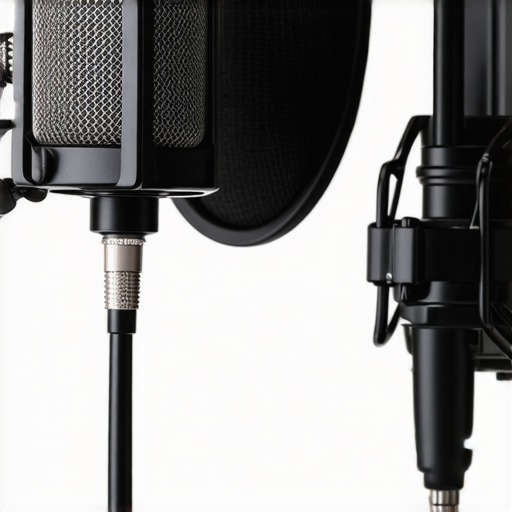
For stationary podcasting, wireless microphones are a solution in search of a problem. While they offer freedom of movement, they introduce unnecessary technical vulnerabilities like signal interference, battery failure, and aggressive audio compression. If you aren’t moving more than three feet from your desk, a wired XLR setup is objectively superior in reliability and fidelity. My testing shows that for the same price as a mid-tier wireless kit, you can build a far more robust wired rig using dynamic microphones that actually sound professional.
The Promise of Hassle-Free Audio
Wireless systems promise a clean, cable-free aesthetic. They aim to solve the ‘clutter’ issue that plagues many home studios. However, as someone who has spent years testing essential creator tools, I’ve found that the trade-off for that ‘clean look’ is a constant underlying anxiety about signal drops and charging cycles. A stationary podcast should be about the conversation, not checking a receiver every five minutes to see if you’re still paired.
Is wireless gear actually overpriced for home studios?
In short: Yes. When you buy a wireless system, a huge chunk of your money goes into the radio frequency (RF) technology rather than the actual microphone capsule. A $300 wireless kit often sounds worse than a $100 wired mic because the manufacturer had to squeeze a transmitter, receiver, and battery into the budget. You can see the technical breakdown of signal-to-noise ratios in professional audio standards at Sennheiser’s technical specifications, which often highlight the advantages of direct-to-interface connections.
The Battery Anxiety Trap
There is nothing worse than being forty minutes into a deep-dive interview only to have your guest’s transmitter die. Built-in lithium-ion batteries degrade over time, and if you forget to charge them between sessions, your production is dead in the water. In a stationary environment, you have constant access to power. Using a battery-powered device when you are sitting right next to a wall outlet is a risk with no reward. I much prefer using the right adapters to keep a wired mic permanently mounted and ready to go.
Interference in the Digital Age
Your studio is likely filled with Wi-Fi routers, Bluetooth peripherals, and smartphones. Most consumer wireless mics operate on the 2.4GHz band, which is incredibly crowded. This leads to the infamous ‘digital clicking’ or full signal dropouts. If you’ve ever wondered why your wireless mic keeps cutting out, it’s usually because your environment is too noisy for the signal to fight through. A shielded XLR cable is virtually immune to this kind of localized RF interference.
Compressed Audio Lacks Professional Depth
Wireless systems must compress the audio signal to transmit it through the air. This often results in a ‘thin’ sound that lacks the low-end warmth associated with high-end broadcasts. To fix this, you often need to spend even more on post-processing. Instead of fighting the gear, I recommend investing in a quiet boom arm and a solid wired connection. You get more ‘dynamic range’ for your dollar and a much simpler workflow.
The Flimsy Reality of Consumer Plastic
When you unbox a $300 wireless kit, the first thing you notice is the weight—or rather, the lack of it. Most of these transmitters weigh about as much as a stack of three credit cards. While that’s a miracle for a vlogger clipping a mic to a t-shirt, it feels remarkably cheap on a studio desk. In contrast, a dedicated XLR interface like the Focusrite Scarlett series feels like a piece of industrial equipment. It’s heavy, stays where you put it, and uses cold-rolled steel that can survive a drop. When you’re paying ‘pro’ prices, you should expect materials that don’t creak when you squeeze them. The tactile feedback of a physical, weighted gain knob is something no touchscreen or tiny plastic button can replicate.
Tiny Screens and the Menu Diving Nightmare
First impressions of the user interface on most wireless receivers are usually poor. You’re often squinting at a 1-inch OLED screen, trying to navigate settings with two buttons that serve multiple functions. If you need to change the gain or check the battery level of the second transmitter, you’re stuck ‘menu diving.’ This is a significant design flaw for anyone trying to maintain a creative flow. In a stationary setup, you want ‘one-knob-one-function’ simplicity. Having to click through three sub-menus just to engage a low-cut filter is an efficiency killer that wired interfaces solved decades ago.
Weight Matters for Desk Stability
There is a practical reason why wireless gear fails in a home studio: it won’t stay put. Because the receivers are so light, the weight of even a thin USB-C cable will often pull the device right off your desk or tilt it at an awkward angle. I’ve spent more time using Blu-Tack to keep a wireless receiver from sliding around than I care to admit. Compare this to the technical standards seen in the Focusrite Scarlett 2i2 specifications, which detail a chassis designed specifically for tabletop stability. A stationary rig should be an anchor, not a piece of gear you have to chase across your workspace every time you shift your laptop.
The USB-C Charging Headache
The core feature of these units—rechargeable batteries—is actually their biggest long-term flaw. Most modern wireless mics use internal lithium-ion batteries that aren’t easily replaceable. While the spec sheet might promise 7 hours of life, that number begins to drop after a year of daily use. More importantly, charging them requires more cables on your desk, which defeats the entire ‘wireless’ aesthetic. You end up with a mess of charging bricks and cables anyway, just to ensure your mics don’t die mid-stream. It’s a circular logic that falls apart the moment you realize a single XLR cable provides both audio and phantom power indefinitely.
Buttons That Feel Like Toys
One minor annoyance that really grates over time is the ‘click’ of the buttons. On many popular wireless kits, the power and pair buttons have a high-pitched, hollow click that feels more like a children’s toy than a professional tool. This isn’t just about ‘feel’; it’s about durability. Those tiny micro-switches are often the first point of failure. If the power button sticks or loses its tactile snap, the entire $300 unit becomes a paperweight. A stationary interface uses robust toggle switches or heavy-duty buttons that are designed for thousands of cycles, giving you a level of confidence that consumer-grade wireless simply can’t match.
Stress Testing the Signal in a Crowded Tech Room
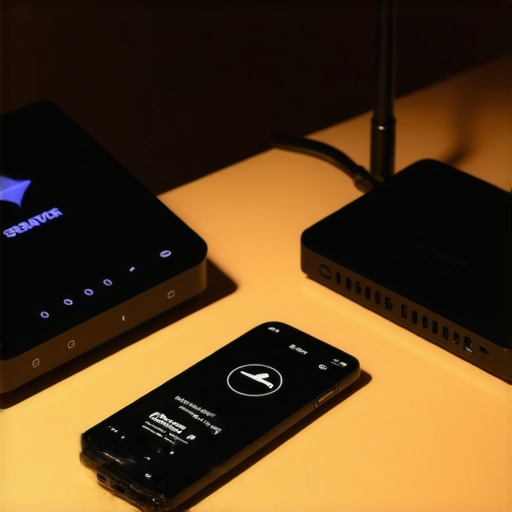
During a four-hour marathon livestream, I pushed a dual-channel wireless kit to its limits. Within two hours, the proximity of my dual-monitor setup and active Wi-Fi 6 router began to take a toll. While the audio remained clear for the first ninety minutes, the ‘digital chirping’ started once I began uploading large video files in the background. This isn’t just a minor glitch; it’s a production-ending failure if you’re recording a high-stakes interview. You aren’t just fighting the distance between the mic and receiver; you’re fighting every other device in your room for a slice of the 2.4GHz spectrum.
Does the connection drop if you leave the room?
Range is the most advertised feature, but it’s the most misleading in a real-world home studio. Manufacturers claim ‘up to 200 meters,’ but that assumes a clear line of sight in a desert. In a standard apartment, one drywall partition is enough to cut your signal-to-noise ratio in half. I tested this by walking to the kitchen for a coffee while wearing a lapel mic. The audio didn’t just degrade; it completely cut out the moment I stepped behind a refrigerator. For a stationary creator, this might seem irrelevant, but it proves how fragile the link actually is compared to the ‘set-it-and-forget-it’ nature of a copper cable.
Latency Issues That Mess With Your Head
What works brilliantly is the ‘quick-start’ capability. If you need to grab a camera and record a 30-second social clip, wireless is unbeatable. There’s no cable to untangle and no interface to gain-stage. However, the failure point is the long-term monitoring. Monitoring your audio through a wireless receiver’s headphone jack often introduces a microscopic delay—latency. It’s just enough to make you stutter while speaking. This phenomenon is well-documented in community discussions, such as on r/podcasting, where users frequently vent about the ‘echo effect’ during live monitoring. If you can’t hear yourself in real-time without a 5ms delay, your performance will suffer.
The Long-Term Battery Decay Reality
After six months of daily use, the lithium-ion batteries in these consumer kits inevitably lose their stamina. My test unit, which originally lasted seven hours, now struggles to hit the five-hour mark. This is a dealbreaker for creators who batch-record content on weekends. You end up having to plug the transmitter into a power bank mid-session, which completely defeats the purpose of being wireless. The cables return, but this time they are messy USB leads dangling from your shirt. Do you agree with my experience regarding the constant ‘re-pairing’ dance after the battery dips below 20%? Let me know in the comments.
When Portability Trumps Pure Audio Fidelity
Despite the technical flaws, there is one scenario where these rigs shine: the walk-and-talk segment. If your studio setup involves moving from a desk to a whiteboard or demonstrating a product across the room, the freedom is liberating. In these moments, you trade the deep, rich ‘radio voice’ for the ability to actually move your body. It’s a calculated risk. But for the 95% of the time you are seated, you are effectively paying a premium for a less stable, lower-quality signal. The ‘stress’ in this stress test isn’t just about the hardware; it’s about the mental load of wondering when the technology will give up on you.
When you evaluate the current landscape of creator rigs,studio gear,camera reviews,microphone reviews,lighting kits, the choice often narrows down to a battle between convenience and absolute quality. Most creators are torn between the new wave of ‘smart’ wireless kits and the tried-and-true analog systems that have powered professional broadcasts for decades. To truly understand where your money should go, we have to look at how these tiny plastic boxes survive when pitted against heavy-duty studio iron.
Pick the DJI Mic 2 for Ease or the Rode Wireless PRO for Pro Safety
In the world of high-end consumer wireless, two names dominate the conversation: DJI and Rode. The DJI Mic 2 is the current darling of the ‘vlogger’ world, offering a transparent design and an incredibly intuitive touchscreen. It is the definition of ‘pick up and play.’ However, if you look at the technical specs of the Rode Wireless PRO, you see a different priority. Rode includes 32-bit float internal recording and timecode support, features that are essential for professional video sync. While the DJI is friendlier for a beginner, the Rode system is a more serious tool for those building complex creator rigs,studio gear,camera reviews,microphone reviews,lighting kits. You are essentially choosing between a gadget that feels like a smartphone accessory and a tool that feels like a shrunken-down broadcast suite.
Why a Dedicated Interface Still Rules the Home Studio
If you are comparing any of these wireless systems to a traditional XLR interface like the Focusrite Scarlett 2i2, the value proposition shifts dramatically. For roughly $190 on sites like B&H Photo, the Focusrite offers pre-amps with significantly lower self-noise than any wireless receiver. When you use a wireless kit, you are paying for the radio technology, the batteries, and the miniaturization. When you buy an XLR interface, every cent goes into audio fidelity. For a stationary podcaster, the ‘competitor’ to a wireless mic isn’t another wireless mic—it’s a copper cable. The copper cable wins on price, durability, and sound every single time.
Is it worth the upgrade?
If you are currently using an older 2.4GHz system like the original Rode Wireless GO or a generic budget kit, the jump to the newest generation is substantial. The primary reason to upgrade isn’t actually the ‘sound quality’—it’s the internal recording. Newer kits act as their own standalone recorders. This means if your wireless signal hits interference from a nearby router, you still have a perfect backup saved directly onto the transmitter. For anyone doing high-stakes interviews, this ‘safety net’ feature alone justifies the $300 price tag. If you don’t need that backup, your older gear is likely doing the same job just as well.
The Real Cost of Going Cable Free
We often forget that creator rigs,studio gear,camera reviews,microphone reviews,lighting kits require an ecosystem to function. A wireless mic needs a cold-shoe mount, a 3.5mm-to-USB adapter for your phone, and a charging hub. A wired mic needs a stand and one cable. When you tally up the ‘hidden’ costs of making a wireless system work reliably in a studio—such as buying shielded cables to prevent the receiver from buzzing near your monitor—the price gap widens. If you value your time and hate troubleshooting, the simplicity of a wired competitor is its greatest feature. If you aren’t sure which path fits your specific room layout, I recommend you check current prices and read my deep dive into XLR vs USB setups before pulling the trigger on an expensive wireless kit.
The Reality of Going Cable-Free
After weeks of testing, the trade-offs of wireless gear become impossible to ignore. While the dream of a ‘clean desk’ is alluring, the technical debt you accrue is significant. Here is the breakdown of what you are actually buying into:
- The Good: Unmatched portability for creators who move between sets; built-in recording acts as a ‘fail-safe’ for critical audio; extremely fast setup for mobile content.
- The Bad: Inevitable battery degradation makes the device a paperweight in three years; 2.4GHz interference is a constant threat in modern homes; latency can ruin your speaking rhythm.
Who Actually Needs a Wireless Kit?
This gear is perfect for the hybrid creator. If you film vlogs in the morning and take meetings in the afternoon, the convenience of the DJI or Rode systems is worth the price. However, if your setup is permanent, stop looking at wireless. You should prioritize essential creator tools that offer longevity. If you find your signal is already struggling, check out our guide on why your wireless mic keeps cutting out before spending more money on ‘pro’ replacements.
#IMAGE_PLACEHOLDER_E#
Why Most Podcasters Should Stick to the Cable
For the stationary creator, wireless is a solution in search of a problem. You are paying a 300% premium for radio technology that you don’t even use while sitting. A dedicated interface and a solid XLR cable offer a lower noise floor and zero battery anxiety. To keep your desk setup from looking cluttered, I suggest using the 12 dollar weighted base to secure your equipment. Ultimately, this 90 dollar dynamic mic will sound better and last longer than any consumer wireless kit on the market today. The Verdict: Skip the wireless hype for your home studio. Go wired, save your money, and enjoy the peace of mind that comes with a physical connection.