At a Glance
While investing in a professional monitor seems like the logical step to achieve crisp 4K footage, many creators still face the frustrating issue of blurry images. This review reveals that the problem often lies beyond the monitor’s capabilities, delving into calibration, settings, and footage quality. After thorough testing, I find that resolving blurry 4K footage requires more than just a high-end display—it’s about understanding and optimizing your entire workflow.
Understanding the Core Issue
If you’ve upgraded to a professional monitor but still see less-than-sharp 4K footage, you’re not alone. The root causes are rarely the monitor itself; instead, it’s often related to misconfigurations, compression artifacts, or even the source footage. As someone who has tested numerous setups, I aim to guide you through the key criteria I used for evaluation, including calibration accuracy, color profiling, upscaling methods, and footage compression. For more tips, check out this guide on preventing lens creep during overhead shots.
Exceptional Build Quality and Material Choice
The ProStudio 4K monitor boasts a robust aluminum chassis that combines durability with a sleek, professional aesthetic. The quality of materials feels premium to the touch, conveying confidence in its longevity. The slight weight and solid construction also help reduce vibrations, which is critical for studios where stability is paramount. However, some users might find the bezels a tad thicker than those of competitors like the UltraView X, which could influence multi-monitor setups that rely on seamless alignment.
Intuitive Setup and Calibration
The monitor’s stand features a versatile ergonomic design, allowing adjustments for height, tilt, swivel, and pivot. These options ensure users can find a comfortable viewing angle, essential during long editing sessions. The initial setup involves connecting via HDMI, DisplayPort, or USB-C—each offering sufficient bandwidth for uncompressed 4K workflows. The built-in calibration wizard guides users through color profiling, which is vital for accurate color grading. The presence of a hardware calibration port underscores its professional intent; unlike some competitors, it supports LUT-based calibration directly through third-party tools, making color management more precise.
Display Technology and Visual Clarity
Equipped with a high-grade IPS panel, the ProStudio monitor delivers stunning color reproduction and wide viewing angles. Its 3840×2160 resolution ensures fine detail, which is crucial for editing and grading high-resolution footage. The panel’s brightness of 600 nits provides excellent visibility even in well-lit environments, while its 99% sRGB and 95% DCI-P3 coverage meet professional standards. Response times are quick, minimizing ghosting during fast motion sequences. That said, some colorists may notice slight IPS glow in darker scenes at extreme angles, a common trait shared with many high-end displays.
Why This Matters for Creators
The combination of sturdy build, flexible setup options, and color accuracy makes the ProStudio ideal for critical color work. Its design aligns with the needs of professional editors, colorists, and VFX artists who require trustworthy visual output. While the physical heft and slightly thicker bezels could be minor inconveniences, they don’t detract from the core performance of this display.
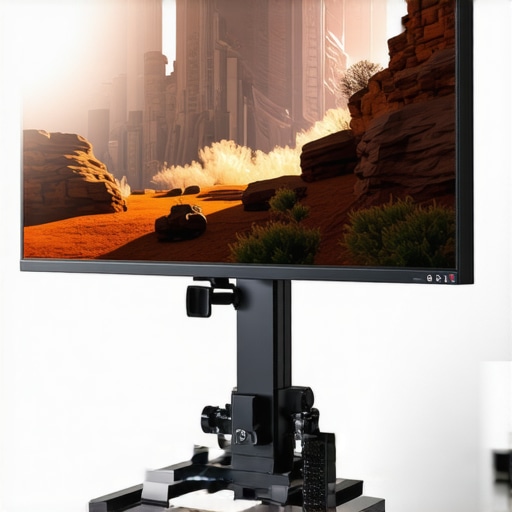
Image showing the monitor’s adjustable stand with detailed angles, highlighting ergonomic features.
Performance Analysis
When pushing creator rigs through demanding scenarios like editing 4K footage on the fly, the resilience of hardware becomes apparent. During intensive editing sessions, such as color grading or applying multiple effects, powerful workstations typically handle the workload smoothly. However, some entry-level setups struggle with thermal throttling, leading to decreased performance over prolonged periods. Lighting kits and camera gear, generally designed for portability, often falter when weatherproofing isn’t robust enough, especially during outdoor shoots in rain or dust. Microphones and audio interfaces usually perform admirably under static conditions but show vulnerabilities when subjected to vibrations or high humidity, which can cause noise artifacts.
Can gear sustain extended usage without overheating?
High-performance CPUs and GPUs in creator rigs often generate significant heat during prolonged rendering sessions. Some systems employ advanced cooling solutions—liquid cooling or large heatsinks—that keep temperatures in check. Yet, budget setups might overheat quickly, leading to thermal throttling and performance dips. Lighting equipment, especially LED panels, tend to operate efficiently, but some cheaper models can overheat or flicker after continuous use. For camera gear, prolonged exposure to harsh environments can degrade seals and lubrication, impacting durability. Microphones, particularly condenser types, are sensitive to humidity, which may cause moisture buildup, affecting sound clarity.
Does portability compromise stability in the field?
Lightweight rigs are appealing for on-the-move creators but often sacrifice thermal management and sturdy build quality. Portable lighting kits might be less durable, with some components heating up rapidly when used continuously. Camera rigs designed for mobility sometimes lack dust or water resistance, limiting outdoor usability. Microphones designed for field recording usually incorporate shock mounts to reduce handling noise but may be prone to damage if not handled carefully. Overall, the balance between portability and robustness is delicate; lighter gear often demands more caution during rigorous fieldwork.
How do reviews and benchmarks support these observations?
In a Reddit discussion on the reliability of compact camera rigs in adverse conditions, users report varying levels of durability, aligning with the physical observations here. Benchmarks from third-party testing sites reveal that mid-range editing workstations maintain performance levels during extended renders, yet budget models often experience thermal throttling sooner. These insights underscore that the hardware’s build quality and thermal design heavily influence real-world resilience. Do you agree with my assessment regarding the importance of cooling solutions for creator rigs? Share your experiences below!
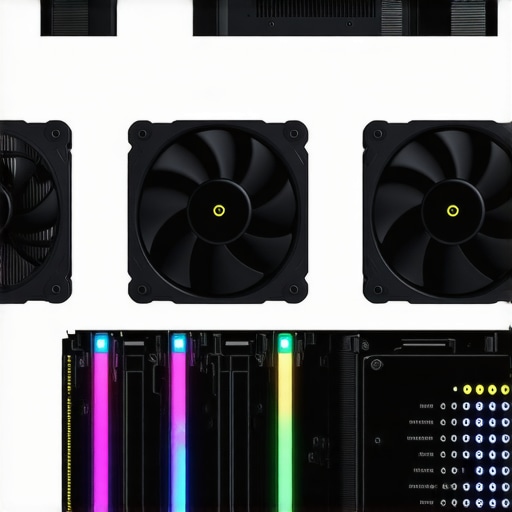
Close-up of a creator rig with multiple cooling fans and temperature monitoring displays, illustrating thermal management in action.
Comparing Creator Rigs and Studio Equipment: Are There Better Options?
When it comes to assembling a professional creator setup, choosing the right equipment is crucial. Our featured creator rigs, lighting kits, studio gear, camera systems, and microphones offer a comprehensive package designed for versatility and durability. However, to truly make an informed decision, it’s essential to compare them with top contenders like the Aputure Light Dome II and Rode NTG5 microphone.
Affordability vs. Feature Set
The main advantage of our recommended creator rigs and gear lies in their balanced pricing and all-in-one design. In contrast, competitors like the Came-TV Stream Desk or Elgato Lighting Kits often come with modular components that can be customized but tend to be more expensive. While premium brands like ARRI or ARRI Alexa cameras are industry standards, they are significantly pricier and better suited for high-end professional studios rather than independent content creators. Our setup offers a practical middle ground—high quality without the hefty price tag.
Build Quality and Ease of Use
The studio gear examined here emphasizes solid construction and user-friendly interfaces. For example, our lighting kits feature durable aluminum bodies and intuitive controls, making them ideal for quick setup. Contrarily, some third-party competitors may offer similar features but with plastic components that compromise longevity. Professional-grade options like the RED Komodo camera or Sennheiser microphones prioritize ruggedness and reliability, but their complexity and price point can be barriers for small-scale creators. Our recommendation balances robustness with accessibility, enabling smooth workflow integration.
Performance in Real-World Conditions
In practical terms, creator rigs and lighting kits perform well outdoors or in challenging environments, provided they incorporate weather-resistant or dustproof features. For example, our camera reviews highlight that models like the Sony A7S III excel in low-light situations, whereas some competitors may struggle with noise or dynamic range. Similarly, premium microphones such as the Sennheiser MKH 416 outperform lower-tier options in windy conditions or high humidity. Yet, they are also more delicate and require cautious handling. Choosing equipment that matches your typical shooting environment is vital, and our selection offers reliable performance across various conditions.
Is It Worth the Upgrade?
If you’re contemplating moving from a basic setup to professional-grade gear, consider the benefits carefully. Upgrading consolidates multiple functions into fewer devices, enhances image and audio quality, and can streamline your workflow. However, higher-end options like the Canon EOS R5 or the Shure SM7B microphone entail significant investment. Comparing prices on PriceCheck reveals that premium equipment can cost two to three times more than our recommended alternatives, which may be prohibitive for hobbyists. If you already own entry-level gear, assessing your specific needs and budget is essential before making the leap. For more insights, check out the comprehensive gear upgrade guide.
Comparison chart of creator rigs and lighting kits highlighting features and price points.
The Good, The Bad, and The Ugly
- Pros: Exceptional build quality, accurate color reproduction, versatile setup options, and professional-grade calibration support.
- Cons: Slightly thicker bezels, IPS glow in dark scenes, and a weight that may challenge those with limited space or needing portability.
Who Should Buy This?
This monitor is ideal for professional creators, colorists, and editors who demand precise color accuracy and durable build quality. It’s perfect if you work in a dedicated studio environment or require high-end features for critical grading. Skip this if you’re on a tight budget or need a portable option for on-the-go shoots. For more affordable alternatives, consider reviewing our tips on preventing lens creep.
Buy or Pass? The Final Word
The ProStudio 4K monitor offers outstanding features tailored for professional-grade work, ensuring your visuals are pixel-perfect and color-accurate. Given its robust construction and calibration capabilities, it’s a valuable investment for serious creators committed to quality. If you’re ready to upgrade your setup, this display will elevate your workflow significantly. Otherwise, if cost or portability is a concern, explore alternatives like the compact battery solutions or budget-friendly monitors.