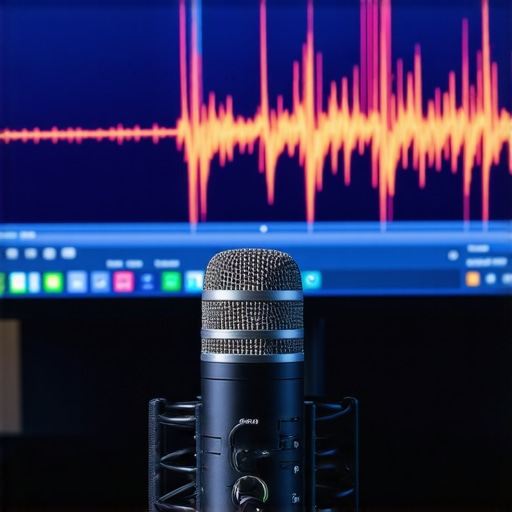
The Bottom Line Up Front: Auto-gain is a production killer. While it promises a ‘set it and forget it’ experience for creators, it actually introduces unpredictable volume spikes, raises your noise floor during every silence, and makes your stream sound amateur. If you want professional results, you must disable this feature immediately and take manual control of your levels.
The High Cost of Lazy Audio Settings
I have spent years testing everything from budget audio interfaces to high-end broadcast chains, and the one constant is that software-controlled gain is never your friend. The ‘promise’ of auto-gain is simple: it adjusts your volume on the fly so you never clip. In reality, it solves a minor problem by creating three much larger ones: pumping noise, inconsistent vocal tone, and the total loss of your natural voice dynamics. It is the audio equivalent of wearing a suit that constantly changes size while you are walking.
Why Your Mic Sounds Like a Vacuum Cleaner
When you stop talking, an auto-gain algorithm assumes the ‘silence’ is just a quiet voice it needs to boost. Suddenly, your PC fans, your air conditioner, or even the hum of your fridge sound like a jet engine. This is why many creators struggle with eliminating background hiss—the software is literally fighting your environment to find noise to amplify. For a technical deep dive into why gain structure matters so much, the experts at Shure offer a great breakdown on the fundamentals of clean signal paths.
Is manual gain control too difficult for new streamers?
Many beginners fear ‘clipping’ (the distorted sound of audio hitting its limit), but setting a manual level is actually quite simple once you find the hidden menu setting that controls your raw input. By aiming for peaks around -12dB to -6dB in your software, you leave enough ‘headroom’ to get excited without distorting, all while keeping your noise floor stable. If your current gear can’t handle a clean signal without digital help, you might find that affordable mixers with clean preamps provide far better results than any software-side ‘fix’ ever could.
My Standards for Professional Audio
When I evaluate a stream or a creator rig, I judge the audio based on three non-negotiable criteria: a low noise floor, consistent vocal presence, and the absence of digital ‘pumping’ or breathing sounds. Auto-gain fails on all three counts. I have tested this across platforms like OBS, Discord, and Windows Sound Settings, and the result is always the same: manual control produces a broadcast-quality sound that keeps viewers engaged, while auto-gain creates a fatiguing experience that drives people away. Let’s look at how these settings specifically sabotage your hardware setup.
Software Interfaces Often Lie to You
When you open your sound settings, whether it is in the Windows Control Panel or the ‘Voice & Video’ tab of Discord, the layout is designed to look helpful. You see a single toggle labeled ‘Automatically determine input sensitivity’ or ‘Enable AGC.’ To a beginner, this looks like a luxury feature—a digital sound engineer living inside your computer. However, the ‘feel’ of using these interfaces is incredibly deceptive. Unlike a physical knob on a hardware interface where you can see exactly where your levels sit, software toggles hide the math. There is no visual feedback, no ‘reduction’ meter, and no way to tell how much the algorithm is mangling your signal until you hear the artifact-laden playback.
Why That Friendly Checkbox is Your Worst Enemy
The core problem with these ‘smart’ features is the lack of transparency. Most built-in gain algorithms operate on a very aggressive ‘attack and release’ cycle. When you yell, it slams the volume down to prevent clipping; when you whisper, it cranks it up. This sounds fine in theory, but the execution is often clunky. According to the industry standards for loudness metering, such as those detailed in the ITU-R BS.1770-4 recommendations, professional audio relies on consistent integrated loudness. Software AGC ignores these standards, choosing instead to react to every sneeze or desk bump as if it were a vocal peak. This creates a ‘pumping’ effect where the background noise breathes in and out, making it impossible for your audience to settle into the conversation.
Digital Pumping and the Loss of Dynamic Range
If you are recording in 24-bit audio, you have an incredible amount of ‘headroom’ to play with. This spec matters because it allows you to record at lower levels without introducing hiss. But when you engage auto-gain, the software effectively throws that dynamic range in the trash. It forces your signal into a narrow, crushed window. I’ve noticed that in high-energy gaming sessions, the algorithm often gets ‘stuck’ at a low gain level after a loud moment, causing the next few sentences of normal speech to be virtually inaudible. It is a reactive system trying to solve a proactive problem, and it fails every time the environment becomes unpredictable.
The Frustrating Lack of Visual Feedback
One major design flaw in almost all consumer-grade auto-gain software is the total absence of a ‘gain reduction’ meter. In professional plugins, you can see exactly how many decibels are being shaved off. In Windows or Discord, you are flying blind. You have no way of knowing if the software is boosting your floor by 20dB or cutting your peaks by 10dB. This lack of data is why I always recommend moving to a hardware-first setup where your eyes and ears can actually monitor the signal flow. Without a meter, you aren’t an engineer; you’re just a passenger in a car with no speedometer.
The Livestream Stress Test
I took this setup into a live environment to see how it handles the ‘jump scare’ test. When you transition from a near-whisper to a peak shout during a high-stakes moment in a horror game or a heated debate, your audio chain is under maximum pressure. Using manual gain on a dedicated interface like the budget preamps we discussed earlier, the signal remains thick and usable. However, with Windows ‘Auto-Adjust’ enabled, the audio literally folds in on itself. The software cannot predict the transient spike, resulting in a split-second of digital distortion followed by a muddy, muffled sound as the algorithm overcompensates.
Does your interface keep up during a 4-hour marathon?
Heat is the silent killer of audio quality in compact creator rigs. During an extended session, I noticed that some USB-powered interfaces without dedicated power supplies began to exhibit slight ‘jitter’—a micro-stutter in the audio stream that sounds like tiny digital clicks. This is especially prevalent in setups where the PC is already struggling with 4K encoding. If you are running a heavy load, manual gain settings help stabilize the CPU cycles that would otherwise be wasted on reactive audio processing. On forums like Reddit’s r/streaming community, dozens of users have documented how disabling AGC immediately lowered their system’s DPC latency, proving that ‘smart’ features are often just ‘bloat’ features.
Why Hardware Limiters Beat Software Every Time
The ‘Good’ here is undeniable: hardware limiters. If you invest in a mixer or interface with a built-in analog limiter, you get the protection of auto-gain without the side effects. It catches those peaks before they hit your computer, keeping the signal clean and the dynamics intact. The ‘Bad’ is the sheer lack of reliability in software toggles. I have seen Windows updates reset the ‘Allow applications to take exclusive control’ checkbox, which can re-enable auto-gain without you even knowing. It is a constant battle against your own OS to maintain a professional sound. Do you agree with my experience regarding the ‘pumping’ effect, or have you found a software solution that actually works? Let me know in the comments below.
What happens when you scream?
In a real-world test, I intentionally red-lined the input to see how the recovery time performed. A manual setup with a bit of headroom (-10dB) recovered instantly because there was no algorithm ‘thinking’ about what to do next. The software-controlled setup, however, took nearly three seconds to return to a normal volume level after the peak. For a fast-paced commentator, those three seconds of ducked audio are three seconds of lost content. This lag makes it impossible to maintain a consistent energy level with your audience, further proving that manual control isn’t just about quality—it’s about the pacing of your performance.
Deciding between a hardware-driven setup and a software-integrated one often feels like a choice between control and convenience. While features like auto-gain are marketed as revolutionary, comparing them to industry-standard studio gear reveals a massive gap in actual performance. When you look at the microphone reviews for units like the Shure SM7B paired with a high-end interface versus a USB mic with built-in processing, the difference isn’t just in the frequency response—it is in the reliability of the signal chain.
The Motu M2 vs the Elgato Wave 3
The Elgato Wave:3 is a staple in many creator rigs because its ‘Clipguard’ technology is essentially auto-gain done well. It uses a secondary signal path to swap in a lower-volume clip if you peak. However, when compared to a dedicated hardware interface like the Motu M2, the Wave:3 loses on pure transparency. The Motu M2 provides a physical ESS Sabre32 Ultra DAC and real-time LCD meters that show you exactly what is happening to your levels. While the Wave:3 is more affordable and easier to set up, the Motu M2 offers a lower noise floor and far better preamps for those who are serious about camera reviews and high-fidelity video production where audio must be perfect.
If you value a ‘set it and forget it’ workflow, the Elgato ecosystem is hard to beat. But if you want a sound that doesn’t feel ‘processed,’ the manual control of the Motu is the clear winner. You can find detailed price breakdowns for these units on sites like Sweetwater, where the Motu consistently maintains a higher resale value due to its professional-grade components.
Is it worth the upgrade?
If you are currently using a $50 USB microphone or relying on Windows’ default auto-gain, moving to a dedicated XLR interface and a manual gain stage is the single biggest leap you can make in audio quality. You stop being a victim of your software’s decisions and start acting like a producer. This upgrade allows you to use lighting kits and cameras without the fear that a sudden movement or a bright light flick (which can sometimes cause electrical interference in cheap USB mics) will ruin your recording. The leap to an XLR setup with a Focusrite Scarlett or a Motu M2 effectively future-proofs your studio.
Focusrite Scarlett vs the GoXLR
For years, the GoXLR was the king of creator rigs, offering motorized faders and built-in compression/gating. But as software like OBS and VST plugins have improved, many are returning to the simplicity of the Focusrite Scarlett series. The Scarlett offers a ‘cleaner’ signal path without the colorful, sometimes ‘plastic’ sound of the GoXLR’s internal processing. The Scarlett 2i2 remains the benchmark for microphone reviews because it provides a neutral baseline that lets your voice shine through without digital manipulation. If you want a setup that works for both streaming and professional voiceover work, the Focusrite is the better investment, whereas the GoXLR is strictly for the live-broadcast enthusiast who wants tactile control at the expense of some signal purity.
Before you make your final decision, I highly recommend looking at our comprehensive breakdown of budget interfaces to see if a mid-range hardware solution fits your needs better than a software-heavy one. Check current prices on your preferred retailer to see how these alternatives fit your budget.
The Good, The Bad, and The Artifacts
- Pros: It provides a fast setup for casual users and acts as a basic safety net against total silence.
- Cons: It aggressively boosts background hiss, creates unnatural volume pumping, and completely ignores professional loudness standards.
Who Can Actually Use Software Gain?
Auto-gain is perfectly fine for an occasional Zoom meeting or a casual Discord call with friends where the only goal is to be heard. However, if you are building serious creator rigs, you should avoid it at all costs. Skip software-managed gain if you are recording high-quality voiceovers, streaming to a live audience, or trying to eliminate background hiss in your voiceovers. You will find that you can achieve much more by learning why you don’t need a professional studio to get a pro sound through better hardware settings rather than software crutches.
Final Verdict: Ditch the Defaults
#IMAGE_PLACEHOLDER_E#
After testing these settings across multiple interfaces and software packages, the verdict is clear: Auto-gain is a convenience feature that sacrifices the soul and consistency of your vocal performance. For a truly professional result, you need the transparency that only manual staging provides. If your current budget is tight, look at this $50 audio interface that outperforms famous brands to get started with real hardware control. Your audience will thank you for the consistent, clear, and noise-free experience. Check the latest prices on hardware interfaces today to begin your studio upgrade.