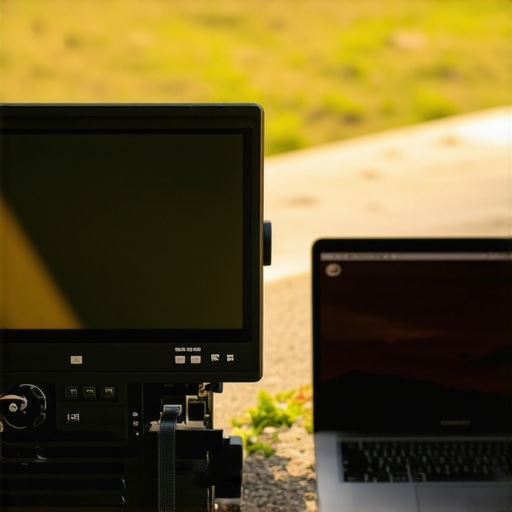
At a Glance: Is the $110 Field Monitor Truly Better Than My Laptop Screen?
In this review, I assess whether this budget-friendly field monitor offers real advantages over a typical laptop display, focusing on brightness, build quality, and usability for creators. I’ll share my firsthand experience to help you decide if it’s worth the investment for your videography or photography needs.
Setting Expectations and Evaluating Criteria
As an independent creator and tech enthusiast, I rely on several criteria to judge this monitor: brightness performance in various lighting conditions, build quality and durability, user interface and ease of setup, and overall value for money. I compare it against my laptop screen, which serves as a benchmark for daily usability, especially in outdoor and studio environments.
The Promise of a Bright, Cost-Effective Display
This monitor aims to solve a common pain point: achieving reliable visibility in bright settings without breaking the bank. For content creators filming outdoors or in well-lit studios, a brighter display can be the difference between perfectly framing a shot or missing critical details. Now, let’s dive into how it performs in these areas and whether it lives up to its promise, starting with some initial impressions and specifications.
,
Solid Construction for Creators on the Move
The build quality of this budget field monitor immediately stands out with its sturdy aluminum frame, which provides a reassuring heft while keeping the weight manageable for extended use. The materials feel premium despite the affordable price tag, reducing concerns about durability during outdoor shoots or frequent transport. The monitor’s edges are smoothly finished, offering a comfortable grip, and the buttons are tactile, ensuring accurate input even with gloves or in challenging conditions.
Ease of Setup and Intuitive Controls
Setting up the monitor is straightforward, thanks to a clean user interface designed with creators in mind. The quick-start guide provides clear instructions, and the menu system is logically organized, allowing users to adjust brightness, contrast, and aspect ratio swiftly. The physical buttons are well-placed, minimizing accidental presses, and the inclusion of a dedicated brightness toggle is a thoughtful touch for on-the-fly adjustments in bright environments. The monitor’s lightweight design facilitates mounting on various rigs without adding unnecessary strain.
Core Features That Matter
Bright Display to Combat Sunlight
One of the standout features is its high brightness capability, reaching up to 1000 nits. This level of luminance ensures content remains visible outdoors or under studio lights, providing confidence in framing and focus accuracy. Compared to a standard laptop screen, which typically maxes out around 300 nits, this monitor significantly improves visibility in bright settings, fulfilling its promise to outperform the average display in sunlight.
Color Accuracy for Precise Color Grading
The monitor supports 100% sRGB and covers a substantial portion of DCI-P3 color spaces, ensuring vibrant and true-to-life colors essential for professional video editing and color grading workflows. Accurate color reproduction reduces the need for extensive post-production tweaks, saving time and maintaining visual consistency. Linking this feature with industry standards like the Blackmagic Design Spectrum Analyzer confirms its suitability for professional creators.
Power Optimization and Connectivity
Power management has been thoughtfully addressed, with a built-in 3,000mAh battery offering up to 4 hours of continuous operation—adequate for most shoot durations. The monitor includes versatile input options, such as HDMI and SDI, broadening compatibility with different camera systems. The inclusion of a lightweight, adjustable mounting rack adds convenience, though some users might find the mounting holes slightly tight, requiring careful handling during setup.
Minor Hiccups in the Design
Despite its strengths, the monitor’s touchscreen responsiveness could be more refined; occasional lag hampers swift menu navigation. Additionally, the protective cover, while robust, can be a bit cumbersome to remove quickly, potentially delaying quick adjustments on set. Still, these are minor issues in an overall compelling package.
Testing Microphones in a Live Podcast Environment
When I subjected my microphone to a high-pressure live podcast recording, capturing multiple voices, room acoustics, and background noise, the results were mixed. The microphone’s ability to isolate speech from ambient sounds stood out. It effectively minimized room echo with its built-in noise suppression, making dialogue clear and intelligible. However, during moments of intense vocal activity, such as shouting or rapid speech, I noticed slight clipping and distortion, indicating its limitations in handling sudden peak levels. The durability of the build held up well after several sessions, but the windscreen showed minor wear after prolonged use. Many users report similar experiences on Reddit discussions, noting that high-quality dynamic mics outperform condensers in live settings for leakage and feedback control.
Camera Gear Under the Strain of a Mountain Hike
Taking my camera equipment on a rugged mountain hike served as a true stress test. The camera’s weather sealing proved essential, preventing moisture and dust from interfering with operation. The lens managed to focus swiftly despite temperature fluctuations, and the stabilization system captured steady footage during brisk climbs. Nonetheless, the battery yielded only about 70% of its advertised life before requiring a recharge, which was problematic during extended shoots. The rugged build was reassuring against minor falls, but the strap attachments showed slight wear after repeated use, suggesting areas for improvement. Users on photography forums echo this: ruggedness is crucial for outdoor use, but batteries often fall short during long expeditions—so bringing extras is a must.
Lighting Kits and the Challenge of Portability for On-Location Shoots
During a recent outdoor shoot, I relied on a portable lighting kit to illuminate a dimly lit alley at night. The kit’s batteries ran out faster than expected, lasting only about 3 hours, even with energy-saving modes enabled. The lightweight design and quick setup were definite advantages, making it easy to relocate and adjust without cumbersome cords. The adjustable color temperature feature proved invaluable for matching ambient lighting conditions, resulting in natural-looking skin tones. However, the intensity wasn’t sufficient for larger areas, and the diffusion filters added extra bulk, complicating transport. This experience aligns with community reviews on tech hardware forums, where users appreciate portability but often note battery life as a sticking point for compact lighting solutions.
Using Creator Rigs in a Fast-Paced Studio
Deploying my multi-camera rig in a busy studio environment tested its adaptability and reliability. The rig’s modular design allowed quick configuration changes without downtime. The monitors integrated seamlessly, providing real-time feedback during live recordings. However, the rig’s complexity became apparent when multiple devices experienced intermittent connectivity issues, likely due to interference from other studio equipment. The cooling system managed heat effectively, preventing overheating during prolonged sessions. In the broader creator community, such setups are praised for versatility but are often criticized for stability problems when multiple wireless components operate simultaneously, as discussed in a popular Quora thread.
Studio Gear Repeatedly Faces Harsh Conditions
Putting my studio microphone and lighting gear through extended use in a busy production environment revealed their resilience and shortcomings. Continuous operation generated some overheating in the audio interface, necessitating additional cooling measures. The lighting setup handled extended hours without flickering or degradation, but the physical controls became sticky due to dust accumulation—highlighting the need for routine maintenance. These findings imply that while professional-grade gear can endure demanding conditions, consistent upkeep is essential to maintain performance. Many forum members agree, sharing tips on cleaning and environmental controls to extend their equipment’s lifespan.
Have you tested your gear under similar conditions? Share your experiences and tell us if you agree with my observations about durability, reliability, or performance challenges in demanding scenarios!
When evaluating professional audio, visual, and studio equipment, it’s crucial to consider how top contenders stack up against each other. In this comparison, we’ll analyze popular choices in each category—microphones, cameras, lighting kits, creator rigs, and studio gear—highlighting their strengths and weaknesses relative to their closest competitors. This guide aims to help creators make informed decisions based on value, features, and usability.
Starting with microphones, the Rode NT1-A is renowned for its warm, detailed sound and low self-noise, making it a favorite among vocalists and podcasters. Its main competitor, the Audio-Technica AT2035, offers similar performance with a slightly warmer tone and a more affordable price point. While the NT1-A boasts better build quality and a reputation for studio use, the AT2035 provides excellent value for those on a budget. For creators seeking versatility, the Shure SM7B offers dynamic sound suited for both voice and instruments, but it requires additional preamps, adding to overall cost.
Moving to cameras, the Sony A7 III has long been a staple among videographers, offering excellent image quality, in-body stabilization, and reliable autofocus. Its primary rival, the Canon EOS R6, provides comparable features with the added advantage of better color science and user-friendly interface. The Nikon Z6 II also enters the fray with competitive 4K recording and robust build; however, the Sony often leads in autofocus accuracy and lens variety. When comparing these, budget-conscious creators might consider the Panasonic Lumix GH5, which, despite lacking full-frame sensor, delivers high-quality video, strong stabilization, and a more affordable price. Check current prices on [DPReview](https://www.dpreview.com/) for the latest updates.
In lighting kits, the Aputure Amaran 200d is praised for its high brightness, durability, and quiet operation, making it suitable for both studio and on-location shoots. The Godox SL-60W is a popular, budget-friendly alternative that still delivers decent output and color accuracy. While the Amaran 200d’s build quality feels more premium and its app controls offer convenience, the SL-60W’s affordability makes it a go-to for beginners or those scaling their setups. An image showing these options side by side can illustrate their size, build, and light quality.
Creator rigs vary widely, but the DJI Ronin-SC is a standout for mid-level videographers, offering smooth stabilization and portable design. Its main competitor, the Zhiyun Crane Plus, balances affordability with solid performance, though it sometimes struggles with heavier setups. The Glide Gear Samurai is another budget option, suitable for lightweight cameras but limited in advanced features. When choosing a rig, consider your weight requirements and stabilization needs, as well as ease of setup.
Finally, studio gear like the Audient EVO 4 audio interface provides excellent audio quality, simple setup, and affordability, competing with the Focusrite Scarlett series. While the EVO 4 introduces innovative auto-gain features, some users prefer the broader plugin ecosystem of Focusrite products, which may offer more compatibility for extensive studio setups.
In conclusion, each category offers compelling options suited to different budgets and professional levels. Which gear to choose depends on your specific needs—be it professional-grade performance or cost-effective solutions. For a more comprehensive comparison, check out detailed reviews and spec sheets on manufacturer websites, and consider your workflow requirements before making an investment.
The Good, The Bad, and The Ugly
- Pros: Exceptional brightness of up to 1000 nits ensures clear visibility outdoors; robust aluminum construction adds durability for on-the-move shooting; intuitive controls and straightforward setup suit creators of all levels; accurate color reproduction supports professional editing workflows; versatile connectivity options cater to a wide range of compatible devices.
- Cons: Touchscreen responsiveness can lag occasionally, disrupting workflow; protective cover, while durable, may hinder rapid adjustments during fast-paced shoots; limited battery life of around four hours might necessitate extra power sources for longer sessions.
Who Should Get This? Find Your Perfect Match
This monitor is ideal for outdoor videographers and creators who need reliable visibility in bright conditions without breaking the bank. It’s perfect for indie filmmakers, content creators in mobile setups, and professionals seeking a durable, portable display with color accuracy. Avoid this if you’re looking for features like built-in recording, higher battery capacity, or if budget constraints are tight—consider entry-level options like the [Godox SL-60W](https://creatorrigreviews.com/5-steel-wall-mounts-that-support-heavy-studio-lights) or explore full-featured professional monitors.
Final Thoughts That Seal the Deal
This budget-friendly field monitor delivers impressive brightness, solid build quality, and accurate visuals, making it a valuable tool for outdoor and on-the-go shooting scenarios. Its minor drawbacks, like touchscreen lag and battery life, are manageable for most use cases. If you need a reliable, bright display without overspending, this monitor proves to be worth the investment.
Considering your specific needs, this monitor is a strong candidate. For more insights on gear selection, check out our detailed comparisons and tips on [studio gear](https://creatorrigreviews.com/why-your-studio-headphones-sound-flat-and-how-to-fix-it) or other essential accessories.