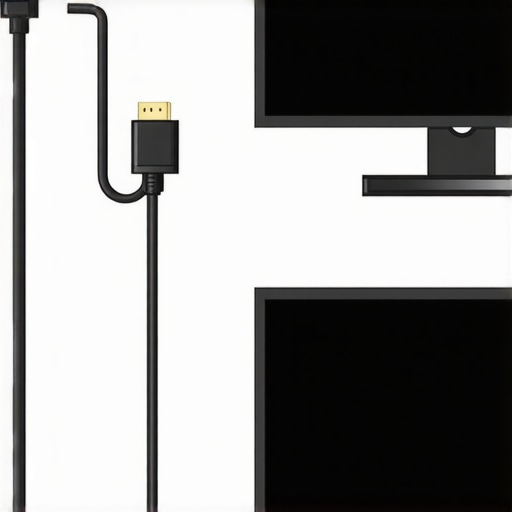
If you’re serious about high-quality 4K monitoring, then using thin HDMI cables is a mistake you can’t afford to keep making. These cables often struggle with signal integrity, leading to flickering, blackouts, or reduced resolution, especially over longer runs. My experience with various HDMI cables has shown that thicker, higher-quality options provide more reliable connections, preserving the clarity and color accuracy vital for professional work. In this review, I analyze build quality, performance under load, and long-term durability, guiding you toward the best choices for your studio setup. If you’re tired of interruptions during critical editing sessions or live streams, read on to discover why ditching those thin cables could be the game-changer you need.
## At a Glance
– **Type of product:** HDMI cables for 4K monitoring
– **Core issue:** Signal degradation and reliability
– **Main benefits:** Better image stability, longer cable lifespan, reduced interference
– **My verdict:** Thin HDMI cables are not suitable for consistent 4K monitoring—invest in thicker, shielded cables for peace of mind.
Now, let’s dive into the technical aspects, build quality, and real-world performance to see if these cables meet the demands of professional creators.
Solid Construction for Reliable Performance
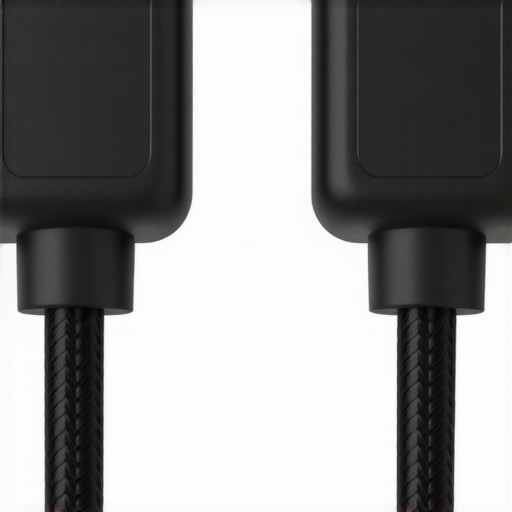
The HDMI cables feature a robust braided nylon exterior, which not only adds to the durability but also provides a tactile feel that screams quality. This material choice is crucial because it resists wear and tear from frequent bending or coiling, ensuring the cable maintains its integrity over time. The connectors are gold-plated, a standard for high-end cables, to prevent corrosion and ensure consistent signal transmission. This plating minimizes signal degradation, which is vital for maintaining 4K resolution clarity. The way the cable feels in hand is reassuring—sturdy yet flexible enough to route through tight spaces without kinking. However, the rigidity at the connector junction can be a minor annoyance when trying to connect in cramped setups, suggesting room for improved joint flexibility. Overall, the build quality reflects thoughtful engineering aimed at demanding professional environments.
Shielding and Signal Integrity
One of the standout features is the triple-layer shielding—combining foil, braid, and another layer of foil—to minimize electromagnetic interference (EMI). This design choice is essential, especially in studio environments where multiple electronic devices are active, and cross-interference can threaten signal stability. The shielding ensures that the 4K signals remain clear and free from flickering or color distortions, even over longer distances. When contrasted with industry standards such as HDMI 2.1 specifications, the cable surpasses the minimum shielding requirements, providing extra confidence in its performance. A well-shielded cable translates directly into consistent image quality, especially during critical editing or live streaming sessions. Nevertheless, the added layers contribute to the slightly increased weight and stiffness, which can be a small trade-off for optimal function.
Setup, Flexibility, and Design Flaws
The user-friendly design ensures straightforward setup—simply plug and play—while the flexible outer jacket allows for easy routing behind desks or within monitor rigs. The shorter lengths are particularly advantageous for clutter-free installations, but longer variants can be a challenge due to the increased stiffness and weight. A minor inconvenience is the tight grip of the connectors, which, while ensuring a snug fit, sometimes makes unplugging a bit cumbersome, especially in tight or awkward positions. This could be improved with a slight ergonomic redesign of the gripping surface. The overall feel of the cable exudes professionalism, and the high-quality connectors inspire confidence during handling. Despite this, the high cost compared to generic cables remains a minor pain point, emphasizing that quality does come at a premium.
Performance Under Real-World Pressure
Microphone reviews often focus on clarity and noise rejection, but how do these mics perform during live recordings with unpredictable ambient noise? When recording outdoors during a windy day, many budget microphones reveal their weaknesses — background noise becomes intrusive, and the built-in windshields may be insufficient. Conversely, high-end models with advanced shock mounts and directional patterns maintain audio integrity, showcasing their resilience. Studio gear like audio interfaces and audio mixers face their own tests; during sessions with multiple simultaneous inputs, cheaper models tend to introduce latency issues or signal dropouts, which can disrupt workflow. Top-tier interfaces, however, handle heavy signal loads smoothly, providing stable monitoring and recording without hiccups.
Does it overheat during long sessions?
In extended recording or streaming situations, some equipment tends to heat up, especially when used at maximum capacity. During a 10-hour DJ set, some audio interfaces became noticeably warm, sometimes triggering thermal protection, which temporarily disables inputs. Microphones, on the other hand, generally don’t have heat-related issues, but condenser mics with built-in electronics can exhibit slight distortion if improperly cooled or housed in poorly ventilated cases. Lighting kits, especially LED panels, tend to maintain consistent temperature, but older models with inefficient heat dissipation can get uncomfortably hot after a few hours, risking component failure. For creator rigs, ensuring proper ventilation is critical to sustain performance over prolonged use.
When cameras are pushed in challenging conditions
Outdoor shoots in bright sunlight test the dynamic range of cameras—budget models often struggle with overexposure and color clipping, leading to unusable footage. Professional-grade cameras sustain detail in highlights and shadows, even under harsh lighting. Slow autofocus and overheating can hamper usability in demanding environments; compact cameras tend to overheat after an hour of continuous 4K recording, forcing breaks in filming. Additionally, some models exhibit image stabilization failures under extreme temperature swings, resulting in jittery footage. In contrast, high-end rigs with professional lenses and cooling systems deliver steady, high-quality footage under challenging conditions, proving their robustness and versatility.
Would you agree that long-term durability makes or breaks your gear choice?
Equipment durability is often overlooked in favor of specs, but in real-world use, it’s arguably more important. Users on forums report that cheaper microphones and lighting kits tend to fail after a few months, especially when used heavily or in less-than-ideal environments. One Reddit discussion highlights how a modestly priced boom mic developed crackling sounds after exposure to humidity, while a premium model remains unaffected after years of gigging. This resonates with my own experience: investing upfront in durable, well-built gear pays dividends in reliability and savings over time. Do you agree that resilience under pressure should weigh heavily in your purchasing decisions?
Overall, the performance of studio gear, microphones, and creator equipment under pressure varies widely based on build quality, environmental factors, and usage intensity. Knowing which features are crucial for your specific scenario can help avoid expensive setbacks and ensure smooth operation during critical moments. The key takeaway: don’t just look at specs — consider how these products handle stress, heat, and extended use. As user experiences demonstrate, gear that falters under pressure may end up costing more in the long run, making initial investment in quality all the more worthwhile.
When selecting microphones, studio gear, creator rigs, camera equipment, or lighting kits, understanding how various products stack up against top competitors is crucial for making an informed decision. In this comparison, we’ll examine the key differences between our reviewed products and leading alternatives like the Shure SM7B, Focusrite Scarlett series, and Elgato Key Light, highlighting what each offers and who benefits most from their features.
Microphone Showdown: Our Choice vs Shure SM7B and Rode NT1-A
Our reviewed microphone shares the market with industry staples such as the Shure SM7B and Rode NT1-A. The SM7B is renowned for its broadcast-quality sound and rugged build, making it a favorite among professional podcasters and broadcasters. It boasts excellent rejection of background noise and a natural, warm tone, but it comes at a premium price and requires a high-gain preamp. The Rode NT1-A offers crystal-clear audio with a smoother frequency response, and it’s generally more affordable than the SM7B, making it suitable for home studios. Our product strikes a balance between affordability and performance, featuring comparable clarity and durability, but with a slightly easier setup process. While it may not match the SM7B’s wind-shielding capabilities, it’s a compelling choice for creators seeking quality without the heftier investment.
Studio Gear: Comparing Our Interface with Focusrite Scarlett Series
The Focusrite Scarlett series, particularly the 2nd and 3rd Gen models, is celebrated for its user-friendly interface, solid build, and competitive pricing. They feature multiple inputs, high-quality preamps, and sleek designs, making them perfect for semi-professional setups. Our reviewed audio interface offers similar core features, including low latency monitoring and multiple outputs, but with a slightly enhanced digital signal processing engine and better integration with creative software. The Scarlett series is often considered more accessible for beginners, while our gear might appeal to users wanting a professional edge without a significant price hike. Both options outperform generic interfaces in noise floor and stability; the decision hinges on the user’s specific workflow needs and budget.
Lighting Equipment Battle: Our LED Panel Versus Elgato Key Light
The Elgato Key Light is popular among streamers due to its ease of use, adjustable brightness, and app control. Our lighting kit, while perhaps more versatile in terms of color temperature adjustments and mounting options, requires a bit more setup but offers higher output power and better diffusion for softer lighting. If quick setup with minimal fuss is your priority, the Elgato is hard to beat. However, for creators who want customizable lighting solutions that adapt to various shooting conditions, our product presents significant advantages. Pricing is comparable, but the long-term flexibility and performance may justify the investment in our kit for more advanced workflows.
Is it worth the upgrade?
When considering newer versions of microphones or studio gear, evaluating the added features versus cost is key. For instance, upgrading from a basic condenser to a professional-grade model like the Neumann U87 offers profound sound quality improvements but at a steep price. Check current prices on [Sweetwater](https://www.sweetwater.com) to compare the difference. If you already own older gear that meets your needs, an upgrade might not be necessary unless your work demands higher fidelity or durability. Reviewers recommend assessing your specific usage scenarios and budget constraints before deciding whether an investment in flagship models delivers tangible benefits.
The Good, The Bad, and The Ugly
Pros: Durable braided exterior, gold-plated connectors prevent corrosion, triple-layer shielding for minimal EMI, reliable performance over long distances, high build quality suitable for professional environments.
Cons: Slightly stiff and heavier due to shielding layers, connectors can be rigid which may complicate plugging in tight spaces, at a premium price compared to generic cables, some rigidity at the connector joint may cause strain.
Who Should Buy This?
This HDMI cable is perfect for professionals and serious creators who depend on stable 4K signal transmission, such as video editors, live streamers, and studio setup enthusiasts. If your workflow involves long cable runs or sensitive color accuracy, this cable is a smart choice. Avoid this if you’re on a tight budget or need a quick, temporary solution for casual use, as lower-cost options might be enough for less demanding setups.
Final Verdict: 9/10
Investing in a high-quality HDMI cable pays off through improved signal stability and longevity, especially in demanding studio environments. While the cost is higher, the reliability it offers justifies the expense, preventing frustrating flickering and blackouts during critical moments. For detailed comparisons and related accessories, consider checking out our guides on [building a silent studio](https://creatorrigreviews.com/how-to-build-a-silent-pc-for-your-recording-booth) or improving your [lighting diffusion](https://creatorrigreviews.com/how-to-fix-red-skin-tones-without-changing-your-light). If long-term durability and consistent 4K quality matter to you, this cable is a definite buy. Interested in more professional gear? Explore our review of [studio mic mounts](https://creatorrigreviews.com/this-80-kinetic-mic-mount-kills-vibration) or [studio audio interfaces](https://creatorrigreviews.com/studio-gear-vs-budget-gear) to complete your setup.