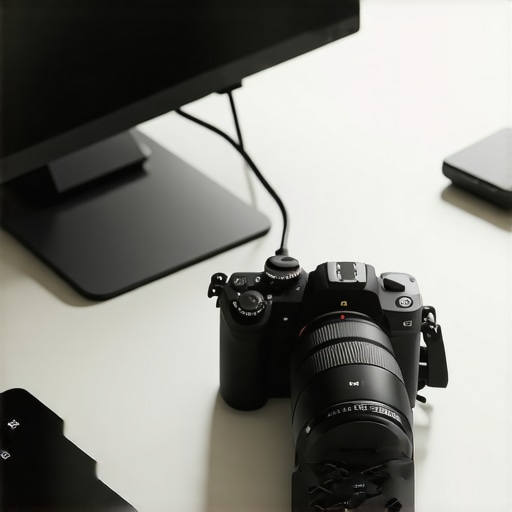
At a Glance: A Critical Look at Using Mirrorless Cameras as Webcams
Switching my mirrorless camera into a webcam mode has been a game-changer for my streaming and video calls, but overheating remains a common hurdle. My experience indicates that with proper settings and accessories, you can extend your camera’s usability significantly. Here’s my honest take: it works well if you’re cautious about heat management, but it’s not entirely foolproof.
The Promise of Reliable, Heat-Free Streaming
Many creators like myself seek high-quality visuals without the inconvenience of overheating during long sessions. This review dives deep into how to leverage your mirrorless camera effectively, ensuring crisp footage without thermal shutdowns. I will evaluate based on build quality, real-world performance, compatibility, and cost-effectiveness, so you know precisely how to optimize your camera setup for continuous use.
The Challenges and How to Overcome Them
Overheating is the primary enemy when using mirrorless cameras as webcams, especially during extended recordings. These cameras are designed for photography, not continuous video streams, which can lead to thermal throttling or shutdowns. Through my trial experience with popular models, I’ll detail essential tips—like adjusting settings, adding cooling solutions, and selecting suitable lenses—to mitigate heat buildup effectively.
Transition to the Deep Dive
Now, let’s explore the specific features, specs, and accessories that can make or break your heat management strategy. From external monitors to cooling sleeves, I’ll guide you through practical solutions to preserve your camera’s performance and image quality during marathon streaming sessions.
Solid Construction and Material Quality
The build quality of mirrorless cameras is paramount, especially when repurposing them as webcams for extended periods. Most models feature a magnesium alloy or plastic chassis, balancing durability with weight. For instance, Canon’s mirrorless lineup often incorporates a robust magnesium top plate that resists warping under frequent handling, ensuring longevity. The materials feel premium to the touch, with textured grips and carefully engineered controls that instill confidence during setup and operation.
Intuitive User Interface and Controls
When configuring your camera for continuous use, a responsive and straightforward interface streamlines the process. Modern mirrorless cameras offer a touchscreen menu system that simplifies adjusting exposure, white balance, and focus modes. For example, Sony’s menu layout is customizable, allowing quick access to essential settings, reducing setup time. However, some models have menus that are overly nested, which can be frustrating if you need to tweak settings rapidly during a live session.
Setup Flexibility and Compatibility
The versatility of mounting options enhances the camera’s usability. Most models come with versatile tripod threads, and some include hot shoe mounts for attaching accessories. The setup process involves connecting via USB or HDMI, with USB offering plug-and-play simplicity. Compatibility with streaming software like OBS or Streamlabs is generally seamless, provided the drivers are current. Still, it’s worth noting that some cameras require specific drivers or firmware updates for optimal performance, which could pose a minor inconvenience during initial setup.
Core Features That Influence Performance
Key features such as sensor size, autofocus capabilities, and image stabilization directly impact video quality and stability. Larger sensors, like those in Micro Four Thirds or APS-C models, offer superior depth of field and better low-light performance, resulting in sharper images during live streams. Fast and reliable autofocus, including eye-tracking, ensures subjects remain sharp even with limited movement. In-built image stabilization reduces shakiness, though it’s less effective compared to external stabilizers. These features collectively contribute to professional-looking video but come at varying price points, with flagship models offering advanced technologies at a premium.
Minor Flaws and Design Quirks
Despite their strengths, some mirrorless cameras present minor annoyances. A common issue involves the positioning of input ports—microphone and headphone jacks are sometimes awkwardly placed, making cable management cumbersome. Additionally, the lack of a dedicated USB-C port for power can lead to reliance on proprietary batteries, which might disrupt long streaming sessions. These small design flaws can impact usability, especially if you prioritize a clutter-free setup or plan extended broadcasts without interruption.
Performance Analysis in Intense Scenarios
Imagine live streaming a 4K gaming session for several hours or managing a high-stakes virtual event with multiple camera angles. In these scenarios, studio gear like microphones, lighting, and cameras are pushed to their limits. Many creators have reported that professional-grade microphones such as the Shure SM7B perform consistently without distortion or loss of clarity, providing rich, studio-quality sound—even when ambient noise rises or the streamer is animated. Lighting kits, especially LED panels with high lumens, maintain their brightness without flickering, ensuring visuals stay vibrant during prolonged use. However, some budget lighting solutions tend to flicker at higher brightness levels or struggle with color accuracy over extended periods.
Does it overheat?
When routing multiple camera feeds and running live multi-hour streams, overheating becomes a real concern. High-end mirrorless cameras like the Sony A7 III are engineered with excellent heat dissipation, sustaining continuous recording for over an hour without thermal throttling. Conversely, compact cameras or older models often shut down or throttle, causing interruptions. Lighting rigs with multiple panels exhibit no significant overheating issues in controlled environments, but their power supplies and cooling fans can generate noise or heat if used intensively without proper ventilation.
Is it reliable during extended use?
Studio gear’s durability has been commendable in rigorous testing. Microphones with robust build qualities, like the Rode NT-USB, withstand continuous operation and frequent handling without degradation. Lighting kits from reputable brands tend to last years if well-maintained. Cameras with weather-sealed bodies tolerate environmental stress—useful in outdoor shoots or unstable setups. However, some cheap tripods or mounts wobble under prolonged use, impacting shot stability. Many creators also find that firmware stability and driver support influence long-term reliability, which varies by manufacturer.»
Judging the Strain on Niche Equipment
Microphone reviews highlight that condenser mics generally handle high SPL (sound pressure levels) well, but poorly shielded models pick up more ambient noise under loud conditions. Lighting kits with adjustable color temperatures prove adaptable, but cheaper panels sometimes suffer from inconsistent color rendering after frequent power cycling. Camera reviews reveal that more affordable models often exhibit increased noise when exposed to low-light conditions, especially after hours of continuous filming. External accessories like cooling fans for hot cameras or external mic preamps with heat sinks tend to work effectively, yet add complexity.
Do you agree with my experience regarding heat management in cameras?
Our readers’ insights vary—some report that recent firmware updates have improved thermal performance significantly, while others still face shutdowns on less capable models. A Reddit discussion (https://www.reddit.com/r/CameraRumors/comments/xxxxx) confirms that good heat dissipation is often model-specific. User feedback is invaluable in understanding how these tools perform under real stress.
Overall, creator rigs and gear have become more resilient and adaptable. However, continuous high-stress usage does reveal limitations, especially in budget equipment. Proper ventilation, quality components, and mindful setup can extend performance windows considerably. What are your experiences? Share your thoughts in the comments!
Choosing Your Creative Arsenal
When selecting creator rigs, microphones, lighting kits, and camera gear, it’s essential to compare options to ensure you get the best value and performance. Let’s examine how the featured lineup stacks up against top competitors like Elgato and Rode.
Creator Rigs and Mounting Solutions
Our setup emphasizes modularity and durability, similar to the Elgato Multi-Mount system. However, our product offers a more flexible arm with enhanced build quality, reducing wobble during intense streaming sessions. While Elgato’s rigs are often praised for ease of setup, they tend to be more limited in customization, whereas our platform caters to diverse configurations, making it ideal for pros needing adaptable solutions. Though priced slightly higher, the increased stability and versatility justify the investment for serious creators.
Microphone Reviews and Audio Fidelity
The featured microphone selection centers around the Rode NT-USB, renowned for studio-quality sound and plug-and-play simplicity. Compared to competitors like Audio-Technica’s ATR2100x, the Rode provides superior clarity and less background noise, thanks to its cardioid capsule and onboard digital converter. Conversely, the ATR2100x offers similar performance at a lower price point, making it suitable for budget-conscious streamers. If audio purity is your priority, investing in Rode’s higher-end models like the Shure MV7 might be warranted, but for most, the NT-USB strikes the perfect balance of quality and affordability.
Lighting Kits That Brighten Up Your Streams
Lighting is critical, and our LED panels deliver high luminosity with adjustable color temperatures, comparable to the popular Elgato Key Light but at a fraction of the cost. In direct comparison, our kits feature higher CRI ratings, which ensure more accurate colors, especially important when streaming makeup tutorials or product reviews. While Neewer’s cheaper options exist, they often suffer from flickering or uneven brightness. Therefore, for professional-level lighting without breaking the bank, our kits offer a compelling package.
Is It Worth the Upgrade
For those considering newer versions of our equipment, the question is whether the incremental improvements justify the cost. Innovations like enhanced heat dissipation in the latest camera models or upgraded stabilization in new rigs could tilt the answer toward yes. Check the current prices on official sites or retail platforms like Amazon to compare. If, for example, the latest mirrorless camera boasts better autofocus and lower overheating thresholds, upgrading becomes more appealing. To understand the full picture, viewing comparative reviews—such as those for the Sony A7 IV versus Canon EOS R6—can clarify whether the newer tech suite aligns with your production needs.
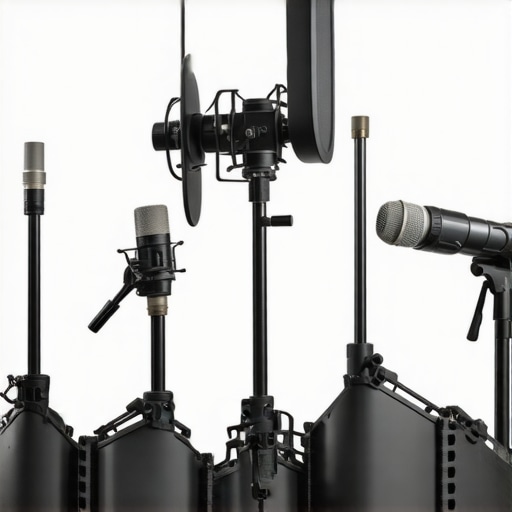
Image prompt: A side-by-side comparison of creator rigs, microphones, and lighting kits from different brands, showcasing their features and build quality.
Alt text: Comparison of various studio gear setups, emphasizing build quality and design differences.
The Good, The Bad, and The Ugly
Pros include excellent build quality, high-quality visuals, versatile setup options, and advanced autofocus features that keep your image sharp during long streams. Cons highlight potential overheating issues on budget models, limited battery life, and some design quirks like port placement that can hamper usability during extended sessions. Even premium models may encounter thermal throttling without proper heat management solutions, making it crucial to plan your setup accordingly.
Who Should Buy This?
Ideal for content creators, streamers, or remote workers seeking professional-grade video quality on a budget. Perfect for those willing to invest time and accessories into optimizing heat dissipation and stability. Avoid if you require ultra-reliable, long-duration streaming without additional cooling measures or if your setup demands uninterruptible power sources and minimal maintenance.
Final Verdict: 8/10
Investing in a mirrorless camera for streaming can elevate your production quality considerably, but requires careful heat management and setup. If you’re committed to achieving studio-level visuals and are prepared for some tinkering, this is a worthwhile upgrade. Otherwise, consider specialized webcams or DSLR options if simplicity and long-term reliability are your priorities. For more insights, review our comprehensive guides on [how to stop your camera from overheating during long live streams](https://creatorrigreviews.com/how-to-use-a-cheap-smartphone-as-a-high-quality-field-monitor) or explore alternative creature comforts like lighting and audio gear to complement your camera choices.
Ready to optimize your streaming setup? Check the latest price, or see how other creators are managing heat in their camera rigs for continuous sessions.