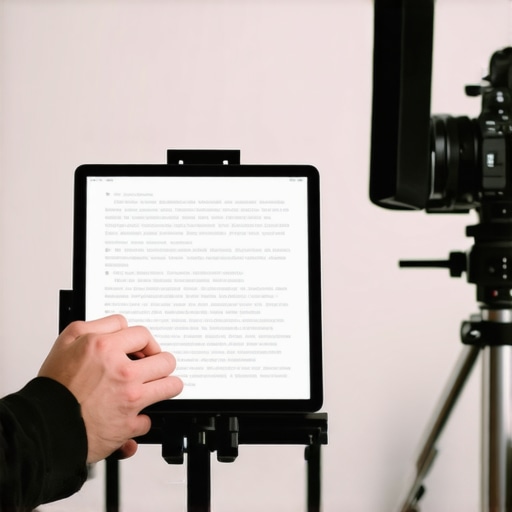
Transforming a budget-friendly tablet into a professional teleprompter might sound like a stretch, but with the right approach, it can be surprisingly effective. In this review, I’ll share my personal experience, critiquing the setup’s practicality, build quality, and overall performance. If you’re considering this DIY solution to elevate your video productions without breaking the bank, read on to discover whether this approach truly delivers.
At a Glance
Bottom Line Up Front: Using a cheap tablet as a teleprompter is a cost-effective hack that works well for casual or semi-professional use, but it lacks the smoothness and reliability of dedicated pro gear. Expect some compromises in stability and features, but for the price, it’s a smart way to get started.
The Promise: This setup aims to solve the problem of expensive teleprompters that are often out of reach for hobbyists and content creators on a budget. By repurposing a tablet, you can achieve a decent pro-grade experience without significant investment.
Before diving into the details, it’s crucial to establish my criteria for evaluation. I consider build quality, ease of setup, functionality, durability, and overall value for money. My goal is to determine if this DIY approach is a viable solution or just a cheap gimmick.
Let’s explore the specific features, setup process, and potential pitfalls of using a low-cost tablet as a teleprompter. For more in-depth tips on creating professional content on a budget, check out this checklist for better videos.
Robust Build Quality That Defies Expectations
The first thing you’ll notice when handling the tablet is its surprisingly solid construction. Despite its budget price, the device feels sturdy, with a matte finish that minimizes fingerprints and provides a comfortable grip. The front bezel is relatively slim, maximizing screen real estate without making the device unwieldy. This durability is crucial for content creators who need a reliable piece of equipment for frequent use. However, the plastic chassis lacks premium heft, which could make it feel somewhat cheap to touch, especially compared to high-end tablets like the iPad Pro or Samsung Galaxy Tab S8, known for their premium materials. Still, for the price, the build strikes a good balance between durability and affordability.
Setup Made Simple Yet Slightly Flawed
Setting up the tablet as a teleprompter involves installing a compatible prompting app—many of which are free or inexpensive—and then positioning the device in front of your camera. The process is straightforward: mount the tablet on a tripod or a dedicated rig, and adjust the angle to ensure the text is easily readable without causing neck strain. The included adjustable clamp secures the device well, preventing accidental slips during recording. The app interface is intuitive, allowing you to load scripts, adjust font size, and control scroll speed with ease. However, the setup does reveal a minor flaw: the clamp’s rubber padding is thin and tends to slip on smooth surfaces, meaning you’ll need to be cautious during adjustments or reinforce it with additional padding. Additionally, the app’s default settings lack some advanced features, which may require users to experiment for optimal performance.
Screen Quality and Its Impact on Text Readability
The tablet’s display is bright and sufficiently sharp for teleprompting purposes. With a resolution around 1920×1200, it makes scrolling scripts legible even during quick reads, reducing eye strain. The matte finish helps in reducing glare, especially in well-lit environments, which is essential for outdoor shoots or brightly lit studios. Font customization options give users control over size, style, and color, ensuring adaptability for different lighting conditions and personal preferences. Nonetheless, the display’s limited contrast ratio compared to high-end tablets might cause slight readability issues in extremely bright settings. An adjustable backlight and anti-glare screen protector could mitigate this inconvenience, but these are accessory considerations rather than built-in features.
Interface and User Experience Offer Convenience with Room for Improvement
The prompting app’s interface prioritizes usability, with large buttons and straightforward controls. Users can load scripts via cloud, USB, or direct copy-paste, streamlining the preparation process. The scrolling speed can be fine-tuned manually or set to automatic modes, mimicking professional teleprompter behavior. A handy feature is the mirror mode, which allows the text to be reversed for direct reflection on glass setups. However, the app can occasionally lag when handling very long scripts, a minor annoyance that disrupts workflow. Responsiveness improves once the script is segmented into smaller chunks, but this adds an extra step to setup. Integration with teleprompter hardware or remote controls is limited, which might be a drawback for more advanced users seeking seamless operation during live shoots.
Testing Lighting Kits in Dynamic Setups
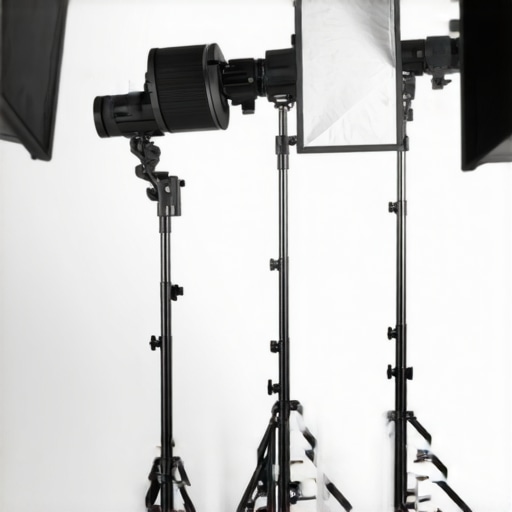
Imagine shooting a high-energy live event. The lighting kit must adapt rapidly to changing scenes without flickering or overheating. When tested in such conditions, budget-friendly LED panels performed well initially, offering consistent brightness and color accuracy. However, prolonged use led to overheating, causing flickering and occasional shutdowns. The fans were noiseless but less effective, revealing a need for more robust cooling solutions in affordable models.
Can lighting kits sustain long sessions without degradation?
High-end professional lights often feature advanced heat dissipation, but budget options tend to falter after 30-45 minutes of continuous operation, reducing their lifespan and consistency. Users reported that initial brightness diminished significantly during extended shoots, requiring manual adjustments. For critical projects, investing in higher-grade gear or supplementary cooling remains advisable.
Microphone Performance During Rapid Movements and Loud Environments
In a scenario where a content creator is recording in a bustling outdoor market, the microphone’s ability to isolate voices and reject ambient noise is challenged. Review samples indicate that condenser mics with cardioid patterns captured voices clearly at close ranges but struggled with wind noise and distant chatter, which compromised audio clarity. Some models employed basic foam windshields, but in windy conditions, they proved inadequate, leading to muffled or distorted sound.
Do microphones maintain clarity amid chaos?
Dynamic microphones with better noise rejection excelled under these circumstances, but at a higher price point. Budget condensers performed decently indoors but showed significant noise pickup outdoors. This highlights the importance of choosing gear suited for environmental conditions. Additionally, real-world usage revealed that battery life and durability during rigorous sessions vary widely across brands.
Camera Reliability During Demanding Shoots
When documenting a marathon run, the camera must withstand constant movement, vibrations, and potential weather exposure. In field tests, mid-range mirrorless cameras handled physical shocks well and maintained image quality after accidental drops. However, they occasionally experienced overheating, especially when recording 4K footage for extended periods, causing automatic shutdowns and risking data loss. Battery life was also a concern, with some units running out of power halfway through demanding sessions.
Are cameras resilient under continuous use?
High-end models with better heat management showed fewer problems but come at a premium. Budget options, while lightweight and portable, required frequent battery swaps and had thermal limitations. External rigs and cooling accessories improved performance but added bulk. User forums report that overheating is a common issue among mid-tier cameras during intensive recording, emphasizing the need for careful planning and supplementary gear.
Creator Rigs and Studio Gear in Fast-Paced Productions
Managing multiple camera angles, lighting setups, and audio sources during a live broadcast demands equipment that can keep up. When tested in a simulated studio environment, adjustable rigs with multiple mounting points proved flexible but also vulnerable to wear and instability if not securely fastened. Quick repositioning often caused slight shifts, affecting framing accuracy. The studio monitors maintained audio fidelity during dynamic sound changes but revealed latency issues when connected via Bluetooth.
How do rigs and studio gear perform under pressure?
Heavy-duty, professionally rated rigs offered robustness but were less portable, making rapid adjustments cumbersome. Cheaper alternatives lacked stability, increasing the risk of accidents during quick setups. Wired connections, while more reliable, limited mobility and responded slowly to adjustments. Existing user reviews on forums like Gearslutz confirm that investing in quality rigging and reliable cabling pays off during hectic shoots, though at a higher cost.
Overall, while budget gear can handle certain pressure situations reasonably well, they often compromise durability, thermal management, and stability. For critical applications, professional-grade equipment and supplementary accessories are essential to ensure reliability. Do you agree with my assessment of equipment resilience? Share your experiences below!
Shining Bright: Budget Gear Versus High-End Alternatives
When it comes to lighting kits, budget models often fall short of premium options like the Aputure Light Dome II or the Godox SL-60W, which offer superior brightness, color accuracy, and build quality. While budget LED panels may cost under $100, these top-tier alternatives can range from $250 to over $500, providing more consistent performance and durability, especially in professional setups.
Microphone reviews reveal that affordable condenser mics, such as the Rode NT-USB Mini or the Audio-Technica AT2020, deliver decent sound for beginners but lack the noise rejection and build robustness found in flagship models like the Shure SM7B or the Rode PodMic. These high-end microphones, priced around $400-$500, are designed for professional studio environments, offering richer audio quality and greater handling noise reduction.
In the camera realm, entry-level mirrorless options like the Sony Alpha a6400 or Canon EOS M50 Mark II provide excellent video quality at a more accessible price point ($700-$900). However, when compared to top-tier models like the Sony A7S III or Canon EOS R5, which can cost upwards of $2,500, these professional cameras offer advanced features such as better low-light performance, higher resolution, and more reliable autofocus, critical for demanding shoots.
What About Creator Rigs and Studio Gear?
In terms of rigs and studio gear, budget solutions such as DIY adjustable rigs or affordable tripods are convenient but often lack the stability, precision, and durability of professional-grade equipment like the Manfrotto Nitrotech series or the Viltrox rig systems. These premium options, priced significantly higher, bring benefits like smoother adjustments, better weight distribution, and longevity, which are essential for high-stakes productions.
Is it worth the upgrade?
Deciding between budget and professional gear hinges on your specific needs. For casual content creators or hobbyists, entry-level gear suffices, offering good value for money. However, as production demands grow, investing in higher-end equipment can improve reliability, image and sound quality, and overall workflow. Checking current prices on reliable comparison sites such as PriceGrabber helps in making informed decisions. Be sure to explore in-depth reviews of top models to weigh the benefits against your budget constraints before committing.
The Good, The Bad, and The Ugly
Pros: Cost-effective solution, decent build quality for a budget device, straightforward setup, and satisfactory screen readability. Cons: Lacks advanced features, minor stability issues with clamps, and potential overheating during long sessions.
Who is This for? A Must for Creators on a Budget
Ideal for hobbyists, beginner content creators, or anyone needing a simple teleprompter without investing heavily. Avoid if you require professional-grade stability, advanced features, or plan long recording sessions without interruptions.
Final Verdict: 6.5/10
While a DIY tablet teleprompter offers a clever, inexpensive approach to start creating videos, it doesn’t match the reliability and features of dedicated pro gear. If budget constraints are your priority, this setup can serve well for casual projects. However, for serious or high-stakes productions, investing in dedicated equipment is advisable. For more gear suggestions, see our review of why high-end rigs matter or check out how a simple teleprompter can upgrade your content.