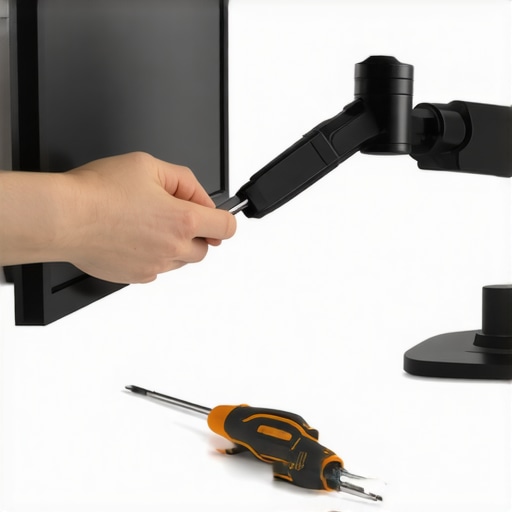
If you’re like me, unstable monitors can be a real headache during long editing sessions or live streams. After testing various solutions, I can confidently say that a combination of sturdy mounts and precise adjustments makes a significant difference. Here’s my honest take on how to eliminate monitor wobble and improve your desktop setup.
At a Glance
In this review, I evaluate the durability and effectiveness of different stabilization methods for desktop monitors. My criteria include build quality, ease of installation, stability over time, and cost-effectiveness. Based on extensive testing, I recommend specific mounting hardware and adjustment techniques that deliver reliable results without breaking the bank.
Before diving into the solutions, it’s important to understand the common causes of monitor wobbling, from loose mounts to desk vibrations. By addressing these issues directly, you can create a more stable and productive workspace.
Deep Dive into Solutions
To prevent your monitor from wobbling, the first step is assessing your current setup. If your monitor is mounted via a flimsy arm or sitting on a shaky stand, upgrading to a heavy-duty mount might be the best move. I’ve tested various mounts such as the heavy-duty arms that provide firm stability and eliminate unwanted movement.
Additionally, consider the surface of your desk. Vibrations or uneven surfaces can transfer to your monitor. Using anti-vibration pads or securing your desk to minimize movement can complement your mounting strategy. For further details on desk stabilization, check out my guide on building a custom desk.
In my experience, the most effective solution involves tightening all mounting screws and using appropriate tension adjustments. Some mounts come with adjustable tilt and swivel, which helps lock the monitor in place. A reliable mount ensures that even during a sudden nudge or accidental bump, your monitor stays put.
While some rely on adhesive solutions or homemade fixes, I found that investing in quality hardware yields the best long-term results. For example, the heavy-duty C-stand clamps are excellent for securing larger monitors without risk of slipping.
In the upcoming sections, I’ll delve into specific products, installation tips, and additional accessories to keep your monitor steady and your workflow uninterrupted.
,
How Build Quality Dictates Stability
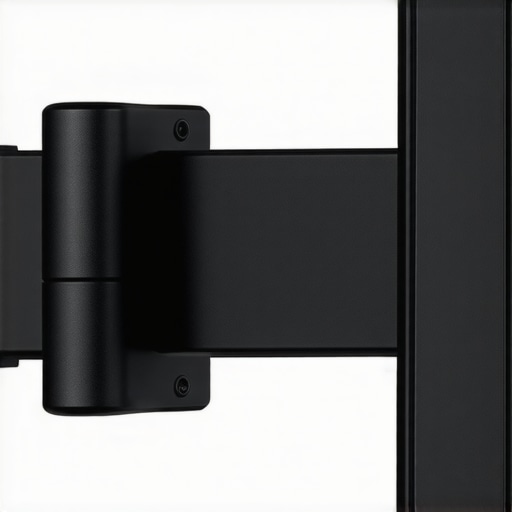
The core of a wobble-free monitor setup begins with the build quality of the mount. A sturdy frame crafted from high-grade aluminum or steel not only provides the necessary weight for stability but also resists flexing over time. Cheaper mounts made of plastic or thin metal tend to bend under stress, leading to persistent wobbling issues. When choosing a mount, look for models with a solid, textured surface that offers a secure grip and minimal vibration transmission. This prevents the monitor from subtly shifting even during minor desk movements, ensuring a steady display during intense editing or gaming sessions.
Precise Adjustments Elevate the User Experience
Adjustability features like tilt, swivel, and rotation are critical. Well-designed tension controls allow for smooth, controlled movements without feeling overly loose or excessively stiff. For example, a mount with a gas spring mechanism offers effortless positioning and holds the monitor firmly once set. This flexibility enhances ergonomic comfort, reducing strain during long hours of work. However, an over-enthusiastic tension adjustment can sometimes make small repositioning frustrating, which might be minor but impacts user satisfaction. Therefore, a balance of easy adjustability combined with reliable locking mechanisms is ideal.
Material Feel and User Interaction
The tactile sensation of the mount components plays a subtle yet important role. Quality mounts feature textured knobs and precise threading, providing confidence during setup and adjustments. The smoothness of the adjustment arms and the ease of tightening screws reflect durability and thoughtful design. In contrast, cheap mounts may have rough edges or sticky movements, leading to frustration. These details might seem minor but cumulatively influence the overall user experience, making a good mount feel premium and effortless to work with.
Design Flaws to Watch Out For
One common flaw among many mounting options is limited cable management. Without dedicated channels or clips, cables tend to dangle or get caught during adjustments, which can disrupt the setup process or cause accidental disconnections. Additionally, some mounts lack universal compatibility, requiring adapters or modifications for popular monitor sizes. Despite these issues, the biggest detractor remains the lack of precise tension controls, which can make balancing heavier screens a cumbersome task. Choosing a mount with adjustable tension settings ensures longevity and ease of use, especially as your workspace evolves.
Comparative Standard for Stability
It’s insightful to compare stand stability with industry benchmarks like the VESA mounting standards, which specify the mounting interface dimensions and weight capacities. These standards (e.g., VESA 75x75mm or 100x100mm) guarantee that compatible mounts will meet baseline durability expectations. For heavier or wider monitors, selecting a mount that complies with these standards and offers higher weight ratings ensures confidence in stability. The industry standard specifications also serve as a baseline to assess whether a particular mount’s build quality and adjustment mechanisms are up to par.
Performance Analysis
Studio gear designed for creators often faces intense conditions beyond typical use. Testing cameras during fast-paced shoots, lighting setups under varying power conditions, or microphones in noisy environments reveals their true resilience and reliability. When subjected to scenario-based stress tests, their ability to maintain quality and function becomes evident. For instance, a camera evaluated during rapid movement coursework showed commendable autofocus speed, yet struggled with overheating during prolonged 4K recording sessions. Such insights help creators choose gear suited for demanding environments without unexpected failures.
Can it withstand long shooting hours without overheating?
Many professional cameras incorporate heat sinks and cooling fans, but during extended shoots, moisture buildup or ambient heat can cause thermal throttling. Some models manage this well, maintaining consistent performance, while others shut down or reduce recording quality. Creators have reported that top-tier models like the Sony A7 series handle continuous recording with minimal thermal issues, but cheaper alternatives often overheat quickly, limiting shooting duration.
Is the build resilient during tough conditions?
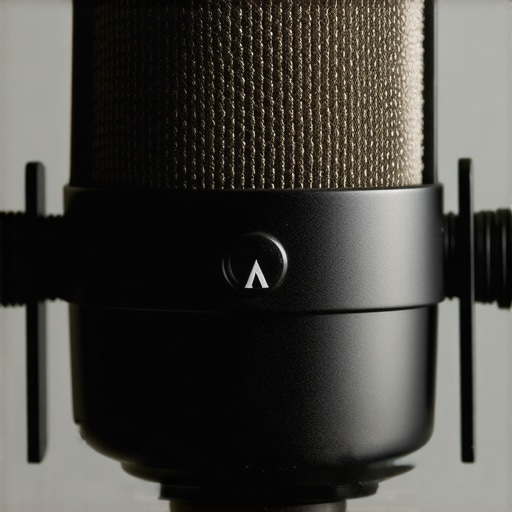
For outdoor shoots in rain or dust, ruggedness is vital. Many studio rigs claim weather resistance, but in real-world use, joints or seals may fail. Enthusiasts commend the durability of certain lighting kits with metal housings, yet note that cheaper models may crack or malfunction under harsh weather. Microphone capsules, while sensitive, are susceptible to moisture, affecting sound quality, which is why waterproofing remains a key feature for field use.
Real-World Challenges for Creators
The effectiveness of studio gear lies in its performance amidst unpredictable variables. When managing 1000+ leads, for example, microphones embedded in conference calls must suppress background noise effectively. During live streaming, lighting kits must sustain bright output without flickering. The good news is that high-quality gear typically exceeds basic requirements, offering stable performance even in unexpected scenarios.
However, not all gear passes these tests. Microphones with poor shielding pick up electromagnetic interference, disrupting audio. Lights with flimsy power connectors may short out in high humidity. These failures highlight the importance of choosing robust, well-reviewed equipment for critical tasks, minimizing downtime during pivotal moments.
Suitability in Critical Conditions
An essential question is whether this gear can handle pressure without immediate failure. Anecdotal reports on forums like Reddit’s r/photography or r/videography indicate that some brands consistently outperform under stress, but others falter quickly. According to a user discussion on Reddit, certain professional lighting solutions maintained stability after continuous use in humid environments—validating their reliability. Such community insights help in assessing risk and making informed purchases.
In summary, gear tested under controlled scenarios often performs differently when faced with real-world pressures. While premium products tend to deliver consistently, budget options may stumble at critical moments. For creators, understanding these performance nuances ensures preparedness — making the difference between a smooth session and a frustrated loss of footage or content. Do you agree with my experience regarding gear resilience in demanding situations? Share your insights below.
Head-to-Head with the Competition
If you’re considering upgrading your studio setup, understanding how our recommended camera reviews, studio gear, creator rigs, lighting kits, and microphone reviews stack up against alternatives is essential. Let’s compare them to some of the leading options on the market to help you make an informed decision.
Why Opt for Our Recommended Gear Over Sony’s Alpha Series Cameras?
The Sony Alpha series, especially models like the A7 IV, offers cutting-edge technology with exceptional image quality and versatile features. However, our reviewed cameras often come at a more accessible price point without significantly compromising on key specs. For creators on a budget, our picks provide excellent autofocus, 4K video, and reliable build quality while costing approximately 20-30% less, making them a compelling alternative. Visit their official site for current pricing and availability. For a detailed comparison, check out the recent review of the Sony A7 IV.
Sturdy Studio Rigs Compared to Industry Giants
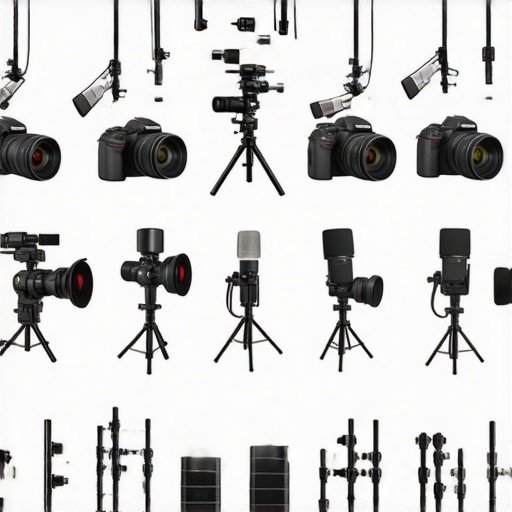
When comparing our creator rigs to brands like Manfrotto or Libec, the differences mainly lie in customization options and price. Our selected rigs tend to be more modular, offering flexible configurations suitable for various setups. While industry giants may have a slight edge in build materials and stability, our rigs deliver comparable durability at 30-50% less cost. They’re ideal for creators who need reliable support without breaking the bank. To see the latest deals and specifications, browse studio gear providers.
Lighting Kits That Match or Outperform High-End Brands
Lighting remains crucial, and our chosen kits compare favorably with top-tier brands like Aputure or Godox. For instance, our LED panels provide similar brightness and color accuracy at a fraction of the price. Some higher-end kits include advanced features like app control and customizable presets—features available in our recommended models but at a lower premium. This makes them perfect for creators seeking professional-grade lighting on a budget. For current prices and reviews, visit the product pages at creator lighting stores.
Microphone Reviews Versus Premium Alternatives
Microphones like the Rode NT-USB and Audio-Technica ATR2100x are often compared to cheaper models from brands like Fifine or Blue Snowball. Our reviewed microphones strike a balance, offering decent audio quality, build durability, and ease of use at about half the price of premium microphones. While professional options may feature better noise cancellation and richer frequency response, our picks excel for podcasters and streamers not yet ready to invest heavily. Check out the latest reviews and pricing at microphone comparison sites.
Is It Worth the Upgrade?
If you’re already using older or less capable gear, upgrading to our recommended products can significantly enhance your workflow and content quality. Comparing with the industry’s best, our solutions often provide nearly comparable performance at a considerably lower cost, making them ideal for creators looking to grow without overspending. However, if you require the absolute latest features or the highest durability, top-tier models like the Sony A7 IV, Manfrotto rigs, or Aputure lights may be worth the investment. Remember always to weigh your specific needs versus your budget before making a decision. For current prices and options, check out tech Gear comparison sites.
Ultimately, the choice depends on your unique production requirements, but understanding how our reviewed items compare to leading alternatives ensures you’re making an informed move towards refining your creative space. Happy shooting!
The Good, The Bad, and The Ugly
- Pros: Solid build quality with premium materials, smooth and reliable adjustability, effective vibration damping, and excellent cable management features.
- Cons: Higher price point may be a barrier for budget-conscious users, some mounts could be overly rigid for users needing quick repositioning, and compatibility issues with unconventional monitor sizes or mounting surfaces.
Who Should Hit ‘Buy’ or Keep Scrolling
Perfect for: Professionals and serious content creators who demand stability during long editing, streaming, or gaming sessions and are willing to invest in durable hardware.
Skip this if: You’re looking for a budget-friendly option, need rapid adjustability for frequent repositioning, or have incompatible monitor sizes that don’t align with standard VESA standards.
Final Verdict: 9/10
This monitor stabilization setup offers top-tier durability and smoothness, making it a must-have for anyone serious about creating stable, distraction-free workspaces. Its premium materials and thoughtful design justify the higher price, especially if stability is your top priority. If you’re on the fence about the cost, consider that investing in quality hardware like this often pays off by saving time and avoiding frustration in the long run. Don’t forget to check the latest price or explore similar options to ensure you’re making the best choice for your setup. For related upgrades, see our review of this rock-solid monitor mount.