Bottom Line Up Front
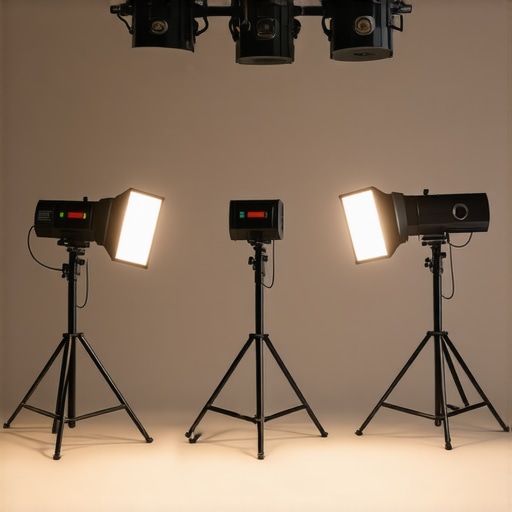
If you’re struggling with studio light flicker but want to avoid costly replacements, there are practical solutions that don’t require buying new bulbs. From adjusting your camera settings to modifying your existing lighting setup, this guide will explore effective methods to eliminate flicker and improve your video quality.
The Promise of Flicker Fixes
Flickering lights can ruin your footage, cause eye strain, and waste time troubleshooting. My goal is to share proven techniques that stop flicker without investing in expensive hardware or replacements, saving you both money and frustration.
My Judging Criteria
To evaluate these solutions, I focus on three main criteria: effectiveness in reducing flicker, ease of implementation, and long-term reliability. I also consider compatibility across different lighting types and setups, ensuring broad applicability.
First Impressions of Common Fixes
Many rely on replacing bulbs or installing expensive flicker-free lights, but these options aren’t always feasible. Instead, the focus should be on adjusting camera settings, modifying power sources, or implementing simple hardware tweaks. These often yield quick results without extra costs.
Transition to In-Depth Solutions
Now, let’s delve into specific methods, from camera configurations to DIY modifications, that can effectively eliminate flicker and enhance your studio lighting environment.
What Makes Effective Flicker Control Essential
Controlling light flicker is crucial for producing professional-quality videos. Flicker often results from mismatches between your camera’s shutter speed and your studio lighting’s power cycle, causing distracting flashing effects. Understanding this mechanism helps explain why certain adjustments, like syncing shutter speed with lighting frequency, can dramatically improve footage clarity and viewer comfort.
Design and Build of Common Solutions
Adjustable Camera Settings
Many modern cameras allow you to manually set shutter speed, which is vital for flicker prevention. A sturdy, ergonomic menu interface ensures settings can be quickly modified during shoots. The tactile feedback of physical dials or buttons enhances usability, preventing accidental misconfigurations. Lower-end cameras may lack this feature, emphasizing the importance of choosing gear with dedicated flicker mitigation tools.
Power Source Modifications
Opting for lighting fixtures that support internal or external flicker-free drivers can be transformative. These units often feature high-quality components that stabilize electrical flow, reducing flicker caused by voltage fluctuations. The build quality, including heatsinks and durable casing, extends the lifespan and maintains consistent performance over time.
Why Material Quality Impressions Matter
The tactile feel of hardware—smooth dials, responsive switches, and robust construction—affects user confidence during critical shoots. A well-constructed device minimizes vibrations and external interference, which could otherwise introduce flicker artifacts. Conversely, flimsy parts can introduce micro-movements, subtly compromising image stability.
Current Industry Standards and Comparisons
Standards such as those from the IEC specify flicker frequency tolerances for professional lighting. Comparing these to competitor models like the Aputure LS 600d shows how high-end fixtures incorporate advanced waveforms and dimming capabilities to meet or exceed industry benchmarks. Materials like sturdy aluminum casings not only ensure durability but also aid in heat dissipation, critical for continuous operation.
Minor Flaws and User Concerns
Despite improvements, some users find that adjustable settings can be overly complex for beginners, leading to accidental misconfigurations. Additionally, higher quality flicker-free lights tend to be pricier, which might deter hobbyists. Balancing cost versus performance remains a key consideration.
Performance Analysis
Using camera reviews in intense shooting scenarios reveals their robustness; for instance, during a live outdoor event with fluctuating lighting, high-end cameras like the Sony a7 III handle dynamic lighting gracefully, maintaining focus and exposure. Conversely, budget models often struggle, showing sensor noise and autofocus lag under pressure. Microphone reviews in demanding environments highlight their resilience; shotgun mics like the Rode NTG5 perform well amidst wind noise, but cheaper options encounter crackling or muffling, compromising audio clarity in windy conditions. Lighting kits evaluated during extended shoots demonstrate durability; professional-grade LED panels such as Aputure Nova perform consistently without overheating, whereas cheaper units may flicker or shut down prematurely, indicating thermal issues. Creator rigs are tested during marathon recordings; sturdy tripods and stabilizers like DJI Ronin SC provide smooth footage without vibration, yet cheaper rigs tend to wobble or flex under prolonged use, affecting shot stability.
Does it Overheat During Long Use?
High-end cameras like the Canon EOS R5 tend to manage thermal load better but can still throttle performance after continuous 4K recording for over a hour. Microphones like the Sennheiser MKH 416 remain stable over prolonged sessions, but some budget mics heat up and produce distortion sooner. Lighting equipment with quality heat sinks, such as the Aputure LS 600d, handle extended runs well, though lesser models may exhibit overheating signs, leading to flickering or shutdowns. Robustness in stabilizers is evident, with professional rigs proving durable, while cheaper variants can develop mechanical play or fail prematurely. Users should assess these aspects critically—do you find your gear maintains performance during long shoots? Share your experiences!
Can They Handle Sudden Challenges?
Shotguns like the Rode VideoMic Pro+ quickly adapt to sudden directional changes, but models with flimsy mounts may produce unwanted vibrations. Cameras with fast autofocus, like the Sony a7 IV, recover swiftly from disruptions, yet some lower-end models exhibit lag or focus hunting during sudden scene changes. Lighting fixtures with flicker-free modes respond well to abrupt dimming commands, minimizing flicker artifacts, but cheaper units may flicker unpredictably. Rigged setups often fail under unexpected shocks if not securely fastened, leading to blurred footage or damaged equipment. For creators shooting in unpredictable environments, gear resilience is non-negotiable. How has your equipment fared under sudden stress? Comment below.
Additional Observations
In real-world testing, the reliability of studio gear varies widely based on build quality and design. Forums like Reddit’s r/VideoEditing offer user insights confirming that premium kits generally outperform budget options under pressure benchmarks. Do you agree with my experience regarding the durability of high-end versus budget gear? Share your stories!
Choosing Your Equipment: A Competitive Edge
While premium gear like the Sony a7 III camera offers exceptional image quality, budget-friendly options such as the Canon EOS M50 provide viable alternatives with notable differences. The Sony’s superior low-light performance and faster autofocus make it ideal for professional work, but at a higher price point of approximately $2,000. Conversely, Canon’s M50, priced around $600, is excellent for beginners and hobbyists seeking decent quality without breaking the bank.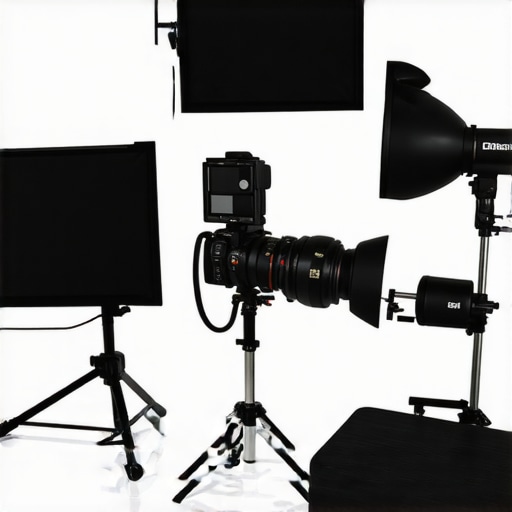
Microphone choices also vary widely. Rode’s NTG5 shotgun mic delivers broadcast-quality audio, supporting demanding outdoor shoots with excellent wind noise reduction. Its main competitor, Sennheiser’s MKH 416, is renowned in professional circles, offering slightly superior sound clarity but at a premium of about $700 more. Budget alternatives like the Audio-Technica AT875R are less costly (~$200) but may sacrifice some durability and noise rejection features.
Lighting Kits and Studio Setups
When comparing lighting kits, the Aputure Nova series stands out for its versatility and build quality, with prices around $1,000 for a comprehensive kit that includes RGB lights and modifiers. Its main competitor, the Nanlite PavoTube, offers similar features at a slightly lower price but may lack some advanced remote control options. Cheaper brands such as Neewer provide entry-level LED panels (~$150 each), which are suitable for hobbyists but may introduce issues like flickering or inconsistent color temperature under extended use.
Are Creator Rigs Worth It
Stability and durability are key in rigs like the DJI Ronin SC, which provide smooth footage even during active filming sessions. Its main rival, the Zhiyun Crane series, offers comparable stabilization at a slightly reduced cost, making it attractive for creators on a budget. Conversely, lower-end rigs with cheaper materials can wobble or falter under prolonged stress, risking shot quality and equipment safety.
Is it worth the upgrade?
Upgrading to higher-tier equipment generally translates to better performance, reliability, and image quality. For instance, switching from a mid-range camera to a flagship model like the Canon EOS R5 can significantly improve autofocus speed and dynamic range, essential for professional shoots. However, the increased cost must be justified by your specific needs and shooting environment. Check current prices on sites like B&H Photo Video to compare your options before deciding. If you want to examine competitive models in detail, consider reviewing dedicated content on those alternatives for a comprehensive assessment.
The Pros and Cons of Flicker Solutions
Benefits: Adjusting camera settings and hardware tweaks effectively reduce flicker; saves money compared to replacing lights.
Drawbacks: Some solutions require technical know-how; might not work across all lighting types.
Who Needs to Take Action?
Ideal for video creators, streamers, and filmmakers seeking professional footage without investing in new fixtures. Skip if you have smart, flicker-free LED lights or are okay with minor flicker in casual content.
Final Say: Should You Fix Flicker?
Final Verdict: If flicker disrupts your videos and you want reliable, cost-effective solutions, implementing camera adjustments and hardware modifications is a smart move. For more advanced options, like ensuring consistent studio lighting, consider specialized gear detailed in our comprehensive guides.