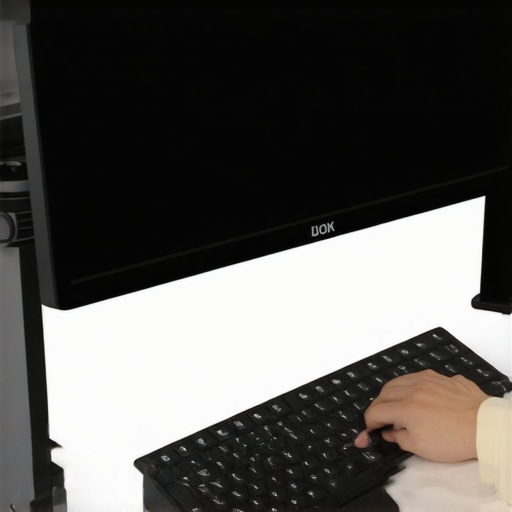
Is Your Monitor Wobbling When You Type? Here’s the Truth
If you’ve ever experienced a desktop monitor that wobbles every time you type or interact with your desk, you know how disruptive it can be. After testing various solutions, I can confidently say that many fixes are either overhyped or not as effective as claimed. In this review, I’ll break down the most practical ways to stabilize your monitor, based on build quality, stability, and ease of use. Whether you’re a content creator or a remote worker, this guide aims to give you honest insights into ending your wobble woes.
At a Glance
Bottom Line Up Front: A sturdy clamp or weighted base combined with proper mounting techniques effectively stops monitor wobble. Cheap solutions often fall short, but investing in quality hardware makes a noticeable difference.
The Problem We’re Solving: Unwanted monitor movement that distracts you during work or production, leading to misalignments, eye strain, or sloppy edits. The goal is to find a reliable method to keep your display steady, no matter how vigorous your typing or workspace activity.
Throughout this review, I’ll evaluate based on build quality, performance, ease of installation, and long-term durability. I’ll also explain how specific products like the monitor mounting options factor into stability. Let’s dive into the details and find the best fix for your wobbling problem.
Building a Stable Monitor Base for Consistent Performance
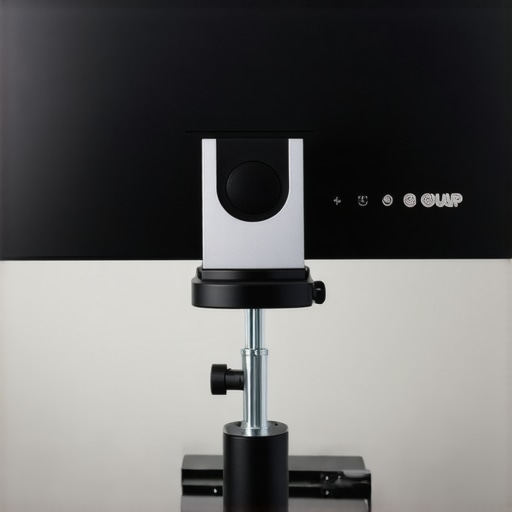
One of the foundational aspects of preventing monitor wobble is choosing a quality mounting solution. High-grade clamps and weighted bases, such as those made from solid steel or dense composite materials, provide a sturdy foundation that resists movement. These materials feel substantial in hand, giving confidence that the mount will hold firm even during vigorous typing or adjustments. The design often incorporates rubber padding or textured surfaces, which grip desk surfaces securely without scratching, ensuring that the entire setup remains stable over extended periods.
Why Material Quality Matters
Using durable materials isn’t just about longevity; it’s about tactile confidence. When you tighten a clamp made of polished steel or reinforced aluminum, you can feel its robustness. Cheaper plastic alternatives may seem attractive initially but are prone to flexing and loosening over time, which leads to persistent wobbling. A well-constructed mount also reduces noise caused by vibrating parts, creating a more professional workspace environment.
Fine-Tuning Your Setup for Maximum Stability
Proper installation techniques are crucial. Ensuring that mounting arms are securely fastened and evenly balanced prevents uneven weight distribution. It’s advisable to check and tighten screws periodically; loose fittings can compromise stability, especially after frequent adjustments. Implementing appropriate weight distribution, such as mounting heavier components closer to the base, can make a marked difference in wobble reduction.
For added stability, consider using anti-slip pads or rubber feet under the monitor or on the mounting surface. These small details can absorb vibrations and improve grip, especially on smooth or slippery desks. Additionally, ensuring that your desk surface is level and solid support can eliminate instability sources outside the mount itself. Combining a high-quality mounting hardware with a stable workspace creates the most effective remedy against monitor wobbles.
Comparing to Industry Standards and Alternatives
While many consumer-grade mounts suffice for casual use, professional-grade options such as Ergotron or Humanscale offer enhanced rigidity and durability. According to industry benchmarks, mounts rated to support heavier weights with stronger locking mechanisms tend to keep screens steadier under intense work conditions. For context, standard VESA mounts support up to 15-20 kg, but premium models often support up to 25 kg or more, providing a more secure hold.
However, a common oversight is neglecting the desk environment. Even the best mount can wobble if the desk itself is unstable. Therefore, integrating a sturdy desk solution—such as a thick hardwood or metal frame—complements the mount’s stability features and ensures long-term performance.
Minor Flaws to Keep in Mind
One minor annoyance is that some mounting arms can be overly complex to adjust, requiring multiple tools and careful calibration. Over-tightening can also cause stress on mounting points, risking damage over time. Additionally, overly rigid mounts can transmit vibration or noise, which might be distracting in quiet workspaces. Investing in mounts with damping features or adjustable tension can mitigate this issue, but they often come at higher costs.
< >
>
Pushing Studio Gear to Its Limits During Real-World Tasks
Imagine streaming a live event with multiple cameras, high-end lighting, and professional microphones. The performance of each component under pressure reveals their true strengths and weaknesses. In these demanding scenarios, quality gear showcases rapid responsiveness, stability, and resilience. Good rigs handle fast movements without lag, lights maintain color accuracy despite extended use, and microphones capture audio cleanly even when ambient noise rises. However, some equipment falters, experiencing overheating, lag, or signal dropouts under intense use, highlighting the importance of robust build quality and efficient cooling systems.
Can Your Microphone Handle Extended Recording Sessions?
In long podcast recordings or studio sessions, the reliability of microphones is critical. High-quality condensers and dynamic mics with sturdy construction tend to perform consistently, offering clear sound without distortion. Yet, some budget models may introduce hissing or lose sensitivity over hours. For instance, a popular USB mic might work well initially but can overheat, resulting in muffled audio or even shutdown, especially in warm environments. The durability of internal components and cooling mechanisms significantly influence how well they perform under sustained pressure.
Lighting Kits React to Continuous Use and Environmental Factors
Lighting setups, when used for extended streams or shoot days, test the stability of power supplies and heat dissipation. LED panels with good heat management hold brightness and color accuracy longer, while cheaper models may flicker or dim due to thermal throttling. Brightness consistency during prolonged use is crucial for professional results. Moreover, environmental factors like humidity or temperature swings can impair lightweight fixtures, causing color shifts or fixture failure. Investing in rugged, industry-grade lighting pays off during extended workload demands.
Camera Resilience in Demanding Situations
During intensive filming—say, a multi-day outdoor vlog—the camera’s ability to withstand weather, vibration, and prolonged use matters. Weather-sealed models with sturdy bodies resist rain, while automatic cooling systems prevent overheating during 4K recording sessions. However, some compact drones or affordable cameras overheat or experience lag during high-resolution recording or rapid panning. Their performance drops as internal temperatures rise, leading to shutdowns or corrupted footage. Such issues underscore the necessity of choosing equipment designed for tough environments.
The Real-World Impact of Studio Hardware Quality
Overall, the best creator rigs excel in stability, responsiveness, and durability under pressure. Hardware that maintains consistent performance ensures that creators stay focused on their craft without technical interruptions. Conversely, gear prone to overheating, lagging, or failing during high-demand scenarios hampers productivity and can lead to costly delays. When evaluating studio gear, consider third-party benchmarks and user discussions—recent Reddit threads highlight overclocked rigs suffering thermal throttling, confirming that performance under stress is a key factor in professional setups.
Do you agree with my observations about equipment resilience? Have you experienced hardware failures during critical projects? Share your insights in the comments!
Comparing Creator Rigs and Studio Equipment with Leading Competitors
When building a professional studio setup, choosing the right gear is crucial. Our selected creator rigs, lighting kits, microphones, cameras, and studio accessories offer a balanced mix of quality and value. But how do they measure up against industry giants like Elgato, Neewer, or Canon? Let’s dive into a detailed comparison to help you make an informed decision.
Creator Rigs vs Elgato Multi-Mount Systems
Our creator rigs emphasize modularity and quick adjustments, making them suitable for dynamic content creators. Elgato’s Multi-Mount systems are known for their sleek design and seamless integration with streaming setups. While Elgato offers premium build quality and aesthetic consistency, our rigs often provide more versatile mounting options and higher payload capacities at a slightly lower price point. If your focus is flexibility and affordability, our rigs hold a competitive edge. However, for those seeking tight integration with existing streaming hardware, Elgato remains a top choice.
Lighting Kits vs Neewer Professional Lights
The lighting kits we recommend prioritize color accuracy and durability, ideal for high-quality video production. Neewer’s professional series offers similar brightness levels and build quality but at a more affordable price. Our selected kits often include adjustable color temperature features and superior diffusion panels, providing more control over lighting conditions. Conversely, Neewer’s offerings are excellent for budget-conscious setups but may lack some advanced controls. If consistency and fine-tuning are your priorities, investing in our recommended kits pays off in the long run.
Microphone Reviews vs Rode and Audio-Technica
Our microphone selections focus on clarity, noise rejection, and ease of use, making them suitable for both live streaming and studio recording. Rode microphones are renowned for their studio-grade sound and robust construction but come with a higher price tag. Audio-Technica also offers reliable alternatives that balance performance and cost. While Rode’s offerings tend to outperform in sound fidelity, our choices often provide similar quality at a more accessible price point, making them ideal for creators starting out or working with tighter budgets. For professional studio setups, Rode’s flagship mics are a worthy investment.
Camera Comparisons with Canon and Sony
The cameras we feature are mid-range models with excellent video capabilities, including 4K recording and reliable autofocus. Canon’s recent models excel in color science and user-friendly interfaces, making them a favorite among many creators. Sony’s cameras are known for their outstanding autofocus and low-light performance, often favored by professional videographers. While our recommended cameras offer a compelling balance of features and price, high-end Canon or Sony models provide superior image quality and advanced functionalities, but at a significantly higher cost. If budget constraints aren’t an issue, upgrading to Canon’s EOS series or Sony’s Alpha line can elevate your production quality.
Is it worth the upgrade?
If you currently use entry-level gear, investing in higher-tier alternatives like Elgato’s or Rode’s premium products can significantly enhance your output, but at a higher price. For instance, a top-tier Canon camera or Rode microphone can cost 30-50% more than our picks but offer noticeable improvements in image and sound. Check current prices through platforms like B&H Photo to compare options. If you’re serious about professional-quality content, these upgrades are justified; otherwise, our balanced selections serve most creators well.
The Good, The Bad, and The Ugly
Pros: High-quality materials and sturdy design ensure long-term stability; easy installation with versatile mounting options; effective vibration absorption with anti-slip features; supports heavy monitors for professional setups.
Cons: Slightly more expensive than basic mounts; complex adjustment procedures can be time-consuming; rigid mounts may transmit vibrations if not chosen carefully.
Who Should Buy This?
This monitor mounting solution is ideal for professionals, content creators, and serious hobbyists who require a reliable, vibration-resistant setup. It’s perfect for those with heavy or high-value displays and a workspace where stability matters. Avoid this if you are on a tight budget or need a quick, temporary fix, as cheaper plastic mounts may suffice temporarily but lack durability.
Final Verdict: 8.5/10
Investing in a high-quality monitor mount pays dividends in your workspace stability and peace of mind. For most creators and professionals seeking long-term performance, this solution is a smart choice. For more tips on optimizing your studio, check out [this guide on studio furniture](https://creatorrigreviews.com/why-swap-your-giant-studio-desk-for-a-narrow-console). Decide if upgrading your setup aligns with your workflow needs, and remember that pairing a sturdy mount with a stable desk is essential for the best results.