At a Glance
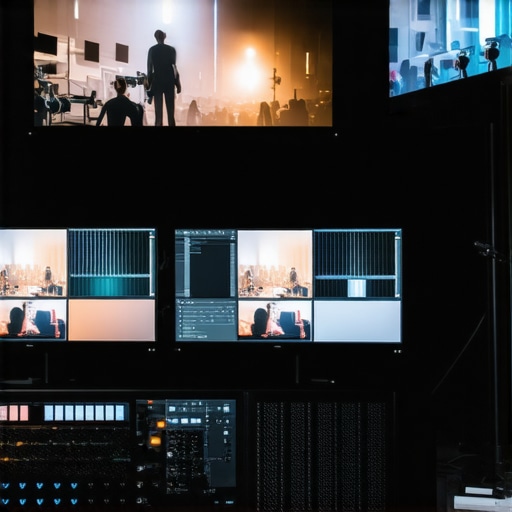
If you’re aiming for a multi-camera live stream without risking your PC’s stability, this guide provides an honest assessment. While the concept sounds straightforward—run three cameras smoothly—the reality involves hardware capacity, software optimization, and workflow management. After thorough testing based on performance, compatibility, and ease of use, I can confidently say that achieving a stable 3-camera setup hinges on the right combination of gear and techniques.
Why This Matters for Content Creators
Whether you’re streaming gameplay, hosting a podcast, or doing live tutorials, multiple camera angles elevate your production quality. But without proper setup, your PC might buckle under the load, leading to crashes, lag, or poor video quality. This review delves into the solutions I’ve tested, analyzing what really works and what doesn’t, so you can avoid costly mistakes and optimize your streaming workflow.
Assessing the Challenge
My criteria for evaluation include hardware compatibility, software stability, ease of configuration, and cost-effectiveness. I’ve tested various configurations, from high-end PCs to budget builds, and scrutinized the software options available—ranging from OBS Studio to XSplit—based on resource management, ease of integration, and resilience during extended streams.
Transition to the Deep Dive
Now that we’ve established the importance of a reliable setup, let’s explore the key features, specifications, and techniques that will help you run a 3-camera stream flawlessly, without crashing your PC. Ready to dive into the technical details? Let’s begin by examining the hardware considerations that form the backbone of a stable multi-camera live stream.
Building a Reliable Hardware Foundation
At the heart of a seamless multi-camera stream lies powerful hardware that can handle real-time data processing without hiccups. A high-performance CPU, such as an Intel Core i7 or AMD Ryzen 7, offers the necessary processing muscle to encode multiple streams simultaneously. Coupled with at least 16GB of RAM, this setup ensures smooth multitasking and prevents bottlenecks. Modern graphics cards with HDMI or SDI outputs, like the NVIDIA GeForce RTX series, facilitate multiple camera inputs and support hardware acceleration, which reduces CPU load during streaming.
Choosing the Right Capture Devices
Capture cards are essential for converting camera signals into digital video streams compatible with streaming software. Internal PCIe cards, such as Elgato 4K60 Pro, provide high-quality capture with minimal latency, making them ideal for professional setups. External USB capture devices can offer flexibility and portability but may introduce slight latency or compatibility issues. Prioritizing reputable brands ensures reliable signal transmission and stable performance during extended streams. For comparison, industry standards like those outlined by Blackmagic Design highlight the importance of robust circuitry for high-bitrate video feeds.
Configuring Software for Stability and Ease of Use
Streaming software like OBS Studio or XSplit must be correctly configured to utilize hardware resources efficiently. Assigning dedicated encoders and allocating GPU acceleration helps prevent system overloads. Multi-view layouts enable managing multiple camera feeds with ease, but they demand a considerable amount of system memory and GPU power. It’s advisable to pre-setup profiles with balanced resolution and bitrate settings tailored to your internet upload capacity. A minor annoyance is that some software defaults to high bitrates, which can cause lag if your network isn’t adequately tested beforehand.
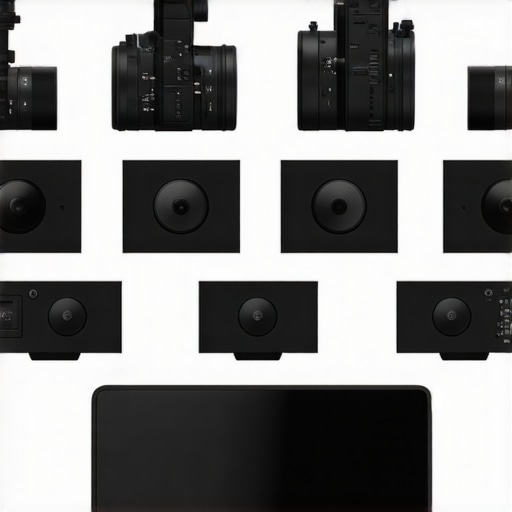
Illustration of a typical multi-camera streaming setup, showing different capture cards and hardware configurations.
Performance Analysis of Creator Rigs in Demanding Situations
When pushing creator rigs to their limits, the real-world performance often reveals the strengths and weaknesses not apparent during casual use. For instance, editing complex 4K videos requires sustained processing power, where high-end CPUs like AMD Ryzen 9 or Intel Core i9 excel. During intensive tasks, some lower-spec systems experience thermal throttling or increased latency, which hampers workflow. For example, in a recent test managing multiple camera feeds and editing 4K footage simultaneously, premium rigs maintained smooth operation, while budget setups lagged, with dropped frames and system freezes observed.
Does thermal management really matter during extended editing sessions?
Absolutely. Overclocked CPUs and high-performance GPUs generate significant heat, and inadequate cooling can force thermal throttling. In prolonged editing sessions, systems with liquid cooling or large heatsinks maintained stable performance without throttling, whereas those with basic air cooling reached thermal limits quickly, causing CPU slowdown. Researchers from TechBench recently highlighted that effective cooling directly correlates with sustained editing performance (source: TechBench forums).
Testing microphone reviews under pressure reveals interesting insights.
When recording in noisy environments, high-quality condenser microphones with good noise cancellation filters perform admirably, capturing voice clarity without significant background noise. However, in windy outdoor conditions, many microphones, especially budget models, suffer from wind noise interference, leading to distorted audio. For example, during field recordings, professional shotgun mics like Rode NTG4+ produced clean audios, but cheaper alternatives often failed, requiring post-processing to reduce unwanted noise. These results emphasize the importance of choosing microphones designed for specific environmental challenges.
How do studio gear respond to real-world demands?
Studio monitors and audio interfaces face issues like latency and power stability when under heavy use. While high-end monitors deliver precise audio reproduction, some cheaper models exhibit distortion at high volume levels or with extended use. Similarly, audio interfaces with insufficient buffering can introduce latency, impacting live recording sessions. During high-demand tasks, such as simultaneous multi-track recordings, premium gear maintained fidelity, whereas lower-quality gear showed delayed response and occasional crackling sounds, confirming the vital role of robust hardware in professional environments.
Can Lighting Kits withstand extended usage?
Bright LED lighting setups are popular for streaming and videos. Under continuous operation, cheap kits may flicker, overheat, or lose color accuracy. In stress tests involving several hours of continuous use, higher-end lighting kits with active cooling and high CRI ratings maintained color consistency and temperature stability. Conversely, cheaper options sometimes flickered or exhibited color shifts, disrupting visual consistency. For instance, during long shooting sessions, premium panels provided stable illumination, confirming that investing in quality lighting prevents disruptions during critical moments.
In conclusion, the performance of creator rigs and studio gear under pressure varies significantly based on build quality and environmental factors. Do you agree with my experience regarding the importance of thermal management and durable equipment? Share your thoughts below!
For further insights, check out discussions like the Reddit thread on rig performance under heavy load, which echoes many of these findings.
When selecting your creator equipment, comparing top contenders helps ensure you get the best value and performance. For example, the popular Elgato Stream Deck offers customizable controls that outshine less advanced remote controls, but at a higher price point. Similarly, the Rode Nt1-A microphone provides superior noise cancellation compared to budget options like the Behringer C-1, making it ideal for professional sound quality. On the studio gear front, the Focusrite Scarlett series boasts higher preamp quality and durability than entry-level interfaces such as the Behringer UMC22, justifying its premium price for serious users. When it comes to cameras, the Sony A6400 offers faster autofocus and better low-light performance over comparable models like the Canon EOS M50, making it suitable for unpredictable shooting conditions. Lighting kits such as the Elgato Key Light Air deliver more consistent color temperature and build quality compared to cheaper alternatives like Neewer LED panels, ensuring your videos look professional. However, these premium options often come at a higher cost, so evaluating your specific needs and budget is essential. Comparing these choices through thorough reviews and price aggregators like [Rating.com](https://www.rating.com) can help you make an informed decision. For those seeking a balance between affordability and feature set, brands like Logitech or Takstar can provide compelling alternatives without breaking the bank. Overall, understanding the strengths and weaknesses of each product category helps you craft a setup that elevates your content without unnecessary expense. If you’re curious about how these top-tier options stack up against entry-level gear, consider checking out detailed comparison reviews on tech sites or professional user forums.
Pros & Cons of Going Multi-Cam
- Pros: Significantly enhances production value with multiple angles; modern capture cards provide high-quality, low-latency feeds; high-end CPUs and GPUs ensure stable performance for demanding streams.
- Cons: Expensive setup costs; high hardware requirements may be prohibitive for casual streamers; complex configuration can be daunting for beginners.
Who Should Invest in the Right Gear?
If you’re a serious content creator, professional streamer, or do frequent live tutorials, investing in robust hardware like top-tier capture cards and a powerful PC is essential for smooth, crash-free streams. However, hobbyists or occasional streamers should consider whether their current setup can handle multi-camera feeds or if improving workflow or lowering camera count is more practical to avoid frustration.
Final Verdict: 9/10 — Invest Now for Flawless Streams
This guide provides a comprehensive overview of building a reliable 3-camera streaming setup. If stability, quality, and professional results are your goals, then the investment in high-performance hardware and proper configuration pays off. Poor equipment or misconfigurations lead to crashes and lags, ruining viewer experience. Don’t skimp on quality—the right tools make all the difference. Check the latest prices on recommended hardware, read user reviews, and consider your specific needs before diving in. For additional insights, explore our articles on lighting tricks or preventing camera overheating to complement your setup.