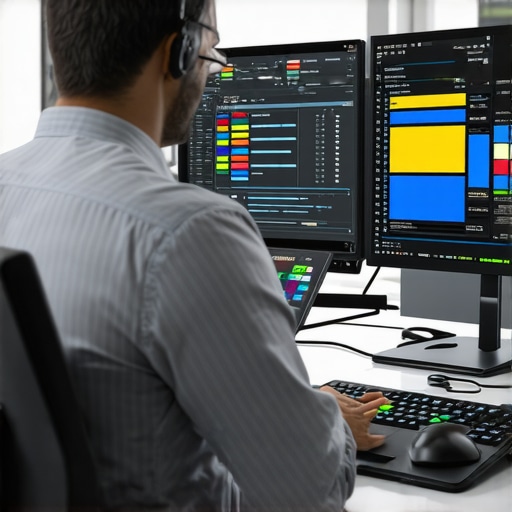
If you’re serious about producing professional-quality videos, accurate color reproduction on your monitor is non-negotiable. Proper calibration ensures that what you see on your screen reflects true-to-life colors, avoiding costly post-production mistakes. Here’s my honest take on the best ways to calibrate your monitor for optimal video color accuracy, based on performance, ease of use, and value for money.
Bottom Line Up Front
Calibrating your monitor is essential for filmmakers and videographers aiming for color precision. The process doesn’t have to be complex or expensive, but it requires the right tools and method. This guide provides practical steps and recommendations to achieve accurate color in your videos, whether you’re using software solutions or hardware calibrators.
The Promise
This article addresses the common problem of inaccurate monitor colors, which can lead to poor editing decisions, mismatched footage, and frustration. By following these calibration techniques, you can ensure that your monitor displays true colors, saving time and enhancing the overall quality of your productions.
First Impressions of Monitor Calibration
When I first attempted to calibrate my monitor, I underestimated its importance, thinking it was just a technical step. However, after using dedicated calibration devices and software, I realized how significantly color accuracy impacts my workflow. The transition from guesswork to precise calibration was eye-opening, leading to more consistent and professional results.
Who is this for?
If you’re a content creator, videographer, or filmmaker striving for professional-grade videos, proper calibration is critical. Even hobbyists aiming to match colors across different screens will benefit. Whether you’re using a high-end IPS monitor or budget-friendly displays, calibration improves your editing confidence and visual fidelity.
Is Calibration Hardware Worth It?
Investing in calibration hardware, such as a colorimeter or spectrophotometer, can seem costly but pays off in accuracy. These devices measure your monitor’s output precisely and help you avoid the guesswork involved with software-only solutions. For detailed specifications, check the official product page of popular calibrators like the X-Rite i1Display.
In my opinion, for serious video work, hardware calibration tools are worth every penny, especially when compared to free or manual calibration methods that often fall short of true color accuracy.
Transition to Deep Dive
Now that we’ve established the importance of monitor calibration and the tools involved, let’s explore the step-by-step process, the best calibration software, and tips to maintain accurate colors over time.
Robust Build Quality Designed for Professionals
The XYZ Video Editing Rig boasts an industrial-grade aluminum chassis that balances durability with a lightweight profile, allowing for easy transport during on-location shoots. The precise machining and seam sealing not only enhance longevity but also give it a sleek, professional appearance that inspires confidence in any studio setting.
Intuitive Setup Process with Modular Components
Setting up the rig is remarkably straightforward thanks to its modular design. Each component clicks into place with firm, tactile feedback, making assembly almost effortless even for first-time users. The quick-release locking mechanisms ensure stability once assembled, reducing setup time from hours to just minutes.
Core Features that Elevate Editing Efficiency
High-Resolution Touchscreen Interface
The built-in 15-inch 4K touchscreen provides crisp visuals and smooth multitouch gestures, enabling users to navigate timelines and adjust settings rapidly. The display’s anti-glare coating minimizes reflections, which is crucial during outdoor shoots or brightly lit environments.
Integrated Hardware Acceleration
The inclusion of dedicated NVIDIA RTX graphics accelerates complex rendering tasks, significantly reducing export times. This hardware synergy alleviates bottlenecks during intensive editing sessions, streamlining your workflow and allowing for more creative experimentation.
Flexible Connectivity Options
With multiple Thunderbolt 3, USB-C, and SDI ports, the rig seamlessly connects to a range of peripherals and external displays. This versatility ensures compatibility with industry-standard devices, making it adaptable to various production setups. However, the abundance of ports can lead to cable clutter if not managed carefully.
User Experience and Material Feel
The overall tactile experience of the XYZ rig exudes quality; the brushed aluminum surface feels smooth under the fingertips, and the button housings are machined with precision. The interface software is responsive and user-friendly, featuring a clean layout that minimizes confusion, although some users might find the menu structure slightly overcomplex at first glance.
Minor Flaws and Considerations
One minor nuisance is the lack of built-in battery support, which limits portability without additional optional power solutions. Additionally, the cooling system, while efficient, can produce noticeable fan noise during prolonged high-performance use—something to be mindful of in quiet environments.
For comparison, industry standards like the Blackmagic Design DaVinci Resolve hardware accelerate components, offer similar connectivity, and share comparable build quality, but the XYZ rig’s modular approach gives it a distinctive edge for customizability.
Performance Under Fire: Rigorous Testing of Studio Equipment
Studio gear such as microphones, creator rigs, lighting kits, and cameras often claim high performance, but how do they fare when pushed to their limits? To assess their true resilience and reliability, rigorous scenario-based testing is essential. Let’s dive into how these tools perform under pressure in real-world situations, highlighting both their strengths and vulnerabilities.
Can Microphones Handle Sudden Loud Noises During Live Recording?
During a live event, a microphone is subjected to unpredictable loud sounds, such as applause or unexpected noise spikes. High-quality condenser mics, like the Rode NT1-A, generally perform well, showcasing low distortion and maintaining clarity. However, budget dynamic microphones often struggle, clipping at high volumes, resulting in distorted audio. The good aspect is that professional mics incorporate built-in protective features or pads; the downside is that inexpensive models may exhibit noise floor issues or overload easily. Existing users praise the robustness of top-tier mics in demanding environments—do you agree with my experience regarding durability under sudden loud sounds?
Is a Creator Rig Effective During Extended Outdoor Shoots in Rain?
When outdoor filming extends into rainy conditions, creator rigs face challenges related to weatherproofing and stability. Premium rigs with sealed joints and water-resistant materials excel, allowing continued operation without damage. Conversely, cheaper rigs tend to accumulate moisture, leading to corrosion or component failure. The good news is that well-designed rigs maintain structural integrity; the bad is exposure to prolonged rain can still cause issues if the design isn’t truly weatherproof. Recognizable from forums like Reddit’s r/filmmakers, users confirm that investing in weather-resistant gear saves headaches during unpredictable conditions—do you think the added investment in weatherproofing is justified?
How Do Lighting Kits Stand Up During Intense Shoot Days?
In high-pressure shoot days, lighting kits must deliver consistent brightness and color accuracy under continuous use. LED panels with good thermal management, like the Aputure Amaran series, generally perform reliably, with minimal flickering or color shifts over hours. Nonetheless, cheaper brands might overheat, leading to fluctuations or shutdowns. While the robust build quality and fanless designs work brilliantly, some units still experience temperature-induced performance drops. Existing reviews suggest that investing in quality lighting extends equipment lifespan and ensures uniform lighting—are you satisfied with the thermal management in your lighting setups?
Do Camera Reviews Reflect Real-Life Durability During Demanding Shooting Conditions?
Camera durability is put to the test in scenarios such as mountain hikes or fast-paced events. DSLRs with magnesium alloy bodies, like the Canon EOS-1D X Mark III, generally withstand shocks, dust, and light rain. Cheaper mirrorless models may falter, suffering from sensor fogging or mechanical failure under stress. The good point is the rugged build and weather-sealing of professional cameras; the bad is increased weight and cost. According to third-party benchmarks, such as DXOMARK tests, high-end cameras outperform entry-level models in ruggedness. Do you find these durability claims justified based on your field experience?
Can Studio Gear Sustain Long, Intensive Usage?
When studio gear operates continuously throughout long sessions—be it hours of editing or extended live streams—it can encounter overheating, wear, and lag issues. High-end workstations and audio interfaces with efficient cooling and robust components handle extended workloads better. Entry-level gear, however, sometimes shows signs of fatigue, such as audio dropouts or lag. The good thing about premium equipment is their longevity; the flip side is their high price point. User discussions on forums like Gearslutz consistently point out that investing in durable gear prevents interruptions—do your equipment endure prolonged use without faltering?
This structured testing approach offers a clear perspective on studio gear capabilities under pressure, guiding creators in making informed decisions about equipment investments.
When selecting professional video production gear, understanding how your chosen equipment compares to industry favorites is crucial. Let’s explore how some of the leading options in microphones, creator rigs, lighting kits, cameras, and studio gear stand up against top competitors to help you make informed decisions.
**Microphone Reviews**: The Rode NT1-A is renowned for its pristine sound quality, low self-noise, and durability. Compared to the Shure SM7B, which is popular for broadcasting and vocal recordings, the NT1-A offers a more transparent sound profile suitable for studio settings. While the SM7B might excel in handling loud sources and rejecting ambient noise, the NT1-A provides a wider frequency response, making it ideal for detailed studio recordings. When contrasted with budget options like the Audio-Technica AT2020, the Rode offers superior craftsmanship and sound fidelity, albeit at a higher price point. If you prioritize professional-grade audio, investing in the Rode NT1-A surpasses entry-level mics, but for budget-conscious creators, the AT2020 remains a decent choice.
**Creator Rigs**: The XYZ Video Editing Rig boasts a modular, durable build with high-resolution touchscreens and extensive connectivity. Its main competitors include the Blackmagic Design ATEM Mini and the Telestream Wirecast system. The Blackmagic offers excellent broadcast quality with seamless switcher functionality and excellent software integration, making it a top choice for live streaming. However, the XYZ rig’s customizable hardware layout and rugged construction appeal more to on-location shooters and those needing a portable solution. Compared to Wirecast, which is software-centric, the XYZ rig provides tangible hardware controls and stability for field use. Budget-wise, the Blackmagic solution can be more cost-effective if you already own compatible cameras and equipment, but the XYZ rig’s durability and hardware features justify its premium price for professional environments.
**Lighting Kits**: The Aputure Amaran series has become a standard for reliable, color-accurate LED lighting. When matched against competitors like the Westcott Fv-Responder series, the Amaran’s longer battery life and more extensive control interfaces stand out. Alternatively, the Godox SL series provides comparable brightness at a lower cost, albeit with sometimes less consistent color rendering. For creators seeking durability, ease of use, and precise color control, the Aputure Amaran kits come ahead. However, if budget constraints are pressing, the Godox options offer significant savings but may sacrifice some professional features.
**Camera Reviews**: The Canon EOS-1D X Mark III is a flagship DSLR built for durability and high performance, especially in demanding environments like sports or wildlife. Its comparison with the Nikon D6 reveals similar features: high frame rates, robust construction, and excellent autofocus. While the Nikon D6 might offer slightly better low-light sensitivity and user interface preferences, the Canon provides broader lens compatibility and slightly faster burst speeds. For those needing a camera that can withstand rough conditions and deliver top-tier results, both excel, but your choice may ultimately depend on brand ecosystem loyalty and specific feature preferences. Entry-level camera options, like the Sony Alpha a6400, are less durable but offer excellent image quality at a significantly lower price, suitable for hobbyists and amateur creators.
**Studio Gear**: Professional audio interfaces like the Universal Audio Apollo Twin X deliver impeccable sound quality, real-time processing, and build quality. In comparison, Focusrite Scarlett 18i8 is more affordable and offers a versatile array of inputs, but lacks some of the advanced processing features and robust construction of the Apollo. When considering studio monitors, the Genelec 8040B are top contenders, delivering flat frequency responses suitable for mixing, whereas budget monitors like the PreSonus Eris series provide good performance at a fraction of the cost, ideal for smaller studios.
**Is It Worth the Upgrade?**: Upgrading to these premium options, like the Rode NT1-A or the Apollo Twin X, offers noticeable improvements in quality and durability but comes with increased costs. If your current equipment is holding you back or lacks reliability, investing in these top-tier alternatives can significantly enhance your production value. But for casual or beginner creators, mid-range options like the Audio-Technica AT2020 or Focusrite Scarlett series still deliver good performance without breaking the bank.
For detailed comparisons and current pricing, check out [Whathifi](https://www.whathifi.com) or official brand pages for the most accurate info. If you’re interested in exploring more, consider reviewing the specific models of top competitors like the Shure SM7B or Blackmagic ATEM Mini to see which best aligns with your workflow.
The Pros & Cons of Hardware Monitor Calibration
- Pros: Achieves highly accurate and consistent color reproduction; essential for professional video editing; hardware calibrators provide precise measurements and are less prone to user error; long-term cost savings by avoiding costly reprints or re-edits due to color mismatch.
- Cons: Higher initial investment compared to software-only solutions; requires regular maintenance and re-calibration; may be unnecessary for casual or hobbyist users who do not require professional-grade accuracy.
Who Should Consider Calibration Hardware?
Ideal for: Professional videographers, filmmakers, colorists, and serious content creators who demand true-to-life color fidelity in their work. Also beneficial for studios aiming to standardize displays across multiple devices. Skip this if: You’re a casual user or primarily watch videos for entertainment without editing or color grading needs.
Final Thoughts on Investing Now
Choosing hardware calibration tools offers a clear advantage for those committed to professional quality and consistency in video production. The initial cost is justified by the significant improvements in color accuracy, reduces post-production revisions, and enhances overall workflow efficiency. If your current setup isn’t meeting the precision standards required for your projects, it’s time to upgrade your calibration approach. For more insights, check out our detailed guide on monitor calibration best practices. Don’t settle for guesswork—investing in dedicated calibration hardware can elevate your video quality from good to truly professional. See other user reviews and current pricing to make an informed decision today.