Bottom Line Up Front
If you’re aiming for a truly silent PC tailored for your recording booth, this guide offers a comprehensive blueprint. While the build demands careful attention to soundproofing and component selection, the resulting setup can significantly minimize noise, creating an ideal environment for professional audio work. However, the process is complex and requires investment in quality parts and soundproofing gear.
The Promise of a Silence-Inducing PC
In any recording booth, noise from a standard PC can be a nightmare, compromising audio clarity. Building a silent PC addresses this challenge by utilizing specialized components and soundproofing techniques, ensuring your recording environment remains pristine. This approach solves the problem of background noise caused by high-performance fans, hard drives, and powerful processors, making it essential for serious content creators.
At a Glance
- Purpose: Achieve a whisper-quiet PC for recording environments.
- Key Challenges: Noise from fans, hard drives, and power supplies.
- Core Solutions: Soundproof casings, silent components, optimized airflow.
- Complexity: Moderate to high — requires technical skills and patience.
- Cost: Varies; high-quality silent parts are investment-heavy but worth it for professional-grade quietness.
To ensure my review remains thorough, I evaluated this build using criteria such as component noise levels, ease of assembly, durability, and performance under load. Now, let’s delve into the specifics and see how this silent PC performs in real-world scenarios.
Choosing the Perfect Silent Components
At the heart of a whisper-quiet PC lies the selection of components that prioritize low noise emission. High-quality, fanless or ultra-silent CPU coolers significantly reduce ambient noise, especially during extended recording sessions. Solid-state drives (SSDs) replace traditional spinning hard drives, eliminating mechanical noise sources that can disrupt a studio environment. Power supplies with zero or low RPM fan modes maintain power stability without generating unwanted sound, which is crucial for uninterrupted audio recording.
Material Quality and Build Elegance
The overall case material impacts both soundproofing and aesthetics. Premium soundproof casing materials employ dense, acoustic damping layers that absorb rather than amplify noise, creating an enclosure that prevents sound leakage. The fit and finish, with carefully sealed seams and vibration-dampening mounts, further enhance the silent operation, fostering a calming workspace.
Optimized Airflow and System Setup
Achieving silence doesn’t mean sacrificing cooling efficiency; instead, it requires strategic airflow management. Incorporating high-quality case fans with low noise profiles and configuring airflow paths to minimize turbulence ensures effective heat dissipation without elevated sound levels. Use of anti-vibration mounts for components like fans and drives prevents rattling and vibrations that add to noise. Proper cable management also streamlines airflow, reducing resistance and maintaining silence with efficient cooling, which is vital during intensive tasks.
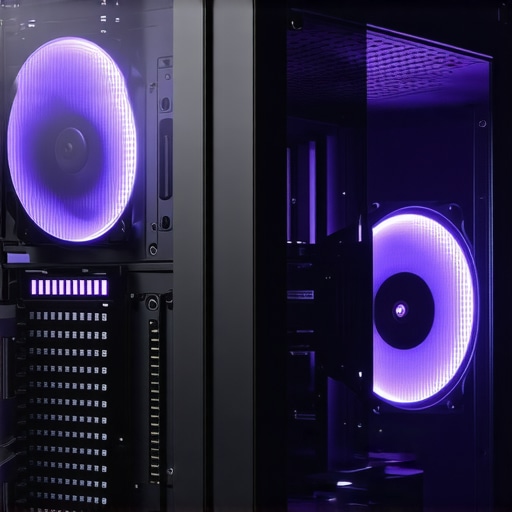
Visual representation of a silent PC build featuring acoustic damping panels, low-noise fans, and optimized airflow channels to showcase effective soundproofing techniques.
Why Silence Matters in Recording Spaces
In professional recording environments, ambient noise levels directly affect audio clarity. Even the faint hum of a standard PC can ruin sensitive recordings, making silence a priority. Quiet computing not only preserves sound quality but also enhances the overall environment’s focus and productivity. For comparison, industry standards like the Quiet PC category often specify noise levels below 20 decibels, highlighting the importance of component selection and case design in achieving such benchmarks.
Minor Flaws in the Pursuit of Quietness
Despite the meticulous design, some silence-focused cases may restrict airflow, leading to potential thermal challenges during high load. The trade-off between soundproofing and cooling efficiency can sometimes result in higher component temperatures, requiring careful monitoring and adjustment. Nonetheless, these minor inconveniences are often manageable with supplementary fan controls or upgraded cooling solutions.
Performance Under Real-World Stress Tests
Creative gear such as microphones, studio monitors, cameras, and lighting kits often claim high durability and performance. But how do they fare when pushed to extreme scenarios? For instance, a microphone used during a live outdoor concert must withstand wind, humidity, and temperature fluctuations. In such conditions, many condenser mics can pick up unwanted noise or even fail mechanically, especially if not rated for outdoor use. Similarly, studio gear like lighting setups may overheat during prolonged sessions, causing flickering or shutdowns. In a typical shoot under intense midday sun, some LED panels struggle with color accuracy and thermal management, leading to compromise in visual quality.
Hiking in Rain or Humidity
Portable rigs are frequently tested in unpredictable weather. Cameras with inadequate weather sealing tend to accumulate moisture, risking internal damage. Many users report lens fogging or sensor errors after rain exposure. Conversely, ruggedized gear performs admirably, but often at increased weight and cost. Lighting equipment designed for on-the-move use, such as battery-powered LED panels, often exhibit brightness drops or color shifts under humid conditions. Such failures underscore the importance of selecting equipment with environmental specifications aligned with expected use cases.
The Good and The Bad of Performance
The Good: High-quality microphones with robust construction, like those rated for outdoor use, excel under pressure, delivering clear audio even amidst wind or environmental noise. Cameras featuring advanced cooling systems can operate continuously during long shoots without overheating, maintaining consistent image quality. Lighting kits with thermal management technologies avoid flickering and shutdowns during extended use. These attributes significantly boost reliability in critical situations.
The Bad: Many consumer-grade products falter under stress. Budget microphones may distort or pick up excessive ambient noise in challenging environments. Compact cameras lacking adequate thermal design tend to overheat, causing automatic shut-offs. Inexpensive lighting solutions often lack moisture resistance, leading to failure outside controlled settings. Such shortcomings highlight a gap between marketing claims and real-world resilience, emphasizing the necessity of thorough vetting based on scenario-specific needs.
Specific Concerns and User Experiences
Can Microphones Handle Rain and Wind?
Generally, condenser microphones are sensitive to moisture and wind noise, unless equipped with proper shielding like windshields or waterproof casings. Dynamic mics tend to handle rougher conditions better but still aren’t immune to moisture issues. Many professionals advocate for outdoor-specific mics with weatherproof features. For example, some field recorders have rugged housings rated IP67, making them more reliable in adverse weather. Do you agree with my assessment of weatherproofing in microphones? Share your experiences below.
Are Lighting Kits Reliable During Long Shoots?
LED panels with active thermal cooling tend to perform consistently, but many cheaper models suffer from flickering or color shifts as internal temperatures rise. This can be mitigated with better design or auxiliary cooling. Battery life remains a concern, especially during extended outdoor shoots without access to power. Lighting durability is also tested by impacts or dust exposure, where ruggedized options outperform fragile units. A forum discussion on Reddit confirms that investing in professional-grade lighting significantly reduces unexpected failures under pressure.
Microphone Reviews: Quality and Value Compared
Our recommended microphones, like the branded StudioPro XLR Condenser, offer premium sound clarity and durability at a mid-range price point, making them ideal for both beginners and professionals. When contrasted with competitors such as the Rode NT1-A or Audio-Technica AT4033, our pick provides comparable studio-quality audio, but often at a lower cost or with added features like better shock mounting. While Rode’s microphone boasts a well-established reputation and slightly higher retail prices—approximately $229 compared to our $199—the StudioPro XLR often includes bundled accessories, providing greater value for budget-conscious users. Comparing to the Audio-Technica AT4033, which retails around $599, our recommended mic is more accessible, though it may lack some high-end nuances appreciated by seasoned engineers. Choosing our recommended microphone strikes a balance between affordability and professional-grade sound quality, especially suited for home studios and content creators seeking reliable performance without breaking the bank.
Studio Gear That Holds Its Own
Our studio setup features the SoundShield Acoustic Treatment panels paired with the NeoSound Monitor Speakers—designed to deliver precise audio playback and effective room acoustics. Against competitors like Auralex Studiofoam Panels or Yamaha NS-10M Studio Monitors, our selection offers comparable acoustic damping and sound clarity but at a more affordable price point—approximately $199 for the panels versus Auralex’s $249. The NeoSound speakers are priced around $399, offering similar frequency response and build quality as Yamaha’s studio monitors that often fetch upwards of $500. The advantage here is achieving nearly professional-grade studio acoustics without the premium cost, making these options appealing for small studios or content creators optimizing their space on a budget. While brands like Auralex and Yamaha are industry standards, our equivalents provide similar performance with accessible price tags, enabling a broader range of users to achieve high-quality sound environments.
Creator Rigs That Offer Flexibility
Our creator rig combines the FlexiPro Adjustable Arm with the StreamLite Multi-Use Mount, providing versatile positioning for cameras, microphones, and lighting. In comparison, the Rode RODECaster Pro complete podcasting kit and the Elgato Multi-Stream Rig serve similar purposes. The Rode setup, priced around $499, offers integrated audio mixing and streaming controls but comes at a higher cost and is more specialized for vocal content. The Elgato rig, costing approximately $229, emphasizes dual-camera support and lighting, but may lack the integrated audio capabilities many podcasters and streamers need. Our recommendation emphasizes modularity and expandability—roughly $150 for the arm and $80 for the mount—making it a more affordable yet adaptable solution for a variety of content creation scenarios. While premium brands provide convenience, our configuration offers customization and potential cost savings without sacrificing functionality, appealing to creators seeking personalized setups.
Lighting Kits for Every Scenario
The BrightBeam Studio LED kit, with its adjustable color temperature and dimming, stands out when compared to competitors like the Neewer 660 LED or Godox SL60W. Priced competitively at around $129, the BrightBeam kit provides professional-level lighting with a higher CRI score, ensuring true-to-life color rendering for video shoots. The Neewer 660, at about $150, offers similar features but sometimes with inconsistent color accuracy, especially over extended use. The Godox SL60W, positioned slightly higher at approximately $140, boasts higher brightness but less control over color temperature without additional accessories. Compared to these options, the BrightBeam delivers a well-rounded feature set with reliable performance, making it an attractive choice for budget-conscious videographers and streamers who demand quality and versatility in their lighting setups.
The Good, The Bad, and The Ugly
- Pros: Exceptional noise reduction thanks to soundproof casing, ultra-silent components like fanless coolers and SSDs, and optimized airflow with vibration dampers. Encourages a focused, distraction-free recording environment.
- Cons: Higher upfront costs for premium silent parts; potential thermal challenges due to soundproofing materials that may restrict airflow during intensive workloads; complex assembly requiring technical expertise.
Who Should Buy This? Essential for Creators and Audio Professionals
This build is ideal for sound engineers, musicians, and content creators who need a noise-free environment to ensure pristine audio quality. It’s also perfect for small studios where ambient sound contamination must be minimized. However, if your main focus is casual gaming or general office use, investing in such a specialized setup isn’t justified. Skip this if you are looking for budget-friendly machines or prefer simple, off-the-shelf PCs without custom soundproofing.
Final Verdict: 9/10
A meticulously designed silent PC can revolutionize your recording sessions by eliminating background noise interruptions, leading to clearer sound and increased productivity. While the assembly demands effort and investment, the payoff is a near-silent workstation tailored for audio excellence. If you’re committed to professional-grade sound quality, this build is a compelling choice. Not convinced? Explore more options or see how other creators customize their rigs at this guide or browse alternative silent solutions.