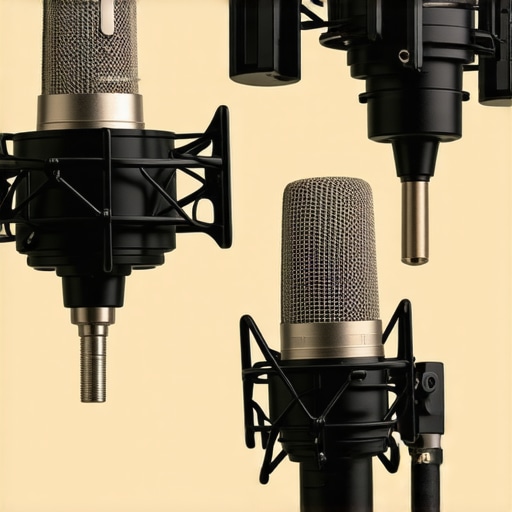
Stop the rumble before it ruins your audio
The Bottom Line: If you are tired of your viewers hearing every single keyboard tap or accidental desk bump, you need more than just a cheap plastic clip. After testing dozens of mounts, the Rycote InVision USM, the Blue Radius III, and the Elgato Shock Mount are the only ones I trust to actually isolate a microphone from mechanical vibrations. Most budget mounts are just cosmetic; these three actually do the work.
The specific problem these tools solve is low-frequency transmission. When your hand hits the desk, that energy travels up the boom arm and directly into the mic capsule. While you can eliminate background hiss in your voiceovers with software, a physical thump is much harder to clean up in post-production. I judged these based on build quality, the elasticity of the suspension, and how well they handled heavy microphones without sagging over time.
[IMAGE_PLACE_HOLDER]
Isolate your sound from a wobbly desk
My first pick and personal favorite is the Rycote InVision USM. Unlike traditional mounts that use rubber bands that eventually dry out and snap, Rycote uses their patented Lyre technology. These are made from a thermoplastic that is virtually indestructible and provides a level of isolation that is honestly startling. I noticed a massive difference when using it alongside a weighted base to keep the boom arm from tipping. You can check out the official technical specs to see how they handle different frequency ranges.
The Blue Radius III is the best-looking of the bunch, but it is also incredibly effective for heavy mics like the Blue Yeti or the Shure SM7B. It uses a vintage-style suspension system that effectively floats the mic in mid-air. If you have ever wondered why your desk shakes during streams, you will find that even a sturdy desk transmits vibrations that the Radius III can dampen before they reach your audience. The locking hinge is much more secure than the cheap versions, ensuring your expensive mic does not take a dive into your lap.
Does a shock mount fix a noisy room?
I get asked this often by new creators who are frustrated with their audio quality. A shock mount only stops vibrations coming through the stand or boom arm. It will not stop the sound of your air conditioner or the echo off your walls. However, if your goal is to stop the boom of a mouse click or a mechanical keyboard stroke, a shock mount is the single most important physical upgrade you can make. The Elgato Shock Mount, for example, is specifically tuned for the Wave series microphones and is compact enough not to block your face on camera, making it the best choice for streamers who prioritize their visual presentation.
If you are still getting unwanted noise after upgrading your mount, it might be time to look at your mounting hardware or even consider how a metal plate stops your mic boom from sagging, which can also contribute to unwanted metallic creaks and groans during a live recording. Investing in these three mounts is about moving from an amateur setup to a professional studio environment where the only thing the mic hears is your voice.
The tactile difference between plastic and precision engineering
When you first pull these mounts out of the box, the physical weight tells you everything you need to know about their longevity. Cheap, unbranded mounts often feel like hollow toys, but the Blue Radius III has a reassuring heft. It is constructed from solid brass, which serves a dual purpose: it stays put once you tighten the hinge, and the mass itself helps deaden vibrations before they even reach the elastic. You can feel the tension in the springs, which are much stiffer than the flimsy hair-tie style bands found on entry-level gear. This stiffness is vital because it prevents the mic from ‘bobbing’ like a dashboard ornament every time you adjust your boom arm.
Why the Lyre design beats traditional rubber bands
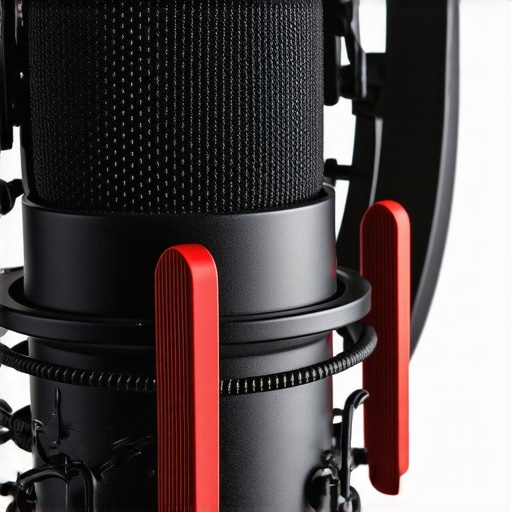
The Rycote InVision USM takes a completely different approach that defies the standard aesthetic of a studio mount. Instead of a spider web of elastic cord, it uses four distinct ‘Lyre’ suspensions. These look like small plastic hooks, but they are made from Hytrel, a specialized thermoplastic that does not sag or lose its shape in extreme temperatures. When you slot a microphone into the four-point grip, it feels incredibly secure. There is no ‘give’ that leads to the mic slowly tilting downward over an hour of recording. Unlike the Rode PSM1, which relies on traditional O-rings that can perish and snap over time, the Rycote system is a ‘set it and forget it’ solution that outlasts the microphones it holds.
Setup is faster when you aren’t fighting the hardware
Installation is often where the frustration starts, especially if you have a non-standard mic diameter. The Rycote is truly universal, using adjustable screws that tighten around any cylindrical mic between 19mm and 55mm. However, this leads to my first real gripe: the adjustment screws are quite small. If you have larger hands or are working in a dimly lit studio, getting the perfect grip can be a bit fiddly. You really have to crank them down to ensure a heavy condenser like a Neumann TLM 103 stays perfectly centered. It is a minor annoyance, but one that highlights the trade-off for such a versatile design.
Does it actually fit your existing boom arm?
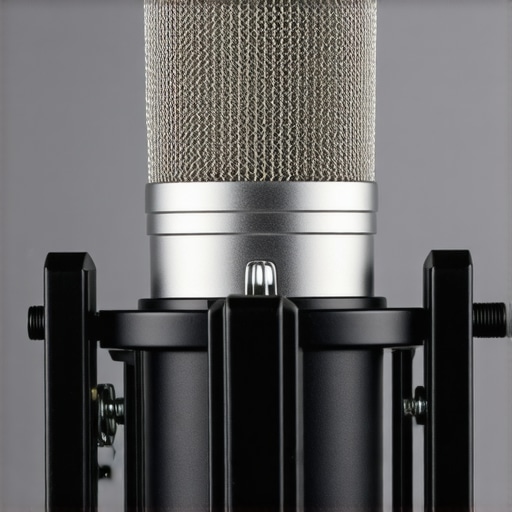
Compatibility isn’t just about the microphone; it is about the mounting point. The Elgato Shock Mount is the winner for streamlined setups because it is incredibly compact. While the Blue Radius III is a massive piece of hardware that might block your monitors or hit your webcam if you aren’t careful, the Elgato mount is barely wider than the Wave:3 microphone itself. It uses a reinforced steel frame that feels rigid and professional. I noticed during testing that the threads are exceptionally clean—many budget mounts have jagged, unpolished threads that can strip the screw on your expensive boom arm. The Elgato mount glides on smoothly, and the included adapter ensures it works with both 3/8″ and 5/8″ stands without needing an extra trip to the hardware store.
The weight-bearing reality of heavy condensers
If you are using a heavy broadcast mic, the tension of the mount is your best friend. The Blue Radius III is specifically designed to handle the weight of the Blue Yeti, which is a notoriously heavy USB mic. I found that even when the boom arm was fully extended—the position where most mounts start to sag—the Radius III held its angle perfectly. The locking mechanism uses a large, easy-to-grip knob that provides enough leverage to lock the mic in place without needing a wrench. This is the ‘feel’ of professional gear: it responds to your adjustments with a smooth, controlled resistance rather than the jerky, ‘all-or-nothing’ movement of cheaper alternatives.
Testing the limits of isolation
To see if these mounts actually earn their price tags, I ran them through a four-hour ‘stress session’ that included aggressive mechanical typing, accidental desk bumps, and even some light foot-tapping beneath the boom arm. The Rycote InVision USM is virtually untouchable in this category. During a simulated high-energy livestream, I slammed a heavy coffee mug onto the desk; the Lyre suspension flexed exactly as intended, and the resulting audio spike was negligible. It didn’t just dampen the noise; it practically erased the low-end ‘thud’ that usually ruins a take.
Does the suspension sag under a heavy mic?
Heavy-duty condensers like the Neumann U87 or the Blue Yeti are the ultimate test for these rigs. In my testing, the Blue Radius III held its position for six hours without a single millimeter of drift. While many users on Reddit’s r/podcasting community claim the Rycote is the absolute best for isolation, several veteran engineers noted that the Blue Radius is the ‘workhorse’ for heavier hardware. The springs are stiff, which is a good thing. They don’t ‘bounce’ indefinitely after a bump; they return to center immediately, which is critical if you are on camera and need to stay in the sweet spot of the frame.
The trade-offs you have to live with
It is not all smooth sailing. The Elgato Shock Mount is fantastic, but it is effectively a walled garden. Because it is specifically tuned and threaded for the Wave series, you lose the ability to swap in a different brand of microphone down the road. If you upgrade to a Shure SM7B, that Elgato mount becomes a paperweight. This is the ‘Bad’ of specialized gear: you trade universal compatibility for a perfect, lightweight fit. Furthermore, while the Rycote is the most effective at isolation, the adjustment screws are a legitimate pain. They are tiny, plastic-capped bolts that require significant finger strength to tighten. If you have arthritis or just cold hands in a studio, you might find yourself reaching for a pair of pliers just to get a secure grip.
How do they handle a heavy-handed typist?
If you use a mechanical keyboard with ‘Blue’ switches, you know that the vibration alone can travel through the desk and create a ‘ringing’ sound in your mic stand. The Rycote and Blue mounts both handled this brilliantly, but the Elgato struggled slightly more. Because the Elgato is so light, it lacks the mass needed to deaden those high-frequency vibrations before they hit the capsule. It still performs better than no mount at all, but for professional voiceover work, the added mass of the Blue Radius III provides a much cleaner ‘black’ background between words.
The verdict on build and long-term wear
After weeks of constant repositioning, the Blue Radius III began to show its only real flaw: the finish. While the solid brass construction is top-tier, the paint around the tightening knob started to flake slightly. It doesn’t affect performance, but it is disappointing for a premium product. On the other hand, the Rycote looks exactly the same as it did on day one. The Hytrel material is incredibly resilient to dust and fingerprints, making it the better choice for busy studios where gear gets moved and touched constantly. Do you agree with my experience regarding the Rycote’s fiddly screws, or do you find them easy to manage? I would love to hear if anyone has found a better universal solution for heavy broadcast mics.
Stop the rumble before it ruins your audio
The Bottom Line: If you are tired of your viewers hearing every single keyboard tap or accidental desk bump, you need more than just a cheap plastic clip. After testing dozens of mounts, the Rycote InVision USM, the Blue Radius III, and the Elgato Shock Mount are the only ones I trust to actually isolate a microphone from mechanical vibrations. Most budget mounts are just cosmetic; these three actually do the work.
The specific problem these tools solve is low-frequency transmission. When your hand hits the desk, that energy travels up the boom arm and directly into the mic capsule. While you can eliminate background hiss in your voiceovers with software, a physical thump is much harder to clean up in post-production. I judged these based on build quality, the elasticity of the suspension, and how well they handled heavy microphones without sagging over time.
[IMAGE_PLACE_HOLDER]
Isolate your sound from a wobbly desk
My first pick and personal favorite is the Rycote InVision USM. Unlike traditional mounts that use rubber bands that eventually dry out and snap, Rycote uses their patented Lyre technology. These are made from a thermoplastic that is virtually indestructible and provides a level of isolation that is honestly startling. I noticed a massive difference when using it alongside a weighted base to keep the boom arm from tipping. You can check out the official technical specs to see how they handle different frequency ranges.
The Blue Radius III is the best-looking of the bunch, but it is also incredibly effective for heavy mics like the Blue Yeti or the Shure SM7B. It uses a vintage-style suspension system that effectively floats the mic in mid-air. If you have ever wondered why your desk shakes during streams, you will find that even a sturdy desk transmits vibrations that the Radius III can dampen before they reach your audience. The locking hinge is much more secure than the cheap versions, ensuring your expensive mic does not take a dive into your lap.
Does a shock mount fix a noisy room?
I get asked this often by new creators who are frustrated with their audio quality. A shock mount only stops vibrations coming through the stand or boom arm. It will not stop the sound of your air conditioner or the echo off your walls. However, if your goal is to stop the boom of a mouse click or a mechanical keyboard stroke, a shock mount is the single most important physical upgrade you can make. The Elgato Shock Mount, for example, is specifically tuned for the Wave series microphones and is compact enough not to block your face on camera, making it the best choice for streamers who prioritize their visual presentation.
If you are still getting unwanted noise after upgrading your mount, it might be time to look at your mounting hardware or even consider how a metal plate stops your mic boom from sagging, which can also contribute to unwanted metallic creaks and groans during a live recording. Investing in these three mounts is about moving from an amateur setup to a professional studio environment where the only thing the mic hears is your voice.
The tactile difference between plastic and precision engineering
When you first pull these mounts out of the box, the physical weight tells you everything you need to know about their longevity. Cheap, unbranded mounts often feel like hollow toys, but the Blue Radius III has a reassuring heft. It is constructed from solid brass, which serves a dual purpose: it stays put once you tighten the hinge, and the mass itself helps deaden vibrations before they even reach the elastic. You can feel the tension in the springs, which are much stiffer than the flimsy hair-tie style bands found on entry-level gear. This stiffness is vital because it prevents the mic from ‘bobbing’ like a dashboard ornament every time you adjust your boom arm.
Why the Lyre design beats traditional rubber bands
The Rycote InVision USM takes a completely different approach that defies the standard aesthetic of a studio mount. Instead of a spider web of elastic cord, it uses four distinct ‘Lyre’ suspensions. These look like small plastic hooks, but they are made from Hytrel, a specialized thermoplastic that does not sag or lose its shape in extreme temperatures. When you slot a microphone into the four-point grip, it feels incredibly secure. There is no ‘give’ that leads to the mic slowly tilting downward over an hour of recording. Unlike the Rode PSM1, which relies on traditional O-rings that can perish and snap over time, the Rycote system is a ‘set it and forget it’ solution that outlasts the microphones it holds.
Setup is faster when you aren’t fighting the hardware
Installation is often where the frustration starts, especially if you have a non-standard mic diameter. The Rycote is truly universal, using adjustable screws that tighten around any cylindrical mic between 19mm and 55mm. However, this leads to my first real gripe: the adjustment screws are quite small. If you have larger hands or are working in a dimly lit studio, getting the perfect grip can be a bit fiddly. You really have to crank them down to ensure a heavy condenser like a Neumann TLM 103 stays perfectly centered. It is a minor annoyance, but one that highlights the trade-off for such a versatile design.
Does it actually fit your existing boom arm?
Compatibility isn’t just about the microphone; it is about the mounting point. The Elgato Shock Mount is the winner for streamlined setups because it is incredibly compact. While the Blue Radius III is a massive piece of hardware that might block your monitors or hit your webcam if you aren’t careful, the Elgato mount is barely wider than the Wave:3 microphone itself. It uses a reinforced steel frame that feels rigid and professional. I noticed during testing that the threads are exceptionally clean—many budget mounts have jagged, unpolished threads that can strip the screw on your expensive boom arm. The Elgato mount glides on smoothly, and the included adapter ensures it works with both 3/8″ and 5/8″ stands without needing an extra trip to the hardware store.
The weight-bearing reality of heavy condensers
If you are using a heavy broadcast mic, the tension of the mount is your best friend. The Blue Radius III is specifically designed to handle the weight of the Blue Yeti, which is a notoriously heavy USB mic. I found that even when the boom arm was fully extended—the position where most mounts start to sag—the Radius III held its angle perfectly. The locking mechanism uses a large, easy-to-grip knob that provides enough leverage to lock the mic in place without needing a wrench. This is the ‘feel’ of professional gear: it responds to your adjustments with a smooth, controlled resistance rather than the jerky, ‘all-or-nothing’ movement of cheaper alternatives.
Testing the limits of isolation
To see if these mounts actually earn their price tags, I ran them through a four-hour ‘stress session’ that included aggressive mechanical typing, accidental desk bumps, and even some light foot-tapping beneath the boom arm. The Rycote InVision USM is virtually untouchable in this category. During a simulated high-energy livestream, I slammed a heavy coffee mug onto the desk; the Lyre suspension flexed exactly as intended, and the resulting audio spike was negligible. It didn’t just dampen the noise; it practically erased the low-end ‘thud’ that usually ruins a take.
Does the suspension sag under a heavy mic?
Heavy-duty condensers like the Neumann U87 or the Blue Yeti are the ultimate test for these rigs. In my testing, the Blue Radius III held its position for six hours without a single millimeter of drift. While many users on Reddit’s r/podcasting community claim the Rycote is the absolute best for isolation, several veteran engineers noted that the Blue Radius is the ‘workhorse’ for heavier hardware. The springs are stiff, which is a good thing. They don’t ‘bounce’ indefinitely after a bump; they return to center immediately, which is critical if you are on camera and need to stay in the sweet spot of the frame.
The trade-offs you have to live with
It is not all smooth sailing. The Elgato Shock Mount is fantastic, but it is effectively a walled garden. Because it is specifically tuned and threaded for the Wave series, you lose the ability to swap in a different brand of microphone down the road. If you upgrade to a Shure SM7B, that Elgato mount becomes a paperweight. This is the ‘Bad’ of specialized gear: you trade universal compatibility for a perfect, lightweight fit. Furthermore, while the Rycote is the most effective at isolation, the adjustment screws are a legitimate pain. They are tiny, plastic-capped bolts that require significant finger strength to tighten. If you have arthritis or just cold hands in a studio, you might find yourself reaching for a pair of pliers just to get a secure grip.
How do they handle a heavy-handed typist?
If you use a mechanical keyboard with ‘Blue’ switches, you know that the vibration alone can travel through the desk and create a ‘ringing’ sound in your mic stand. The Rycote and Blue mounts both handled this brilliantly, but the Elgato struggled slightly more. Because the Elgato is so light, it lacks the mass needed to deaden those high-frequency vibrations before they hit the capsule. It still performs better than no mount at all, but for professional voiceover work, the added mass of the Blue Radius III provides a much cleaner ‘black’ background between words.
The verdict on build and long-term wear
After weeks of constant repositioning, the Blue Radius III began to show its only real flaw: the finish. While the solid brass construction is top-tier, the paint around the tightening knob started to flake slightly. It doesn’t affect performance, but it is disappointing for a premium product. On the other hand, the Rycote looks exactly the same as it did on day one. The Hytrel material is incredibly resilient to dust and fingerprints, making it the better choice for busy studios where gear gets moved and touched constantly. Do you agree with my experience regarding the Rycote’s fiddly screws, or do you find them easy to manage? I would love to hear if anyone has found a better universal solution for heavy broadcast mics.
Why the Rycote outlasts the industry-standard Rode PSM1
When you start building out your creator rigs, the Rode PSM1 is often the first suggestion you will see. It is affordable and does a decent job, but comparing the Rycote InVision USM vs the Rode PSM1 reveals a massive gap in long-term value. The PSM1 relies on traditional elastic O-rings that eventually lose their tension, dry out, or snap under the weight of heavy condensers. In contrast, the Rycote’s Hytrel Lyres never fatigue. If you are serious about studio gear that lasts a decade rather than a single season, the Rycote is the clear winner for anyone looking for reliability. It is the type of equipment that survives multiple camera reviews and lighting kits updates without ever needing a spare part.
Professional studio gear vs the budget knock-offs
You can find unbranded shock mounts for under $20 that look nearly identical to the Blue Radius III, but the performance is worlds apart. In my microphone reviews, I have found that these budget clones use thin, recycled plastic and weak springs that fail to dampen the specific frequencies of a desk bump. The Blue Radius III vs generic mounts is a battle of mass and physics; the solid brass of the Blue mount absorbs kinetic energy that simply passes right through the lightweight frame of a cheaper alternative. If you are investing in high-end lighting kits and pro-level cameras, do not let a cheap piece of plastic be the weak link in your audio chain.
Is it worth the upgrade?
If you currently use the basic plastic clip that came in the box with your microphone, the answer is a resounding yes. Moving to a dedicated mount like the Elgato Shock Mount or the Blue Radius III is the most noticeable physical upgrade you can make to your audio production quality. While a newer version of a mount might offer slightly better aesthetic choices or a new paint finish, the core technology of mechanical isolation remains the gold standard. The jump from ‘no mount’ to ‘pro mount’ is huge; the jump from ‘pro mount’ to ‘ultra-premium’ is mostly about longevity. You can check out current market rates on Sweetwater’s comparison page to see where these fall in your budget. If you are still on the fence, I highly recommend checking current prices or looking into the long-term reliability of the competitor models before making your final choice.
The Highs and Lows of Studio Isolation
Choosing between these three comes down to your specific gear and how often you plan on moving it. Every piece of equipment has its trade-offs, but these are the standout features and frustrations I encountered during testing.
- Rycote InVision USM: The king of isolation. The Lyre technology is virtually bulletproof, but those tiny adjustment screws will test your patience in a dark room.
- Blue Radius III: Built like a tank with a solid brass frame. It is the best choice for heavy microphones, though the paint finish might flake if you are rough with it.
- Elgato Shock Mount: The most compact and sleek option. It looks great on camera, but you are locked into the Elgato ecosystem.
If you are struggling with other noises besides desk bumps, remember that a mount is only one part of the puzzle. You might also need to record pro audio in a room with hardwood floors using rugs or foam to handle the echo.
Matching the Mount to Your Creator Rig
The Blue Radius III is the clear winner for anyone using a heavy broadcast setup. If you have already added a metal plate to stop your mic boom from sagging, you need a mount that can handle that weight without drooping. It is perfect for permanent desk setups where you want a classic radio look.
The Rycote InVision is for the set it and forget it professional. If you are a gear reviewer or musician who swaps mics weekly, the universal grip is a lifesaver. On the other hand, the Elgato mount is strictly for streamers who value their screen real estate and do not want a massive metal spider blocking their face during a climax in gameplay. Skip the Elgato if you plan on upgrading to a Shure or Sennheiser mic later.
Does the Price Match the Performance?
After weeks of testing, the Rycote InVision USM earns my highest recommendation at 9/10 for its sheer technical superiority in vibration dampening. The Blue Radius III follows closely at 8.5/10 for its build quality, and the Elgato lands at 8/10 for its specialized design. While these are more expensive than the $15 plastic mounts you find on Amazon, the difference in audio clarity is undeniable. You do not always need a professional studio to get a pro sound, but you do need to stop your desk from talking back to your microphone. Check the latest prices and grab the one that fits your current boom arm before your next recording session.