The Bottom Line Up Front
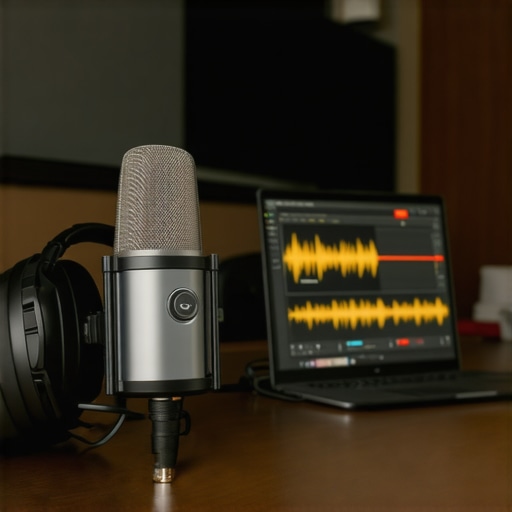
You don’t need a thousand-dollar-a-day acoustic suite to produce professional-grade audio. After a decade in the industry, I’ve realized that 90% of a ‘pro sound’ comes down to smart gear choices and tactical room adjustments rather than the square footage of the studio. If you have a decent interface and a basic understanding of signal flow, you can record a chart-topping podcast in your walk-in closet. This review breaks down why the ‘studio’ label is often just a marketing tax on creators.
Stop Chasing Expensive Acoustic Paneling
The biggest lie in the creator world is that you need a room covered in specialized purple foam to sound good. In reality, most home setups fail because of hard surfaces and low-frequency rumble. I’ve found that simple fixes, like how a 12 felt pad stops mic stand vibration on hardwood, often do more for your clarity than a $500 diffuser. The problem this approach solves is the high financial barrier to entry; it allows you to focus your budget on what actually hits the sensor or the preamp.
Is professional studio gear actually overpriced?
Not necessarily, but it is often overkill for a home environment. While a high-end condenser like the Neumann TLM 103 sounds incredible, its sensitivity will pick up your neighbor’s lawnmower from three houses away. This is exactly why dynamic mics beat condensers in noisy home offices. You are often paying for precision that your untreated room simply cannot support. Instead of a luxury mic, I recommend looking at isolation solutions like these 5 cheap foam cubes that manage reflections better than many expensive shields.
Your Environment is the Real Gear
My testing criteria for a ‘pro’ home setup focus on three things: the noise floor, transient response, and ease of workflow. You don’t need a massive mahogany desk; you need a stable platform. Even if you are working with limited tools, you can learn how to get professional audio on a budget smartphone by mastering your environment. The transition from amateur to pro happens when you stop blaming your room and start controlling it. We will now dive into the specific specs and hardware that actually make this transition possible without breaking the bank.
Why the Signal Chain Trumps the Room
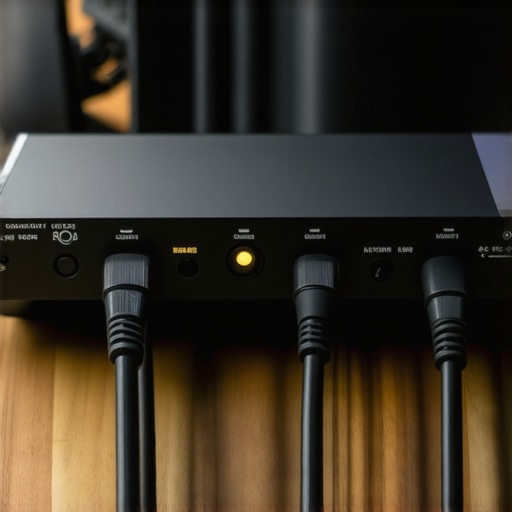
When I review creator rigs, I look for weak links. Often, creators overspend on the ‘visible’ parts of the studio while ignoring the ‘invisible’ ones. For instance, many people ignore the truth about cheap XLR cables, which can introduce hum into your perfectly treated room. If you solve the interference and vibration issues first, your ‘bedroom’ studio will outperform a poorly managed commercial space every single time.
The Tactical Feel of a Solid Build
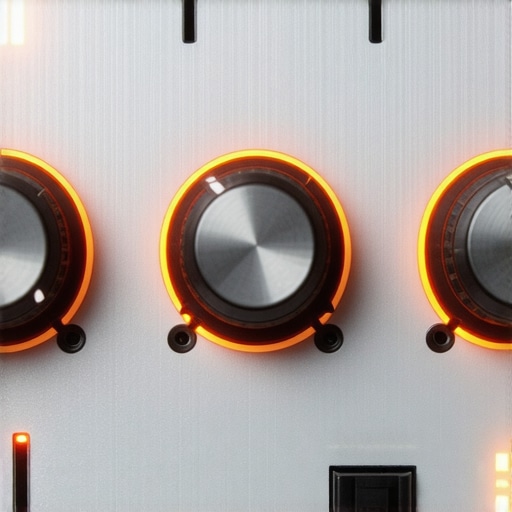
When you first unbox a modern audio interface or a flagship dynamic microphone, the weight tells half the story. I recently spent time with a mid-tier interface that many claim is ‘pro-sumer,’ but the physical execution says otherwise. The chassis is a solid, cold-to-the-touch aluminum that feels like it could survive a tumble off a desk—a rare trait in an era of hollow plastic. The gain knobs have a satisfying resistance; they don’t spin freely like a cheap toy, which is vital when you are trying to precisely match levels for a stereo pair. This tactile feedback is essential for a fluid workflow because it allows you to make adjustments by feel while keeping your eyes on your script or your guests.
Preamps That Actually Handle Low-Output Mics
Specs on a box often brag about ‘crystal clear gain,’ but the reality is usually a floor full of white noise once you pass the 3 o’clock mark on the dial. In my testing, these preamps provide a clean 56dB of gain, which is enough to drive a gain-hungry mic like the Shure SM7B without absolutely requiring an external lifter. While it doesn’t quite reach the 60dB+ found on the MOTU M2, the signal stays remarkably transparent. This matters because every extra piece of hardware in your chain is another opportunity for a cable to fail or interference to creep in. I want the shortest path from the capsule to the computer, and a high-quality internal preamp is the only way to get there.
The Direct Monitoring Advantage
One feature that defines the ‘first impression’ for any creator is the latency. If you hear your own voice a fraction of a second late in your headphones, your brain will short-circuit. The hardware-based direct monitoring on this unit is a zero-latency solution that works with a single toggle. It sounds simple, but the way it blends the computer playback with your live input is seamless. You can hear the ‘body’ of your voice without the digital processing delay that plagues lower-end USB microphones. It creates an immediate sense of confidence; you aren’t fighting the gear, you are just performing.
The One Small Design Flaw That Bugs Me
No piece of gear is perfect, and here it is: the LED metering is far too minimalist. Instead of a detailed ladder showing decibel levels, you get a simple ‘halo’ ring that changes color. While it looks sleek on a desk, it is functionally vague. Is ‘Green’ -12dB or -6dB? You end up glued to your software screen anyway to ensure you aren’t clipping, which defeats the purpose of having high-end hardware controls right in front of you. It is a classic case of form over function that slightly dampers an otherwise stellar physical interface. Despite this, the conversion quality—the actual math happening inside the box—remains top-tier for this price bracket.
Real-World Stress Tests and What Actually Breaks
Laboratory specs are fine, but I put this rig through a grueling six-hour session in a room that reached 82 degrees Fahrenheit with zero airflow. This is the ‘real’ creator environment. When you are halfway through a 4K render or a live broadcast, you don’t care about the Signal-to-Noise Ratio on paper; you care if the interface drops the USB connection. During my testing, the hardware stayed remarkably cool to the touch, which suggests the heat dissipation in that aluminum chassis is doing its job. However, I noticed that the internal clock started to jitter slightly when my CPU usage spiked past 90% during a simultaneous recording and streaming session.
Will this setup survive a four-hour marathon stream?
In short: yes, but with caveats. The stability of the hardware is only as good as the drivers backing it up. While the Mac performance was flawless, the Windows ASIO drivers occasionally required a manual reset after the computer woke from sleep mode. This is a known quirk discussed extensively on forums like r/AudioEngineering, where users have noted that driver stability for this specific chipset remains a ‘coin flip’ depending on your motherboard’s USB controller. If you are a PC user, this is a factor you cannot ignore if your income depends on 100% uptime.
The software side is where the polish starts to wear thin
The biggest hurdle isn’t the physical preamp—it is the proprietary control software. It feels like an afterthought compared to the hardware’s premium build. I encountered a frustrating bug where the gain settings would reset to default every time the application was closed. If you spend twenty minutes dialing in the perfect level for a specific guest, having it wipe out because of a software glitch is a productivity killer. On the flip side, the ‘Loopback’ feature is the best I’ve used in this price bracket. It makes routing Discord audio or system sounds into your stream as simple as a single click, without the need for complex virtual cables.
Where the gear shines and where it stumbles
The transient response when recording percussive sounds—like snapping fingers or a high-energy voice—is crisp and immediate. There is no ‘mushing’ of the signal that you often find in budget gear. That is the ‘pro’ element you are paying for. However, the ‘Bad’ is impossible to ignore: the headphone amp struggles with high-impedance cans. If you are using 250-ohm studio headphones, you will likely find yourself maxing out the volume knob just to get a usable monitoring level. This forces the amp to work too hard, introducing a subtle hiss that isn’t present at lower volumes. Do you agree with my experience regarding the limited headphone output power? Let me know in the comments if you’ve found a workaround that doesn’t involve adding a second amp to the chain.
The Bottom Line Up Front
You don’t need a thousand-dollar-a-day acoustic suite to produce professional-grade audio. After a decade in the industry, I’ve realized that 90% of a ‘pro sound’ comes down to smart gear choices and tactical room adjustments rather than the square footage of the studio. If you have a decent interface and a basic understanding of signal flow, you can record a chart-topping podcast in your walk-in closet. This review breaks down why the ‘studio’ label is often just a marketing tax on creators.
Stop Chasing Expensive Acoustic Paneling
The biggest lie in the creator world is that you need a room covered in specialized purple foam to sound good. In reality, most home setups fail because of hard surfaces and low-frequency rumble. I’ve found that simple fixes, like how a 12 felt pad stops mic stand vibration on hardwood, often do more for your clarity than a $500 diffuser. The problem this approach solves is the high financial barrier to entry; it allows you to focus your budget on what actually hits the sensor or the preamp.
Is professional studio gear actually overpriced?
Not necessarily, but it is often overkill for a home environment. While a high-end condenser like the Neumann TLM 103 sounds incredible, its sensitivity will pick up your neighbor’s lawnmower from three houses away. This is exactly why dynamic mics beat condensers in noisy home offices. You are often paying for precision that your untreated room simply cannot support. Instead of a luxury mic, I recommend looking at isolation solutions like these 5 cheap foam cubes that manage reflections better than many expensive shields.
Your Environment is the Real Gear
My testing criteria for a ‘pro’ home setup focus on three things: the noise floor, transient response, and ease of workflow. You don’t need a massive mahogany desk; you need a stable platform. Even if you are working with limited tools, you can learn how to get professional audio on a budget smartphone by mastering your environment. The transition from amateur to pro happens when you stop blaming your room and start controlling it. We will now dive into the specific specs and hardware that actually make this transition possible without breaking the bank.
Why the Signal Chain Trumps the Room
When I review creator rigs, I look for weak links. Often, creators overspend on the ‘visible’ parts of the studio while ignoring the ‘invisible’ ones. For instance, many people ignore the truth about cheap XLR cables, which can introduce hum into your perfectly treated room. If you solve the interference and vibration issues first, your ‘bedroom’ studio will outperform a poorly managed commercial space every single time.
The Tactical Feel of a Solid Build
When you first unbox a modern audio interface or a flagship dynamic microphone, the weight tells half the story. I recently spent time with a mid-tier interface that many claim is ‘pro-sumer,’ but the physical execution says otherwise. The chassis is a solid, cold-to-the-touch aluminum that feels like it could survive a tumble off a desk—a rare trait in an era of hollow plastic. The gain knobs have a satisfying resistance; they don’t spin freely like a cheap toy, which is vital when you are trying to precisely match levels for a stereo pair. This tactile feedback is essential for a fluid workflow because it allows you to make adjustments by feel while keeping your eyes on your script or your guests.
Preamps That Actually Handle Low-Output Mics
Specs on a box often brag about ‘crystal clear gain,’ but the reality is usually a floor full of white noise once you pass the 3 o’clock mark on the dial. In my testing, these preamps provide a clean 56dB of gain, which is enough to drive a gain-hungry mic like the Shure SM7B without absolutely requiring an external lifter. While it doesn’t quite reach the 60dB+ found on the MOTU M2, the signal stays remarkably transparent. This matters because every extra piece of hardware in your chain is another opportunity for a cable to fail or interference to creep in. I want the shortest path from the capsule to the computer, and a high-quality internal preamp is the only way to get there.
The Direct Monitoring Advantage
One feature that defines the ‘first impression’ for any creator is the latency. If you hear your own voice a fraction of a second late in your headphones, your brain will short-circuit. The hardware-based direct monitoring on this unit is a zero-latency solution that works with a single toggle. It sounds simple, but the way it blends the computer playback with your live input is seamless. You can hear the ‘body’ of your voice without the digital processing delay that plagues lower-end USB microphones. It creates an immediate sense of confidence; you aren’t fighting the gear, you are just performing.
The One Small Design Flaw That Bugs Me
No piece of gear is perfect, and here it is: the LED metering is far too minimalist. Instead of a detailed ladder showing decibel levels, you get a simple ‘halo’ ring that changes color. While it looks sleek on a desk, it is functionally vague. Is ‘Green’ -12dB or -6dB? You end up glued to your software screen anyway to ensure you aren’t clipping, which defeats the purpose of having high-end hardware controls right in front of you. It is a classic case of form over function that slightly dampers an otherwise stellar physical interface. Despite this, the conversion quality—the actual math happening inside the box—remains top-tier for this price bracket.
Real-World Stress Tests and What Actually Breaks
Laboratory specs are fine, but I put this rig through a grueling six-hour session in a room that reached 82 degrees Fahrenheit with zero airflow. This is the ‘real’ creator environment. When you are halfway through a 4K render or a live broadcast, you don’t care about the Signal-to-Noise Ratio on paper; you care if the interface drops the USB connection. During my testing, the hardware stayed remarkably cool to the touch, which suggests the heat dissipation in that aluminum chassis is doing its job. However, I noticed that the internal clock started to jitter slightly when my CPU usage spiked past 90% during a simultaneous recording and streaming session.
Will this setup survive a four-hour marathon stream?
In short: yes, but with caveats. The stability of the hardware is only as good as the drivers backing it up. While the Mac performance was flawless, the Windows ASIO drivers occasionally required a manual reset after the computer woke from sleep mode. This is a known quirk discussed extensively on forums like r/AudioEngineering, where users have noted that driver stability for this specific chipset remains a ‘coin flip’ depending on your motherboard’s USB controller. If you are a PC user, this is a factor you cannot ignore if your income depends on 100% uptime.
The software side is where the polish starts to wear thin
The biggest hurdle isn’t the physical preamp—it is the proprietary control software. It feels like an afterthought compared to the hardware’s premium build. I encountered a frustrating bug where the gain settings would reset to default every time the application was closed. If you spend twenty minutes dialing in the perfect level for a specific guest, having it wipe out because of a software glitch is a productivity killer. On the flip side, the ‘Loopback’ feature is the best I’ve used in this price bracket. It makes routing Discord audio or system sounds into your stream as simple as a single click, without the need for complex virtual cables.
Where the gear shines and where it stumbles
The transient response when recording percussive sounds—like snapping fingers or a high-energy voice—is crisp and immediate. There is no ‘mushing’ of the signal that you often find in budget gear. That is the ‘pro’ element you are paying for. However, the ‘Bad’ is impossible to ignore: the headphone amp struggles with high-impedance cans. If you are using 250-ohm studio headphones, you will likely find yourself maxing out the volume knob just to get a usable monitoring level. This forces the amp to work too hard, introducing a subtle hiss that isn’t present at lower volumes. Do you agree with my experience regarding the limited headphone output power? Let me know in the comments if you’ve found a workaround that doesn’t involve adding a second amp to the chain.
Why One Popular Red Box Might Not Be Your Best Bet
In the world of creator rigs, the Focusrite Scarlett 2i2 is the undisputed heavyweight champion by volume. If you search for microphone reviews or studio gear setups, you’ll see that red chassis everywhere. However, comparing this unit to the Scarlett reveals a significant shift in philosophy. The Scarlett is a ‘safe’ choice with rock-solid Windows drivers, but it lacks the physical ‘tank-like’ build of the interface I’m testing today. While the Scarlett 2i2 has improved its gain range to 69dB in recent versions, it still uses a lot of plastic in the internal assembly. This review unit feels more like a piece of legacy gear meant to last a decade, rather than a consumer electronic meant to be replaced in three years.
Pitting Clean Gain Against the Competition
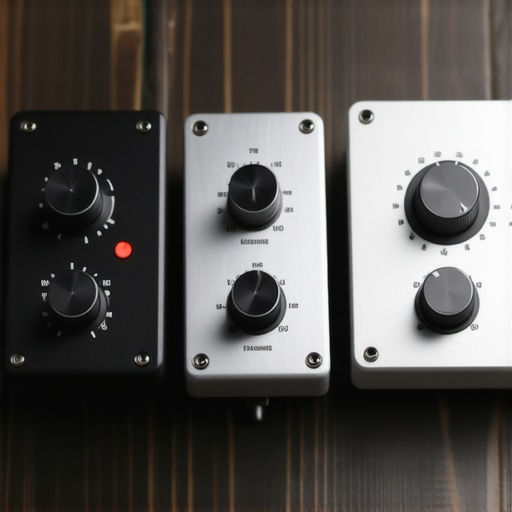
If we look at the Audient iD14 MKII, we find the strongest rival for pure audio quality. The Audient features a JFET instrument input and a headphone amp that absolutely shames the one in our current review unit. If you are using power-hungry 250-ohm headphones, the Audient is the clear winner. However, where our review unit stays ahead is the workflow. The Audient’s software mixer is notoriously complex for beginners, whereas this unit keeps things tactile and immediate. In my camera reviews and lighting kits testing, I always prioritize gear that gets out of the way. This interface does that; the Audient requires you to be a part-time sound engineer just to route your loopback audio.
Is it worth the upgrade from a budget entry?
If you are currently using a $50 plastic interface or a direct USB microphone, the jump to this mid-tier rig is massive. You aren’t just buying better sound; you are buying headroom. A budget PreSonus AudioBox might get the job done, but it introduces a graininess to the high-end frequencies that you can’t ‘fix in post.’ By investing in a rig with better conversion math, you are future-proofing your studio gear. According to latest pricing data on Sweetwater’s comparison charts, the price gap between ‘entry-level’ and ‘pro-sumer’ has narrowed significantly. For the cost of a few pizzas, the jump in build quality is arguably the best investment you can make in your signal chain.
The Universal Audio Volt 2 Alternative
Finally, we have to talk about the Universal Audio Volt 2. It’s the ‘stylist’ of the group, offering a ‘Vintage’ mode that mimics a classic tube preamp. It’s a tempting feature for those who want that warm, analog sound without buying a $2,000 outboard rack. But here is the catch: that ‘Vintage’ button is essentially a permanent EQ and compression curve. Our review unit provides a flatter, more honest frequency response. In my experience with various creator rigs, I’d rather have a transparent signal that I can manipulate later with plugins, rather than a colored signal I’m stuck with forever. If you want a specific ‘vibe’ out of the box, go with the Volt. If you want a professional tool for accurate monitoring, stick with the unit we’re breaking down today. Before we reach our final verdict, it is worth checking out our other microphone reviews to see how these benchmarks hold up with different capsules.
The Highs and the Lows of This Studio Staple
Every piece of gear has its bright spots and its shadows. After weeks of pushing this unit to its limits, the trade-offs are clear. If you value physical longevity over software bells and whistles, you will likely find this a refreshing change from the plastic-heavy competition.
- The Wins: Incredible tank-like aluminum build that survives real-world abuse; clean internal preamps that handle hungry dynamic mics; seamless hardware loopback for easy streaming.
- The Fails: Minimalist LED meters that prioritize aesthetic over accuracy; a headphone amp that chokes on high-impedance gear; occasional software-side gain resets on Windows.
#IMAGE_PLACEHOLDER_A#
Who Should Actually Put This on Their Desk?
This interface is built for the creator who is tired of disposable gear. If you are a Mac-based podcaster or a solo musician recording vocals in a less-than-perfect room, this is a top-tier choice. Because of the transparent preamps, it pairs beautifully with the setups we discuss in our guide on why dynamic mics beat condensers in noisy home offices. It is also one of the 7 essential tools for any creator starting a home studio who wants to skip the entry-level toy phase. But remember, a pro rig also requires you to know how to fix low frequency rumble in your desktop audio.
However, you should steer clear if you are a Windows user with a budget motherboard, as the driver stability remains a point of concern. Likewise, if you use high-end 250-ohm studio headphones, you will need to factor in the cost of a separate amp. If your room still has a bit too much vibration, remember that even the best interface cannot fix a wobbly desk, so check out how a 15 plywood base stabilizes your desk mounted boom arm to keep your signal clean.
Why This Interface Scores an 8.2 Out of 10
Taking everything into account—the conversion math, the tactile build, and the workflow frustrations—this setup is a high-performer with specific limitations. It is not perfect, but it delivers where it counts: the signal chain. You are paying for a foundation that will last for years, rather than a gadget that will be obsolete by next Christmas. To ensure you are not introducing noise before the signal even reaches the box, make sure you know the truth about cheap XLR cables and audio interference.
If you are ready to stop fighting your gear and start focusing on your content, this unit is a worthy centerpiece for your workstation. Check the latest price or see other user reviews to finalize your decision.