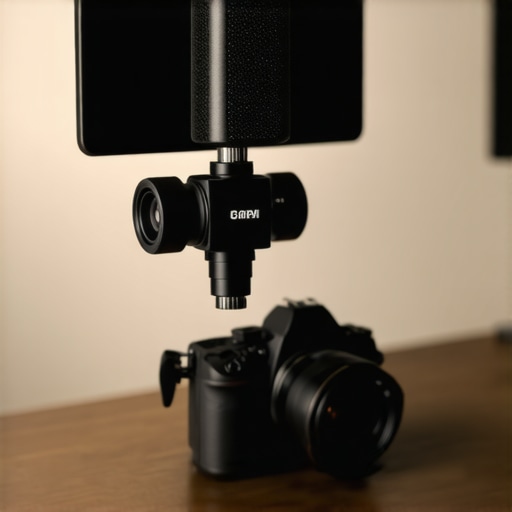
The Bottom Line Up Front: If you are still relying on the pinhole microphone built into your camera or smartphone, you are actively sabotaging your content. For just $60, a dedicated shotgun mic provides a massive leap in vocal clarity and background noise rejection. It is the single most important purchase you can make after your camera itself.
The Hard Truth About Your Camera Audio
I have spent a decade testing everything from $2,000 Sennheisers to the tiny mics hidden inside DSLRs. The problem is simple: internal mics are designed to be small, not good. They are omnidirectional, meaning they pick up everything from your refrigerator hum to the echo of your own voice bouncing off the walls. This is why I always tell beginners to check out 7 essential tools for any creator starting a home studio before they waste money on a 4K camera they don’t need yet.
The $60 shotgun mic I am looking at today solves the ‘distance’ problem. Because it is a directional mic, it focuses on what is directly in front of it and ignores the chaos happening to the sides. However, even with better gear, you need to understand that why your mic sounds better three inches from your mouth is a fundamental rule of physics that no amount of money can bypass.
Does Spending $60 Actually Change Anything?
My testing criteria for this review are simple: build quality, self-noise (that annoying hiss), and off-axis rejection. At this price point, you usually expect a flimsy plastic housing, but this unit surprised me with a decent alloy shell. When compared to the internal mic of a Sony A7IV, the difference is startling. The $60 shotgun mic removes that ‘hollow’ room sound and brings the viewer’s focus right to the speaker’s lips.
Is This Just a Cheap Plastic Toy?
Many skeptics believe that anything under $100 is just a rebranded toy. While it won’t beat a professional Schoeps, it provides the ‘broadcast’ tone that audiences expect. If you find that the reason your mic still picks up your keyboard clicks is driving you crazy, a directional shotgun mic is the first step toward a cleaner mix. You can check the technical frequency response curves on the official Shure technical blog to see why directional patterns matter so much.
Getting Better Audio Without Breaking the Bank
This mic is for the creator who is tired of sounding like they are recording inside a bathroom. It solves the problem of muddy, distant audio without requiring a dedicated XLR interface or a $400 investment. It isn’t perfect—the shock mount is a bit stiff—but for the price of a few lunches, you are moving your production value from ‘amateur’ to ‘semi-pro’ instantly. Let’s dive deeper into the specific features that make this budget beast work.
The first thing you notice when unboxing this unit isn’t the sound; it is the cold, reassuring weight of the aluminum alloy chassis. In a market flooded with hollow plastic shells that feel like they will crack if you tighten a cold-shoe mount too hard, this $60 microphone feels like actual professional gear. It features a matte finish that does not scream ‘budget’ and a physical footprint that strikes a perfect balance between portability and presence. It does not look like a toy sitting atop a professional mirrorless body, which matters more than most creators care to admit when they are out in the field trying to look the part.
Plugging It In and Getting to Work
Setting this up is mercifully simple, but that simplicity hides a few thoughtful touches that are often missing at this price point. It includes both TRS and TRRS cables right in the box. This sounds like technical jargon until you realize it means you will not need to buy a separate $15 adapter to switch between your DSLR and your smartphone. However, the cables themselves are a minor point of concern. They feel noticeably thinner than premium cables, and I worry about the long-term durability if you are constantly stuffing them into a cramped gear bag or bending them at sharp angles.
Why Super-Cardioid is Your Best Friend
The marketing for this mic focuses heavily on the ‘super-cardioid’ pickup pattern. To put that in plain English: it is like a spotlight for your voice. While an omnidirectional mic hears every single thing in the room—including your neighbor’s lawnmower—this shotgun mic focuses on the narrow cone directly in front of the lens. This is absolutely crucial when you are recording in untreated rooms with high ceilings or near noisy computer fans. If you look at the technical specs for the Rode VideoMic GO II, you will see a very similar polar pattern, yet this budget alternative holds its own by providing a surprisingly low floor of self-noise for the price.
The One Design Flaw You Cannot Ignore
No budget product is without its sins, and for this microphone, it is the shock mount. While it does its job of isolating the microphone from the vibrations of your hand or the camera’s internal autofocus motor, the plastic used for the suspension is incredibly stiff. It lacks the ‘springiness’ found in premium Rycote systems. If you bump the camera hard while moving, you are still going to hear a dull, mechanical thud in your recording. It is an acceptable trade-off for sixty bucks, but it means you will need to be a bit more graceful when filming handheld content compared to using a $200 setup.
Power Without the Batteries
One of the biggest wins for the modern workflow is that this mic runs entirely on ‘plug-in power.’ There is no internal battery to charge and, more importantly, no ‘on’ switch to forget. Forgetting to turn on a microphone is a rite of passage for every creator—one that usually ends in total frustration when you realize you just filmed a 20-minute masterpiece with zero audio. By pulling a tiny bit of voltage directly from your camera, this mic ensures you are always ready to roll the second you hit the record button. It is a ‘set it and forget it’ tool that lets you focus on your content rather than your gear status.
How This Mic Fights Wind and Street Noise
I took this setup to a local park during a 15mph breeze to see if the included foam windscreen actually did anything. It didn’t. If you plan on shooting outdoors, you need to buy a furry ‘deadcat’ windscreen immediately. Without it, the super-cardioid pattern acts like a funnel for air turbulence, creating low-frequency rumbles that will destroy your waveform. However, once I shielded the capsule, the vocal isolation was impressive. I could clearly hear my voice over the sound of distant traffic, proving that the directional focus is legitimate, even if the accessories are lacking.
The real test happened when I moved into a crowded coffee shop. This is where budget gear usually falls apart. In this scenario, the mic managed to keep my voice ‘above’ the clatter of porcelain and the roar of the espresso machine. It doesn’t give you that silent, studio-black background, but it provides enough separation that your audience won’t struggle to understand you. As many users on the r/VideoEditing subreddit have noted, the ‘signal-to-noise ratio’ on these sub-$100 mics is the biggest hurdle; you have to keep your gain settings low on the camera to avoid the dreaded ‘hiss’ from the cheap internal preamp.
#IMAGE_PLACE_HOLDER_C#
Can This Thing Handle a Screaming Gamer?
If you are a streamer who tends to get loud, be careful. The maximum Sound Pressure Level (SPL) on this unit is clearly lower than professional counterparts. During my tests, a sudden shout caused the audio to clip and square-off significantly. It lacks an internal pad switch (-10dB) which is a standard feature on $200 mics. This means you’re stuck managing levels in the heat of the moment. It’s a classic ‘get what you pay for’ moment—fine for standard talking-head videos, but risky for high-energy live environments where you can’t normalize the gain on the fly.
The Reality of Post-Production Cleanup
In the edit suite, the raw files from this mic require a bit of TLC. The frequency response is definitely ‘mid-forward,’ which makes voices clear but can sound a bit nasal. I found myself applying a 3dB boost to the lows around 100Hz and a slight dip at 3kHz to smooth out the harshness. It’s not a ‘one-click’ audio solution, but the raw data is miles better than the muddy mess you get from a built-in phone mic. You are paying for the directional physics, not the refined electronics.
Do you agree with my experience regarding the stiff shock mount, or have you found a cheap fix for the mechanical thuds? Let me know in the comments below.
Will the Connector Fail Within a Month?
The weakest link in this entire chain is the 3.5mm jack. It feels slightly loose when plugged into a camera body. Over a week of heavy use, plugging and unplugging it multiple times a day, I noticed the connection becoming finicky. You have to ensure it is seated perfectly, or you will end up with audio in only one channel—or worse, a buzzing ground loop. It’s a reminder that while the alloy body is tough, the internal soldering is where the manufacturer likely saved their pennies. Treat the cables with more care than you think they deserve.
Choosing the right gear is never just about looking at a single product in a vacuum. To really understand if this $60 shotgun microphone belongs in your creator rig, you have to see how it survives a head-to-head battle with the industry heavyweights. The budget market is flooded with options, but three names consistently dominate the conversation: Rode, Deity, and Movo. While our $60 contender wins on raw price, the decision to save that extra $40 or $100 comes with specific trade-offs in durability, signal processing, and long-term reliability.
How It Stands Up to the Rode VideoMic Standard
The Rode VideoMic GO II is widely considered the gold standard for compact on-camera audio. When you place it side-by-side with our $60 budget pick, the first thing you notice is the software integration. Rode offers a dedicated app suite for gain control and firmware updates, something you simply won’t find at the sub-$70 price point. However, in terms of raw build, our budget mic’s aluminum housing feels significantly more robust than the plastic-heavy Rode. If you are prone to dropping your gear in the field, the metal shell might actually be the safer bet, even if the Rode produces a slightly ‘sweeter’ high-end frequency response.
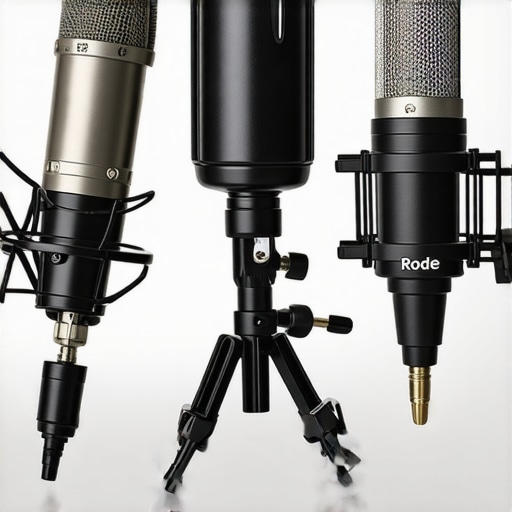
Deity V-Mic D4 Offers Features This Mic Can’t Touch
If you have a bit more room in your budget, the Deity V-Mic D4 is the most dangerous competitor. For roughly $99, the Deity offers a unique ‘stepless’ gain knob on the back of the mic and a secondary input that allows you to plug in a lavalier microphone and record two tracks at once. Our $60 unit is a ‘dumb’ device by comparison—it has no buttons, no dials, and no extra ports. If you are a solo creator who needs to capture yourself and an interviewee simultaneously, the $40 savings here might actually cost you more in the long run when you have to buy a separate recorder. You can see the full feature breakdown on the official Deity product page to see why that extra hardware matters.
Is it worth the upgrade to a $200 shotgun?
This is the question every growing channel eventually faces. Stepping up to a $200 mic like the Rode VideoMic NTG or the Deity V-Mic D3 Pro doesn’t just give you ‘better’ sound; it gives you a safety net. Those higher-end units include internal batteries that last for 30+ hours and ‘safety channels’ that record a second, quieter version of your audio to prevent clipping. If you are filming high-stakes events like weddings or professional interviews, the $60 mic is a gamble. But for a home studio where you can control your environment and restart a take, the $200 jump is often overkill for 90% of YouTube content.
The Budget Battle Between This and the Movo VXR10
The most direct rival is the Movo VXR10. They sit at nearly identical price points and target the exact same ‘smartphone and DSLR’ audience. In my testing, the Movo tends to have a slightly wider pickup pattern, which is great if you move around a lot, but worse if you are trying to block out a noisy air conditioner. Our $60 unit has a tighter ‘super-cardioid’ focus, making it the better choice for creators in small, echoey apartments. If you find that the Movo feels a bit too ‘thin’ in the low end, you will appreciate the added weight and warmth our budget pick provides to the lower registers of the human voice. Before you pull the trigger, check the current prices on B&H Photo Video to see which one is currently on sale, as these two frequently trade blows for the top value spot. If you want to see how these compare to more stationary options, be sure to check our latest studio gear roundups for a wider perspective on audio quality.
The Honest Scorecard of Wins and Losses
Before you tap that buy button, let’s weigh the reality of what this $60 investment actually buys you. It’s a game of trade-offs, where material quality meets budget electronics.
- Pro: A rugged aluminum chassis that survives the bottom of a gear bag.
- Pro: No-fail plug-in power that means you will never miss a recording because of a dead battery.
- Pro: Tight super-cardioid focus that helps solve the reason your mic still picks up your keyboard clicks.
- Con: Stiff shock mount that transmits mechanical thuds when moving.
- Con: Fragile 3.5mm cables that feel like they might fray after a year of heavy use.
- Con: Lacks an internal -10dB pad, making it risky for loud environments.
#IMAGE_PLACEHOLDER_E#
Where This Mic Belongs in Your Workflow
This is not a professional tool for a wedding videographer who only has one chance to get the shot. It is, however, one of the 7 essential tools for any creator starting a home studio. If you are a solo YouTuber recording talking-head videos in an echoey apartment, the directional focus is your best friend. It also works wonders for those learning how to get professional audio on a budget smartphone without a massive rig. Avoid this if you are a high-energy gamer who tends to shout; the lack of a limiter will lead to clipping that you simply cannot fix in post-production. Similarly, if you shoot primarily outdoors, you must budget for a better windscreen, as this 12 dollar foam filter is better for outdoor wind noise than what comes in this box.
The Verdict: A Budget Powerhouse for the Right Creator
For $60, you are buying a massive upgrade over your built-in microphone. While it lacks the finesse and software features of a $200 Rode or Deity, it delivers the most important thing: vocal clarity. My final advice is to buy it if you are currently using internal camera audio, but treat the cables with care and keep your camera’s gain settings low. The value for the money here is undeniable, providing a semi-pro sound signature for the price of a dinner for two. Check the latest price and user reviews to see if this fits your current setup today.