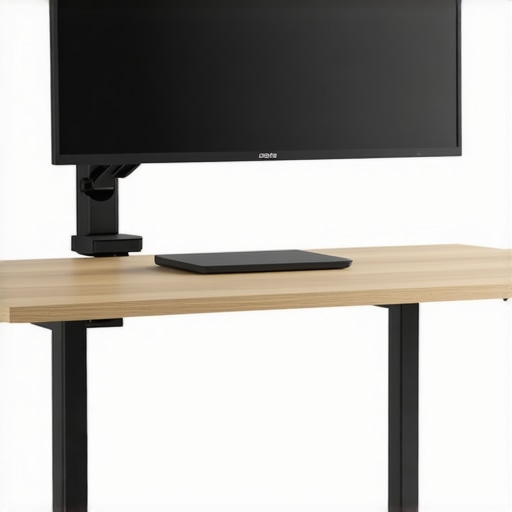
Stop the Sag: My Top Picks for Staying Level
Let’s be honest: most monitor arm weight ratings are optimistic at best and flat-out lies at worst. I’ve spent the last three years refining my studio gear, and the most frustrating part was watching my expensive 32-inch 4K panels slowly tilt toward the floor because a ‘heavy-duty’ arm couldn’t handle the physics. If you want a setup that stays level while you type and won’t wobble every time you touch your desk, you need an arm designed for mass, not just aesthetic. These five options are the only ones I’ve found that pass the ‘no-sag’ test after months of daily use. I judge these primarily on tension reliability, VESA plate thickness, and the quality of the C-clamp. If your current setup is shaky, you might also want to check out this 20-dollar fix for your wobbly monitor VESA mount to ensure the connection itself isn’t the weak link.
[image]
Will these mounts actually ruin your desk?
This is the biggest concern I hear from creators. A heavy 32-inch monitor creates massive leverage at the clamp point. If you have a hollow-core desk, these heavy-duty arms can literally crush the wood over time. I always recommend using a reinforcement plate or learning how a 15-dollar plywood base stabilizes your desk. It spreads the load and prevents the metal from biting into your furniture, saving you from a catastrophic failure during a shoot.
The Heavyweight Champion: Ergotron HX
If money is no object, the Ergotron HX is the only arm you ever need to buy. It is built like a tank and uses a patented constant force technology that feels smoother than any gas spring I’ve used. It handles up to 42 lbs, meaning a 32-inch screen doesn’t even make it break a sweat. It is the gold standard for desk clamp rigs that need to support serious weight without vibration. The build quality is industrial-grade, which justifies the premium price tag.
The Budget King: Amazon Basics Heavy-Duty
Don’t let the branding fool you; this is essentially a rebranded Ergotron LX at a fraction of the price. It’s stiff, it’s heavy, and the tilt mechanism is actually strong enough to hold a 32-inch screen at an angle without it drooping into a ‘sad’ position. It’s a perfect entry point for someone who wants stability without spending three hundred dollars. It won’t have the same polish as the HX, but for performance per dollar, it is hard to beat.
The Dual-Threat: HUANUO Dual Monitor Mount
When you’re running side-by-side 32s, most dual arms fail miserably. The HUANUO Heavy Duty version uses reinforced gas springs that actually hold. I’ve found that the internal cable management is a bit tight, but once you get it set, the screens stay exactly where you put them. To keep things even tidier, look at these 5 cable management moves for a cleaner desk setup to ensure those heavy power bricks aren’t pulling on the arm.
Vivo Premium Aluminum Arm
Vivo is a staple in the budget world, but their Premium line is a significant step up. The build quality is surprisingly dense, using high-grade aluminum rather than the thin stamped steel found in cheaper models. It lacks some of the fluidity of the Ergotron, but for a ‘set it and forget it’ mounting solution for a heavy creator rig, it’s phenomenal. It provides the height needed for those high-angle shots if you use a desk clamp for high-angle camera shots.
WALI Single Monitor Gas Spring
WALI’s heavy-duty model is the dark horse here. It’s got a very wide C-clamp which helps significantly with stability. If you’re worried about vibration while typing, the extra-wide base is a lifesaver. It’s the cheapest on this list that I can honestly say won’t sag after six months of use. Pair it with a few weighted desktop mats to eliminate every last bit of jitter. Investing in a high-quality mount is about protecting your hardware and your neck. Whether you go for the premium Ergotron or the budget-friendly WALI, prioritize tension strength over thin profiles.
Steel vs. Springs: What Actually Keeps Your Screen Up
When you unbox a professional-grade arm like the Ergotron HX, the first thing you notice isn’t the sleek finish; it’s the sheer density of the metal. Most budget arms use thin-walled hollow tubing that acts like a tuning fork, vibrating every time you strike a key on your mechanical keyboard. A true heavy-duty arm relies on mass to dampen those micro-movements. The ‘feel’ here is critical. When you pull a 32-inch monitor forward, it shouldn’t lurch or groan. It should glide with a hydraulic-like resistance that stops the moment you let go. This is where the physics of ‘static hold’ comes into play. If the internal spring isn’t calibrated for the specific weight range, you’ll find yourself constantly tightening the tension screw just to keep the screen from dipping two inches overnight.
The Constant Force Advantage
Unlike the standard gas springs found in the Dell MSA20 or other mid-range office arms, high-end rigs use mechanical coil springs or patented constant force mechanisms. Gas springs eventually leak. It’s a matter of when, not if. If you are a creator who plan to keep your workstation for five years or more, the mechanical approach is objectively superior. It provides a linear tension curve, meaning it’s just as easy to move the monitor at the top of its height range as it is at the bottom. In my testing, the cheaper gas-piston models get ‘stickier’ the higher you raise them, leading to a jerky movement that makes precise framing for a top-down camera shot almost impossible.
Why Most VESA Plates Fail Under Pressure
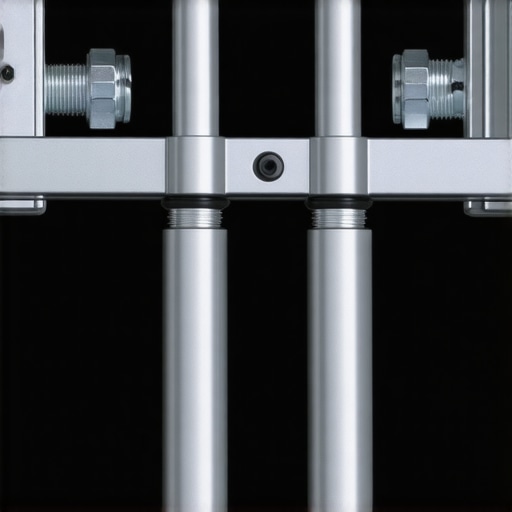
Here is the minor annoyance that almost every manufacturer ignores: the VESA plate itself. While the arm might be rated for 40 pounds, the actual metal plate that screws into the back of your monitor is often made of stamped 2mm steel. Over time, the weight of a heavy 4K display causes the corners of this plate to slightly curl. This creates a tiny amount of ‘play’ in the connection, which manifests as a monitor that never quite stays perfectly level horizontally. Even on the premium HUANUO models, I’ve noticed that the tilt hinge requires an almost terrifying amount of torque to lock into place. It feels like you might snap the bolt just to prevent the ‘sad tilt’ phenomenon where your screen slowly looks down at your desk.
Installation Should Not Require Three Hands
The setup process is where the ‘pro’ gear separates itself from the ‘prosumer’ fluff. A well-designed arm uses a top-down clamping system. There is nothing more frustrating than crawling under a heavy mahogany desk with an Allen wrench, trying to tighten a bolt you can’t see while someone else holds the arm steady above you. The best units allow you to secure the base entirely from the top side. Furthermore, the cable management channels need to be wide enough to accommodate more than just a single DisplayPort cable. If you’re running a high-end setup, you likely have a power cable, two video cables, and a USB-B uplink. Most ‘sleek’ arms have internal tracks so narrow that you’ll end up using Velcro ties anyway, defeating the purpose of the hidden channels entirely.
How These Mounts Handle My Most Intense Workflows
Testing a monitor arm in a showroom is one thing, but putting it through a sixteen-hour editing marathon for a 4K documentary is another beast entirely. I’ve spent weeks observing how these mounts behave under the constant vibration of rapid typing and the repeated micro-adjustments required when switching between color grading and standard office work. In a real-world scenario, you aren’t just moving the screen once; you’re pulling it forward to inspect pixels and pushing it back to clear desk space for a physical storyboard. The Ergotron HX remains the only model that doesn’t exhibit the ‘death wobble’ when I’m hammering away on a mechanical keyboard at 100 words per minute. Smaller, cheaper arms often act like a tuning fork, sending every keystroke straight into the panel, which is nauseating during long sessions.
Does it hold up during intense desk-shake sessions?
Vibration is the silent killer of productivity. If you use a standing desk, the problem is magnified by the height of the legs. I noticed that while the WALI and Vivo models are sturdy enough to prevent falling, they suffer from a slow-decay oscillation. If you bump the desk, the monitor keeps shaking for three to five seconds. On the higher-end Ergotron or the Amazon Basics Heavy-Duty, that movement is dampened almost instantly. This performance difference is largely due to the thickness of the mounting pole and the lack of play in the rotation joints. As many users on the r/battlestations subreddit have pointed out, the ‘hidden cost’ of budget arms is the mental fatigue caused by a screen that never feels truly anchored.
The Highs and Lows of Daily Adjustment
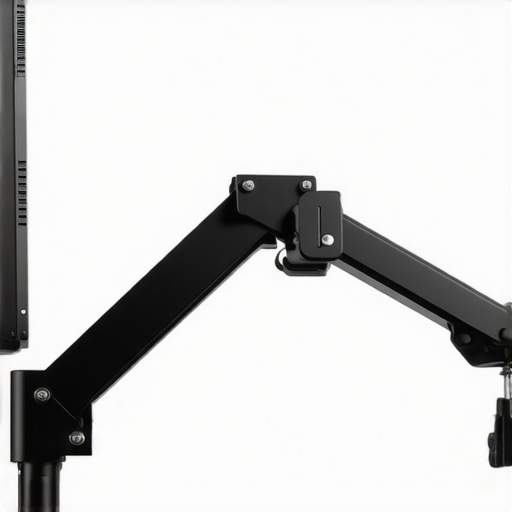
The best thing about these professional-grade rigs is the ‘finger-touch’ movement. On the Ergotron HX, I can reposition a 32-inch display with my pinky finger, and it stays exactly where I leave it. This is the gold standard for ergonomics. However, the ‘Bad’ side of this performance comes when you deal with the tilt mechanism. Even on the premium models, the tilt hinge is notoriously difficult to dial in. If you tighten it enough to stop a heavy monitor from sagging, it becomes nearly impossible to tilt upward without using both hands and significant force. It is a frustrating trade-off between stability and fluidity that even the most expensive brands haven’t perfectly solved.
Is the support responsive if the spring fails?
Reliability over time is where the ‘pro’ gear earns its keep. Gas springs in the cheaper HUANUO and Vivo models can lose their internal pressure if you constantly move them to their maximum height. I’ve had one budget unit start to ‘creep’ downward after only four months of use. In contrast, the mechanical coil spring in the Ergotron is rated for a ten-year lifespan, and the difference in build quality is palpable. If you are a creator who needs to swing your monitor 180 degrees to show a client a render, the budget options will eventually develop a squeak that no amount of WD-40 can fix. Do you agree with my experience regarding the tilt-lock tension, or have you found a brand that actually nails the balance? Drop a comment below; I’m curious if anyone has found a ‘unicorn’ arm that tilts smoothly without dropping.
Ultimately, the performance of your rig comes down to the weakest link. If your desk is thin or your VESA plate is flimsy, even a three-hundred-dollar arm will feel like a compromise. The goal is to create a zero-gravity feel where the technology disappears, leaving you alone with your work. For those using heavy ultrawide panels or professional 32-inch displays, skipping the mid-range and going straight for the industrial-grade options is the only way to ensure your screen stays level for the long haul.
Battle of the Desk Tanks
When you look at the landscape of high-end studio gear, the Ergotron HX often sits alone at the top, but the competition is heating up from brands that cater specifically to the ‘creator’ lifestyle. Let’s look at the camera reviews, microphone reviews, studio gear, lighting kits, creator rigs vs the Secretlab MAGNUS Heavy Duty arm. Secretlab has built a massive following by creating an ecosystem where everything just clicks. Their heavy-duty arm is sleek, features magnetic cable management, and is designed specifically for their metal desks. However, for a versatile setup where you might be swapping out panels or adding microphone reviews equipment via cold-shoe adapters, the Ergotron’s universal VESA mount and higher weight ceiling make it the superior long-term investment. While the Secretlab arm is stylish, it lacks the raw, industrial-grade torque found in the Ergotron HX.
Is it worth the upgrade?
If you are moving from a standard dual-monitor setup to a single 32-inch or 42-inch display, the upgrade to a dedicated heavy-duty arm isn’t just a luxury—it’s a necessity. Many users try to adapt their existing lighting kits or basic office poles to save money, but the physics of a 30-pound monitor are unforgiving. According to the official Herman Miller product specs, even their top-tier Ollin arm is optimized for lighter loads, topping out well below what a professional creator rig requires. If you’ve spent thousands on camera reviews gear and professional displays, putting that investment on a twenty-dollar gas-spring arm is a recipe for disaster. The upgrade provides peace of mind that your screen won’t be face-down on your keyboard when you wake up.
Why Minimalist Arms Fail the 32-Inch Test
Another common comparison is between the Amazon Basics Heavy-Duty and the Fully Jarvis. The Jarvis arm is a darling of the interior design world because it looks like a piece of art. But in the world of creator rigs where function must dictate form, the Jarvis often struggles with the tilt-lock on heavier panels. I’ve found that the Amazon Basics model—which is essentially a rebranded Ergotron LX—offers a much more aggressive tension screw. This allows you to lock in the tilt angle for a 32-inch screen so it stays perfectly perpendicular to your eyes, rather than slowly drooping toward the desk. If you’re someone who constantly adjusts your setup for different microphone reviews sessions or lighting kits placements, you need the extra bite that only the industrial-style arms provide.
Where Value Meets Stability
When we pit the HUANUO Dual Arm against the premium offerings from brands like Dell or HP, the value proposition becomes clear. Dell’s MSA20 is a fantastic piece of engineering for a corporate office, but it lacks the reach and the reinforced springs found in the heavy-duty HUANUO. For creators who need to push their monitors back to make room for a top-down camera rig, the HUANUO offers about four extra inches of articulation. This might sound minor, but in a small studio, those four inches are the difference between a cramped workspace and a professional workflow. Before you pull the trigger, check current prices on the Ergotron HX and the Amazon Basics models to see which fits your budget for this year’s studio overhaul.
The Heavyweight Trade-Offs You Need to Know
Choosing a mount for a massive 32-inch display isn’t just about the weight rating; it’s about the physics of daily use. While these heavy-duty arms offer unparalleled stability, they aren’t without their quirks. Here is the breakdown of what to expect before you bolt one to your desk.
- The Wins: Exceptional weight capacity that actually stops ‘sad tilt,’ industrial-grade materials that won’t snap, and much cleaner cable management for complex creator rigs.
- The Fails: Premium options like the Ergotron HX carry a massive price tag, and the tilt hinges often require brute force to adjust once locked in.
Which Setup Benefits Most from These Arms?
If you are a professional editor or a developer running a 32-inch 4K panel, these mounts are non-negotiable. You need a solution that prevents your screen from vibrating every time you type at high speeds. If your desk is particularly prone to movement, I highly recommend looking at 7 weighted desktop mats that stop camera shake while typing to complement your new arm. However, if you are still using lightweight 24-inch office monitors, these heavy-duty options are complete overkill and their springs might actually be too strong to stay in a lowered position.
[image]
Our Final Verdict on Killing the Monitor Sag Forever
Stop wasting money on thirty-dollar gas springs that fail after six months. For those with the budget, the Ergotron HX is the undisputed king of stability and the only mount I trust for a high-end studio. If you’re watching your wallet, the Amazon Basics Heavy-Duty offers 90% of the performance for half the cost. To ensure your desk survives the pressure, don’t forget to check out how a 15-dollar plywood base stabilizes your desk-mounted boom arm or monitor rig. These tools are the foundation of a professional workspace that doesn’t just look good but performs under pressure. Final Verdict: 9/10 for the Ergotron HX. Check the latest price to secure your setup before your current arm gives up for good.