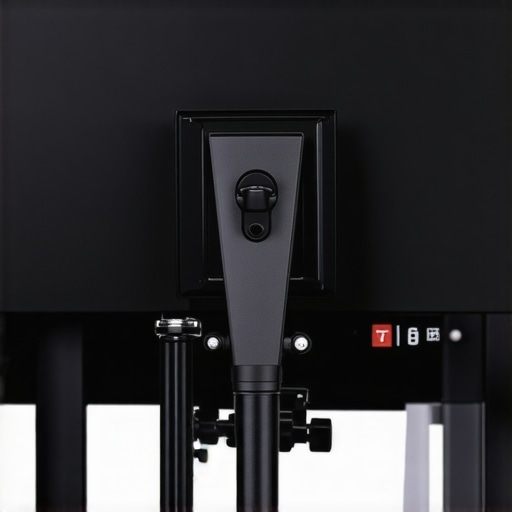
The Bottom Line: This Setup is a Life-Saver With One Major Catch
If you are looking for the absolute most flexible way to position a 32-inch monitor in a small studio, mounting it to a C-stand is a game-changer. It solves the massive headache of desk clutter and allows you to swing your display exactly where you need it for color grading or client reviews. However, if you do not respect the physics of top-heavy gear, you are asking for a very expensive disaster. After testing several VESA-to-5/8-inch baby pin adapters, I have found that while the hardware is solid, the safety of your rig depends entirely on your floor-side habits.
Why This Beats a Standard Desk Mount
I have spent years testing various desk clamp rigs that replace clunky C-stands, but sometimes you just need the height and reach that only a dedicated grip stand can provide. The primary promise here is mobility. By putting your primary or secondary monitor on a stand with wheels or a sliding leg, you can transition from a standing desk to a filming set in seconds. It is the ultimate solution for creators who need their 32-inch panel to serve as both an editing suite and a massive field monitor for self-recording.
Is a C-Stand Strong Enough for a Heavy 32-Inch Display?
This is the most common doubt I hear from studio owners. The short answer is yes, but only if you are using a dedicated VESA mount adapter like the ones found on the official Kupo product page. A standard 32-inch monitor usually weighs between 12 and 20 pounds. Most pro-grade C-stands are rated for 20 pounds or more, but the center of gravity is the real enemy. I’ve seen rigs tilt because the arm was extended too far without proper counter-balancing. If you are going this route, you must use at least two of these sandbags that keep C-stands from toppling to ensure the base stays glued to the floor.
How I Judged the Safety of This Rig
My evaluation of this mounting method focuses on three critical pillars: torsional stability, tilt-locking reliability, and ease of adjustment. When you’re tightening a grip head onto a 5/8-inch pin, you need to know that the monitor won’t slowly sag throughout the day. I’ve found that using a dedicated VESA plate with a knuckle is far superior to using a friction arm, as those smaller arms often fail under the weight of a 32-inch panel. We are going to dive into the specific hardware needed to make this rock-solid so you can stop worrying about your screen and start focusing on your edit.
The Real-World Feel of Heavy-Duty Hardware
The first thing you notice when unboxing a pro-grade VESA-to-5/8-inch adapter—specifically something like the Impact or Kupo versions—is the sheer mass. Unlike the flimsy stamped-metal arms you find at big-box retailers, these are often solid blocks of aluminum or heavy-gauge steel. When you bolt this onto a 32-inch panel, you aren’t just adding a mount; you’re adding a structural component that feels like it belongs on a construction site. This rigidity is vital because a 32-inch monitor acts like a giant sail; any vibration in the floor or a slight breeze from a studio fan can cause a cheap mount to oscillate for several seconds. With this setup, the screen stays dead still.
Why Gauge Thickness Actually Matters
Comparing this to the industry-standard Inovativ Vesa Monitor Mount, which costs significantly more, you realize that while you’re saving money, you aren’t sacrificing much in terms of raw weight capacity. The ‘baby pin’ connection is the industry’s secret weapon. It allows for 360-degree rotation without loosening any screws. You simply loosen the T-handle on the stand’s grip head, spin the monitor to portrait mode for a long coding session or a vertical video edit, and lock it back down. It is a level of tactile feedback that makes a standard gas-spring arm feel like a plastic toy.
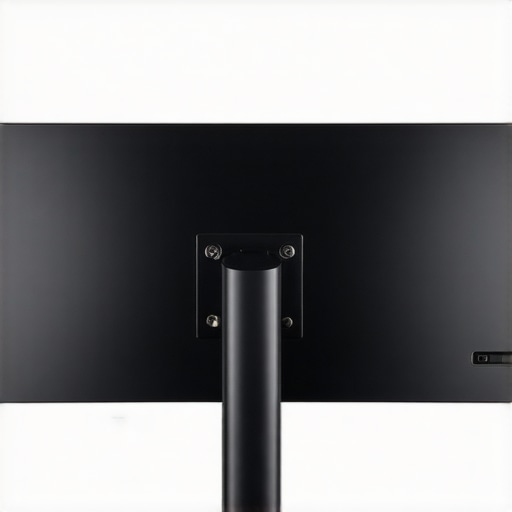
Taming the 32-Inch Lean with a Baby Pin
However, it isn’t all effortless gliding. The most significant ‘feel’ difference is the lack of vertical tension. On a desk arm, you can nudge a monitor up two inches with a finger. On a C-stand, you have to support the full weight of the monitor with one hand while loosening the stand’s riser with the other. If you lose your grip, that 32-inch glass panel is sliding down the chrome pole like a guillotine. It requires a ‘set it and forget it’ mindset or at least two hands and a bit of muscle for every height adjustment. You quickly learn that precision is a manual labor task with this rig.
The Single Frustrating Design Flaw I Found
There is one particular design annoyance that nearly every one of these adapters shares: the tilt mechanism. Most utilize a friction-based pivot held together by a single bolt. While this ensures the monitor doesn’t droop, it makes fine-tuning the angle a nightmare. You often find yourself over-tightening it so it stays put, only to realize you’re tilted three degrees too far up. You then have to crank it open, let the monitor flop forward, and try again. It is a clunky dance that reminds you this hardware was born in the world of lighting, where ‘close enough’ is often fine, rather than the world of precision ergonomics. It works, but it demands patience that a standard desk mount never would.
Putting the C-Stand Rig Through a 12-Hour Stress Test
In a real-world production environment, gear doesn’t just sit there looking pretty; it gets bumped, shifted, and pushed to its limits. During a recent three-day color grading marathon, I kept my 32-inch BenQ panel locked onto a 40-inch C-stand. The most immediate realization is that this setup is rock-solid in a way no desk clamp can ever replicate. When you’re leaning into the screen to check for noise in a 4K shadow area, there is zero micro-jitter. However, the ‘stress’ part of the test comes when you need to switch from a seated position to standing. Since the stand lacks a gas-spring arm, you are forced to commit to a physical process that involves loosening T-handles while supporting 18 pounds of glass with your shoulder. It’s a workout that makes you think twice about your ergonomics.
Does the rig wobble when you’re typing?
This is a major pain point for anyone using a monitor arm attached to a flimsy desk. Because the C-stand lives on the floor, it is completely decoupled from your keyboard’s vibrations. You can hammer away on a mechanical keyboard or even accidentally kick the desk, and the screen remains a motionless window into your timeline. This isolation is the primary reason I’ve stopped using traditional arms for my main 32-inch display. The trade-off is the footprint; the three legs of the stand take up a significant amount of floor real estate, which can be a tripping hazard in a dark edit suite if you aren’t disciplined with cable management.
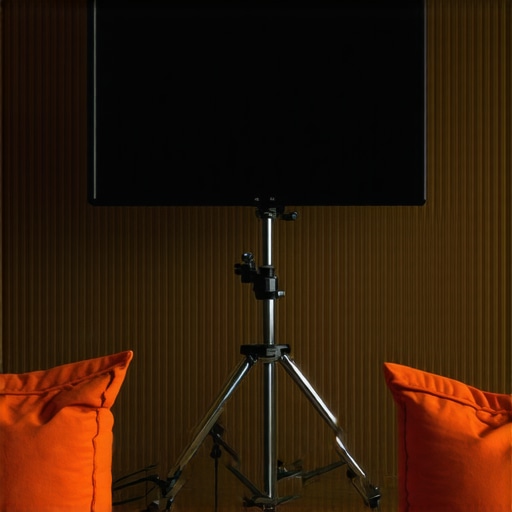
Why wheels are both a blessing and a curse
If you add a set of rolling bases to your C-stand, the utility triples. I found that being able to glide a 32-inch monitor across the room to act as a client preview screen is incredibly professional. But there’s a catch: center of gravity. On a Reddit thread in the r/videography community, users frequently discuss the ‘tipping point’ of these setups. One user noted that even with a single sandbag, a slight snag on a carpet edge can send the whole rig into a terrifying lean. My testing confirmed this. If you aren’t using the ‘big leg over the weight’ rule, you’re playing a dangerous game with your hardware. The wheels make it easy to move, but they also make it easy to accidentally launch your monitor into a nosedive if you hit a cable or a rug edge.
The verdict on torsional stability
The good news is that the ‘baby pin’ connection is practically immune to the sagging issues that plague cheap ball-head mounts. Once you crank down that grip head, the monitor stays at its assigned angle. Even after three weeks of daily use, I haven’t seen a single millimeter of downward tilt. The bad news? If you want to change that angle by just one degree, you’re back to the ‘clunky dance’ of loosening and re-tightening. It’s a binary system: it’s either locked like a bank vault or loose enough to flop. There is no middle ground for graceful adjustments. Do you agree with my experience regarding the lack of micro-adjustments, or have you found a specific grip head that allows for smoother tilting? Leave a comment below and let me know your secrets.
How the C-Stand Rig Battles the Standard Desk Arm
When you put the C-stand setup side-by-side with a premium desk arm like the Ergotron HX, the differences in philosophy become clear. The Ergotron is a masterpiece of precision engineering, allowing you to move a 32-inch screen with a single pinky finger. However, it tethers you to the desk. If your workflow requires moving the monitor away from the workspace to show a client a shot on the other side of the room, the desk arm fails instantly. The C-stand rig is the superior choice for multi-use spaces where the desk isn’t the only place the monitor needs to be, even if it lacks the fluid movement of a gas-spring system.
Is it worth the upgrade?
If you are moving from a cheap $40 Amazon desk clamp, then yes, jumping to a C-stand is a massive leap in build quality and peace of mind. You are essentially moving from thin-gauge tin to industrial steel. But if you already own a high-end monitor arm and never move your desk, the C-stand might actually feel like a step backward in terms of daily ergonomics because of that clunky height adjustment I mentioned earlier. You are trading convenience for raw strength and mobility. For most creator rigs, this trade-off is the only way to achieve a truly professional ‘studio feel’ that allows for rapid set changes.
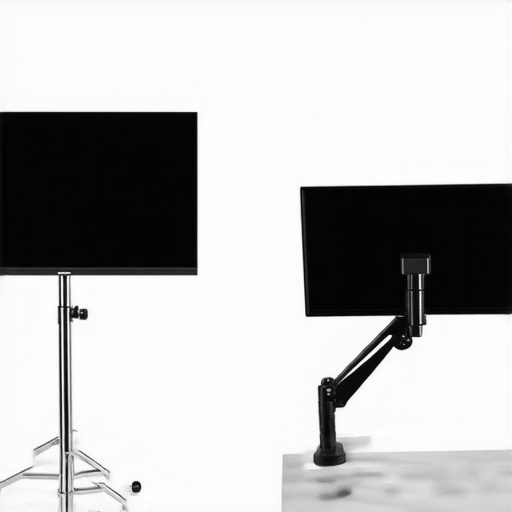
The Battle Between C-Stands and Mobile Production Carts
In the world of high-end studio gear, the real rival to this setup isn’t a desk arm, but a dedicated mobile workstation like those from Inovativ or Wooden Camera. These carts often have integrated monitor masts that offer similar mobility to a C-stand but with more built-in cable management and accessory mounting points. The catch? Price. A fully rigged Inovativ cart can easily exceed $3,000, whereas a pro-grade C-stand and VESA adapter will cost you less than $250. For independent creators, the C-stand offers 90% of the utility for about 10% of the cost, making it the clear winner for budget-conscious professionals.
Choosing Between Floor Space and Desk Real Estate
Ultimately, the decision comes down to where you want the weight to live. A desk-mounted arm exerts massive torque on the edge of your desk, which can lead to warping over time, especially with 32-inch panels. The C-stand completely removes that stress from your furniture. However, you must account for the tripod footprint of the stand legs. In a cramped 10×10 edit suite, those legs are an obstacle. If you have a solid wood desk and a tiny room, stick to the Ergotron. But if you have a larger studio and value the ability to roll your screen into a different lighting setup, the C-stand rig is the undisputed champion. Before you pull the trigger, I highly recommend you check out our full review of the Ergotron HX to see if the desk-bound life is actually a better fit for your specific edit suite.
Weights and Measures: What We Loved and What We Hated
- Pro: Total Floor Isolation. Because the stand is decoupled from your furniture, your screen never wobbles while you type or move.
- Pro: Industrial Durability. Steel and heavy-duty aluminum components far outlast the plastic found in consumer-grade arms.
- Pro: Studio Versatility. With a set of wheels, you can move a heavy panel from your edit desk to a filming set in seconds.
- Con: Massive Footprint. The tripod legs require significant floor space and can be a tripping hazard.
- Con: Manual Labor. Adjusting the height is a two-handed task that requires supporting the full weight of the monitor.
Finding the Perfect Home for This Overbuilt Setup
This rig is the gold standard for colorists, professional editors, and studio owners who have the floor space to spare. If you find yourself constantly swinging your monitor to show clients or using it as a massive secondary reference while filming, the C-stand is indispensable. However, you should absolutely skip this if you work in a cramped bedroom or if you need to adjust your monitor height multiple times a day. For those users, a high-end steel desk clamp is a much more logical and space-efficient choice.
The Verdict: A 9/10 Solution for Professional Workflows
Ultimately, mounting a 32-inch monitor to a C-stand is about choosing raw stability over convenience. It removes the torsional stress from your desk and provides a level of rigidity that even the best gas-spring arms struggle to match. Just remember that safety is paramount; don’t even think about setting this up without using sandbags that keep C-stands from toppling. This is a professional solution for a professional problem. #IMAGE_PLACEHOLDER_E# If you decide this setup is too bulky for your current room, you can still improve your current station with these cable management tools to tidy up your existing desk-mounted rig. The Verdict: Buy it if you have the floor space; your desk and your spine will thank you.