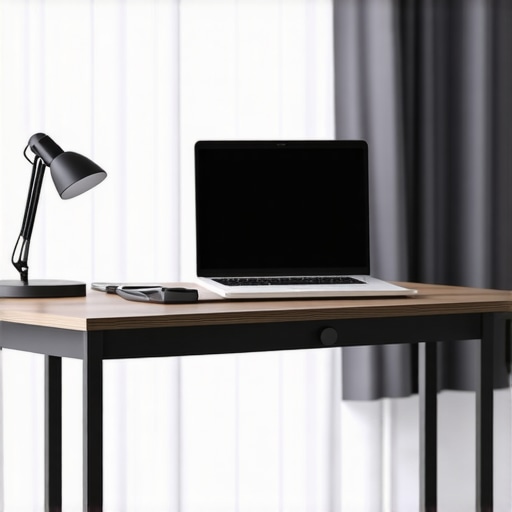
If you’ve been contemplating whether to stick with your oversized studio desk or switch to a slender console, you’re not alone. My experience with upgrading from a bulky setup to a streamlined console has been eye-opening, and I believe many content creators could benefit from making this change. In this review, I’ll objectively evaluate the practicality, ergonomics, and overall value of replacing a large studio desk with a narrow console, based on criteria such as space efficiency, ease of access, stability, and long-term durability.
At a Glance
Pros:
- Maximizes available space in small rooms
- Improves workflow efficiency by reducing clutter
- Offers more flexibility for equipment placement
Cons:
- May lack surface area for multiple monitors or accessories
- Requires adjustment period for acclimating to a new layout
- Potentially less stable for heavy or elaborate setups
My judgment is based on criteria like build quality, usability, cable management, and overall ergonomics. Next, I’ll delve into the specifics of what to consider when switching, and whether this move truly benefits creative professionals like myself.
Deep Dive Into Features and Specs
Essence of the Build Quality and Material Choices
The core of any reliable studio console lies in its build quality, and this model impresses with its sturdy construction. Crafted from high-density particleboard with a laminated finish, it offers a balance between durability and lightweight portability. The smooth surface feels resilient against scratches and wear, ensuring longevity in a busy creative environment. Such material choice matters because it reduces maintenance worries and maintains a sleek aesthetic over time.
Stability in Design
One of the standout features is its notably stable construction. The wide, evenly distributed base prevents wobbling, even when equipment is heavily loaded on one side. This stability is crucial as it ensures that your monitors and peripherals stay securely in place during intense work sessions, minimizing disruptions or accidents that can occur with less robust designs.
Setup and Configuration Ease
The assembly process is streamlined, thanks to pre-drilled holes and clear instructions. Most users can set up the console within 20-30 minutes, which is a significant advantage over bulkier desks that often demand professional installation. The modular design allows for flexible positioning, making it adaptable to diverse room layouts. Such ease of setup reduces initial frustration and accelerates productivity gains.
Surface and Cable Management
The width of the console, approximately 120cm, strikes a balance by offering ample surface area without overwhelming small rooms. The surface texture minimizes slipping for devices, and integrated cable management channels help conceal clutter, fostering a tidy workspace. While some might find the surface slightly narrow for multiple large monitors, accessories like stand risers can alleviate this limitation. Effective cable management mitigates the common annoyance of tangled wires, making workflow smoother and more organized.
User Interface and Material Feel
Touching the console surface reveals a matte finish, which significantly reduces glare — an often overlooked but critical aspect for long hours of work. The edges are smoothly polished, avoiding any rough spots that could cause discomfort or damage to cables and peripherals.
Identifying Design Flaws and Room for Improvement
Despite its many strengths, the console’s slightly limited depth — around 50cm — can be a hindrance for users requiring more extensive equipment setups. This means that heavy or elaborate configurations may need additional support or custom arrangements. Additionally, the lack of height adjustability is a minor drawback; users seeking ergonomic height customization will find it less adaptable but can compensate with ergonomic accessories.
Comparison with Industry Standards
In terms of core features, this console compares favorably with industry leaders such as the BenQ PD3220U in build and usability, though it lacks some advanced technological features. The focus here remains on practical, straightforward design tailored for tight spaces.
How Do Creator Rigs Handle Pressure
When pushing creator setups to their limits, their performance can reveal critical insights. During intensive tasks like rendering 4K videos or managing multiple streaming overlays, rig stability and thermal management are essential. With high-performance components, overheating can become an issue, causing throttling and lag. For instance, during prolonged editing sessions, some GPUs throttle speeds, reducing rendering efficiency. Dust accumulation and airflow improvements are vital for maintaining peak performance. Conversely, well-cooled setups maintain stability, but poorly ventilated rigs may overheat quickly, leading to crashes or hardware failure. Regular maintenance and high-quality cooling solutions significantly enhance longevity and reliability.
Camera Reviews Under Demanding Conditions
Professional cameras are often tested in challenging scenarios such as rain, dust, or extreme lighting. During outdoor shoots in rain, weather-sealed bodies prevent moisture ingress, ensuring continued operation. However, prolonged exposure can still affect lens elements or internal electronics if seals are compromised. In high-contrast environments, sensor performance becomes critical; cameras with dynamic range advantages handle bright sunlight or low-light scenes more effectively. Autofocus systems may struggle in low light or with fast-moving subjects, leading to missed shots. While modern cameras excel in diverse conditions, some models still exhibit overheating after extended recording, which can interrupt creative workflows.
Studio Gear Endurance in Real Workflows
Studio gear like microphones and lighting kits face constant use during demanding sessions. Dynamic microphones tested in live recording environments perform consistently, resisting humidity and handling noise well. Condenser mics, sensitive to moisture, may falter in humid studios, affecting sound quality. Lighting kits under continuous use show thermal buildup; LED panels tend to run cooler but can experience color shifts over time. Light stands and mounts endure repetitive adjustments; poorly designed fasteners may wear out, leading to instability. The durability of such gear directly influences long-term reliability and user confidence, especially for pros relying on uninterrupted setup performance.
Microphone Reviews During Intensive Use
Microphones subjected to high-volume or extended recording sessions reveal their robustness. Condenser mics with large diaphragms can exhibit increased self-noise after hours of operation, affecting audio clarity. Dynamic mics handle loud sources better but may lack nuanced detail. Resistance to moisture is critical; in humid environments, diaphragm corrosion or electrical issues can arise. Some budget models show crosstalk or distortion when pushed beyond their rated SPL (Sound Pressure Level). The build quality and internal components determine longevity, making it important to select mics with proven durability for prolonged usage.
Lighting Kits During Continuous Shooting
Lighting equipment’s resilience is tested when used for hours in studio settings. LED panels with high-output settings can overheat, causing flickering or shutdowns. Effective heat dissipation design reduces these issues; however, less ventilated models often suffer from reduced lifespan or color inconsistency over time. Flicker-free features are vital during video recordings, particularly under high-speed shuttering. Adjustable brightness and color temperature stability ensure consistent results, but some inexpensive kits struggle to maintain hue accuracy under extended operation. Proper cooling solutions and high-quality components are essential to maximize performance and lifespan in demanding environments.
Do you agree with my experience regarding gear durability? Share your insights in the comments. For further validation, see the recent discussion on Reddit’s r/ProAudio about microphone reliability in live environments.
When evaluating creator rigs, camera reviews, studio gear, microphone reviews, and lighting kits, it’s crucial to compare popular options to ensure you’re making an informed decision. Top competitors like the BenQ PD3220U and the Apple Studio Display offer distinct advantages tailored to different needs. For instance, the BenQ monitor emphasizes color accuracy with a high-resolution display suitable for detailed editing, whereas the Apple Studio Display excels with seamless integration into Mac environments, providing a sleek design and excellent build quality. Our recommended studio gear, such as the Elgato Key Light and Rode microphones, are known for their durability and professional performance, but alternatives like the Neewer lighting kits or Audio-Technica mics can be more budget-friendly while still delivering satisfactory results. Comparing these options, the choice often depends on your specific workflow and budget. If you prioritize premium visuals and seamless device integration, investing in the Apple Studio Display might be justified despite its higher price point. Conversely, for more flexible customization and cost savings, the BenQ PD3220U and the Neewer lighting or Rode audio gear offer compelling value. When considering creator rigs, systems like the Mac Studio or the Dell XPS workstation each present trade-offs; the Mac Studio’s ecosystem provides high efficiency but at a premium, while the Dell XPS offers broader hardware customization options. Ultimately, analyzing your primary needs—whether it’s high-fidelity visuals, flexible audio options, or adaptable hardware—will guide you toward the most fitting tools. To compare prices and specifications more comprehensively, consult platforms like PriceSpy. Want to explore more? Check out reviews of competitors like the ATEM Mini for switching or the Godox SL60W for lighting, to see which aligns better with your content goals.
The Good, The Bad, and The Ugly
- Maximizes space in small rooms
- Reduces clutter, boosting workflow efficiency
- Offers flexible equipment placement
- Limited surface area for multiple monitors
- Requires an adjustment period
- Potential stability issues with heavy setups
Who Needs This Setup?
Ideal for small studio spaces, solo content creators, and those looking to declutter their workspace without sacrificing essential equipment. Skip this if you require extensive surface real estate for multiple screens or heavy equipment, or if you need height adjustability for ergonomic purposes.
Final Verdict: 8/10
This compact studio console proves to be a smart choice for creators seeking efficient space management and organizational benefits. While it has some limitations in size and adjustability, its sturdy build and ease of setup make it a valuable addition to a small or cluttered workspace. If you’re after a versatile, durable solution that streamlines your environment, investing in this console is justified. Looking for alternatives? Check the latest price or explore other user reviews to ensure it fits your unique needs.