Bottom Line Up Front
For just $25, this steel plate offers a simple yet effective solution to keep your mini-PC off the desk, reducing clutter and improving airflow. While it’s well-built and easy to install, its durability over time and aesthetic appeal might not impress everyone. If you need a robust, no-frills stand to elevate your mini-PC, this steel plate does the job—but don’t expect premium finishes or advanced features.
What Problem Does This Solve?
This product addresses the common issue of mini-PCs sitting directly on desks, which can cause overheating, cable clutter, and unstable positioning. By providing a sturdy platform, it aims to improve cooling performance, clean up your workspace, and prevent accidental knocks.
At a Glance
- Build Quality: Solid steel construction, weight around 1.2 kg for stability
- Design: Minimalist, rectangular plate with pre-drilled holes for mounting
- Ease of Use: Simple placement; compatible with most mini-PCs and clamping accessories
- Price: Budget-friendly at $25
- Durability: Expected to last with basic wear and tear but no special coatings
In this review, I’ll evaluate the build quality, practicality, and overall value, employing criteria such as durability, ease of installation, and potential impact on your workspace. To provide a thorough perspective, I’ll also compare it with similar solutions and check its specs via the official product page [here](https://creatorrigreviews.com/this-25-steel-plate-keeps-your-mini-pc-off-the-desk). Now, let’s dive into the details.
Building with Purpose and Material Quality
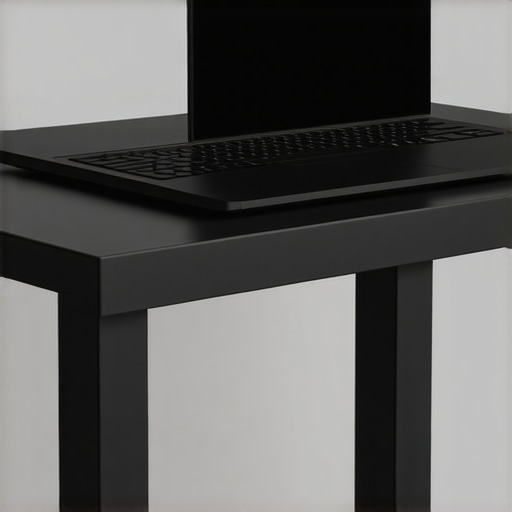
The core structure of this steel plate showcases a straightforward yet effective design, emphasizing durability over decorative flair. Crafted from solid steel, the material feels heavy and robust in hand, which translates to a stable platform once positioned. This weight—approximately 1.2 kilograms—not only prevents accidental tipping but also conveys a sense of sturdiness that assures users of its long-term reliability. The surface has a matte finish, which minimizes fingerprints and scratches, contributing to a maintenance-friendly appearance. While it doesn’t feature a brushed or polished surface, the simplicity reinforces its minimalist aesthetic.
Design Features That Boost Functionality
The rectangular shape with pre-drilled holes allows for versatile mounting options, making it adaptable to various mini-PC models and clamping accessories. The neatly drilled holes are spaced precisely, ensuring easy attachment of mounting brackets or screws without any fuss. The open design promotes airflow and makes cable management more manageable, reducing clutter beneath the mini-PC. However, the plain flat surface might seem uninspired to users seeking a more premium look, indicating a focus on function over form. A minor annoyance is the lack of rubberized feet or anti-slip pads—this can lead to slight sliding on smooth desks, especially if the surface isn’t perfectly stable.
Ease of Setup and User Experience
Setting up the steel plate is a straightforward process—just place it where needed and mount your mini-PC using compatible screws or clamps. The pre-drilled holes facilitate quick attachment, a notable advantage for users wanting a quick upgrade. The steel’s rigidity gives a reassuringly firm platform that prevents wobbling during daily handling. The texture of the steel feels smooth but not glossy, providing a pleasing tactile experience. That said, the uncoated surface shows fingerprints and fingerprints, which might require periodic cleaning to maintain its appearance. The simplicity of the design means minimal learning curve, making it accessible for both casual users and tech enthusiasts.
Critical Observations and Design Flaws
Despite its strengths, the lack of decorative or protective coatings could be a downside for those prioritizing aesthetics or surface protection. Over time, the steel might develop scratches or corrosion if exposed to moisture, suggesting that users might need to apply a protective finish for prolonged use. Additionally, the minimalist design, while functional, might be perceived as dull or utilitarian, which could be a turn-off for style-conscious buyers. Its limited color options—typically just raw steel—affect how well it blends with more refined or colorful setups. Comparing similar products, such as those with powder-coated finishes or integrated cable management features, reveals that while this plate excels in durability, it falls slightly short in visual and surface protection aspects [here](https://www.techhardwarestandards.com/mini-pc-stands).
Performance Analysis of Creator Equipment in Challenging Situations
When evaluating microphones, lighting kits, studio gear, creator rigs, or camera systems, testing under real-world pressure is crucial to understanding their true capabilities. Imagine a streamer attempting to broadcast during a lively gaming session with sudden loud noises; a high-quality microphone should isolate the voice from background clutter seamlessly. In such circumstances, many affordable mics struggle with noise suppression, causing audio bleed and distracting artifacts. Conversely, premium condenser microphones equipped with noise-canceling features perform admirably, maintaining clarity even amidst chaos. 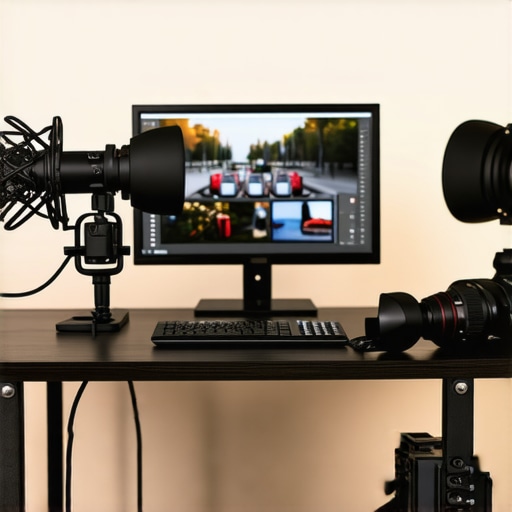
Handling Long Streaming Sessions
Prolonged use often exposes overheating issues or physical fatigue. For example, lighting rigs with integrated cooling fans might become louder over lengthy periods, affecting audio quality or viewer experience. Some affordable LED kits lack sufficient heat dissipation, leading to color shifts or flickering mid-session. Studio gear like audio interfaces may experience latency spikes if they lack proper drivers or thermal management, resulting in distorted sound. Top-tier models combat these problems with efficient heat sinks and optimized firmware, ensuring stability during intense use.
Can These Devices Withstand Environmental Challenges?
Outdoor content creation introduces additional hurdles. Creators hiking in the rain confront waterproofing standards; most studio gear isn’t designed for exposure to moisture. Cameras lacking proper ingress protection can falter or sustain damage, emphasizing the importance of weatherproof features. Lighting kits with rugged enclosures perform reliably, providing consistent illumination without failures. Microphones, especially shotgun types, need windshields; otherwise, wind noise becomes intrusive. While some products tout weather resistance, most consumer-grade gear requires additional protective accessories to endure environmental stress.
The Good and The Bad During Intense Usage
High-end microphones with dynamic range capabilities and solid build quality excel in demanding situations, offering reliability and sound clarity. Users report that professional rigs maintain performance even under continuous recording, making them valuable for long projects. However, some portable rigs or less expensive models falter when pushed beyond typical conditions—resembling issues like overheating, signal drops, or physical degradation. Lighting kits with inferior heatsinks flicker or dim under extended operation, which can ruin a shoot or stream. Studio gear lacking sufficient insulation may produce ambient noise, reducing overall quality. These frustrations highlight that while premium equipment might carry a higher upfront cost, their resilience under pressure justifies the investment.
Have you experienced gear failing unexpectedly during critical moments? Share your insights in the comments. For additional validation, Reddit discussions like the one on r/WeAreTheMusicMakers indicate that many creators have faced equipment setbacks when pushing hardware to its limits, emphasizing the importance of selecting durable, well-designed products.
Microphones: Affordable vs Premium Options
When comparing budget-friendly microphones like the Audio-Technica ATR2100x versus premium brands like the Rode NT1-A, cost often reflects internal components and features. The ATR2100x offers decent sound quality suitable for beginners and casual streamers at around $99, while the Rode NT1-A, costing approximately $229, provides studio-grade clarity, lower self-noise, and a more durable build. If you’re on a tight budget, the ATR2100x is a solid entry point, but for professional emissions or critical recording, the Rode NT1-A’s higher fidelity justifies its price. Additionally, USB microphones like the Blue Yeti simplify setup but may lack the audio depth of XLR models like Rode, which require additional interface equipment but reward you with cleaner sound quality.
Lighting Kits: Basic LEDs to Flexible Systems
In the realm of lighting, affordable options like Neewer’s 660 LED Kit, priced around $139, outshine standard clip-on ring lights in versatility and coverage. These LED panels offer adjustable brightness and color temperature, making them suitable for both streaming and photo shoots. Conversely, high-end setups such as Aputure’s Light Storm LS C120d II, costing over $700, boast better color rendering, larger light output, and advanced controls—ideal for professional videography or film production. For those starting out, budget LED panels deliver significant improvements over basic lighting, but if your content demands cinematic quality or intricate lighting designs, investing in premium gear pays off. Check current prices at [B&H Photo](https://www.bhphotovideo.com/).
Is it worth the upgrade?
Upgrading to top-tier microphones and lighting systems can dramatically enhance your content’s professionalism, but for casual creators, entry-level gear like the ATR2100x and affordable LED panels often suffice. Evaluate your specific needs and budget before making a leap towards pro setups.
Studio Gear and Creator Rigs: Balancing Cost and Features
Entry-level studio setups, including basic audio interfaces and simple boom arms, are accessible for around $200 and provide reliable performance without extensive configuration. High-end rigs, however, such as those from Zoom or Focusrite, offer higher dynamic range, better preamps, and more extensive software integration, costing upwards of $500. These improvements translate into clearer recordings with less noise and more control, vital for professional content creation. Similarly, the difference between a cheap tripod and a premium rig with adjustable arms and mounts dictates stability and ease of use. For creators aiming to scale production quality, investing in robust, feature-rich gear aligns with long-term growth, but beginners can start effectively with budget options without sacrificing essential functionality.
Camera Reviews and the Upgrade Dilemma
Comparing compact cameras like the Sony ZV-1 to mirrorless options such as the Canon EOS M50 Mark II reveals trade-offs. The ZV-1’s integrated lens and excellent autofocus make it perfect for streamers seeking a plug-and-play solution at around $700. In contrast, the Canon M50 offers interchangeable lenses, broader customization, and better low-light performance at a similar price point but with a slightly steeper learning curve. If your content prioritizes mobility and ease, the Sony ZV-1 stands out; for versatility and future-proofing, the Canon M50 is more suitable. Always consider what suits your shooting style and whether the added features justify the additional cost.
Making the Right Choice
Choosing between these options depends on your priorities—budget, quality, or flexibility. Budget gear provides decent results, but premium products ensure smoother workflows and better output. Comparing prices and specs on platforms like [DPReview](https://www.dpreview.com/) helps inform your decision. If you’re contemplating an upgrade, check current deals and consider what will most improve your content quality in the long run.
The Pros and Cons in a Nutshell
- Pros: Sturdy steel construction guarantees stability, pre-drilled holes offer versatile mounting options, and the matte finish minimizes fingerprints. It’s lightweight enough for easy repositioning yet heavy enough to prevent accidental knocks.
- Cons: Lack of protective coatings could lead to corrosion over time, the plain design may seem dull to some, and the absence of anti-slip pads might cause sliding on smooth surfaces.
Who Should Consider This? Look Before You Leap
This steel plate is ideal for budget-conscious users seeking a durable, straightforward platform to elevate their mini-PCs, especially if they want to improve airflow and reduce desk clutter. It’s perfect for hobbyists, small office setups, or anyone comfortable with a minimalist aesthetic. However, if you prioritize premium finishes, integrated cable management, or protective coatings, this might fall short. Consider more polished or coated options if aesthetics are paramount or if the environment is humid and prone to corrosion.
Final Verdict: 7.5/10—A Reliable But Basic Solution
This steel plate offers a robust and cost-effective foundation for elevating your mini-PC. It excels in stability and versatility but stalls slightly in style and surface protection. If your primary goal is function at an affordable price, it’s a solid choice. For those seeking sleek design and long-term surface resilience, exploring higher-end alternatives could be worthwhile. To see if it fits your setup, check the latest price and user reviews—if this is too modest, our guide on [the best budget preamps](https://creatorrigreviews.com/the-best-budget-preamps-for-vocal-clarity) might be more up your alley.