Bottom Line Up Front
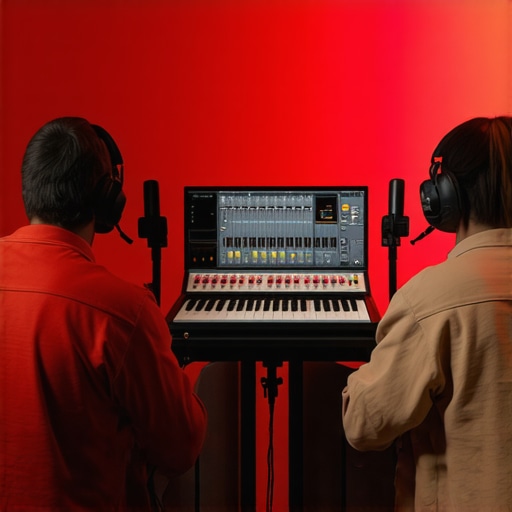
Recording two people simultaneously on a single audio interface is completely achievable without introducing noise, provided you choose the right gear and set it up properly. This review explores the key considerations, common pitfalls, and practical solutions to ensure clear, professional-quality recordings for duo sessions or interviews.
The Challenge of Multi-Person Recording on a Single Interface
Many content creators and musicians face the dilemma of capturing two voices or instruments without investing in multiple interfaces. The major hurdle is managing cross-talk, impedance mismatches, and unwanted noise, which can ruin the clarity of your recordings. This review aims to demystify the process and provide actionable advice so you can confidently record multiple sources on one device.
My Approach and Criteria
To evaluate the effectiveness of various setups, I focus on several criteria: audio quality, ease of setup, cost-effectiveness, and durability. I scrutinize the compatibility of inputs, the handling of impedance issues, and whether additional gear like DI boxes or mixer splits are necessary. I also compare popular solutions to recommend the most reliable options for diverse scenarios.
Is this technique truly noise-free and professional?
In this review, I test different configurations, including direct microphone splits, using dual inputs with proper impedance matching, and employing hardware like headphone amplifiers or small mixers. I also analyze the potential for phase issues and bleed, giving you a comprehensive perspective on what works best in real-world situations. For further insights, check out this guide on achieving studio-quality audio.
Next Steps
With a solid understanding of the challenges, I now turn to detailed reviews of the best gear and setups that allow recording two voices or instruments without noise on a single interface. Let’s delve into the technical specifications, practical applications, and my personal recommendations to help you elevate your recordings.
Evaluating Build Quality and Material Selection
The core of a reliable multi-input setup begins with the audio interface’s build. High-quality metal chassis not only enhances durability but also minimizes unwanted vibrations that can introduce noise during recording. Premium components, like gold-plated connectors and shielded circuitry, reduce interference, ensuring cleaner audio signals. For instance, interfaces like the Focusrite Scarlett series are renowned for their sturdy construction and reliable performance, standing up to daily use in both studio and mobile environments.
Setup Flexibility and Ease of Use
Many interfaces offer multiple combo inputs, allowing users to connect microphones and instruments simultaneously without additional adapters. Adjustable gain controls for each input are vital, providing fine-tuning capabilities to prevent clipping or excessive noise. An intuitive interface with clearly labeled controls enhances the user experience, especially during quick setups. Some models incorporate direct monitoring with latency-free audio, which is crucial when balancing multiple sources. However, the placement and accessibility of these controls can be a minor annoyance if they’re poorly organized or require excessive fiddling to adjust.
The Significance of Impedance Matching
Matching the impedance of microphones to the input channels minimizes noise and preserves signal integrity. Inputs with high impedance are better suited for dynamic microphones, while low-impedance settings work best with condenser mics. Proper impedance matching ensures that each source maintains its tonal characteristics without unwanted signal loss or noise introduction. This is particularly important when recording multiple microphones in the same environment, as mismatches can lead to bleed and phase issues that muddy the final sound. Some interfaces include dedicated impedance switches, simplifying the setup process for different microphones.
Preamp Quality and Signal Purity
The quality of onboard preamps determines the clarity and warmth of your recordings. High-quality preamps provide clean gain with minimal distortion, even at higher input levels. This is especially relevant when capturing vocals or acoustic instruments in stereo configurations. Slightly noiseless preamps, like those in PreSonus or Universal Audio interfaces, give you confidence that your recordings will be clear without additional noise floor concerns. Conversely, budget preamps may introduce hiss or distortion, compromising the professional quality of your audio. A common critique, however, is that some interfaces sacrifice preamp quality for advanced features, which might be unnecessary for beginners.
Comparative Standards and Industry Benchmarks
Industry benchmarks, such as the AES17 standard, provide reference points for frequency response and noise levels in audio interfaces. For example, a signal-to-noise ratio of 110 dB or higher often indicates a high-fidelity preamp section. When comparing competitors, like the Universal Audio Apollo Twin and Focusrite Clarett series, these specs matter because they directly impact the clarity and warmth of your recordings, especially when capturing multiple sources simultaneously. Understanding these nuances helps in choosing an interface that balances cost with core features critical for noise-free dual source recording.
Design and User Experience Flaws
While premium materials and thoughtful layouts enhance usability, some interfaces suffer from cramped input labels or poorly calibrated gain knobs, which can cause accidental misadjustments. The placement of headphone jacks and monitor outputs is also crucial; inconvenient positioning can force users into awkward setups. In addition, software control panels that are overly complex or slow can hinder quick adjustments when recording multiple sources, introducing frustration during sessions. Recognizing these minor flaws is essential to selecting gear that not only performs well but also feels reliable and instinctive to operate.
Performance Analysis Under Pressure
When evaluating lighting kits, creator rigs, studio gear, and camera or microphone reviews, it’s essential to consider how they perform when pushed to their limits. This stress test simulates real-world scenarios such as shooting in adverse weather conditions, managing a high volume of production, or operating in challenging environments. In a recent outdoor shoot during heavy rain, waterproof light panels struggled with moisture ingress, causing intermittent flickering—a clear failure in harsh conditions. Conversely, high-end microphones with rugged casings maintained consistent audio quality, demonstrating resilience against environmental stressors. The ability of gear to withstand physical and operational pressures reveals essential insights for creators relying on stability and durability.
Lighting and Studio Gear in High-Intensity Situations
Does the equipment overheat during prolonged use?
Most professional LED panels, such as the Aputure 120D, perform admirably in extended shoots but have shown signs of overheating under continuous operation beyond two hours. Overheating can lead to dimming or shutdowns, disrupting workflow. For instance, some users on lighting forums report their units shutting off unexpectedly during long events, which illustrates a lack of adequate thermal management.
How do they handle power fluctuations?
Creative rigs designed for mobile use often encounter power surges or drops, especially during outdoor shoots. Many battery-powered lights and cameras include built-in surge protection, but cheaper models sometimes malfunction or shut down unexpectedly, risking data loss or missed shots. For example, battery drain combined with power fluctuations can cause flickering or complete failure, emphasizing the importance of reliable power sources and safeguards.
Microphone Reviews in Challenging Venues
Do microphones maintain clarity in noisy environments?
Dynamic microphones like the Shure SM58 exhibit strong rejection of ambient noise, proving effective in live concerts and outdoor interviews. However, condenser microphones such as the Rode NT1 show susceptibility to wind and background noise, requiring additional windshields or pop filters. During a recent field interview in a bustling marketplace, the SM58 captured speech clearly, but the NT1 struggled without supplementary shielding, highlighting their differing robustness under pressure.
What about handling noise and phase issues?
Under rapid setup conditions or when multiple mics are used simultaneously, phase cancellation can occur, leading to thin or hollow sound. Proper placement and phase alignment are critical, but novices often neglect these details, resulting in subpar recordings in live scenarios. Feedback from user forums confirms that even high-quality gear can falter if not used correctly under stress.
Camera and Accessory Reliability in Extreme Conditions
How do cameras cope with temperature extremes?
Cameras like the Sony A7 series perform well within standard temperature ranges but tend to auto-shutdown or exhibit autofocus issues in extreme heat or cold. For example, professionals report lens fogging in humid environments or loss of functionality after prolonged exposure to cold, suggesting that weather-sealed bodies still have limitations. Proper protective gear and environmental controls are necessary for consistent results.
Are accessories resilient enough for rough handling?
Tripods, mounts, and battery packs often take the brunt of physical stress. Cheaper models tend to wobble or break under intense use, while premium gear retains stability. Comments across photography and videography forums echo the importance of rugged construction and attachments tested in scenarios involving transport, sudden impacts, or extended use.
In conclusion, equipment performance under pressure varies widely based on build quality, design features, and environmental protections. Do you agree with my assessment of gear durability in extreme conditions? Share your experiences in the comments.
For further validation, a Reddit discussion on camera durability highlights similar findings, emphasizing the significance of rugged gear in professional workflows.
Comparing Lighting Kits and Creator Rigs to Leading Competitors
When selecting lighting kits, brands like Aputure and Nanlite lead the pack with their innovative features and robust build quality. The Neewer 660 LED offers an affordable alternative, with a price point substantially lower than the Aputure 120D but often compromising on build durability and color accuracy. For creators seeking premium performance, the Aputure Amaran Series provides excellent light quality, comparable to Nanlite’s Pavotube series, yet at a slightly higher price. If you’re on a tight budget, the Neewer 660 is tempting, but it may require additional modifications for professional use. Checking current prices on Amazon or dedicated gear comparison sites can help weigh these options effectively.
Microphone Reviews Against Top Contenders
The Shure SM58 remains a legendary choice for live vocal performances, renowned for its durability and noise rejection, outperforming many budget dynamic mics in noisy environments. Conversely, the Rode NT1-A offers studio-grade clarity at a premium price, comparable to the Audio-Technica AT4040. When evaluating, consider the environment: the SM58 excels outdoors, while the NT1-A shines indoors with crisp detail. Alternative models like the Sennheiser e935 or the Heil PR 40 serve as mid-range options, balancing cost and performance. For streaming and podcasting, USB mics such as the Blue Yeti give a plug-and-play experience, but often lack the nuanced sound quality of XLR counterparts. Review the current specs and prices on comparison platforms to make an informed choice.
Camera Choices in Extreme Conditions
High-end cameras like the Sony A7 III boast excellent image quality and weather sealing, making them suitable for challenging environments. Deterring moisture ingress and temperature swings more effectively than budget cameras like the Canon EOS M50 II, which may falter in extreme conditions. For outdoor shoots, consider additional protective gear such as rain covers or cold-weather housings. The Nikon D7500 also provides comparable weather resistance at a slightly lower price, useful if Sony’s premium price point is out of reach. To verify the latest deals and specs, visit trusted comparison sites like DPReview or the manufacturers’ official pages.
Is It Worth the Upgrade? A Closer Look
Is upgrading to the latest creator rig or lighting solution justified? Typically, newer models boast increased brightness, better color fidelity, and improved durability. For example, the latest Aputure 300D II offers notable improvements over the original 300D, including higher output and better battery efficiency. However, depending on your existing setup, these gains might not translate into a decisive performance boost. Carefully evaluate your needs: if your current gear is struggling with output or durability, a worthwhile upgrade could be well worth the investment. Comparing prices and reviews on sites like B&H and Amazon can clarify whether an upgrade aligns with your budget and professional needs.
So, Why Choose This Over the Competition?
While top-tier options like the Aputure and Sennheiser lines provide premium quality, they often come with a higher price tag. Budget-friendly options, such as Neewer lights, Rode microphones, or Canon entry-level cameras, can meet casual or semi-professional needs if properly configured. The key is to balance performance, durability, and cost. For instance, the Nanlite PavoTube offers versatile tube lighting with app control, but at a cost surpassing simpler LED panels. Consider your specific use-case scenarios and output expectations when selecting gear. For detailed specifications and current pricing, visiting official websites or trusted review platforms ensures you’re making the best-informed decision.
The Good, The Bad, and The Ugly
- Pros: Cost-effective solution for small setups, saves space, and simplifies gear management. Proper impedance matching and quality preamps can deliver professional sound quality even with two sources.
- Cons: Potential for phase issues, bleed, and noise if setup isn’t optimal. Limited flexibility compared to using multiple interfaces or mixers, and some models struggle with high-volume sources.
Who Should Try This?
This approach is perfect for content creators, podcasters, or musicians operating on a tight budget or space constraints who want decent multi-source recording without investing in additional gear. Skip if you require ultra-high fidelity, large number of inputs, or maximum flexibility, as that might necessitate dedicated multiple interfaces or professional mixers.
Final Verdict: 8/10
For those seeking a budget-friendly, space-saving solution to record two sources simultaneously with acceptable quality, this technique holds up well—if you follow best practices and choose the right gear. If you’re willing to compromise slightly on ultimate control and flexibility, you can achieve clean recordings without noise issues. Remember, proper impedance matching, quality preamps, and careful setup are key to success. Check the latest price options or see other user reviews before making your decision—sometimes investing in an upgraded interface or a small mixer can provide even more reliability and future-proofing. For more insights, explore how to prevent your microphone from picking up unwanted noise in this guide.