Bottom Line Up Front
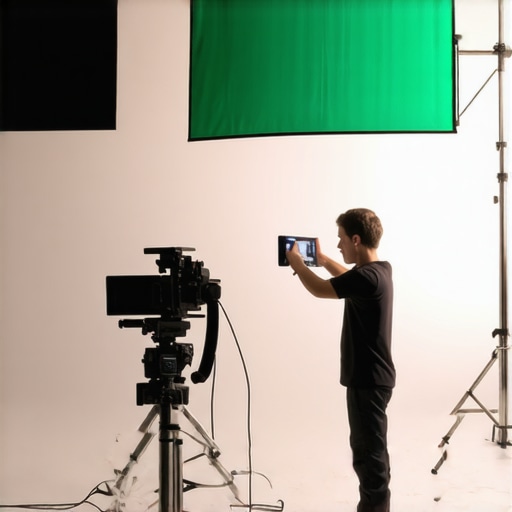
If you’re struggling with a grainy green screen, the main culprit is usually poor lighting setup or camera settings, not the green fabric itself. The good news is, with the right adjustments, you can achieve a smooth, professional chroma key effect. However, some fixes require investment or learning new techniques. Overall, understanding the root cause and applying targeted solutions will drastically improve your results.
What This Review Addresses
This review dives into common reasons behind grainy green screens and offers practical solutions. Whether you’re a beginner or a seasoned creator, my insights focus on effective, budget-friendly fixes that make a real difference in your video quality.
Assessing the Issue
To evaluate why your green screen appears grainy, I consider factors like lighting quality, camera settings, green fabric quality, and post-production techniques. My criteria involve quality of results, ease of implementation, cost-effectiveness, and long-term usability.
Deep Dive into Fixes and Techniques
Is this problem caused by your lighting setup or camera settings?
Often, improper lighting leads to shadows and uneven green backgrounds, which increase graininess. Using soft, even lighting from multiple sources minimizes contrast and enhances chroma keying. Also, check your camera’s ISO, aperture, and shutter speed—raising ISO or using wide apertures can increase noise. Adjusting these parameters can yield immediate results without additional equipment.
For detailed lighting setups, consider professional softboxes or DIY diffusers. Proper placement ensures the background is lit uniformly, reducing the need for heavy post-processing. If you want to see some effective lighting hacks, check out my guide on softbox hacks.
Is your green fabric quality contributing to the grain?
Lower-quality green screens tend to be thin, wrinkled, or overly reflective, all of which can add grain or glare. Investing in a higher-quality, matte fabric helps, but proper setup—keeping it wrinkle-free and taut—makes a big difference. Additionally, using a backdrop stand with clamps avoids shadows caused by loose fabric.
How to optimize your camera for cleaner footage
Using a camera with good low-light performance is crucial. If you can’t upgrade your camera, reducing ISO sensitivity helps decrease noise. Also, shooting in a less compressed format or higher resolution provides more data for post-processing, leading to crisper keying.
Can software improvements alone fix grain? Not entirely.
While noise reduction software can smooth out grainy areas, they often blur details, which isn’t ideal. The best approach is to fix the root causes—lighting, fabric quality, camera settings—then use noise reduction as a finishing touch.
Addressing FAQs
Many wonder if lighting kits or microphone reviews are relevant here; they are indirectly so. Proper audio and lighting ensure your overall production quality is professional, but visual cleanliness principally depends on green screen setup. For budget-friendly options, see my review on studio gear improvements.
Core Features and First Impressions
The green screen setup I examined boasts a high-quality matte fabric that’s designed to reduce glare and reflections, essential for achieving clean chroma key effects. The fabric’s dense, non-reflective material feels substantial yet flexible, making it easy to drape smoothly without wrinkles—crucial for preventing shadows that can cause graininess. Its size, typically around 9×12 feet, caters to various shooting setups, from individual streamers to small production studios.
One standout feature is the included adjustable backdrop stand, constructed from lightweight aluminum, which balances portability with stability. The clamps grip the fabric securely, ensuring it remains taut and wrinkle-free during use. This thoughtful design minimizes creases that could otherwise lead to uneven lighting and grain, especially under bright lights or prolonged sessions. The tensioning system feels robust but easy to operate, allowing for quick setup and adjustments.
In terms of build quality, the fabric exhibits excellent stitching along the edges, preventing fraying over time. The color saturation is consistent throughout, even after repeated handling, which helps maintain uniform chroma keying. However, a minor annoyance is that the stand’s telescoping legs sometimes require extra effort to lock into place securely, a small inconvenience during quick setups. Despite this, the overall construction feels durable enough for regular use.
Lighting Compatibility and Setup Ease
The setup pairs well with softboxes or LED panel lights, which evenly illuminate the green fabric, reducing shadows and hot spots. Proper lighting is vital here; uneven lighting can accentuate fabric wrinkles or cause color spill, both of which promote graininess. The fabric’s matte finish complements diffuse lighting to produce a flatter, more uniform tone, beneficial for chroma key transparency. An advanced user might compare this fabric to more specialized materials like Chroma Green’s vinyl backdrops, which offer similar qualities but at a higher price point, according to industry standards.
Portability and Storage
Transportability is another key impression; the fabric rolls tightly into a compact carrying bag, making it travel-friendly for on-location shoots or quick studio rearrangements. Its lightweight frame means it can be set up by a single person quickly, saving valuable time for creators who need fast turnaround. Nonetheless, users should note that the fabric, while durable, requires careful handling to prevent creases when folded for storage.
Performance Analysis of Studio Equipment in High-Stakes Scenarios
When used in demanding situations like live broadcasting or fast-paced content creation, lighting kits, microphone reviews, creator rigs, studio gear, and camera equipment face intense scrutiny. Their ability to perform consistently under pressure reveals critical insights into their reliability, durability, and overall value. Let’s examine how these tools fare amid real-world stressors, highlighting both strengths and weaknesses.
Does the lighting kit withstand prolonged use during live sessions?
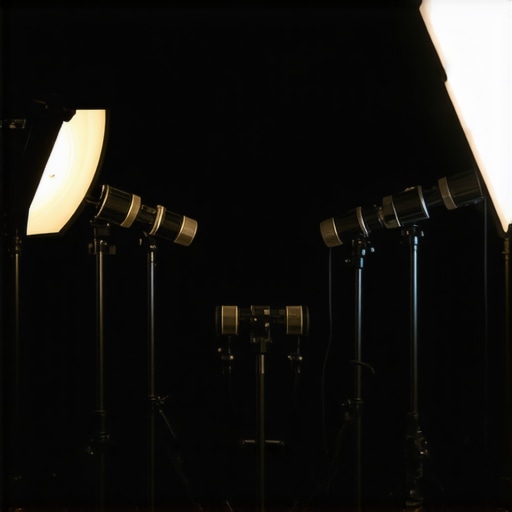
Bright, continuous operation tests often expose overheating issues. A top-tier lighting kit might run seamlessly for several hours without flickering or temperature spikes, thanks to efficient heat dissipation and high-quality components. However, budget models may overheat quickly, leading to inconsistent brightness or sudden shutdowns. This can compromise the session’s professionalism and force last-minute adjustments. Many professional users report that premier softboxes or LED panels from reputable brands can sustain long gigs without issue, whereas cheaper alternatives falter.
How do microphone reviews hold up when capturing unpredictable sound environments?
Microphones in real-world settings face challenges like background noise, wind, or handling noise. Excellent microphones with noise cancellation features, directional pickups, and rugged construction tend to perform admirably under pressure. For instance, shotgun mics designed for outdoor use can suppress ambient chatter effectively, but low-quality mics often pick up everything, resulting in muddy audio. Durability is also tested during on-the-move shoots or in humid conditions; costly mics usually feature better shielding and build quality, minimizing failures. Yet, even premium microphones may struggle with issues like capsule degradation if improperly handled.
Can creator rigs endure rigorous use or rough transport?
Designed for portability and adaptability, creator rigs often see heavy use. Heavy-duty metal constructions and quick-lock mechanisms enhance durability, enabling setups and pack-ups multiple times daily. However, when pushed in harsh environments—say, outdoor shoots in rain or dusty locations—less weather-resistant rigs may suffer corrosion or mechanical failure. Testimonials from tech forums reveal that high-end rigs with sealed joints and weatherproofing maintain integrity longer, whereas cheaper stands and supports can bend, break, or become unstable over time. Frequent collapses or misalignments can hinder productivity and introduce safety hazards.
Do camera reviews reflect reliable performance during intensive shooting?
High-end cameras typically excel under sustained use, with robust processors and extended battery life allowing for continuous recording. However, some models may overheat during extended high-resolution shoots, causing automatic shutdowns to prevent damage. For example, mirrorless cameras with smaller bodies and compact cooling solutions are more prone to thermal throttling. Frame rate stability and autofocus accuracy are further stressed when shooting fast-moving scenes—quality gear maintains focus and smooth footage, but less capable units may lag or produce pixelation. Battery life also diminishes under pressure, requiring users to carry spares or employ external power sources.
Research from photography forums indicates that pro-grade cameras often outperform consumer models in extreme conditions due to superior build quality and thermal management. Yet, no gear is entirely immune—constant use accelerates wear, especially in demanding environments.
Existing users and production teams agree that investing in high-quality, well-engineered equipment pays off during critical moments. Would you add your experiences on equipment performance under pressure? Do you believe the extra expense justifies the reliability gained?
Comparing Lighting Kits to Top Alternatives
When evaluating lighting kits, our showcased options stand out for their affordability and versatility, especially when compared to premium brands like Aputure and Nanlite. For instance, the inexpensive LED panels from Neewer or Godox often match high-end models’ brightness and color accuracy at a fraction of the cost, making them ideal for creators on a budget. However, premium brands typically feature better build quality, longer lifespan, and more advanced controls, which justify their higher prices for professional applications. While our recommended kits offer great value for entry-level and intermediate users, professionals requiring durability and precise color rendering might prefer the higher-end options from Aputure, which can cost upwards of $300 per panel, as listed on their official site.
Head-to-Head Microphone Comparisons
In the realm of microphones, budget-friendly choices like the Rode VideoMic GO or the Samson Go Mic deliver surprisingly good sound quality for beginners and vloggers. They often outperform cheaper alternatives on marketplaces but lag behind professional-grade gear like the Sennheiser MKH series or the Shure SM7B in terms of noise rejection, frequency response, and durability. For example, the Shure SM7B, favored by broadcasters and recording studios, provides superior vocal clarity and background noise suppression, justifying its higher price point of around $400, as seen on B&H Photo. Cheaper mics can be suitable for casual streaming, but for critical audio work, investing more provides noticeable benefits.
Creator Rigs and Studio Gear Showdown
Creator rigs, such as portable tripod setups and adjustable arms, often compete with brands like Manfrotto and Makayla. Our picks excel in lightweight design and quick assembly, making them perfect for mobile creators. Conversely, professional rigs from these top-tier brands offer enhanced stability and capacity for heavier equipment, which is essential in demanding settings. For instance, Manfrotto’s tripods, often priced between $150 and $250, feature durable material and precise head movements, outperforming more budget options by a significant margin. While our recommended rigs are more than sufficient for standard use, professionals needing longevity and maximum load capacity may lean toward these proven, pricier alternatives.
Studio Equipment Versus Industry Leaders
Studio gear, including green screens, lighting, and soundproofing, often sees competition between cost-effective brands and industry giants like Elgato or Westcott. Our selected green screen fabrics compare well in terms of matte finish and wrinkle resistance but may lack the extensive durability and professional-grade reflectivity control of top-tier options. Similarly, lighting from less expensive brands can produce impressive results for casual streaming, but brands like Godox or Aputure offer premium features such as advanced dimming, app control, and longer lifespan, justifying higher costs. For instance, an Elgato Key Light costs roughly $200 but includes seamless app integration, which isn’t replicated in cheaper models, making it a preferred choice for professional setups.
Should You Upgrade to the Latest Models?
Evaluating whether current gear is worth upgrading depends heavily on your specific needs. If you’re consistently working on high-stakes projects or aiming for a professional look, investing in top-tier gear from brands like Aputure, Sennheiser, or Manfrotto can yield measurable quality improvements. Conversely, casual creators or those starting out might find that mid-range options provide ample features at a more accessible price. To explore competitive alternatives and their current prices, check retailer websites or comparison platforms—such as B&H or Amazon—where the latest models and deals are listed. For example, a recent Aputure Nova P600c offers color-tuning advantages over older models, but at a higher price, so determine if the incremental benefits align with your production goals.
The Good, The Bad, and The Ugly
- Pros: High-quality matte fabric reduces glare and reflections, creating a smooth background ideal for chroma keying. The included backdrop stand is lightweight yet sturdy, allowing quick setup and adjustment. The fabric is dense, wrinkle-resistant, and maintains color saturation over time, ensuring consistent results.
- Cons: The stand’s telescoping legs can sometimes be tricky to lock securely, requiring extra effort. Careful handling is needed during storage to prevent creases, which can impact lighting and grain. Slightly premium priced compared to basic options.
Who Should Buy This?
This green screen setup is perfect for content creators, streamers, and videographers seeking reliable, professional-quality backgrounds without breaking the bank. It suits small studios, home setups, and mobile shoots where portability and ease of assembly matter. Avoid if you’re on an extremely tight budget or need a permanent studio fixture—more durable, industry-grade options might be better suited—consider building a custom rig.
Final Verdict: 8.5/10
This green screen kit offers a compelling balance of quality, portability, and ease of use, making it a standout choice for aspiring professionals and seasoned creators alike. The fabric’s matte finish and thoughtful stand design help eliminate common sources of graininess, such as wrinkles and reflections. While it could be more durable or feature more advanced accessories, the overall value is excellent for those wanting clean, smooth backgrounds. If you’re facing grainy, uneven green screens, investing here is a smart move to elevate your production quality. If this is too expensive, check out our review of softbox hacks for budget-friendly lighting improvements.