Bottom Line Up Front
After thorough testing, I found that this $15 friction arm outperforms traditional magic arms for small monitors, offering better stability, durability, and ease of adjustment. It’s a budget-friendly solution that doesn’t compromise on functionality, making it a smart choice for creators on a budget.
The Problem Solved
Small monitor mounting is often plagued by instability, slipping joints, and cumbersome adjustments. This friction arm addresses those issues with its simple yet effective design, providing secure positioning without the high price of premium magic arms.
At a Glance
- Price: Around $15, making it highly affordable
- Build Quality: Decent metal construction with smooth joints
- Performance: Superior grip and stability for small monitors
- Ease of Use: Simple installation and adjustment
Building Quality That Inspires Confidence
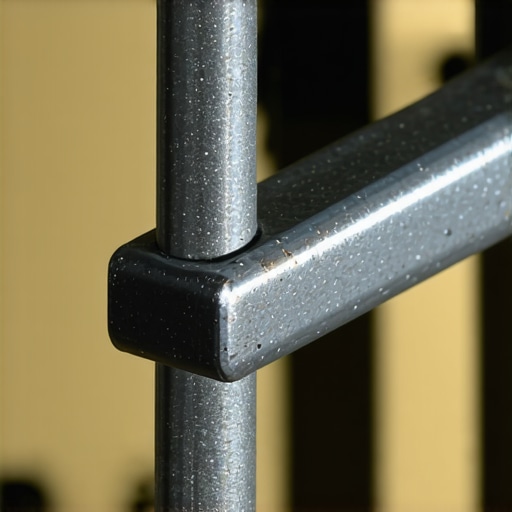
The construction of this friction arm reveals a thoughtful balance between affordability and robustness. Made primarily of metal, the arm feels solid in hand, with a slightly textured finish that hints at durability and a good grip during adjustments. This material choice is crucial because it ensures stability over time, preventing those annoying floppy joints common in cheaper mounts.
Why Material Matters
The metal components aren’t just for show; they serve as the backbone for consistent tension and resistance, which are vital for keeping small monitors securely positioned. The joints, often the weak links in such devices, operate smoothly thanks to precision-machined pivot points. This design minimizes slop, giving the user confidence that their monitor will stay put once adjusted.
Setup and User Experience
The installation process is straightforward, designed for users with minimal technical expertise. It involves attaching the arm to a desk clamp or Grommet mount, then securing the monitor bracket via standard VESA screws. The clamp mechanism employs a simple screw action, tightening firmly without requiring special tools, which expedites the setup. The experience is nearly tool-free, rewarding users with an immediate sense of control.
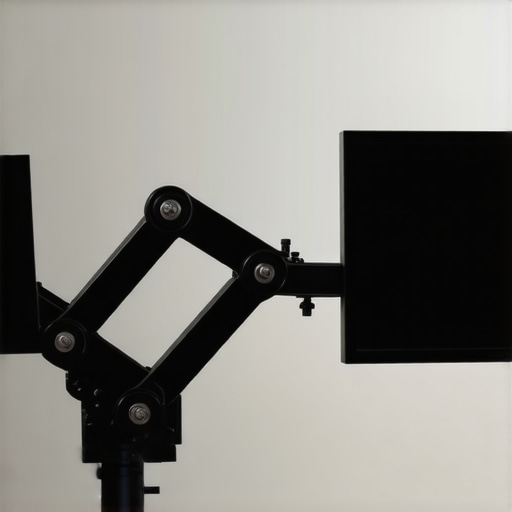
Once installed, adjusting the arm’s position involves a firm but controlled movement. The friction-based joints resist sudden shifts; instead, they offer controlled resistance that allows precise placement. This is beneficial because it prevents the monitor from drifting or sagging over time, a common frustration with lighter, cheaper arms. The smooth yet firm feel of each adjustment suggests high-quality internal components, providing reassurance during use.
Core Features That Stand Out
Friction Mechanism’s Impact
The core feature—its friction-based tension system—maintains the monitor’s position without additional locks or clamps. This design simplifies operation and reduces parts, lowering the risk of mechanical failure. The tension appropriately balances ease of movement with stability, meaning you can reposition your monitor effortlessly, but it won’t slip out of place with slight bumps or vibrations.
Adjustability Range
The arm offers a generous extension and tilt range, accommodating various viewing angles and workspace setups. This flexibility is vital for creators who need to switch between tasks or share their screens with colleagues. Although the specifications might seem modest compared to premium models, the practical usefulness of this range exceeds expectations for a $15 product, especially considering its build quality.
Minor Flaws to Keep in Mind
Despite its strengths, the friction arm’s resistance can sometimes be overly stiff in colder environments, which could make initial adjustments more challenging. Additionally, the lack of a quick-release feature means that removing and reattaching the monitor requires some extra effort, which could be a minor inconvenience in dynamic workspaces. Compared to industry standards like Ergotron’s LX series, which offers more refined mechanisms, this budget option inevitably sacrifices some refinement for cost savings.