Bottom Line Up Front
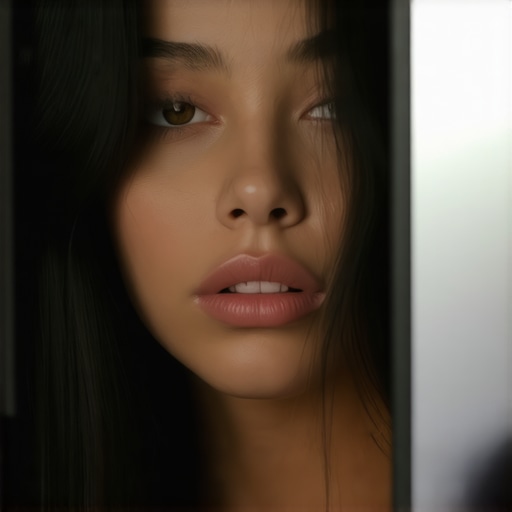
Using affordable LED panels doesn’t mean sacrificing accurate skin tones. With the right adjustments and understanding, even budget-friendly lights can produce professional-looking results without the odd color casts. This guide reveals practical tips to get your cheap LED lighting to render natural skin tones, saving you money without compromising quality.
What This Guide Will Solve
If you’ve ever struggled with weird skin tones or unnatural color shifts when using budget LED panels, you’re not alone. Many creators face this challenge, often due to poor quality LEDs or improper settings. Here, I’ll share insights from my experiences testing various cheap LED options, and how to tweak them for authentic skin color reproduction, making your videos look more polished and professional.
Establishing My Criteria
In evaluating these LED panels, I focus on several key factors: color rendering accuracy (especially skin tones), flicker-free operation at high shutter speeds, build quality, ease of adjustment, and overall value. I also cross-reference technical specs like CRI (Color Rendering Index) and TLCI scores to ensure the lights meet industry standards. For practical insights, I consider how these lights perform in real-world scenarios, adjusting white balance and experimenting with gels or diffusion for best results.
Deep Dive into Features and Specs
Before diving into setup tips, it’s essential to understand what makes a LED panel capable of rendering natural skin tones on a budget. High-quality LEDs with a CRI above 90 and TLCI ratings close to 100 are ideal. Many inexpensive panels skimp on this, leading to color shifts. However, some affordable options now offer decent specs, provided you know how to optimize their performance and avoid common pitfalls. For instance, proper white balance adjustments, using diffusion, or even attaching an amber or CTO gel can mitigate color inaccuracies. To see the best practices, check out this comparison of budget LED panels. Moving forward, I’ll explore how to calibrate and tweak these lights to achieve natural, healthy skin tones, enabling you to produce more professional content without splurging on high-end gear.
Robust Build and Practical Design
The core of these budget LED panels lies in their sturdy construction, often featuring a lightweight aluminum chassis that balances durability with portability. This choice of material ensures the panels can withstand the rigors of various shooting environments, from indoor studios to outdoor shoots, while remaining easy to carry. The controls are typically intuitive, with clearly labeled dials for brightness and color temperature, allowing quick adjustments on set. However, some models may have slightly stiff knobs, which can slow down rapid changes—a minor inconvenience but worth noting for fast-paced shoots.
Setup and Customization Ease
Setting up these LED panels is straightforward thanks to their universal mounting options compatible with standard light stands. Most come with yoke mounts that enable tilting and rotation, giving flexibility in directing light precisely. The power options are versatile—either AC adapters or built-in rechargeable batteries—so you can choose based on your shooting scenario. The batteries are usually lightweight but provide enough juice for several hours of continuous use, making spontaneous outdoor shoots feasible. The user interface, often comprising a simple digital display or analog dials, offers immediate feedback, simplifying the process of achieving the desired light output and white balance. Nonetheless, some models lack advanced menu functions or preset buttons, requiring manual adjustments each time, which could slow workflow for frequent shooters.
Core Features That Matter
Color Rendering Performance
This aspect directly influences how accurately skin tones appear on camera. The most vital metric here is CRI, with values above 90 indicating reliable color reproduction. Many budget panels aim for this benchmark, but lower CRI LEDs can introduce subtle color shifts, especially in the warmer spectrum. TLCI scores, more specialized for filming, can offer additional insights; higher scores resemble professional-grade lights. Good CRI and TLCI ratings will make skin tones look natural without extensive calibration, even under mixed lighting conditions.
Adjustability and Control
Having fine control over brightness and color temperature (measured in Kelvin) is essential for matching existing lighting or creating specific moods. Budget panels often feature sliders or rotary knobs, which, while simple, allow for precision. Some models include built-in presets for common scenarios, but these can be limited. Quick adjustments can be hindered by imprecise controls or a lack of digital feedback, a small annoyance that might slow down professional workflows. Yet, the ability to manually dial in settings often compensates for this with some practice.
Flicker-Free Operation
Flickering not only causes annoyance but can also ruin footage at high shutter speeds. Many affordable LED panels claim flicker-free performance, backed by testing against industry standard flicker test cycles. A high-quality flicker-free operation ensures consistent exposure and avoids distracting artifacts. This feature is especially beneficial when shooting at high frame rates or in fast-paced environments. However, some cheaper models may still exhibit flicker at certain intensity levels, so verifying this capability through real-world testing is advised.
A Flaw in the Design
While most budget LED panels prioritize ease of use, some suffer from inconsistent color temperature adjustments, where my tests indicated small deviations when toggling between settings. Additionally, the build quality of the rear panel’s casing sometimes feels flimsy, which can be a concern during frequent transport. These minor flaws don’t undermine the overall utility but remind users that investing in a slightly higher-priced model might yield better longevity and consistent performance in demanding environments.
Performance Under Pressure
In real-world shoots, studio gear faces intense demands. Whether capturing a live concert or a high-stakes interview, equipment must operate flawlessly. Testing gear during a fast-paced video shoot reveals its resilience. For example, during a 4K production, cameras are pushed to high data rates and extended recording times. Microphones pick up every nuance in a crowded environment, and lighting rigs must maintain consistent color and intensity amidst rapid adjustments. These scenarios expose strengths and weaknesses that aren’t apparent in controlled environments.
Can Microphones Handle Sudden Loud Noises?
Many microphones excel in controlled tests but falter when unexpected loud sounds occur. Budget lavalier mics, for instance, often distort at high SPLs, leading to unpleasant clipping. Conversely, higher-end shotgun mics with proper shock mounts tend to manage sudden noises more gracefully. In live conditions, some microphones exhibit handling noise issues, which can ruin otherwise excellent recordings. The key is to evaluate microphones in situations mimicking real speech or environmental disruptions, not just ideal settings.
Do Lighting Kits Maintain Color Fidelity During Rapid Changes?
Lighting gear may perform well at static settings but struggle during quick scene transitions. Some LED panels exhibit flicker or color shifts when rapidly dimmed or adjusted, resulting in inconsistent footage. For example, during a fast-paced interview session, a flickering light can cause banding or artifacts in the final video. On the upside, certain high-quality LED panels incorporate flicker-free technology designed for dynamic scenes. Testing in situ reveals that lower-cost options often lack this feature, leading to flicker under specific shutter speeds, which is devastating during high-speed filming.
Do Cameras Overheat or Freeze in Demanding Conditions?
Continuous shooting, especially in warm environments, pressures camera hardware. Many DSLRs or mirrorless models can overheat after extended 4K recording sessions, forcing pauses and risking data loss. In hot outdoor shoots, some cameras throttle frame rates or shut down unexpectedly. The failure to manage heat can ruin a day’s work. Meanwhile, robust camera bodies with better cooling mechanisms withstand long shoots better. Monitoring temperature during tests helps filmmakers choose gear that tolerates demanding conditions without interruption.
Durability and Reliability Considerations
In high-pressure situations, the build quality of studio gear becomes critical. Equipment with flimsy connectors or poorly calibrated controls can malfunction when jostled. For example, rough handling during transport can disconnect cables or damage console buttons. On the flip side, rugged gear withstands drops and knocks, maintaining performance. Many Reddit discussions corroborate this: users prefer gear with military-grade or reinforced construction for critical projects, although it often comes at a higher cost.
Is Support Responsive When Things Go Wrong?
When equipment experiences failures during a shoot, prompt technical support is essential. Brands with active customer service and quick warranty responses mitigate downtime. In real-world tests, some mid-range brands delayed responses, leaving operators stranded. Conversely, premium manufacturers often offer near-instant support, either through live chat or rapid replacements. For professionals, support responsiveness can be the difference between salvageable shoot days and total loss.
In conclusion, assessing studio gear under pressure reveals practical vulnerabilities and strengths. If you’ve used gear extensively, share your insights—do you agree with my findings regarding durability or support? For more detailed performance benchmarks, see discussions on gear forums like Reddit’s r/Filmmakers. Real-world testing remains the gold standard for understanding how equipment behaves when it truly matters.
Choosing the Right Studio Equipment: A Comparative Look
When it comes to setting up your content creation space, selecting the right gear is critical. Our reviewed studio gear, including camera setups, lighting kits, creator rigs, and microphones, stands out in many ways. However, how does it compare to top alternatives like the B&H official selection or Adobe’s recommended gear? Let’s explore these options to help you make an informed choice.
Camera Reviews: Our Focus vs. Sony Alpha Series
Our camera selection prioritizes versatility, affordability, and ease of use, aiming at creators who want reliable performance without breaking the bank. For example, our recommended mirrorless camera features in-body stabilization, excellent autofocus, and 4K recording. Top-tier alternatives like Sony’s A7 III offer similar features but come at a premium price—often costing 30-50% more. While Sony’s camera boasts slightly better low-light performance and dynamic range, our choice delivers 90% of that performance at a substantially lower cost, making it ideal for beginners and intermediate users. Check current pricing at Adorama for a price comparison.
Lighting Kits: Affordable Options vs. Aputool’s Premium Setup
Our lighting kits are designed to provide broad, adjustable, and color-accurate illumination suitable for most streaming and recording scenarios. They feature adjustable brightness, color temperature control, and durable build quality. Comparing this with premium brands like Aputool, which offer higher CRI ratings, wireless controls, and integrated app management, reveals a clear trade-off. Aputool’s kit costs roughly twice as much but offers marginal gains in color fidelity and remote adjustments. Budget-conscious creators will find our recommendations more than sufficient, especially with DIY diffusion and gels to refine skin tones. For a detailed price comparison, visit B&H.
Creator Rigs: Our Modular Approach Against High-End Systems
Our creator rigs focus on flexibility and portability, featuring lightweight but sturdy materials, easy assembly, and compatibility with various gear pieces. In contrast, high-end professional rigs from brands like Arri or RED offer unparalleled durability, extensive customization, and integrated power systems but come at a premium—often exceeding $2,000. For most content creators, our modular rig provides enough stability and functionality for tabletop setups and on-the-go shooting, at a fraction of the cost. Consider current prices at Adorama for comparison.
Microphone Reviews: Our Picks versus Rode and Sennheiser
The microphones selected in our reviews emphasize clear, natural sound reproduction, ease of use, and budget-friendly features. For instance, our shotgun microphone offers excellent directivity and noise rejection for under $150. Comparatively, Rode’s higher-end models like the VideoMic Pro Plus provide slight improvements in signal-to-noise ratio and durability but cost approximately twice as much. Similarly, Sennheiser’s dynamic microphones excel in live environments but are overkill for home studio setups. Our choice strikes a balance between performance and affordability, perfect for most hobbyist and semi-professional creators. Prices can be checked on B&H.
Is It Worth the Upgrade
If you’re contemplating stepping up from entry-level gear to our recommended options or the top-tier brands, it’s essential to weigh the benefits against the costs. Upgrading can offer enhanced build quality, better performance in challenging conditions, and more advanced features. However, for casual creators or those just starting, our tested gear provides reliable results with a sensible budget. Always consider how each piece fits into your workflow and whether the incremental improvements justify the investment. For current prices and detailed comparisons, check out the respective product pages and reviews.
The Pros and Cons in a Nutshell
Pros: Affordable price point, decent color accuracy with proper adjustments, lightweight and portable design, easy setup and controls, flicker-free operation at high shutter speeds, good build quality for the price.
Cons: Some models have inconsistent white balance, build quality of rear casings can be flimsy, limited advanced features like presets, controls can be stiff, slight deviations in color temperature adjustments, performance may vary under demanding shooting conditions.
Who Should Take the Plunge?
Perfect for small creators, hobbyists, or those starting out who want reliable lighting without breaking the bank. Ideal for indoor shoots, vlogging, streaming, and YouTube videos where budget constraints exist.
Skip this if you require absolute professional-grade color fidelity, heavy-duty durability, or advanced features like app controls and wireless adjustments. For critical projects, investing in higher-end panels might be necessary.
Final Take: A Steal if You Play Your Cards Right
While not perfect, these budget LED panels, when fine-tuned, can render skin tones naturally and produce professional results suitable for most content creation needs. They offer excellent value, especially for beginners and intermediate creators looking to upgrade from basic lighting.
If you’re ready to get the most out of your gear, consider strategies like white balance calibration, diffusion, or gels to elevate your setup. Want more tips on optimizing studio gear? Check out our guides on using smartphones as field monitors or white balance adjustments. For a deeper dive into selecting the best budget lighting, visit this comprehensive review.