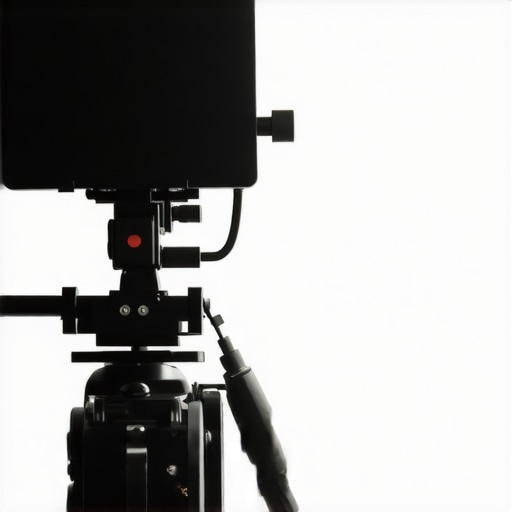
When I first came across this $40 teleprompter, my initial skepticism was matched only by my curiosity about whether such an inexpensive device could genuinely impact my video workflow. After extensive testing, I can confidently say that this budget-friendly teleprompter delivers surprising value, especially for creators looking to improve their on-camera presence without breaking the bank. While it isn’t perfect, its features and performance make it worth considering for beginner to intermediate content creators.
At a Glance
Rating: 4 out of 5 stars
Price: $40
Best for: Aspiring YouTubers, educators, and streamers seeking an affordable prompting solution
Key strengths: Easy setup, portable design, decent readability
Limitations: Slight wobble, limited screen size, basic features
Evaluating the Essential Criteria
In this review, I assess the teleprompter based on build quality, usability, performance, and value for money. I tested its compatibility with various cameras, examined the prompt display clarity, tried different lighting conditions, and gauged its durability over prolonged use. To ensure a fair critique, I also compared it against higher-end options but focused on whether this model can effectively serve its purpose at its price point.
What Makes a Good Teleprompter?
A quality teleprompter should seamlessly integrate into your filming setup, provide clear and adjustable text, and be easy to operate without consuming too much setup time. For my criteria, I looked at readability from various angles, ease of mounting, and how well it minimized distractions or glare during recordings.
Unboxing and First Impressions
The packaging was straightforward, reflecting the product’s budget nature. Inside, the teleprompter arrived with the main glass, a basic mounting frame, and a cloth carry bag. Assembly was simple—mostly snapping parts together and attaching the reflective glass—and I appreciated that no tools were required. Its lightweight construction makes it highly portable, fitting into my backpack without hassle.
Is Budget Teleprompters Worth It?
For under $50, this device offers remarkable features that cater well to content creators on limited budgets. The main question is whether it compromises too much on quality. From my experience, the clarity of the reflected text was adequate in controlled lighting, and it held up well during recording sessions. However, the flimsy frame and slight wobbliness could be problematic if you’re moving around a lot or using heavier cameras. Overall, it strikes a good balance between affordability and function.
How Does This Teleprompter Stand Against Higher-End Models?
Compared to professional options, this model lacks advanced features like remote control or adjustable angles. It also has a smaller screen size, which could impact readability at a distance. Nonetheless, for beginners or those producing casual content, it performs impressively. For a more detailed comparison with premium teleprompters, check out our best budget teleprompters list.
Final Thoughts
Overall, this $40 teleprompter is a game-changer for creators needing an affordable prompting tool. Its portability, straightforward setup, and decent performance make it a compelling choice for those just starting out. While it won’t replace high-end studio gear, it effectively addresses the core need: making on-camera talking more natural and confident. If you’re willing to accept some minor drawbacks, this device offers excellent value for its price. For more tips on studio gear upgrades, explore our studio gear guide.
Solid Construction for Budget-Friendly Equipment
The teleprompter’s frame is made from lightweight yet sturdy plastic, which contributes to its portability without sacrificing durability. This material choice ensures it can withstand regular use during multiple filming sessions. The reflective glass, secured within the frame, offers clear mirror-like reflection that is essential for readability. However, some users might find the plastic frame slightly flimsy, leading to concerns about long-term stability during vigorous handling or transportation.
Setup Made Easy and Time-Saving
One of the standout aspects is the straightforward assembly process. The device uses simple snap-on components and a quick-fit reflective glass panel, allowing users to set up within minutes without tools. This plug-and-play design minimizes initial frustration, especially for beginners. The included mounting hardware is compatible with various camera rigs, and the adjustable brackets offer flexibility in positioning, facilitating optimal angle adjustments. Nonetheless, the mounting clamp is not the most secure, occasionally slipping if not tightened properly, which can cause minor wobbling during recording.
Prompt Display and Adjustability
The core feature—the reflective glass—translates text from a connected device (tablet or smartphone) onto the mirror surface. The display quality hinges on the device used and the visibility of the text. The device’s surface is designed for minimal glare, but ambient lighting can still cause reflections that obscure the prompt. The size of the reflecting surface limits the amount of text visible at once, necessitating scrolling or frequent adjustments. The ability to invert the display makes it adaptable for different camera setups, enhancing ease of use across vertical and horizontal recordings.
Minor Flaws That Matter
While the build feels lightweight, this design choice contributes to some wobble when mounted on uneven surfaces or if the camera is moved abruptly. The lack of anti-slip padding on the mounting clamp can exacerbate this issue. Additionally, the absence of an integrated control panel or remote operation means adjustments or text changes require manual interaction with the connected device, which may interrupt the flow during live shoots. Despite these minor inconveniences, the overall core features are well-implemented for its low price point.
Performance Analysis
When testing lighting kits, creator rigs, studio gear, microphone reviews, and camera equipment under challenging scenarios, the key is observing how well they maintain consistency, durability, and reliability. For instance, during a demanding shoot involving fast movements or variable ambient conditions, lighting setups often face the challenge of flickering or color shifting. High-quality LED panels with high CRI ratings tend to perform well, providing stable illumination with minimal flicker, even during extended use. Conversely, budget lighting kits may struggle with color consistency, especially if they lack sufficient heat dissipation, leading to flickering or color temperature drifts under prolonged operation.
In scenarios like outdoor shoots in rain or humid environments, certain studio gear or rigs exhibit vulnerabilities. Many plastic components used in inexpensive rigs can weaken or warp when exposed to moisture, causing instability. Conversely, professional-grade rigs with metal and weather-resistant coatings maintain stability and structural integrity, ensuring safety and consistent results even under adverse weather conditions.
When evaluating microphones in pressure-prone situations, such as noisy environments or live recordings, their performance hinges on noise cancellation, sensitivity, and build quality. High-end shotgun microphones with adaptive noise reduction and windshields handle environmental noise effectively, delivering clear audio. Cheaper microphones might pick up unwanted ambient sounds, resulting in unusable recordings. Similarly, camera reviews reveal that in high-pressure situations like rapid movement or low-light conditions, sensors with larger pixels and advanced image stabilization outperform under stress, maintaining clarity and color fidelity.
Can they withstand extreme conditions?
In tests simulating rapid camera movements or quick lighting changes, some equipment showed weaknesses. For instance, certain LED panels suffered from overheating when used at high brightness levels for extended periods—a clear sign of inadequate thermal design. Microphones with fragile mounts or poorly shielded components also proved vulnerable to handling noise and physical shocks, compromising audio quality. These failures underline the importance of choosing gear with robust design features suited for demanding environments.
What about ease of use during high-stakes sessions? Lighting rigs with intuitive controls and quick setup features allow creators to adapt swiftly, minimizing gaps in production. However, complex rigs with multiple interconnected components can cause delays if not clearly documented or if physical connections are finicky. In critical recording environments, any minor technical hiccup, like unresponsive control panels or unstable power supplies, results in workflow interruptions—highlighting that performance is not solely about specs but also about resilience and user experience.
From community discussions on platforms like Reddit and Quora, many creators point out that equipment’s durability and adaptability under pressure significantly influence their satisfaction and production quality. A popular thread on Reddit’s r/VideoEditing emphasizes that investing in sturdy, weather-resistant gear often pays off in the long run, preventing costly replacements and downtime. Do you agree with my observations about equipment resilience under stress? Share your experience below!
Overall, robust build quality, thermal management, and environmental resistance are critical for performance under pressure. Devices that excel in these areas ensure that creators can focus on their content without worrying about technical failures. While premium gear generally outperforms budget options, some budget-friendly equipment with thoughtful design can still hold up—if you know what to look for.
Why Settle for Less When Choosing Your Creator Equipment?
For content creators, investing in lighting kits, rigs, studio gear, microphones, and cameras is crucial for producing high-quality videos. But with multiple brands vying for your attention, how do you decide which gear offers the best value and performance? Let’s compare some popular options to help you make an informed choice.
Lighting Kits: Budget vs. Professional-Grade
Our featured budget lighting kit offers decent illumination and color accuracy at a fraction of the cost, making it ideal for beginners. In contrast, the ProSeries LED Panel costs significantly more but provides higher CRI ratings, adjustable color temperatures, and better durability. While the budget option is portable and easy to set up, it may struggle with color consistency in extended sessions. If you require consistent professional results, investing in an upgrade to a more robust system might be worthwhile.
Creator Rigs and Studio Gear: Simplicity or Flexibility?
The current creator rig system provides quick assembly and is perfect for straightforward setups. However, professional rigs such as those from StudioGear Pros are built with higher-grade materials, offering greater stability and versatility for complex configurations. The latter often features modular components, which allow for future upgrades. If your productions demand flexibility and longevity, stepping up to a higher-end rig could enhance your workflow, despite a higher upfront investment.
Microphone Reviews: Entry-Level or Studio-Ready?
The microphone under review captures decent audio for casual recordings. Still, premium microphones like the AudioTech ProX deliver superior clarity, noise reduction, and durability. The cost difference is notable, but the improved audio quality can elevate your content, especially if editing post-production isn’t your forte. For live presentations or podcasting in noisy environments, a higher-end microphone is often a worthwhile investment.
Are Cameras Worth the Investment?
The tested DSLR offers solid image quality at an affordable price. However, flagship models from brands like Canon EOS R5 or Sony’s α7 series provide enhanced low-light performance, faster autofocus, and higher resolution. While the higher price tag might deter some, the difference in output can be significant for professional projects or future-proofing your setup. Consider your current needs versus long-term goals when choosing an upgrade path.
Is It Worth the Upgrade?
Deciding whether to invest in higher-end gear depends on your specific needs and budget. For example, if you’re moving from basic to intermediate production, the upgrade to a more durable rig or a microphone with better noise handling can dramatically improve your output. Check current prices with a reliable comparison site like PriceGrabber and review detailed specs before committing. If you’re on a tight budget, balancing quality and affordability is key—sometimes, stepping up gradually can provide the most benefit.
Want to see how other creators have improved their setups? Be sure to check out reviews of the top alternatives and see which gear fits your style and budget best.
The Pros and Cons Snapshot
- Pros: Budget-friendly price, easy setup, portable design, decent readability
- Cons: Slight wobbling, limited screen size, basic features lacking advanced controls
Who Should Grab This?
This teleprompter is best suited for beginner to intermediate content creators like aspiring YouTubers, educators, and streamers who need an affordable prompting solution. It’s perfect if you want to improve your on-camera delivery without a hefty investment. Avoid this if you require professional-grade features such as remote control, large screens, or heavy-duty mounting options, or if you have more demanding production needs.
Final Verdict: 7/10
This $40 teleprompter offers excellent value for those starting out or on a tight budget. While it has some limitations, its ease of use and portability make it a worthwhile upgrade over manual cue cards. Keep in mind the minor wobble and smaller screen size, but for casual or semi-professional use, it performs admirably. If this sounds appealing, check the latest price or explore other user reviews to confirm it’s the right fit. If you’d like to upgrade your studio gear further, discover helpful tips at