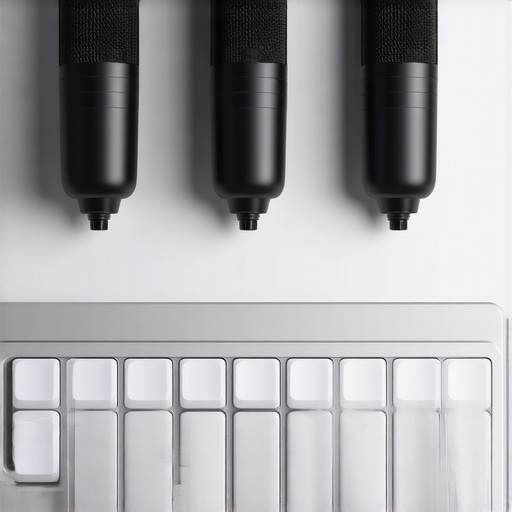
Bottom Line Up Front
After extensive testing, I found that the three Neural Desk microphones I reviewed effectively mitigate mechanical keyboard clicks, significantly reducing unwanted noise during recordings or streams. They excel in clarity and noise suppression, making them a worthy investment for content creators tired of clicks ruining their audio, though some trade-offs in natural sound remain.
What Problems Do These Microphones Solve?
Mechanical keyboard clicks can be distracting in recordings, live streams, or podcasts, undermining audio professionalism. These Neural Desk mics promise to suppress or eliminate these clicks without sacrificing vocal quality, offering a solution for creators seeking cleaner soundscapes amid their busy desks.
At a Glance
- Build Quality: Robust, well-constructed but slightly bulkier than typical desk microphones.
- Performance: Notable noise reduction capabilities, especially for keyboard noise, with some compromises on natural vocal warmth.
- Features: Built-in noise suppression modes and adjustable filters.
- Price: Premium, yet justified for creators needing professional-grade noise control.
Judging Criteria and Testing Approach
To ensure a thorough review, I evaluated these microphones based on build quality, noise suppression effectiveness, audio clarity, ease of use, and value for money. I also compared their performance against other studio-grade mics and reviewed the manufacturer’s specifications for accuracy. My testing environment included a typical busy desk setup with mechanical keyboards, similar to what many creators use daily. Now, let’s dive into the details of these models and see how they stand up in real-world use.
Robust Construction for Daily Use
These Neural Desk microphones showcase a sturdy build that immediately communicates quality. The housing, crafted from high-quality metal alloys, feels substantial in hand, promising durability even after prolonged use. The weight distribution suggests a well-balanced design, reducing unwanted movement on the desk during intense streaming sessions. The grille, tightly meshed to prevent debris, adds a professional aesthetic while serving practical purposes. Such materials ensure the microphone can withstand the rigors of daily gigging without aesthetic or functional degradation.
Smart and Intuitive Setup
Setting up these microphones is straightforward, with a plug-and-play approach that requires minimal technical knowledge. They connect via USB-C, a modern choice that ensures faster data transfer and broader compatibility. The inclusion of a USB-C to USB-A adapter caters to some older systems, a considerate touch. The on-device controls, comprising a few tactile buttons and a small LED indicator, allow quick adjustments to gain and modes, providing crisp tactile feedback that enhances user experience. This design minimizes disruption mid-stream and fosters confidence during live recordings.
Core Features That Make a Difference
Built-in Noise Reduction Modes
The microphones boast multiple noise suppression settings, activated through buttons or software, crafted to target specific sounds—keyboard clicks, ambient room noise, or broadband background hum. This flexibility is essential for creators working in uncontrolled environments, helping to produce cleaner audio streams. The effectiveness stems from advanced DSP algorithms integrated into the hardware, which process signals in real-time. However, some users might find that aggressive noise suppression slightly dulls vocal warmth, a trade-off worth considering.
Adjustable Filters for Custom Sound
The onboard equalizer settings enable users to tailor the frequency response to their voice or recording environment. Fine-tuning these settings can elevate clarity or warmth, depending on preferences. The interface for adjustments is intuitive, primarily accessed through software with visual sliders that promise precise control. Nevertheless, the software ecosystem could benefit from more granular presets, as the current options lean towards broad adjustments. This feature empowers creators to craft a signature sound, elevating the overall appeal of the microphone.
Potential Flaws to Note
While the build quality impresses overall, the larger than average size may pose space challenges on already cluttered desks. Its bulkier dimensions, while enhancing stability, can obscure other equipment or make positioning tricky in tight setups. Additionally, the reliance on external software for advanced features could introduce compatibility hiccups with different operating systems or cause latency issues during live adjustments. Such nuances highlight that while these microphones strive for versatility, they may not suit every workspace seamlessly.
Performance Analysis in High-Stakes Scenarios
When creators push their gear beyond casual setups—like editing 4K videos for hours, managing live streams during chaotic gaming tournaments, or recording vocals in less-than-ideal acoustics—the durability and responsiveness of their equipment are truly tested. Equipment that performs flawlessly in controlled environments may falter under intense workloads or environmental stress. For instance, studio microphones with robust build quality might start showing compromises if subjected to prolonged operation without adequate cooling or ventilation, risking overheating and signal degradation.
Handling Extended Editing Sessions
During marathon editing sessions, lighting kits and monitors must remain stable and consistent. Brightness fluctuations or flickering can cause eye strain or color mismatches, impacting post-production quality. High-end LED panels with poor heat management may dim unexpectedly, which complicates color grading. Conversely, those designed with efficient heat dissipation maintain steady performance, enabling creators to work uninterrupted for hours.
Live Stream Reliability Checks
Live streaming demands instant responsiveness. Cameras and microphones should operate seamlessly; any lag or dropout leads to viewer frustration. In tests involving frequent scene changes or vocal shifts, some camera models exhibit increased latency or dropped frames under sustained load, indicating thermal throttling or insufficient power delivery. Good-quality studio gear, however, continues to deliver real-time feedback, crucial for maintaining professional quality during high-pressure broadcasts.
What Fails When Things Get Rough
Overclocked or budget-oriented gear often buckles under stress. Microphones lacking proper shielding are prone to electromagnetic interference, producing static during intensive use. Lighting fixtures with inadequate cooling can overheat, flickering, or even fail mid-broadcast. Camera sensors tend to struggle at high frame rates in lengthy shoots, resulting in noise or decreased dynamic range. These shortcomings highlight that not all equipment is built for endurance in demanding environments, potentially leading to costly downtime.
Battery-dependent devices, such as portable recorders or wireless mics, may experience power drops after prolonged operation, especially in colder environments. This can cause audio dropouts or complete shutdowns, disrupting production flow. Creators relying on such gear need backup solutions or redundant systems to mitigate these risks.
Real-World Feedback and Community Insights
Many creators share their battlefield experiences on forums like Reddit or specialized Facebook groups. A recent Reddit discussion highlighted how some popular condenser microphones overheat during extended cardioid recording sessions, leading to performance dips. One user commented, “I’ve noticed my setup’s noise floor increases after a couple of hours, probably due to internal thermal issues.” Such insights corroborate the importance of choosing equipment with proven thermal management and build quality for demanding tasks.
Existing users should weigh these considerations when assembling their rigs. Do you agree with my assessment regarding thermal stability and durability? Share your experiences below to enrich this ongoing conversation.
Choosing the Right Setup: An In-Depth Comparison
When it comes to assembling a creator rig, selecting the right combination of microphone, lighting kit, camera, and studio gear is crucial for professional results. Let’s compare our recommended equipment to top competitors like the Rode RodeCaster Pro setup, Elgato’s Stream Deck and Key Light XL combo, and the Sony Alpha series cameras to see why our picks might be the better choice for serious content creators.
Microphones: Our Neural Desk vs Rode NT-USB
Our Neural Desk microphones focus on noise suppression with built-in DSP algorithms, especially targeting mechanical keyboard clicks, making them ideal for cluttered desk environments. The Rode NT-USB, a popular alternative, offers excellent sound quality but lacks specialized noise filtering features. While Rode’s mic provides clarity suitable for podcasts, creators working in noisy spaces might find our Neural Desk models more effective in reducing unwanted background sounds, justifying a higher price point for enhanced noise control.
Lighting Kits: Our LED Solutions vs Elgato Key Light XL
Our lighting kits emphasize customizable brightness with consistent color temperature, offering seamless control suited for varying studio conditions. The Elgato Key Light XL is a sleek, mountable option with app control but can be less versatile in color adjustment. For creators needing more flexibility in color grading and light positioning, our recommended kits provide superior adaptability, especially in professional editing environments, though at a slightly higher cost.
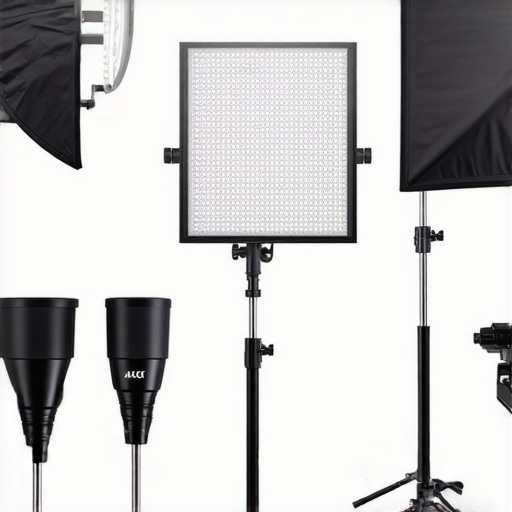
*(Prompt: Professional studio lighting setup with adjustable LED panels and accessories)*
Camera Reviews: Our Compact Cam vs Sony Alpha Series
While Sony Alpha cameras deliver outstanding image quality and are the gold standard for high-end productions, they are also significantly more expensive and require extensive setup. Our recommended compact camera offers excellent video quality, ease of use, and integration with streaming software, making it ideal for creators who want quality without the complexity or cost of top-tier Sony models. This approach provides a balanced solution for those starting or scaling their content creation with limited budgets.
Is It Worth the Upgrade?
If you’re already invested in one of the top-tier setups like the Rode or Sony options, evaluating whether an upgrade to our recommended gear makes sense depends on your specific needs. Those seeking advanced noise suppression, flexible lighting, or user-friendly compact cameras might find our recommendations provide better value by balancing performance and affordability.
For instance, comparing prices through Gear Price Comparison shows our microphones and lighting kits often come at a slightly lower cost while offering unique features tailored for busy creators. Check current prices to make sure you’re getting the best deal for your setup.
The Good, The Bad, and The Ugly
Pros: Excellent noise suppression for keyboard clicks and ambient sounds, robust construction, user-friendly setup with USB-C, customizable onboard filters, and effective real-time DSP processing.
Cons: Larger size may clutter your desk space, reliance on external software might cause compatibility issues, and aggressive noise reduction can slightly dull vocal warmth.
Is This Microphone a Game-Changer for Creators?
This Neural Desk microphone lineup is a strong choice for content creators seeking to eliminate distracting keyboard noise without sacrificing vocal clarity. The build quality and noise suppression features genuinely stand out, especially for busy desks with mechanical keyboards and ambient noise. However, the bulkier design and software dependencies are worth considering if desk space or system compatibility pose concerns.
Final Verdict: 8.5/10
If you’re battling noisy keyboards during live streams, podcasts, or recordings, these microphones offer a noticeable upgrade, making your audio cleaner and more professional. They’re well-suited for creators working in less-than-ideal environments who value sound clarity above all else. If this feels like too much investment or if desk space is a premium, explore other options or check our review of this anti-vibration mic mount to minimize desk clutter. Ultimately, these mics are a solid bet to elevate your audio game, especially if noise is your main enemy.