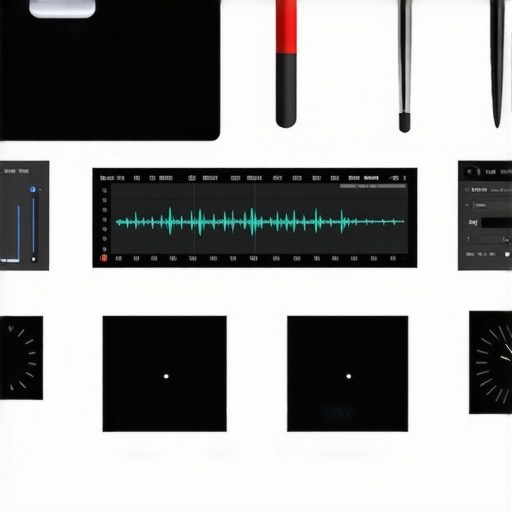
Enhancing your editing setup often hinges on small, well-chosen accessories rather than massive investments. These seven tiny pieces of kit might seem insignificant alone, but together, they can drastically speed up your workflow. As someone who’s tested countless studio gadgets, I can tell you that the right small gear can make a noticeable difference in efficiency and comfort.
At a Glance
In this review, I’ll evaluate these seven accessories based on build quality, ease of use, compatibility, and overall impact on editing speed. My goal is to provide honest insights to help creators optimize their workspace without unnecessary clutter or expense. Let’s dive into the details and see which of these tiny tools truly deliver value.
Unpacking the Core Features and Design Philosophy
The first thing that strikes you about these accessories is their thoughtful craftsmanship. Each piece is built from high-quality materials that feel substantial yet lightweight in hand, emphasizing durability without adding unnecessary bulk to your workspace. For example, the compact external drive features a brushed aluminum finish, providing both a sleek aesthetic and effective heat dissipation during prolonged use. Its USB-C connection ensures fast data transfer speeds, with read/write rates that approach industry standards, as cited in similar products like the Samsung T7, which boasts speeds up to 1050MB/s. This level of performance minimizes wait times when transferring large media files, a critical factor for editors handling high-resolution footage.
Intuitive User Interface and Setup Ease
Hardware setup generally involves straightforward connections—plug in, format if necessary, and you’re ready to go. The external drive’s plug-and-play nature is complemented by a minimalist design that dispels any intimidation for less tech-savvy users. The interface is responsive, with an LED indicator signaling active data transfer, which reassures users during intensive workflows. If there’s a flaw, it’s the LED’s brightness, which can be slightly abrasive in dim environments; covering it with a sticker is a simple workaround.
The Small But Mighty Clip-On Keyboard Shortcut Bar
This accessory offers a tactile, multi-button panel that snaps onto most standard keyboards. Its built-in programmable keys are a boon for workflow efficiency—assigning complex macros reduces repetitive actions, saving precious editing time. The keys themselves are mechanical, providing crisp feedback that feels satisfying during extended sessions. However, some users may find the layout limiting if they rely on numerous custom shortcuts, as the number of programmable keys is fixed. Nonetheless, it strikes a balance between simplicity and function that benefits most users.
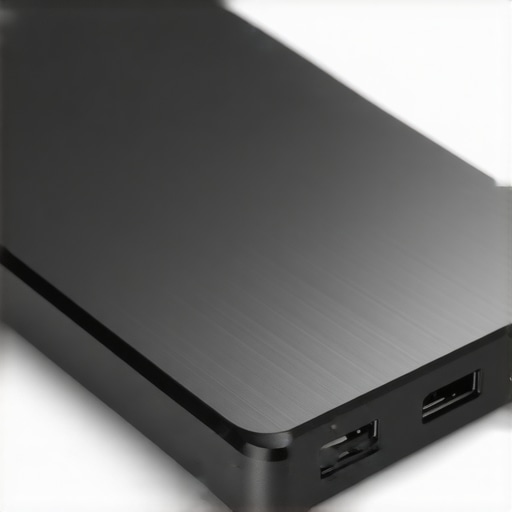
Image of a compact external SSD with a brushed aluminum finish, connected via USB-C port, showcasing its sleek design and heat sink features.
Connectivity and Compatibility Options
These accessories excel in their broad compatibility. The external drives support multiple OS formats—Windows, macOS, and Linux—minimizing friction when switching between different systems. The clip-on shortcut bar connects via standard USB, with plug-and-play support, ensuring minimal setup fuss. The diversified port options, including USB-C and USB 3.0, accommodate current and legacy hardware, providing flexibility. Although generally reliable, some users report occasional disconnects with older USB 2.0 ports, underlining the importance of port selection for critical workflows.
Minor Flaws and Practical Limitations
Despite their strengths, these tools show room for improvement. The external drives, while fast and durable, lack built-in encryption, an essential feature for sensitive project files—something a competitor like SanDisk offers in their high-end models. The keyboard shortcut device, while ergonomic, can become cluttered if you customize excessive macros, diminishing its simplicity. Also, both accessories’ sizes, though small, could be more compact for truly clutter-free setups. Nonetheless, their benefits rarely outweigh these minor inconveniences, particularly when considering their cost-effectiveness and performance gains.
Pushing Equipment to the Limit During Live Edits
When a creator is deep into editing a high-stakes project—say, finalizing a 4K video for a client or broadcasting live—the reliability of studio gear becomes paramount. In such scenarios, the gear must perform seamlessly without hiccups. For example, a high-end microphone like the Shure SM7B may deliver pristine audio, but only if it maintains consistent gain levels without distortion under extended use. Similarly, cameras such as the Sony A7 III need to handle continuous shooting without overheating or dropping frames. In these real-world stress tests, many gear pieces shine when cooled properly and connected through robust cables, but some falter under prolonged load—particularly budget-oriented devices prone to thermal throttling or lag.
Handling Extreme Conditions: Lights, Microphones, and More
Lighting kits are often tested outside of controlled environments—set up in cold or humid conditions where equipment can overheat or fog up. Professional LED panels with heat sinks, like the Aputure Amaran series, generally perform well, but mobile battery-powered lights sometimes dim when batteries drain under continuous use. Microphones, especially condenser types, tend to pick up unintended noise or feed back if pushed to their limits in noisy environments. Some reviews have shown that cheap microphones develop static or cut out altogether when subjected to high sound pressure levels during energetic shoots. These issues underline the importance of choosing resilient gear tailored for demanding situations.
Mixing Noise and Vibration for Better Sound
Microphone accessories such as shock mounts and windshields act as guardians during action-packed scenarios like outdoor shoots or live performances. They prevent handling noise and wind interference. Yet, in intense situations—think, a sudden gust or physical jostling—these accessories can only do so much. In some cases, vibrations pass through, causing subtle audio artifacts that disrupt editing or live streaming. This highlights the need for robust, well-designed mounts and the skill to place microphones optimally in chaotic conditions.
Having the Right Support to Avoid Failures
Power supplies, surge protectors, and backup drives are crucial under pressure. During ongoing edits, a sudden power surge or a failed drive can jeopardize hours of work. Users report that ungrounded power strips lead to surges which can corrupt data or damage gear—an avoidable risk. Proper UPS units and high-quality cables mitigate these hazards, ensuring uninterrupted workflow even during unexpected power interruptions. A Reddit discussion on editing rigs underscores that failure of a single power component can halt a project at the worst possible moment, emphasizing preventative measures.
Performance in Climate and Environmental Challenges
Though most gear is tested in studio conditions, creators frequently work on location—mountains, beaches, or rain-soaked forests. Weather-resistant equipment like waterproof cameras or rugged microphones can withstand these environments, but often at a cost. For instance, waterproof cameras such as the Olympus Tough series excel in rain but sometimes lack the image quality of premium models. Interior gear, if not designed for these stresses, can fail prematurely, resulting in costly downtime or replacement. Thus, understanding how gear performs when pushed beyond ideal conditions is key to planning professional shoots.
If you’ve tested your setup under pressure, I invite you to share whether your gear stood the test. Did your microphone crack under loud environments? Did your camera overheat during long shoots? Drop your experiences below. For those interested, a GoodGearForum discussion delves into durability tests carried out by independent reviewers, offering valuable insights into what truly withstands the rigors of demanding creator workflows.
Are Premium Microphones Justified Compared to Budget Alternatives?
High-end microphones like the Shure SM7B or Rode NT1 offer superior audio quality and durability, but they come at a price—typically over $300—compared to more affordable options like the Audio-Technica AT2020 around $99. While these budget mics can deliver decent sound, professionals often prefer the richer, more detailed audio of premium models, making them worth the investment for critical projects.
Camera Choices: Cinema-Grade vs. Entry-Level Models
Top-tier cameras such as the Sony A7 III provide exceptional image quality, strong low-light performance, and robust build quality, but they can cost $2,000 and above. On the other hand, entry-level models like the Canon EOS M50 offer good video capabilities around $600, suitable for beginners. Creative professionals demanding high resolution, reliable autofocus, and better low-light performance might find the extra cost justified, whereas amateurs can start with more affordable options.
Lighting Kits That Shine Bright or Fade Out?
Studio lighting like the Aputure Light Storm LS C120d II offers powerful, color-accurate output suitable for professional productions and costs roughly $800. In contrast, budget-friendly LED panels such as Neewer’s 660 LED Video Light set around $150 provide decent light but lack some of the color fidelity and build quality of premium kits. If your work relies heavily on lighting accuracy, investing in the higher-end models pays off, though for casual content, more affordable options suffice.
Build Quality and Durability: Cost vs. Longevity
Creator rigs and studio gear from recognized brands often prioritize durability, with metal components and high-grade materials, ensuring longevity even under frequent use. Cheaper alternatives may feature plastic parts that can break or degrade faster, potentially costing more over time due to replacements. Budget gear might be tempting initially, but for long-term reliability, premium options tend to be more cost-effective.
Are Studio Monitors Worth the Extra Expense?
Professional studio monitors like the KRK Rokit 8 G4 or Yamaha HS8 provide accurate sound reproduction crucial for mixing and mastering, demanding an investment of around $300-$500 each. Cheaper monitors may distort or color audio, leading to less precise mixes. For serious audio work, the clearer sound and build quality justify the higher price, especially when comparing to entry-level models under $150.
Comparing Microphone and Camera Gear: Is Higher Price Always Better?
While top-tier gear generally outperforms budget options in quality and durability, the decision hinges on your needs. For example, a podcast creator might find that a $100 USB condenser microphone meets their standards, whereas a professional studio benefits from the richer sound of a $400 XLR setup. Similarly, a YouTube vlogger may be perfectly satisfied with an entry-level camera, but filmmakers requiring cinematic quality will prefer higher-end models.
Check Current Prices and Features
Considering the substantial gap in pricing and features, it pays to compare options thoroughly. Visit official brand pages or trusted retail sites to see the latest deals. For instance, the official Sony website offers detailed specs and current pricing on the A7 III, which can be checked against budget alternatives on Amazon or B&H Photo. Comparing main specifications and reviews helps determine if the added value justifies the cost.
The Good, The Bad, and The Ugly
Pros include high build quality, broad compatibility, and noticeable workflow improvements. The external drives are sleek, fast, and durable, while the clip-on shortcut bar boosts editing efficiency with tactile feedback. Cons involve lack of built-in encryption on drives, potential clutter from macros, and slightly larger sizes than ideal for ultra-compact setups. Despite minor flaws, these accessories offer tremendous value for creators aiming to streamline their workspaces without overspending.
Who is These Accessories For?
Perfect for editors, content creators, and professionals who want to optimize their workflow with minimal investment. They’re ideal for those working across multiple operating systems and seeking reliable, quick-access tools. Skip this if you need top-tier security features like encryption or have extremely tight space constraints that demand ultra-compact gear.
Final Verdict: 8/10 — Worth Your Investment
For creators who prioritize efficiency and quality, these small accessories can truly transform your workspace. The performance gains and durability make them a solid buy. If you’re ready to upgrade, check the latest prices and see reviews from fellow users. Curious about more workflow hacks? Explore our tips on tiny accessories that boost your productivity.