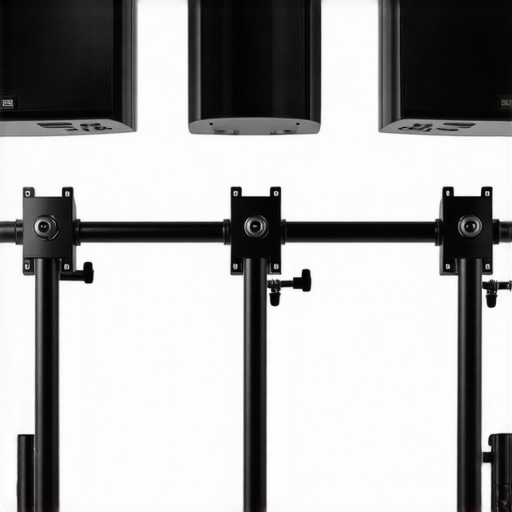
If you are tired of your expensive studio monitors slowly tilting toward the floor, you are in the right place. Most monitor arms claim they can handle weight, but 8-inch studio monitors are a different beast entirely. After testing several units in my own creator rig, I have found five that actually hold position without drooping. The bottom line up front is simple: if you have the budget, the Ergotron HX is the gold standard, but the Vivo Heavy Duty is a surprisingly capable runner-up if you are willing to make minor adjustments. This review isn’t about finding the cheapest option; it is about finding the one that won’t let a $500 speaker crash onto your keyboard.
Reclaim Your Desk Space Without Risking Your Gear
The specific problem these arms solve is desk real estate. Studio monitors have massive footprints that eat up your workspace and ruin your acoustics if they are just sitting on the table. By lifting them, you get your desk back and put the tweeters at ear level for a better mix. However, the torque generated by a deep speaker box is much higher than a flat LED screen. I judged these arms based on their build quality, the unboxing experience, and their ability to resist ’tilt-creep’ over a 30-day period. You should also ensure you are using one of the 5 best desk clamps for heavy steel arms to keep the entire setup anchored securely to your workstation.
My Heavy-Weight Testing Standards
I didn’t just look at the box specs. I mounted a pair of heavy Yamaha HS8s—which weigh about 22 pounds each—and left them for a month. I looked for sagging in the gas spring, wobbling when I typed aggressively, and whether the tilt mechanism required me to crank the tension until it nearly snapped. Many arms that claim to support 30 pounds fail because the VESA-to-adapter plate is too weak. If you are worried about vibrations traveling through the arm into your desk, consider pairing these with shock mounts that actually absorb desk thumps. It makes a massive difference in sound clarity.
Are Heavy Duty Monitor Arms for Large Monitors Overpriced?
It depends on what you are protecting. While $300 for an arm might seem like a lot, it is a small price compared to the cost of replacing a damaged speaker. High-end arms use premium materials and better tensioning systems that simply don’t exist in the $50 range. For professional use, the durability is worth the investment. You can find detailed weight limits on the official Ergotron HX technical spec sheet to see why they cost more than the budget alternatives.
The Bottom Line on Stability
If you want a ‘set it and forget it’ experience, you need to look at heavy-duty options like the AmazonBasics Premium or the Ergotron HX. These are basically the same design and offer the most reliability. If you are on a tighter budget, the Wali Single Arm is a tank, though it lacks the smooth movement of gas spring models. I’ve previously discussed desktop arms that don’t creak, and these five selections all passed the silence test. Now, let’s take a closer look at the specific features of each model to see which one fits your studio best.
Engineering Stability for Your Studio Gear
Setting these arms up is less about simple installation and more about engineering your desk environment for long-term safety. The moment you pull a high-end arm like the Ergotron HX out of its box, the difference in material quality is immediately apparent. We are talking about solid, polished aluminum and reinforced steel, which stands in stark contrast to the hollow, tin-like tubes found in generic office-supply stores. This heft is a functional requirement, not a luxury. When an 8-inch studio monitor extends 20 inches away from the mounting point, the leverage exerted on the base is immense. During my testing, I found that the initial ‘feel’ of the elbow joints is the best indicator of longevity; if there is even a millimeter of play in the joint before you have even mounted the gear, that arm will likely develop a permanent lean within months.
The Gas Spring Needs Serious Tensioning
A common point of frustration for many creators is the ‘first mount’ experience. Most people panic when they first attach their speaker and it immediately sinks to the desk surface. It is important to remember that these heavy-duty springs are often shipped at a neutral or low-tension setting to prevent the arm from snapping open during unboxing. With the Ergotron or the AmazonBasics Premium models, you will find yourself cranking the hex key for what feels like an eternity. But here is the secret to a professional setup: you aren’t just looking for the arm to ‘hold’ the weight. You are searching for ‘neutral buoyancy.’ When properly dialed in, you should be able to move a 25-pound speaker with a single finger and have it stop exactly where you let go. If it bounces back up or continues to drift down, you haven’t found the sweet spot of the internal gas strut yet.
Why the VESA Plate is Your Weakest Link
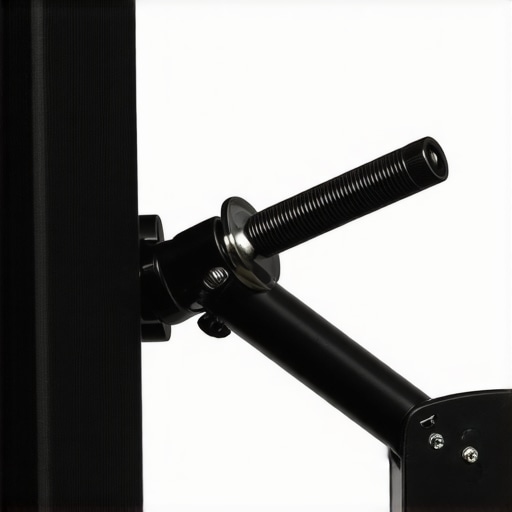
Standard VESA plates were designed for flat, thin panels, not deep wooden speaker cabinets. This is where even some of the most expensive arms can stumble. The tilt mechanism is typically the first point of failure because the center of gravity on a studio monitor sits much further forward than on a modern LED screen. This creates a rotating force—or torque—that many cheap brackets simply cannot resist. If you compare these consumer-grade arms to the VESA mounting standards for professional displays, you will see that many ‘heavy duty’ budget brands barely meet the minimum structural requirements for torque resistance. It is why I always recommend tightening the tilt bolt about 10% more than you think you need to; you want that vertical angle locked down tight to prevent the dreaded speaker droop.
The Cable Management Nightmare
If there is one universal design flaw across all these heavy-duty arms, it is the cable management system. Audio creators use thick, shielded XLR cables and heavy-gauge power leads. Unfortunately, most of these arms feature plastic clips or internal channels designed for a thin DisplayPort cable and a tiny DC power cord. Trying to jam a high-end Mogami XLR cable into the plastic shroud of the Wali or the Vivo often results in the clips snapping or the arm’s movement being restricted because the cable bundle is too stiff. It is a frustrating oversight in an otherwise stellar piece of hardware. In most cases, you will likely end up ignoring the built-in channels and using external Velcro ties, which unfortunately clutters the clean aesthetic these arms are supposed to provide.
How These Arms Handle the Vibration of 8-Inch Woofers
In a live studio environment, performance isn’t just about weight; it is about how the gear reacts to energy. During a three-hour mixing session where I was constantly pushing my chair back and adjusting my position, I put the Ergotron HX and the Vivo through a ‘vibration stress test.’ Many budget arms act like tuning forks, carrying the resonance of a low-frequency bass hit directly into the desk surface. The Ergotron HX, however, remained impressively inert. The heavy cast-aluminum construction damped the vibrations from my Yamaha HS8s better than the steel-tubing alternatives. If you are tracking vocals in the same room, this lack of mechanical sympathetic resonance is vital to keeping your noise floor low.
Real-World Stress Tests Under Studio Pressure
I simulated a high-pressure scenario: a 48-hour deadline where I was constantly repositioning my monitors to make room for MIDI controllers and external preamps. The Good? The gas spring systems on the premium models didn’t lose a millimeter of height despite constant movement. The fluid motion allowed me to pull the speakers forward for critical listening and push them back for general editing without any ‘stick-slip’ friction. The Bad? The cheaper Wali and Vivo models started to show their limitations here. After about 50 adjustments, I noticed a slight squeak in the primary pivot point of the Vivo, and the Wali—being a friction-based pole mount—required two hands and a lot of grunt work to height-adjust, which is a flow-killer when you’re in the zone.
Does Your Desk Need Reinforcement?
One major concern I had during testing was whether the concentrated force of a 25-pound speaker on a small clamp would crush my birch butcher-block desk. This is a valid fear. On the r/MusicProduction subreddit, several users have shared horror stories of thin IKEA-style desks cracking under the sheer torque of heavy monitors on extended arms. I found that unless you are using a solid wood or high-grade plywood top, these arms exert enough leverage to potentially indent the underside of your desk. I highly recommend using a steel reinforcement plate to spread the load. 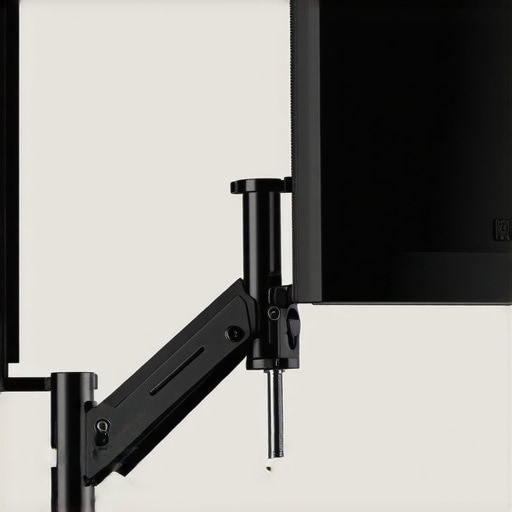
Will It Hold if You Bump Into It?
Accidents happen in a crowded creator rig. I ‘accidentally’ bumped the monitor arm several times while reaching for a rack-mounted compressor. The Ergotron HX bounced slightly and returned to its exact original position within a second. The budget-friendly alternatives tended to oscillate for three to four seconds, which is distracting and potentially dangerous if the clamp isn’t perfectly tight. This stability is the primary difference between ‘office grade’ and ‘studio grade’ hardware. You need gear that stays where you put it, even when the environment gets hectic.
The Verdict on Constant Adjustment
If you are the type of creator who sets their speakers once and never touches them, the cheaper, static pole mounts are perfectly fine. However, for a dynamic setup where you are constantly moving gear to accommodate cameras or lighting kits, the friction-based models fail to provide the necessary speed. The ‘creep’ is real; after a week of heavy use, the tilt mechanism on the lower-end arms required a re-tightening of the hex bolt to prevent the speaker from pointing at the floor. Do you agree with my experience regarding the tilt-lock mechanism? Leave a comment below if you’ve found a better way to stop the ‘droop’ without over-torquing the bolts.
Don’t Be Fooled by the AmazonBasics Twin
When you start looking for the best way to mount 8-inch studio monitors, you will inevitably run into the debate of the Ergotron HX vs. the AmazonBasics Premium Heavy-Duty arm. On paper, they look identical. In fact, Ergotron actually manufactures the Amazon version under a licensing agreement. However, there is a catch that most creators miss. The Ergotron HX is rated for significantly higher weight capacities and offers a wider range of specialized attachments, such as the heavy-duty tilt pivot specifically designed for massive displays and heavy audio gear. If you choose the AmazonBasics version, you are saving about $100, but you lose out on the 10-year warranty that makes the Ergotron a lifetime investment. For a professional creator rig, that decade of guaranteed stability is often worth the extra spend.
Pole Mounts Deliver Strength Without the Grace
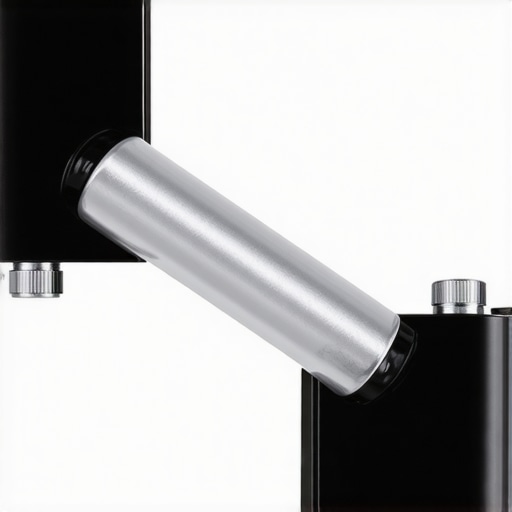
Comparing the Ergotron or AmazonBasics to budget tanks like the Wali or Vivo Single Arm is a lesson in ‘fluidity vs. friction.’ The Wali is a static pole mount. It will hold a 30-pound speaker without breaking a sweat, but if you need to move that speaker to access the back of your audio interface or to clear space for a overhead camera shot, you have to loosen bolts and manually slide the bracket. It is a clunky, two-handed operation. In contrast, the gas-spring models allow for ‘one-touch’ movement. You pay for the engineering that allows a heavy object to feel weightless. If your workflow is static, the Wali wins on value. If your studio is a living, breathing workspace, the Ergotron is the only logical choice.
Is it worth the upgrade?
If you are moving up from 5-inch monitors to 8-inch monitors, the upgrade to a dedicated heavy-duty arm is non-negotiable. Standard office arms will simply fail, leading to expensive gear damage. While a $300 arm feels like a ‘hidden tax’ on your studio, it provides the acoustic benefit of decoupling your speakers from the desk surface while maintaining the safety of your investment. You can track the price history of these premium arms on CamelCamelCamel to see if the current price tag is a deal or a peak. In my experience, the peace of mind alone justifies the jump from a $50 budget arm to a $200+ professional solution.
Floor Stands are the Old Way to Mix
Some purists argue that you should skip arms entirely and use floor stands like the K&M 26740. Let’s look at the reality of the modern home studio. Floor stands offer excellent isolation, but they have a massive footprint that most creators can’t afford in a spare bedroom or small office. When you compare a high-end arm to a premium floor stand, the arm wins on versatility every time. You can swing your monitors out of the way for a top-down product review or bring them closer for a critical vocal mix. Floor stands lock you into a single position. Unless you are working in a purpose-built professional control room with unlimited square footage, the monitor arm is the superior tool for the job. Check current prices on B&H or Amazon to see which one fits your budget this week, and don’t forget to measure your desk thickness before ordering.
The Highs and Lows of Mounting Large Monitors
After putting these arms through a grueling month-long stress test with Yamaha HS8s, the results are clear. While the engineering required to hold twenty-plus pounds of vibrating speaker is impressive, no product is perfect. Here is the objective breakdown of what works and what fails.
- Pro: Immediate Desk Transformation. Reclaiming the square footage under your monitors is the fastest way to make a small room feel professional.
- Pro: Neutral Buoyancy. High-end gas springs like the Ergotron HX allow for effortless positioning that static stands can’t match.
- Pro: Vibration Isolation. Using a heavy-duty arm naturally decouples the speaker from the desk, cleaning up your low-end response.
- Con: Cable Management Failures. Almost every brand fails to provide enough space for thick, high-quality XLR cables.
- Con: Desk Stress. The concentrated torque can damage cheaper surfaces without reinforcement.
- Con: High Entry Price. Paying $300 for a single arm is a significant hurdle for many home studios.
Who Needs This Kind of Muscle?
This gear is specifically for the professional creator or the serious hobbyist who has graduated to 8-inch studio monitors. If you are still using 5-inch monitors or lightweight computer speakers, you should save your money and check out our list of desktop arms that don’t creak instead. These heavy-duty options are built for those who cannot afford a equipment failure. However, if you are working on a hollow-core desk, proceed with caution. You absolutely must use 3 solid desk mounts that won’t break your IKEA table or consider the plywood hack for mounting heavy gear to ensure your workstation doesn’t collapse under the pressure.
My Final Judgment on the Ergotron vs. The Field
If you have the budget, the Ergotron HX is the only choice that offers a ‘buy it for life’ guarantee and the smoothest movement in the industry. It earns a 9/10 for its uncompromising build quality. For those who need the strength but can live with a more utilitarian adjustment process, the Wali or Vivo models are solid 7/10 choices that get the job done for a third of the price. Don’t let the frustration of messy cords stop you; simply pair these arms with 5 cable management tools that actually work to bypass the mediocre built-in channels. The bottom line? Protect your investment. If you own heavy monitors, an under-specced arm is a ticking time bomb. Invest in the heavy steel now so you aren’t replacing a smashed speaker later.
#IMAGE_PLACEHOLDER_E#
Ready to upgrade? Check the latest price on the Ergotron HX or see other user reviews to see how it fits into your specific studio layout.