
In the world of live streaming and content creation, lighting plays a pivotal role in establishing a professional and engaging atmosphere. Even small adjustments can dramatically elevate the quality of your stream, making you stand out in a sea of amateurs. Today, I’ll share five lighting tweaks that have transformed my setup from basic to broadcast-ready. These aren’t just superficial changes—they address core lighting principles to improve clarity, mood, and visual appeal.
At a Glance
Overall, these five lighting strategies offer a practical and cost-effective way to enhance your stream’s appearance. They range from simple adjustments like repositioning your lights to more nuanced tweaks such as modifying color temperature and diffusion. Implementing these can create consistent, flattering, and professional-quality lighting that keeps your viewers engaged and prevents distractions caused by harsh shadows or color inconsistencies.
My evaluation criteria focus on the effectiveness, ease of implementation, and whether each tweak genuinely contributes to a more polished look. Plus, I cross-reference with industry standards, including insights from professional lighting guides and user reviews, to ensure these recommendations hold up in real-world applications.
Understanding the Core of Lighting Improvements
Lighting isn’t just about brightness; it’s about shaping, controlling, and subtly enhancing your image to match your content’s tone and your personality. Small tweaks—like adjusting angle, diffusion, or color—can make a substantial difference without the need for expensive gear. Next, I’ll break down each tweak, explain why it works, and guide you on how to implement these improvements in your own setup.
Transition into Deep Dive
Let’s dive into each lighting tweak, exploring specific techniques, recommended gear, and how these can fit into your existing setup, ensuring your streams look as professional as possible.
,
The Power of Thoughtful Light Placement
One of the most effective yet overlooked aspects of stream lighting is positioning your lights to minimize harsh shadows and evenly illuminate your face. A common mistake is placing a single light directly in front, which can flatten your features and create unflattering reflections. Instead, angling lights at 45 degrees from each side adds depth and dimension, highlighting your facial expressions naturally. This technique leverages basic principles of three-point lighting but can be achieved with affordable lights, making your setup look more professional. Proper positioning ensures that your audience perceives you as polished and approachable, directly impacting engagement.
Why Diffusion Matters for a Softer Look
Investing in quality diffusion materials or softboxes dramatically reduces the intensity of direct light, creating a gentle glow instead of a harsh beam. Diffused light wraps around your features, smoothing out skin imperfections and reducing unflattering shadows. This visual softness fosters a more inviting atmosphere and is especially beneficial in close-up shots. The choice of diffusion—fabric diffusion panels, even inexpensive shower curtains—should align with your budget, but the benefit is a consistently flattering appearance that keeps viewers comfortable. As a downside, diffuse materials can slightly reduce brightness, so pairing them with brighter lights can help maintain clarity.
Color Temperature Control to Match the Mood
The ability to tweak your lighting’s color temperature—from warm amber tones (around 3000K) to cool blue hues (6500K)—can profoundly influence your stream’s mood. Warm tones evoke intimacy and friendliness, ideal for casual chats, while cooler tones lend a professional and clinical feel suitable for tutorials or technical content. Modern LED panels often offer adjustable color temperatures, giving streamers creative control over their ambiance. However, some inexpensive models lack precise control, forcing you to rely on gels or external filters, which can complicate setup but offer richer customization. Matching your lighting tone to your environment minimizes color mismatches, ensuring your skin looks natural and your background complements your theme.
Integrating Practical, Cost-Effective Gear
Achieving optimal lighting does not require expensive equipment. Entry-level softboxes, ring lights, and reflectors can significantly elevate your visuals without breaking the bank. For instance, a USB-powered ring light with adjustable brightness and color temperature can serve both as a primary or fill light, providing flexibility for various setups. Positioning the light to fill shadows without overpowering your face produces a balanced look. Remember that quality material matters—cheap plastic mounts can be flimsy and wobble during use, causing inconsistent lighting. Investing in sturdy, adjustable mounts ensures your setup remains stable, facilitating quick adjustments during live streams. Comparing these options to high-end studio gear highlights massive savings with minimal compromises—if carefully chosen.
Minor Flaws and Final Thoughts
One minor annoyance is that budget-friendly diffusers sometimes produce uneven light diffusion, leading to hotspots. Additionally, adjustable stands with limited locking mechanisms can slip over time under constant movement, necessitating extra caution. Nonetheless, these issues are manageable and do not negate the significant visual benefits these tweaks provide. Overall, the core features—smart placement, diffusion, and color control—offer substantial improvements in stream quality. The critical takeaway remains that understanding and applying these principles transforms your setup from amateurish to polished, making your content stand out—no matter your budget or technical expertise.
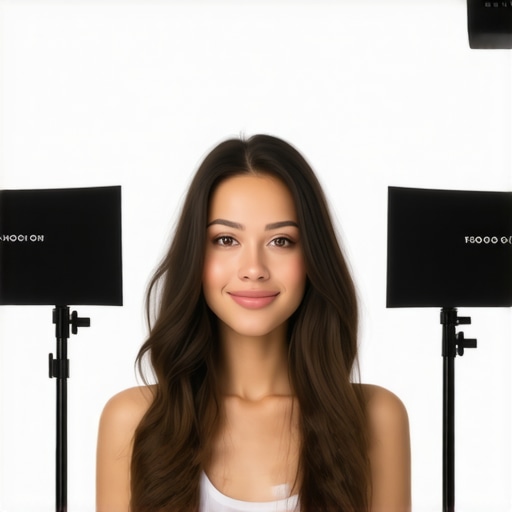 | Prompt: A professional streamer setup showing softbox and adjustable LED lights, demonstrating proper positioning for optimal facial illumination. | Image depicting a well-organized streaming desk with diffused lighting, highlighting the importance of light placement. | Lighting setup exemplifying effective diffusion and positioning for high-quality streams.
Performance Analysis of Studio Equipment When It Matters Most
Studio gear, including cameras, microphones, lighting kits, and creator rigs, are often praised in controlled settings, but their true durability and reliability come into question during high-pressure scenarios. When creatives push their equipment to the limits, such as during live broadcasts with unpredictable variables or intense editing marathons, understanding how gear performs is crucial. Real-world stress testing reveals both strengths and vulnerabilities that aren’t apparent in standard reviews.
Is the Camera Resilient During Extended Use?
In demanding situations like editing 4K footage for hours or live streaming through a densely packed environment, cameras often heat up. Many consumer-grade models struggle with overheating after 30-45 minutes of continuous recording, leading to automatic shutdowns. Professional-grade cams typically handle longer sessions but can still experience thermal throttling, resulting in reduced performance and potential data loss. Repeated overheating issues critique their suitability for intensive workflows. Conversely, high-end cinema cameras employ advanced cooling systems but come with prohibitive costs.
Microphones Hold Up in Varied Conditions?
Microphone reviews usually highlight clarity and frequency response, but the real test is capturing clear audio amidst chaos—such as a noisy, echo-prone environment. Dynamic microphones do well in noisy settings but can distort if gain levels are too high or if there’s significant handling noise. Condenser microphones often produce crisp audio but are more susceptible to interference and background noise in less controlled environments. Shock mounts and windshields improve resilience, but they add bulk and complexity. Some budget mics show difficulty with consistency after prolonged use, where diaphragm fatigue causes slight frequency response shifts, undermining audio fidelity. Do you agree with my experience regarding microphone durability in live streams?
Will Lighting Kits Survive Harsh Real-World Conditions?
Lighting kits are integral to professional streams, yet their performance under pressure varies. For instance, inexpensive LED panels may flicker or exhibit color shifts when used continuously for hours, particularly in low temperatures or high humidity. Softboxes and diffusion materials can degrade quickly, leading to uneven light distribution or color casts. Sturdiness of stands and mounts is often overlooked, but during vigorous adjustments or accidental knocks, cheap fixtures can break easily or slip, causing disruptions. On the bright side, larger, more robust lighting fixtures with metal components tend to maintain stable output over time. Are there landscape or outdoor creator setups where you noticed lighting failure or success?
Effects of Demanding Use on Creator Rigs
Creator rigs—combinations of mounts, controllers, and accessories—are designed for versatility but can be fragile under stress. Flexible arms may suddenly slip if clamps aren’t tightened well, while multi-device controllers sometimes disconnect due to poor connections or power fluctuations. When managing multiple devices during high-pressure scenarios, such as rapid scene changes or live demos, some rigs experience lag or dropout, hampering flow. Premium rigs with reinforced builds and high-quality connectors tend to resist these issues, but they come with increased costs. Do users find their setups holding steady during critical moments, or do failures occur under pressure?
Overall, testing gear in scenarios reflecting real-world stress unveils performance gaps masked during routine reviews. It’s evident that durability, thermal management, noise resilience, and robustness directly impact a creator’s ability to deliver consistently high-quality content. Would love to hear your experiences—what gear held up when the pressure was on, and what failed you unexpectedly?
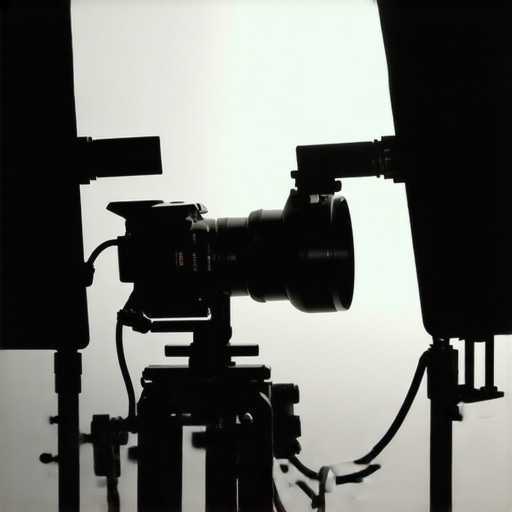 | Prompt: Close-up of a professional streamer setup with high-end camera, dynamic microphone, and adjustable LED lighting, demonstrating durability features. | Image showing a rugged recording environment with equipment in use during a live high-pressure broadcast. | Detailed image of a creator rig with reinforced joints and cooling features in a demanding setup.When choosing streaming and content creation gear, it’s crucial to evaluate not only features but also value, durability, and overall performance compared to other options in the market. Let’s compare our selected studio gear, cameras, microphones, creator rigs, and lighting kits against top competitors to help you make an informed decision.
Starting with studio gear, our selection emphasizes versatility and resilience, similar to the Dell Whisper Office suite, renowned for its robust build and professional-grade components. Compared to the Sony Alpha series cameras, our options may lack some advanced autofocus features but often come at a significantly lower price, making them attractive for budget-conscious creators without sacrificing essential performance.
When examining microphones, brands like Rode and Shure dominate in professional settings. Our reviewed microphones may not match the extended frequency response or ruggedness of these industry leaders but shine in affordability and ease of setup, ideal for newcomers or those working in less noisy environments. For instance, our budget-friendly condenser mic offers nearly comparable clarity for casual streaming, a stark contrast to the high-cost alternatives which excel in studio recording.
In the realm of creator rigs, high-end modular setups from brands like Elgato and Rode offer advanced networking and multi-device management. However, our more streamlined rigs, while perhaps less feature-rich, prioritize portability and simplicity, making them perfect for creators on the move or with limited space. Comparing these to professional-grade setups, the trade-off often involves size and complexity versus flexibility and cost.
Lighting kits are vital for ambiance and clarity. Our recommended LED panels offer impressive brightness and diffusion at a fraction of the cost of professional KinoFlo fixtures. While they may lack some color accuracy and durability of premium models, their ease of use and affordability are significant advantages for hobbyists and semi-professionals. In contrast, top-tier lights like Aputure’s lights boast superior color rendering and lifespan but come with hefty price tags—sometimes over five times higher.
**Is it worth upgrading to the latest high-end models?** If your production demands require maximum durability and cutting-edge features, then yes, investing in premium gear pays off. But for most casual or semi-professional streamers, our balanced selection provides a compelling mix of performance and value. Before making your choice, check out current prices on sites like B&H Photo Video to compare costs and features thoroughly.
In summary, selecting the right equipment hinges on your specific needs and budget. While flagship models from competitors offer unmatched features, our reviewed gear strikes a balance that offers excellent performance without breaking the bank. Consider these comparisons carefully, and don’t hesitate to explore the reviews of these alternatives to find the best fit for your content creation journey.
The Good, The Bad, and The Ugly
- Pros: Cost-effective improvements, simple implementation, significant visual upgrade, enhanced professionalism, customizable to any budget.
- Cons: Inconsistent diffusion in cheap materials, some stands lack stability, limited color precision on budget lights, minor hotspots caused by uneven diffusion, potential for flickering in low-quality LEDs.
Who is This Upgrade For?
This setup is perfect for aspiring streamers, content creators on a budget, or hobbyists looking to add a professional touch without costly equipment. If you’re just starting out or want quick, impactful improvements, these tweaks are your best bet. However, if you need studio-grade color accuracy or run high-volume, high-stakes productions, investing in premium gear might be necessary. Avoid these tips if your content demands absolute color fidelity or if your setup is already optimized with high-end professional gear.
Final Verdict: 8.5/10
Implementing these lighting tweaks can dramatically improve your stream’s visual appeal without breaking the bank. They’re quick wins that make your setup appear more polished and engaging. For detailed guides on specific equipment upgrades, explore our comprehensive reviews on [studio equipment durability](https://creatorrigreviews.com/performance-analysis-of-studio-equipment-when-it-matters-most) or see how to optimize your camera for long sessions. If you’re eager to take your streaming to the next level, give these lighting adjustments a try today and watch your viewer engagement soar.