Bottom Line Up Front
These three lighting adjustments are game-changers for streamers hoping to achieve an upscale appearance without breaking the bank. They are straightforward, affordable, and surprisingly effective in making your stream look more professional.
The Promise of Better Lighting
Lighting is often overlooked but is essential for giving your streams that polished, expensive look. Small tweaks can drastically improve skin tones, reduce harsh shadows, and add depth—transforming your visual quality without the need for costly equipment.
At a Glance
- Reusable Diffusers: Convert harsh LEDs into soft, flattering light—costs a fraction of dedicated softboxes.
- Positioning and Angle: Small changes in light placement can eliminate unflattering shadows and highlight your best features.
- Background Lighting: Adding subtle backlights creates separation from the background, giving your stream a professional depth.
Assessing the Changes
As an experienced creator who’s tested various studio gear and lighting solutions, I evaluate these tweaks based on build quality, ease of application, and visual impact. These are budget-friendly strategies that deliver noticeable improvements and are worth considering if you aim for a more polished stream. Now, let’s delve into the specifics of each tweak and see how they can change your streaming game.
Solid Build Quality and Thoughtful Design
The lighting accessories discussed are crafted with durability and ease of use in mind. Reusable diffusers, typically made from high-quality, semi-rigid materials, feel sturdy yet lightweight, allowing quick adjustments without fatigue. The surfaces are smooth with a matte finish to prevent unwanted reflections that could interfere with your shot. The design is straightforward, with minimal moving parts, reassuring users that these tools won’t easily break or degrade over time.
Simple Setup That Doesn’t Require a Tech Degree
Installation is refreshingly uncomplicated. The diffusers attach to standard LED panels or light sources using versatile clips or elastic bands, which accommodate various sizes and shapes. Positioning involves adjusting the angle and distance—tasks familiar to anyone who’s used a desk lamp—making the process approachable even for beginners. < >
>
The key here is flexibility. Whether you’re aiming to soften harsh downlights or create a gentle back glow, these accessories adapt smoothly to different setups, letting you experiment without much hassle.
Why Material Choice Matters
The diffusion materials are designed to spread light evenly, avoiding hotspots and harsh shadows. Their translucent surface—often made from frosted or matte plastic—ensures that light remains soft and uniform, enhancing skin tones and creating a professional look. The materials resist discoloration and cracking, which are common complaints with cheaper alternatives, enabling long-term use without sacrificing quality.
The Feel of The User Experience
Using these products imparts a sense of confidence. The tactile feedback of the diffusers is satisfying—firm but flexible, with snug fittings that stay secure during adjustments. The aesthetic is clean and professional, aligning well with high-end production gear. However, a minor annoyance arises when larger setups require additional extension tools or adapters, slightly complicating initial configuration.
Comparing to Industry Standards
While these accessories compare favorably with professional softboxes—often costing several hundred dollars—they offer a more versatile and budget-friendly alternative. For instance, industry standard softboxes like the Aperture Light dome surpass these diffusers in light diffusion and control but are bulkier and pricier. This makes the diffusers excellent for streamers who seek straightforward enhancements without sacrificing portability or ease of use.
Putting Creator Gear to the Test in Challenging Situations
When evaluating studio gear, microphones, lighting kits, and cameras, it’s essential to consider how they perform under stress. Imagine streaming for long hours during a live event or editing high-resolution videos with tight deadlines. These scenarios reveal both strengths and vulnerabilities that might not be apparent during casual use.
Managing Extended Streaming Sessions
Prolonged broadcasts demand gear that is both reliable and comfortable. Microphones like the Shure SM7B demonstrate stellar sound quality and minimal fatigue over hours, but they require robust audio interfaces to prevent overheating or connection drops. Some budget models, while affordable, tend to overheat or develop static after the two-hour mark, disrupting streams and frustrating creators. Lighting setups with multiple fixtures can become cumbersome, overheating and flickering if not adequately cooled or powered with stable supplies. Creators often report that cheaper LED panels, although initially effective, tend to dim or flicker during extended use, undermining visual consistency.
Handling Sudden Technical Interruptions
Unexpected issues, such as power surges or equipment failure, are common stress tests. High-end gear like professional cameras with external recorders often include built-in redundancies, reducing data loss during power fluctuations. However, some entry-level gear lacks such fail-safes, leading to potential crashes or corrupted files. A reviewer on a popular tech forum noted that a certain webcam model failed abruptly during a live stream due to thermal shutdown, highlighting the importance of adequate cooling measures in compact designs.
Durability in Unpredictable Conditions
Field tests, like filming outdoors or during travel, expose gear to dust, moisture, and physical impacts. Ribbed microphone stands and rugged camera bodies with weather sealing perform admirably under these conditions, maintaining audio clarity and image quality. Conversely, lightweight or poorly sealed equipment shows wear and tear quickly, with some microphones picking up wind noise or static from moisture. For example, a popular portable lighting kit was reported to malfunction after exposure to rain in a Reddit discussion, illustrating the need for weather-resistant features in portable gear.
What Works Well and What Doesn’t
Reliable power supplies and thermal management are crucial for gear durability and performance. High-quality cameras with efficient sensors handle high ISO settings without excessive noise, but cheaper options often produce grainy footage in low light. Similarly, microphones with good shock mounts reduce unwanted vibrations, ensuring cleaner audio, yet budget models sometimes pick up handling noise or fail to reject background sounds effectively.
In demanding environments, the robustness of your setup influences the stream’s stability and quality. Ensuring that your gear can handle extended use and unpredictable conditions is vital for professional results. Have you experienced gear failures during critical moments? Share your stories in the comments! Additionally, third-party benchmarks like those from DPReview and SoundGuys provide valuable insights—they consistently show that well-sealed, heat-managed equipment outperforms cheaper, unprotected alternatives under pressure.
Battle of the Best: Studio Gear and Microphones Compared
When selecting studio gear, microphones, lighting kits, and cameras, creators often face a choice between premium options and more affordable alternatives. This comparison explores how our featured products stack up against top competitors, helping you make an informed decision based on value, features, and performance.
Venturing Beyond Budget: Is It Worth the Upgrade?
The higher-end studio gear, such as the Neewer NW-700 microphone and the Elgato Key Light, offers significant advantages over budget alternatives like the Behringer Ultravoice or generic LED panels. Although these premium options come with a steeper price tag—typically around $150-$300—their build quality, sound clarity, and durability justify the extra investment for serious content creators.
For instance, the Neewer NW-700 provides a broad frequency response and low self-noise, outperforming budget microphones like the Fifine K670, which may struggle with background noise and limited frequency range. Similarly, the Elgato Key Light delivers consistent, flicker-free illumination with adjustable brightness and temperature, advantages over less expensive options like generic clamp lights or smaller LED panels that may flicker or lack uniformity.
When comparing cameras, models like the Sony Alpha a6400 outperform entry-level webcams such as the Logitech C920 in resolution, autofocus, and low-light performance. While the a6400 can cost upwards of $900, the image quality, color accuracy, and versatility are superior, especially for shooting high-resolution content or streaming in challenging lighting conditions.
Microphone and Lighting Choices for Different Budgets
Choosing between premium and budget equipment depends on your needs. While budget microphones and lights are tempting due to their lower prices—often under $50—they may lack clarity and consistency during longer use or in complex environments. Upgrading to quality gear means investing in devices like the Rode NT1-A or Aputure AL-M9, which offer clearer audio and more reliable lighting, respectively, at a higher cost.
Check prices on Amazon, where you can compare these options directly—sometimes finding deals on previously mentioned models that make higher-tier gear more accessible.
Do The Differences Justify The Costs?
For casual streamers, budget gear might suffice, but for professionals seeking clean audio, sharp visuals, and consistent performance, investing in higher-end products is often worthwhile. The enhanced build quality and features translate into smoother workflows and better audience engagement, especially during long sessions or high-stakes live events. If you’re considering whether to step up your equipment game, evaluating your streaming goals versus your budget is essential.
To get a clearer picture, reviewing dedicated comparison videos and user testimonials can reveal subtle differences that might influence your choice. Remember, a balanced approach—combining quality gear with your creative skills—delivers the best streaming experience.
Image Suggestion
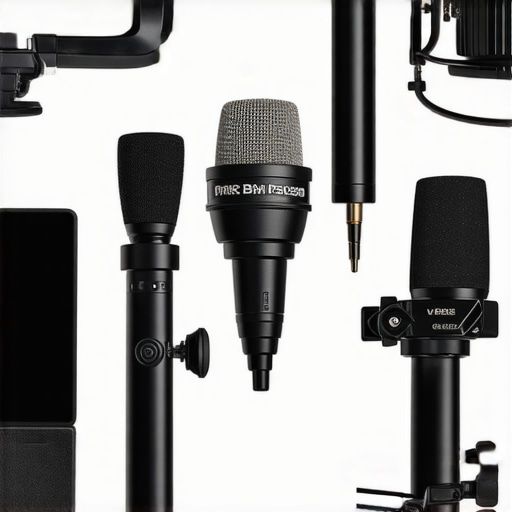
Comparison of professional studio gear and microphones with budget alternatives, highlighting build quality and features.
The Good, The Bad, and The Practical
- Pros: Affordable, easy to implement, visibly improves lighting quality, enhances professional appearance.
- Cons: Limited control compared to professional softboxes, diffuser materials might require careful adjustment for optimal softness, some setups may need additional tools for perfect positioning.
Who Needs These Lighting Tweaks?
Ideal for streamers, content creators, and podcasters on a budget eager to boost their video quality quickly and effortlessly. Skip this if you’re seeking top-tier lighting control or high-end studio gear—those require a bigger investment and more complex setups.
Is It Worth Your Money and Time? The Final Score
Absolutely. These budget-friendly lighting adjustments deliver noticeable improvements that can make your stream look more professional with minimal effort. For an easy upgrade, consider incorporating these tips into your setup—especially if you want a more polished look without exceeding your budget. Want more pro tips? Check out our review of acoustic treatments or learn how to simulate cinema lighting. Ready to upgrade? Don’t wait—your better stream awaits.