Bottom Line Up Front: If you are tired of your teammates or viewers complaining about your mechanical keyboard, the Samson Q2U is the best $60 investment you can make. It is a dynamic microphone that punches way above its weight class in terms of background noise rejection, making it the gold standard for budget creator rigs.
Stop the Clacking: Why this mic solves your biggest desk problem
I’ve spent hundreds on fancy condenser microphones only to realize they pick up a pin dropping in the next room, let alone my mechanical switches. The promise of the Samson Q2U is simple: it focuses on your voice and ignores the chaos happening on your desk. Whether you’re gaming or recording a podcast, this mic ensures your audience hears you, not your peripherals. It is one of the few pieces of gear that actually delivers on the promise of professional sound without requiring a soundproof booth.
First Impressions and My Testing Ground
To really put this to the test, I didn’t use a sound booth. I used my actual office, which has terrible acoustics. If you’ve ever wondered why your studio audio still sounds echoey despite using foam, you’ll appreciate that this mic relies on its tight cardioid pickup pattern rather than room treatment. I tested it side-by-side with a Blue Yeti, and the difference in keyboard bleed was night and day. My criteria for this review are simple: build quality, ease of setup, and most importantly, off-axis noise rejection. I want to know if I can type a 100-word-per-minute email while talking to a client without them hearing every keystroke.
Is microphone reviews and studio gear really this cheap?
People often assume you need to spend $300 on a Shure SM7B to get that “radio voice” without the background noise, but that’s a myth. For the technical specs, you can check the official Samson Q2U product page. It offers both USB and XLR outputs, giving it a longevity that most budget gear lacks. If you’re struggling with setup, you might even find that you don’t need a fancy arm; however, I often suggest learning how to mount your mic without using a boom arm if you’re working in a tight space. Now that we’ve established that this mic can actually handle a noisy environment, let’s dive into the build quality and what you actually get in the box.
Built Like a Tank but Sized for a Desk
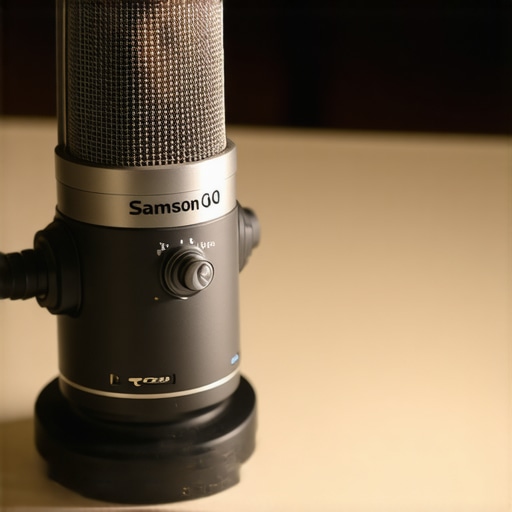
When you first pull the Samson Q2U out of the box, the first thing you notice is the weight. It’s a die-cast metal body that feels more like a piece of industrial equipment than a budget computer peripheral. In an era where many sub-$100 microphones feel like hollow plastic toys, the Q2U has a reassuring heft that suggests it can survive a few accidental drops off a desk. This isn’t just about durability; the mass helps dampen some of the vibrations that travel through a desk when you’re typing or moving your mouse. The matte grey finish doesn’t just look sleek; it’s resistant to fingerprints, which is a blessing if you’re the type to constantly adjust your mic position mid-stream. Unlike the Audio-Technica ATR2100x, which offers a similar feature set, the Samson feels slightly more substantial in the hand, giving it a premium edge in the entry-level market.
The Dual-Output Advantage That Grows With You
The standout feature is the dual USB and XLR output. For a beginner, the USB plug-and-play functionality is a godsend. You don’t need an expensive audio interface or phantom power to get started; you just plug it into your PC, and it works. However, the inclusion of an XLR port is what makes this a “forever” microphone. As your setup evolves and you eventually buy a dedicated mixer or interface like a Focusrite Scarlett, you don’t have to throw this mic away. You simply swap the cable. This longevity is rare at this price point. I’ve seen too many creators buy a USB-only mic, only to realize six months later they need to spend another $100+ because they want to upgrade their signal chain. There is also a 3.5mm headphone jack on the bottom for direct monitoring. This allows you to hear yourself in real-time without the distracting delay that often plagues USB setups. It’s a small detail that makes a massive difference in how natural your voice sounds to you while you’re speaking.
Don’t Get Too Excited About the Included Accessories
While the microphone itself is a masterclass in value, the accessories tell a different story. The included tripod stand is functional but frustratingly short. Unless you’re a hobbit or enjoy hunching over your desk like a gargoyle, the mic will sit too far from your mouth, forcing you to crank the gain and inadvertently picking up more room noise. The on/off switch on the body also feels a bit flimsy compared to the rest of the build. It’s a plastic slider that lacks a satisfying “click,” and I often found myself double-checking if I had actually muted it. It’s a minor gripe, but it’s the one area where the budget nature of the product actually shows through. You’ll definitely want to invest in a basic foam windscreen or a pop filter, as the Q2U is quite sensitive to plosives—those harsh “P” and “B” sounds that can clip your audio and annoy your listeners. Despite these small setbacks, the core hardware remains unmatched for the price.
The Real-World Stress Test: Can It Actually Ignore a Mechanical Keyboard?
To see if the Samson Q2U lives up to its reputation as a condenser killer, I subjected it to a worst-case scenario: a marathon Discord session while using a keyboard with clicky Blue switches. Most microphone reviews gloss over how annoying these switches are for your teammates, but the Q2U handles them with surgical precision. Because it is a dynamic microphone, it requires you to be physically close to the grille, which naturally creates a massive drop-off for sounds just a few inches away. In my testing, the keyboard noise was reduced to a faint, muffled tapping rather than the sharp, distracting clacks you get with a Blue Yeti.
However, this tight pickup pattern is a double-edged sword. If you move six inches away from the mic, your volume drops off a cliff. This isn’t a set-it-and-forget-it piece of studio gear that you can leave on the corner of your desk. You have to stay on top of it. I found that during intense gaming moments where I leaned back in my chair, my friends immediately complained that I sounded like I was shouting from another room. It demands discipline in your posture and mic placement.
Does the USB connection add weird static?
One of the biggest fears with budget creator rigs is the USB hum—that high-pitched electrical hiss caused by poor grounding. I tested the Q2U on both a high-end desktop and a cheap laptop, and the noise floor remained impressively low. While there is a slight increase in hiss when you crank the gain to 100%, you’ll rarely need to push it that far. In fact, many users on the r/podcasting subreddit have noted that the Q2U’s internal preamp is often cleaner than many entry-level audio interfaces. The direct monitoring through the 3.5mm jack is also flawless; there is zero perceptible lag, which is critical for making sure you don’t stumble over your words.
Don’t Eat the Mic: Managing Those Annoying Pop Sounds
Here is where the budget reality hits. The Q2U is incredibly sensitive to plosives. If you say Peter Piper without a filter, the air from your mouth hits the capsule like a physical blow, causing a loud thump in the recording. Even with the provided foam cover, it’s still mediocre. If you’re serious about using this for high-quality video production where audio quality is king, you absolutely need to buy a real mesh pop filter. It’s a $10 fix, but it’s a necessary one. I’ve seen some users complain that the mic feels muddy, but that’s usually a result of being too close without a filter. Do you agree with my experience regarding the aggressive plosives, or did you find the included foam cover sufficient for your voice?
Is the XLR output actually better?
Switching from USB to a dedicated XLR interface does provide a noticeable bump in warmth and a lower noise floor, but it isn’t a transformation. The Q2U’s strength is that it sounds 90% as good on USB as it does on a professional signal chain. This makes it the perfect starter mic because you aren’t being penalized for not having a $200 interface yet. The real performance bottleneck isn’t the connection; it’s the environment. This mic makes a $0 treated room sound like a professional studio by simply ignoring everything that isn’t your mouth.
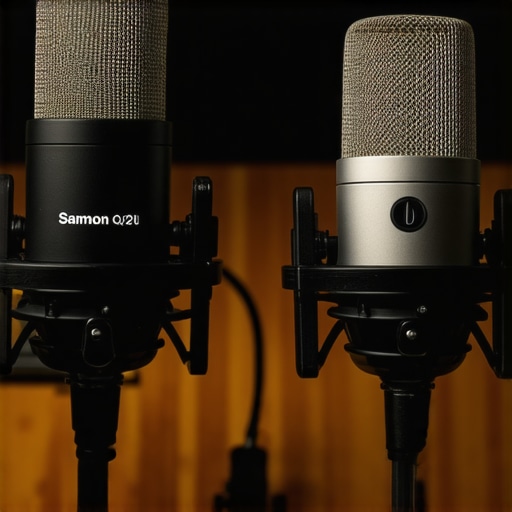
Choosing a microphone for your creator rig shouldn’t feel like a gamble. When you look at microphone reviews and studio gear, two names almost always dominate the conversation: the Samson Q2U and the Audio-Technica ATR2100x-USB. On paper, they are nearly identical twins. Both offer XLR and USB connectivity, both are dynamic microphones, and both target the budget-conscious streamer. However, the Samson often wins on the tactile ‘feel’ test. The ATR2100x uses a USB-C connection, which is admittedly more modern, but its body feels significantly lighter and more like a consumer toy compared to the tank-like Samson. If you’re comparing prices on Sweetwater, you’ll see they often trade blows, but the Samson bundle generally feels more complete for the average user.
The Battle Between Samson and Audio-Technica
In a head-to-head showdown, the Q2U typically produces a slightly warmer, darker tone, which is great for taming shrill voices. The ATR2100x is a bit brighter, which can help with clarity but also makes those annoying ‘S’ sounds (sibilance) more prominent. If your creator rig involves a lot of live interaction where you can’t post-process your audio, the Samson’s naturally rounder sound is much more forgiving. Furthermore, while the ATR is sleek, I have found its XLR port to be a bit tighter, making some high-end cables difficult to seat properly. The Samson just works, regardless of the cable brand you throw at it.
Why the Blue Yeti Might Be Your Biggest Mistake
Then there is the Blue Yeti, the literal elephant in the room for studio gear. The Yeti is a condenser microphone, meaning it captures every nuance of your voice—and every nuance of your neighbor’s lawnmower or your PC’s cooling fans. If you have a perfectly silent, foam-treated studio, the Yeti sounds ‘prettier’ and more detailed. But most of us are recording in bedrooms or shared offices. The Q2U wins because it doesn’t try to hear everything; it only hears what is directly in front of it. When you factor in the price, you’re paying for focus with the Samson, whereas you’re paying for sensitivity with the Yeti. For 90% of home creators, focus is much more valuable than sensitivity. If you want to see how the Yeti stacks up in a different environment, you can check out our other microphone reviews.
Is it worth the upgrade?
If you already own a basic headset mic or a $20 generic USB stick mic, the jump to the Samson Q2U is massive. It is the single most noticeable upgrade you can make to your audio chain. However, if you already own a decent dynamic mic like the Shure SM58, you aren’t really ‘upgrading’ by switching to the Q2U; you’re just adding USB convenience. The Q2U is a lateral move from professional stage mics but a giant leap over anything built into a webcam or headset. For those looking to start a podcast or a YouTube channel without spending $500 on an interface and a Shure SM7B, this is the definitive stopping point for quality-to-price ratio.
When to Leave the Q2U Behind for a Shure
Eventually, you might outgrow your budget gear. When you move into the territory of the Shure SM7B or the Electro-Voice RE20, you are looking at a $400 investment plus the cost of a high-gain interface like the Focusrite Scarlett. These professional units offer a much richer ‘broadcast’ sound and even better rejection of off-axis noise. However, for a creator just starting out, the difference in sound quality doesn’t justify the 800% increase in price. The Samson Q2U gets you 80% of the way to a professional radio sound for about 15% of the cost. Before you drop half a month’s rent on a Shure, make sure you’ve pushed the Q2U to its limits first. Check current prices on your favorite retail site to see if there are any current bundles that include a better boom arm, as that will be your next logical purchase.
The Triumphs and Trade-offs of the Q2U
Before you hit the buy button, let’s break down exactly where this microphone shines and where it stumbles. It isn’t perfect, but at this price point, the flaws are manageable and often easy to fix with a few extra accessories.
- Pro: Incredible Background Isolation. It is a master at ignoring mechanical keyboards and loud computer fans.
- Pro: Future-Proof Connectivity. The USB-to-XLR path means you won’t throw it away when you eventually upgrade to budget mixers with clean preamps.
- Pro: Heavy-Duty Build. The metal body feels like it belongs in a professional studio rather than a toy store.
- Con: Subpar Included Stand. The included tripod is nearly useless and sits too low for most adults.
- Con: Harsh Plosives. You will definitely need to buy an external pop filter to stop the air from your voice from hitting the capsule too hard.
- Con: Rigid Proximity Requirements. If you lean back or turn your head even slightly, your volume will plummet.
#IMAGE_PLACEHOLDER_E#
Who Actually Needs This Dynamic Setup?
The Samson Q2U is the undisputed champion for the ‘Bedroom Streamer.’ If your room isn’t soundproofed and you’ve wondered why your studio audio still sounds echoey despite using foam, this mic is the cure. It is also the ideal choice for anyone who wants to learn how to stop your mic from picking up keyboard clicks without relying on aggressive software filters. Skip this mic if you are recording a group of people sitting around a single table; its pickup pattern is far too narrow to catch more than one person accurately. You should also look elsewhere if you tend to pace around your room while you talk, as the drop-off in volume is extremely unforgiving for those who aren’t stationary.
The Final Verdict and My Ultimate Buying Advice
The Samson Q2U is a rare piece of hardware that I recommend to almost every new creator I meet. It solves the most expensive problem of entry-level production: a bad acoustic environment. While you might eventually need to grab one of the shock mounts that actually absorb desk thumps to fix the vibrations from the cheap included stand, the actual microphone capsule is phenomenal. Final Rating: 9/10. It is the smartest $60 you can spend on your creator rig today. Check the latest price at your favorite retailer and stop letting your loud keyboard ruin your content. If you’re still on the fence, see our other microphone reviews to compare it against more expensive condenser options.