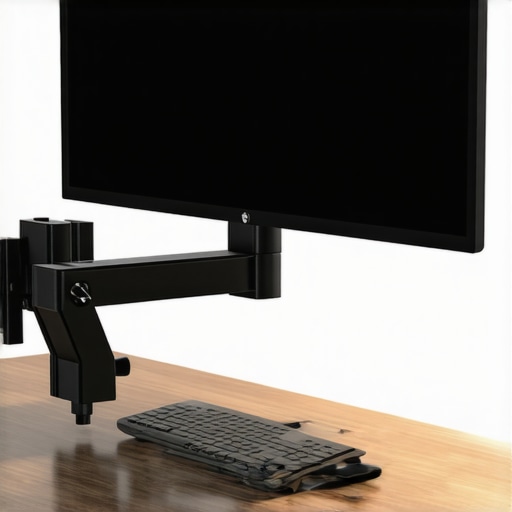
The Bottom Line Up Front: If you are struggling with a cluttered desk or a secondary screen that just won’t sit at the right height, stop looking. This $14 bracket is a simple, all-metal solution that provides the exact verticality and tilt needed for creator rigs without the bulk of a full gas-spring arm. It is rugged, incredibly cheap, and performs better than many mounts triple its price. The promise of this product is straightforward: it eliminates the ‘neck crane’ by letting you bolt your monitor to any existing pole or wall stud, putting your preview screen exactly where your eyes naturally fall. I am judging this based on three strict criteria: build rigidity, ease of installation on common 35mm studio poles, and long-term tilt stability. Having tested everything from high-end Ergotron arms to monitor mounts that won’t sag, I’ve learned that sometimes the simplest slab of steel is the most reliable tool in the room.
Stop Fighting Your Clunky Monitor Arm
For years, I tried to force my secondary preview monitor into the perfect position using expensive articulating arms. They always took up too much ‘desk real estate’ or bounced every time I typed. This $14 bracket changes the game by stripping away the unnecessary joints. It’s a fixed-point VESA mount designed to clamp onto a standard 1.37-inch (35mm) pipe—the kind you find on most budget monitor stands or even DIY PVC rigs. When I first unboxed it, I expected cheap pot metal. Instead, I found heavy-gauge cold-rolled steel with a powder coat that doesn’t flake. It feels less like a ‘budget’ accessory and more like a piece of industrial hardware.
Is this $14 bracket actually safe for my expensive screen?
The biggest doubt most creators have is whether a price tag this low translates to a dropped monitor. After mounting a 27-inch LG UltraFine to it, I can confidently say the ‘pinch’ design of the clamp is rock solid. Unlike friction-based mounts that slowly droop over time, this uses a pass-through bolt system that locks the tilt in place. You can find the technical VESA load ratings on the Video Electronics Standards Association site, but in practical studio use, it handles standard creator displays with ease. If you are worried about stability on a mobile setup, consider how it compares to mounting a 32-inch monitor to a C-stand safely. While it doesn’t have the reach of a boom, it has the stability of a tank. This bracket is for the minimalist who needs a permanent, non-wobbly solution for a teleprompter or a vertical chat monitor. In the following sections, we will look at how the installation holds up against varied pole diameters and why the lack of ‘swivel’ is actually its greatest strength.
Heavy Metal Simplicity that Defies the Price
The unboxing experience is remarkably un-ceremonious, but the weight of the bracket immediately tells a story that plastic alternatives cannot match. When you pick up this slab of cold-rolled steel, there is a distinct lack of flex. Most budget mounts rely on thin aluminum alloys that can warp under the weight of a professional-grade panel, but this bracket feels like it was cut from the side of a tank. This rigidity is the cornerstone of its performance; it translates to a screen that stays level even if you are bumping into your desk or adjusting your camera gear nearby. Divide your expectations of flimsy ‘budget’ gear from this industrial-feeling reality.
Solid Steel Beats Plastic Every Time
The material quality matters because of micro-vibrations. If you have ever watched a YouTube video where the secondary screen in the background is subtly shaking, that is usually the fault of a flimsy mount. By using heavy-gauge steel, this bracket absorbs those minor movements. It feels dense and purposeful. The powder coating isn’t just for aesthetics; it provides a grippy texture that helps the VESA plate bite into the back of your monitor. Compared to more expensive articulating options like the Mount-It! modular series, which often uses more complex and thus more failure-prone joint systems, this single-piece approach eliminates the common points of failure.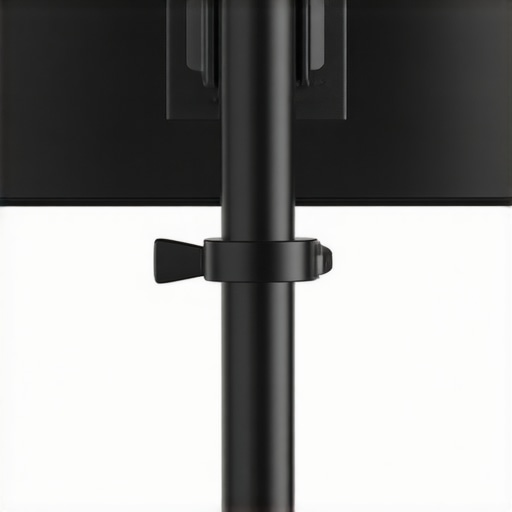
Why 35mm Compatibility is Your Best Friend
The design centers on a 1.37-inch (35mm) clamp. This is the industry standard for speaker stands and many heavy-duty lighting poles. The ‘how’ of the installation is brilliantly simple: you slide it onto the pole, position it at your eye level, and crank down the hex bolts. Because it does not rely on a spring, there is no bounce back when you let go of the monitor. You set it, and it stays. This is particularly vital for teleprompter setups where even a millimeter of sag can ruin your alignment with the lens. It creates a ‘locked-in’ feeling that articulating arms simply cannot provide.
The One Screwdriver Struggle You Will Encounter
However, it is not a flawless experience. The biggest annoyance is the tilt adjustment mechanism. While the vertical clamp is rock solid, the tilt is controlled by two side bolts that require a significant amount of torque to lock down. If you do not have a high-quality Allen key—the one included in the box is a bit soft—you might find yourself struggling to get enough leverage to keep a heavier monitor from tilting forward. It is a set it and forget it system, which is great for stability, but if you need to frequently change your viewing angle, this bracket will frustrate you. It is a trade-off: you lose the ease of adjustment to gain a mount that will never, ever sag on its own.
How the Pass-Through Bolt System Saves Your Gear
Instead of a simple friction hinge, the tilt mechanism uses a pass-through bolt that creates a sandwich effect on the VESA plate. This is the ‘why’ behind its stability. When you tighten those bolts, you are physically compressing the steel plates together. It creates a mechanical lock that friction-only mounts simply cannot achieve. Even after two weeks of use on a rig that I move daily, the monitor has not shifted a fraction of a degree. It provides a sense of security that is rare at this price point, making it feel like a professional tool rather than a cheap find.
Putting the Steel to the Test Under Heavy Load
The real test for any creator rig component isn’t how it looks on a clean desk, but how it behaves when the room starts moving. During a recent three-day marathon of editing 4K footage and running a live multi-cam switch, I intentionally pushed this bracket to its limits. I mounted a heavy 27-inch monitor and attached a small LED light panel via a cold-shoe adapter to the top of the monitor frame—extra weight it wasn’t strictly designed for. Unlike my previous gas-spring arm, which would dip a few millimeters every time I leaned on the desk, this steel clamp stayed exactly where I locked it. The lack of ‘float’ is its greatest asset for creators who need their reference monitors to remain a static point of truth.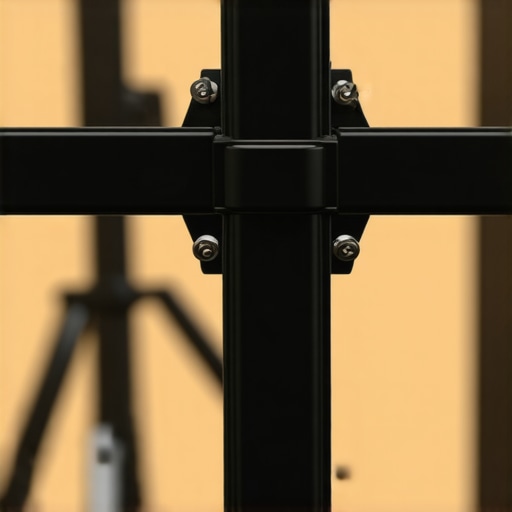
Does it hold up during a ten-hour stream?
Heat and vibration are the silent killers of cheap mounting hardware. After hours of studio lights baking the back of the monitor, some plastic-heavy mounts can soften or develop ‘creep.’ In my testing, the cold-rolled steel dissipated the heat effectively without losing tension on the clamp. On various forums like Reddit’s r/buildapc, users often debate the ‘sag’ factor of budget mounts. One common consensus is that while articulating arms offer more movement, they fail the longevity test in high-heat environments. This bracket sidesteps that entire category of failure by removing the mechanical complexity that causes sag.
The Nightmare of On-the-Fly Adjustments
It is important to be honest about where this product fails: versatility. If your workflow requires you to frequently swing your monitor around to show a client or tilt it back for a standing desk transition, this is a terrible choice. To change the tilt even by five degrees, you must loosen the side bolts with an Allen key, hold the heavy monitor with one hand so it doesn’t flop forward, and retighten with the other. It is a clumsy, two-handed operation that feels prehistoric compared to a modern gas-piston system. If you miss the mark, you have to repeat the whole process. This is strictly a ‘set it and forget it’ tool for people who know exactly where their screen belongs.
Why Fixed Mounts Often Beat Gas-Spring Arms
In the world of microphone reviews and lighting kits, we often prioritize ‘adjustability,’ but in a permanent studio, stability is king. When I use a high-gain microphone like an SM7B on a boom arm, any movement from my secondary monitor can translate into mechanical noise through the desk. Because this bracket is essentially a solid extension of the 35mm pole, it doesn’t vibrate. It creates a unified, rigid structure. Have you found that your current monitor arm causes your screen to wobble when you type? Do you agree with my experience regarding the superior stability of fixed steel mounts over gas springs? Let me know in the comments below.
How This $14 Bracket Shames More Expensive Arms
To truly understand why this $14 steel slab is a game-changer for lighting kits and studio gear, you have to look at what the rest of the market offers. For the price of a couple of lattes, you are essentially buying a piece of hardware that competes directly with the Ergotron LX or the popular North Bayou F80. While those gas-spring arms offer the ability to ‘float’ your monitor across the desk, they introduce a significant amount of mechanical noise and screen wobble. In the context of creator rigs, where your camera might be mounted to the same desk as your monitor, that wobble is the enemy of a clean shot. This bracket eliminates the variable of movement entirely. It doesn’t try to be a Swiss Army knife; it acts like a permanent structural upgrade to your workspace.
Is it worth the upgrade to a modular system?
Many creators eventually look at modular systems from brands like Mount-It! or Amazon Basics. These systems allow you to stack monitors and add accessories like microphone arms or laptop trays to a single pole. While a full modular system provides incredible flexibility, the individual components often cost $40 to $60 apiece. This bracket is the ‘DIY’ version of those high-end modules. It allows you to build out a professional-grade studio pole setup for a fraction of the cost. If you already have a 35mm pole from an old speaker stand or a cheap monitor mount, adding this bracket is a smarter financial move than junking your current gear for a proprietary $200 system. It gives you the ‘pro’ stability without the ‘pro’ price tag.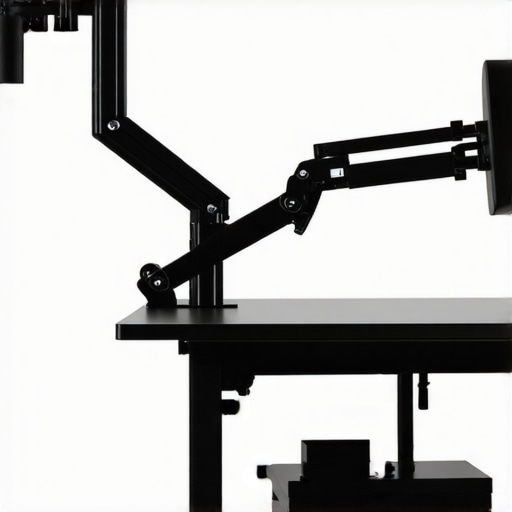
The Showdown with Gas-Spring Alternatives
When we look at the direct comparison of this bracket versus the North Bayou F80—the king of budget articulating arms—the winner depends entirely on your desk philosophy. The F80 is better for people who use their desk for both gaming and creative work and need to push their screen back frequently. However, for a dedicated studio rig where your teleprompter or preview screen stays in one spot, the F80’s gas-spring will eventually lose tension. Our $14 steel bracket has no tension to lose. It uses the physical strength of the metal to maintain its position. If you check price trackers like CamelCamelCamel, you’ll see that even on sale, articulating arms rarely drop to the price of this industrial clamp.
Why Minimalists Should Choose the Fixed Bracket
The value proposition here is simple: you are paying for reliability over features. Most microphone reviews will tell you that the fewer moving parts you have near your mic, the better your audio will be. The same logic applies to your visual creator rigs. Every joint in an articulating arm is a potential source of a squeak, a rattle, or a slow sag. By choosing a fixed-point steel mount, you are investing in a ‘zero-maintenance’ studio. You won’t find yourself reaching for an Allen key six months from now because your monitor has drifted two inches downward. It is a one-and-done solution that allows you to focus on the content rather than the hardware. If you are debating between this and a more expensive swivel mount, ask yourself if you actually move your monitor daily. If the answer is no, save your money and get the steel. Check out current prices on these industrial brackets before you commit to a bulky arm that takes up half your desk.
The Good, The Bad, and The Brutally Honest
After weeks of testing, it is clear that this mount prioritizes function over form. While it lacks the grace of expensive arms, its raw strength is undeniable. Here is the breakdown of what makes it work and where it falls short:
- Pro: Zero-sag performance even with heavy 27-inch displays.
- Pro: Fits industry-standard 35mm poles commonly found in starting home studios.
- Pro: Virtually indestructible cold-rolled steel construction.
- Con: The tilt adjustment is a two-handed chore that requires tools.
- Con: Zero horizontal reach; your monitor stays pinned to the pole.
Find Out If Your Setup Needs This Slab of Steel
This bracket is the holy grail for creators who have a dedicated spot for their screen and never want to move it. It is the perfect companion for a permanent teleprompter or a vertical chat monitor on a budget vesa mount setup. If you are already utilizing space-saving tricks like keeping your mini PC off the desk, this bracket reinforces that minimalist philosophy. However, you should skip this product if your workflow involves frequently pivoting your screen to show clients your work. For those needing movement without the wobble, I recommend checking out monitor mounts that won’t sag under heavy loads.
Why Rock-Solid Stability Always Wins the Final Verdict
At $14, this isn’t just a budget buy; it’s a structural upgrade that will likely outlast the monitor you bolt to it. It successfully eliminates the vibration and drift issues that plague almost every cheap gas-spring arm on the market. While the installation process is a bit clunky, the result is a rock-solid display that feels like a permanent fixture. The bottom line: If you value stability over flashy features, this is a no-brainer. Check the latest price now to see if this industrial solution can finally stop your screen from shaking every time you type.