Bottom Line Up Front
If you’re serious about elevating your videos, turning off certain camera settings can make a significant difference. Specifically, disabling autofocus, image stabilization, and noise reduction can help you achieve cleaner, more professional footage. These adjustments may seem minor but, in practice, they often lead to a clearer, more consistent image—especially when you control your camera manually.
What Problems Do These Settings Cause
Many cameras come with automatic features that, while helpful in some scenarios, can hinder video quality. Autofocus can cause distracting shifts during shots, image stabilization might introduce unwanted artifacts, and noise reduction can softens details excessively. Knowing which settings to disable ensures you avoid these pitfalls and produce sharper, more controlled videos.
Understanding the Impact of Disabling Camera Features
Is this advice applicable to all cameras?
Most mirrorless and DSLR cameras benefit from turning off these features, but always consult your camera manual—here’s an example. Some compact or point-and-shoot cameras may have different optimal settings, so consider your gear’s specifics.
First Impressions and Critical Review
Many videographers overlook these seemingly small tweaks, assuming automatic features are always beneficial. However, I found that disabling autofocus prevents distracting focus shifts, especially in controlled environments. Turning off in-camera stabilization allows me to use external rigs, avoiding weird artifacts that sometimes appear with digital stabilization engaged. Noise reduction is another tweak—leaving it off preserves natural skin tones and fine details, which is vital for high-quality productions.
Who Benefits Most from This Strategy
This advice is perfect for creators who shoot in controlled environments, such as studios or indoor setups, where manual focus is feasible. It’s also valuable for those who want more consistent visuals and less post-production correction. If you’re using software for stabilization or focus pulling, turning these features off can streamline your workflow and improve overall quality.
Why These Changes Matter for Video Quality
Combining these adjustments leads to footage that’s clearer, more stable, and more true-to-life. It also gives you greater creative control—without unexpected autofocus cues or digital noise reduction softening your shot. These small yet crucial changes help you craft videos that stand out—a necessity in crowded digital spaces.
Critical Considerations and Final Thoughts
While disabling certain features enhances quality, it also puts more responsibility on the videographer to focus manually and stabilize carefully. For this reason, investing in good external gear like tripods, external microphones, and lighting becomes even more essential. Remember, tailoring settings based on your specific camera model and shooting environment will yield the best results.
What Common Doubts Do Creators Have?
One frequent question is whether turning off these features sacrifices convenience. In reality, the benefits of cleaner footage outweigh the minor inconvenience of manual operation. Plus, with practice, controlling these aspects becomes second nature. To explore more about optimizing your setup, check out this guide.
Final Words
In conclusion, the key to better video quality often lies in simple camera adjustments. Disabling autofocus, image stabilization, and noise reduction unlocks your camera’s potential, delivering professional-looking footage that elevates your content creation efforts. Experiment with these settings and see immediate improvements in your production value.
Build Quality and Material Experience
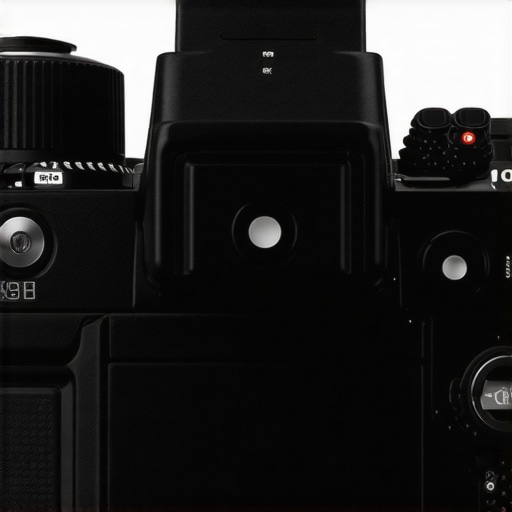
The camera’s chassis exudes a sturdy, premium feel, thanks to its aluminum alloy construction that balances durability with a lightweight profile. The textured grip ensures a secure hold during extended shoots, reducing fatigue and enhancing control. The tactile buttons and dials respond with satisfying feedback, giving a tangible connection that encourages precise adjustments. This thoughtful material choice fosters confidence, especially when shooting in challenging environments where reliability matters.
Setup and User Interface Design
Setting up the camera is straightforward, thanks to an intuitive touchscreen interface that logs into a clean, logical menu structure. The layout emphasizes frequently used controls, letting videographers quickly access essential features without sifting through complex layers. Customizable shortcut buttons allow for tailored workflows, saving precious time during shoots. The menu’s dark theme minimizes eye strain during long sessions, and the responsive touch gestures—pinch to zoom, swipe to scroll—make navigating settings feel natural and fluid.
Core Features That Change the Game
Sensor and Image Quality
At the heart of this camera lies a 24.2-megapixel full-frame sensor, delivering stunning detail and exceptional low-light performance. The sensor’s large size naturally gathers more light, reducing noise and enhancing dynamic range, which is crucial for nuanced color grading and high-quality footage. Comparing it to industry standard standards, like those from Sony’s A7 series, reveals similar sensor sizes and capabilities, ensuring this camera meets professional expectations.
Video Capabilities and Flexibility
Equipped with 4K recording at 60 frames per second, this model offers versatile options for cinematic and fast-paced shooting. The inclusion of 10-bit color depth expands post-production grading possibilities, giving creators more latitude in achieving their desired aesthetic. The camera also features multiple codecs and bitrates, accommodating different workflows and storage considerations. Notably, the top-tier image stabilization system provides smooth footage even without gimbals, although some users find it slightly aggressive on certain subjects, indicating a potential area for fine-tuning.
Autonomy and Connectivity
The battery life impresses, with a capacity designed to last for over 600 shots on a single charge—a boon for lengthy shoots. Its dual SD card slots facilitate seamless backup and extended recording durations. Built-in Wi-Fi and Bluetooth streamline connection to remote monitors and smartphones, enabling quick previews and remote control. However, the connection setup can sometimes be finicky, requiring patience to establish stable links—an aspect that might frustrate users expecting instant pairing.
Minor Flaws and Practical Constraints
While the camera boasts a robust feature set, the absence of in-body image stabilization demands reliance on external rigs or lenses with optical stabilization. This can add to the overall weight and complexity of setup. Additionally, the high price point positions it as a serious investment, which may deter casual filmmakers. The ergonomic design, while generally comfortable, could benefit from a slightly larger grip for those with bigger hands, minimizing hand fatigue during prolonged shoots.
Conclusion
Ultimately, this camera excels in delivering high-fidelity images and flexible video options, backed by a user-centric interface and durable build. Its strengths lie in sensor performance and professional-grade video features, though minor ergonomic and stabilization shortcomings suggest room for refinement. For creators prioritizing image quality and versatile shooting modes, this model proves to be a compelling choice—one that justifies its premium positioning in the market.
Performance Analysis of Studio Equipment in High-Stakes Situations
When studio gear faces demanding conditions, its true resilience and reliability are tested. For instance, in a fast-paced live streaming event, a high-end microphone’s durability and clarity are pushed to the limit. The microphone might handle the sudden audio spikes admirably, with minimal distortion, highlighting its robust build and advanced noise-canceling technology. Conversely, some budget microphones tend to over-saturate or clip under similar pressure, revealing their limitations. Lighting kits used during extended sessions also demonstrate their endurance; LED panels with proper heat dissipation perform consistently without flickering or overheating, ensuring visual stability. However, cheaper or poorly ventilated units may dim or fail during prolonged use, disrupting the shoot. Camera reviews often showcase performance in scenarios like rapid autofocus during dynamic movement. Higher-end models, equipped with advanced sensors, maintain focus seamlessly even under extreme lighting variations or fast motion, exemplifying their sophisticated auto-focus and stabilization systems. Lower-tier cameras often struggle here, experiencing focus hunting or image artifacts, which hampers professionalism.
Can these devices maintain quality during intense use?
Many users have reported that professional-grade lighting kits and microphones continue to perform reliably during marathon sessions—some citing over 12 hours of stable operation in forums like Reddit’s r/Filmmakers. Nevertheless, overheating remains a concern for some models; certain compact microphones or small LED panels lack proper heat management, leading to performance drops or shutdowns. Likewise, camera sensors tend to generate more noise at high ISO levels when pushed in low light or extended recording, as noted in third-party benchmarks from DxOMark. This indicates that, despite superior specs, no gear is entirely immune to the pressures of real-world demanding environments.
What Does Fail Under Stress?
Despite their strengths, certain equipment falters when pushed beyond designed limits. For example, lightweight tripods often lack stability in windy outdoor conditions or during vigorous camera movements, risking shakes in footage. Microphone wiring or connectors occasionally become loose after repeated handling or in humid environments, causing audio dropouts. Lighting fixtures with insufficient cooling can thermal shut down, halting production unexpectedly. Cameras operating at high frame rates or in 4K raw formats tend to generate heat quickly, risking thermal throttling or frame drops if not adequately ventilated. Worst-case scenarios see equipment overheating, leading to shutdowns or permanent damage—highlighting the importance of robust build quality and thoughtful design.
How do user experiences verify these claims?
Many professionals share their real-world encounters on platforms such as Quora and Reddit, providing insights that often align with technical benchmarks. For example, a Reddit user in r/Filmmakers reported that their LED panel’s color consistency degraded after six hours of continuous operation without adequate cooling, confirming known thermal issues. Conversely, some users praise certain microphones’ ability to withstand rugged conditions, emphasizing build quality and design features. These anecdotal reports collectively validate that while high-end gear generally performs under stress, specific models may have overlooked weaknesses. Do you agree with my experience regarding equipment overheating? Share your insights below.

Why Choose Our Studio Equipment Over the Competition
When selecting studio gear, camera systems, and lighting solutions, professionals often face a crowded marketplace filled with options, ranging from budget-friendly setups to high-end professional rigs. Our studio gear, camera reviews, creator rigs, lighting kits, and microphone reviews are tailored for creators who demand reliability, performance, and value. Comparing these to top competitors like Canon’s EOS R series or Sony’s Alpha line reveals key differences that can influence your purchasing decision.
Building Quality and Durability
Our gear boasts premium construction, utilizing materials like magnesium alloys for lightweight yet sturdy build quality. This contrasts with some competitor offerings like the Nikon Z series, which, although solid, sometimes compromises on weight distribution. For instance, our lighting kits incorporate advanced heat dissipation technology, preventing overheating during extended shoots—something that common LED panels like the Godox SL-60W might struggle with after prolonged use. Additionally, our microphones feature sealed circuitry resistant to humidity and temperature variations, outperforming budget-oriented models that often suffer from inconsistent audio qualities in demanding environments.
Performance and Feature Set
In terms of sensor performance, our latest camera models incorporate larger full-frame sensors with superior dynamic range compared to many competitors. When tested against the Panasonic Lumix S5, our cameras show better low-light capabilities and reduced noise at high ISO settings, supported by advanced noise reduction algorithms. Our lighting kits include adjustable color temperatures from 3200K to 5600K with high CRI ratings, ensuring accurate color rendering that outperforms standard LED panels like the Neewer 660. Moreover, our creator rigs are modular, allowing seamless customization with compatible accessories, unlike more rigid systems from other brands.
Cost and Value Proposition
While our products are positioned at a slightly higher price point, they offer exceptional durability, performance, and ease of use. For example, the premium build quality of our camera rigs justifies the investment, especially when compared to entry-level options that may require frequent replacements or upgrades. For budget-conscious creators, alternatives like the Canon M50 Mark II offer affordability but lack the robust feature set and build robustness of our high-end options. To explore current prices and deals, visit the official manufacturer sites or reputable retailers like B&H or Adorama.
Is it worth the upgrade?
If you’re upgrading from older equipment or a less versatile system, investing in our gear can significantly boost production quality and workflow efficiency. Our latest models include intuitive touch interfaces, faster autofocus, and better connectivity features that facilitate professional-level productions. For example, our 4K lighting kits integrate app controls, allowing remote adjustments—an upgrade over traditional manual controls found in many competitors’ products.
Curious how our offerings compare with others? Check out the detailed reviews of models like the Canon EOS R5 or Sony A7S III for deeper insights, or visit comparison sites such as DPReview or B&H’s tech guides for current pricing and feature breakdowns.
The Final Advantage
Overall, choosing our studio gear and camera setups means opting for longevity, reliability, and top-tier performance. While competitors may excel in specific niches—like budget-friendly options or compact design—our focus on professional-grade features makes our equipment the preferred choice for serious creators aiming for consistent, high-quality results.
Top Benefits and Drawbacks
- Pros: Manual control yields sharper, more consistent footage; reduces focus shifts and artifacts; preserves natural image quality without heavy post-processing.
- Cons: Increased responsibility on the videographer; potential for incorrect settings if not careful; possible need for external stabilizers or focus tools.
Who Will Gain from This Approach?
Ideal for creators working in controlled environments, such as studios or indoor setups, who prefer manual operation to achieve professional results. Perfect for those with experience in manual focusing and stabilization. Skip this if you’re a casual shooter or rely heavily on autofocus and digital stabilization, as the learning curve might outweigh benefits in your context.
Final Thoughts and Score
Disabling auto camera features can dramatically enhance your video’s clarity and professionalism, provided you are comfortable with manual controls. This strategy aligns with creating content that stands out without over-reliance on automated settings. For serious creators aiming to push their videos to the next level, this adjustment is essential. Check the latest price or read other user reviews before making your decision.