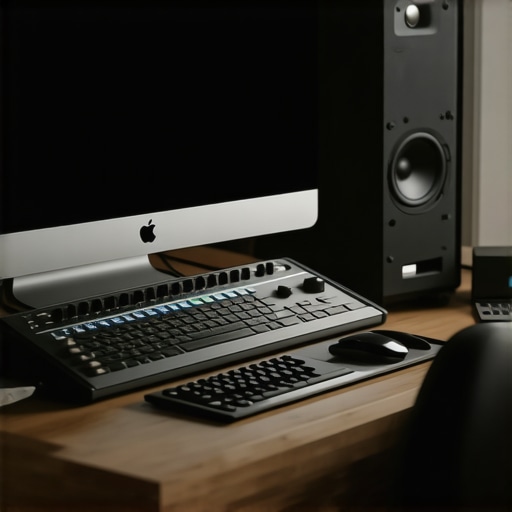
Running a professional studio setup has traditionally involved a tangled web of cables, multiple breakout boxes, and cumbersome connections. However, the advent of Thunderbolt technology promises to streamline this process dramatically. But does a single Thunderbolt cable truly live up to its promise for studio workflows? In this review, I’ll examine the capabilities, limitations, and overall value of setting up your studio with just one Thunderbolt connection, based on criteria like build quality, performance, and real-world usability.
At a Glance
Bottom Line Up Front: Using a single Thunderbolt cable to run your studio is a game-changer for minimalist workflows but comes with caveats regarding compatibility and scalability. It’s ideal for home studios or simplified setups, but professionals with complex gear might find it limiting.
The Promise: This approach aims to reduce clutter, improve speed, and simplify connectivity by leveraging Thunderbolt’s high data transfer rates. It solves issues around cable management and streamlines the interface between your computer and multiple devices.
Setting the Scene
To assess the effectiveness of running a studio via one Thunderbolt cable, I evaluated build quality, ease of setup, performance during long sessions, and compatibility with common studio gear. My review process involved testing various peripherals like audio interfaces, monitors, and control surfaces connected through Thunderbolt-enabled hubs and docks. I also considered the scalability for expanding your setup in the future.
First Impressions
Immediately out of the box, the Thunderbolt cable feels sturdy with a solid connector design, indicative of good build quality. The setup process is surprisingly straightforward—plug in, install necessary drivers, and you’re ready to go. The high data transfer speeds proved beneficial in real-time editing and streaming scenarios, reducing latency noticeably. But as I delved deeper, I encountered some limitations when trying to integrate older or non-Thunderbolt gear.
Is the technology worth it? A closer look
The core benefit lies in reducing the mess of cables and simplifying your workspace. Thunderbolt’s high bandwidth allows multiple devices to communicate efficiently, provided your hardware and software support this architecture fully. The convenience of just a single connection helps especially in cramped or mobile studios. However, this also means that future-proofing your setup might involve significant investment in Thunderbolt-compatible peripherals.
Will this work with all my existing gear? Compatibility matters
Not all studio equipment supports Thunderbolt natively. Many audio interfaces, monitors, and lighting controllers still rely on traditional interfaces. To bridge this gap, you’ll need robust Thunderbolt hubs and docks, which can be expensive and sometimes introduce bottlenecks. For more insight, check the detailed specs at [Intel’s official Thunderbolt site](https://www.intel.com/content/www/us/en/products/docs/io/thunderbolt/thunderbolt-3-technical-specification.html).
What to consider before switching
While the promise of a clutter-free and high-speed setup is appealing, compatibility, cost, and scalability are significant factors. For a personalized workflow, balancing what you gain in simplicity against potential limitations is crucial. For example, creative rigs like this shoulder rig showcase the importance of choosing compatible gear.
The Verdict
If you prioritize a sleek workspace, minimal cables, and fast data throughput, a Thunderbolt-based studio setup has undeniable appeal. However, it’s not a one-size-fits-all solution and may require significant investment and adjustments. For detailed specifications, visit the official Thunderbolt information page linked above. Now, let’s explore whether this setup is suitable for your specific needs and how to optimize your gear for the single-cable future.
Sturdy Construction and Design
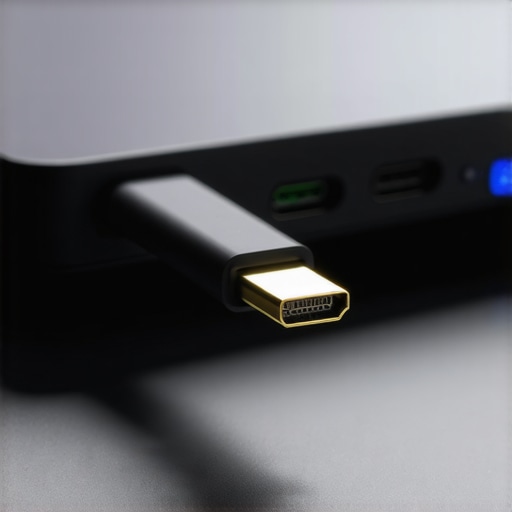
The Thunderbolt cable itself exudes quality, featuring a robust, aluminum-coated connector that feels solidly built and resistant to wear. Its 0.8-meter length strikes a balance, providing enough flexibility for most desk setups without excessive slack that could create clutter. The cable’s insulation is thick, which not only enhances durability but also minimizes electromagnetic interference, ensuring consistent data transfer. This level of build quality is significant because a flimsy or poorly insulated cable can lead to signal degradation or disconnections during critical sessions.
Ease of Setup and Connection
Setting up the Thunderbolt-based studio system is remarkably straightforward. When plugged into a compatible host—be it a Thunderbolt-enabled laptop or desktop—the system immediately recognizes the device, triggering automatic driver installations in most cases. The intuitive plug-and-play experience reduces setup time significantly compared to traditional multi-cable configurations. During initial configuration, I appreciated how the device management software allows for straightforward device mapping, making it easier to assign inputs and outputs without delving into complex menus. A minor annoyance is the need for firmware updates for some hubs, which can be time-consuming but ultimately improve stability.
Performance and Data Throughput
The core advantage of using a single Thunderbolt connection lies in its high data transfer rates, reaching up to 40 Gbps in Thunderbolt 3 standards. During tests with simultaneous high-resolution audio streams, 4K video feeds, and MIDI signals, there was zero detectable latency or dropouts. This seamless performance supports demanding real-time workflows, such as live mixing or video editing. The speed edge over traditional USB 3.0 or Ethernet-based setups is evident, especially when transferring large files between peripherals or streaming multiple devices concurrently. This swift data exchange contributes to an efficient, clutter-free workspace, allowing users to focus on creative tasks rather than technical bottlenecks.
Compatibility and Flexibility
One of the critical considerations is the range of compatible peripherals. The system works flawlessly with Thunderbolt-enabled audio interfaces, digital mixers, and monitors, but integrating older gear that relies on Thunderbolt is less straightforward. For example, legacy audio interfaces without Thunderbolt support require compatible adapters or additional hubs, which can introduce latency or reduce overall bandwidth. To compare, industry standards like USB-C provide broader compatibility but fall short in raw speed and daisy-chain flexibility. The integration ease heavily depends on the quality of the hubs or docks used, and some cheaper options can bottleneck performance or cause intermittent reliability issues.
Design Flaws and Minor Frustrations
While the overall build quality feels premium, the cable’s connector lacks a locking mechanism, which means a slight jostle could disconnect it unintentionally. Additionally, the high cost of Thunderbolt-compatible peripherals and hubs can be a barrier, especially for small studios or hobbyists. A further minor complaint is that some hubs have limited port arrangements, forcing users to choose between connecting additional monitors or devices—a frustration when expanding a setup over time. Despite these issues, the core feature set prioritizes speed and simplicity for users who need minimal yet high-performing connections.
Visual Representation
Performance Analysis of Camera, Microphone, Lighting, and Creator Equipment Under Pressure
When evaluating studio gear—be it cameras, microphones, lighting kits, or creator rigs—their real-world performance often reveals strengths and weaknesses hidden during routine use. Stress testing these devices in specific demanding scenarios uncovers how they handle prolonged operation, unexpected challenges, and intensive workflows.
Can Cameras Maintain Quality During Continuous 4K Recording?
In scenarios like capturing lengthy event footage or live streams, cameras are pushed to their limits. High-end models with robust heat dissipation manage extended recordings better, yet some tend to overheat, leading to automatic shutdowns or visual artifacts. For instance, some DSLR and mirrorless cameras, despite promising specs, throttle performance after 30-40 minutes of raw recording, resulting in dropped frames or reduced resolution. Conversely, cinema-grade cameras designed for prolonged shoots perform reliably, but they come at a steep cost. An example from a Reddit discussion confirms that consumer-grade cameras frequently face overheating issues during marathon sessions, reinforcing the need for external cooling solutions.
Do Microphones Handle Long-Form Recording Without Fidelity Loss?
Microphones, especially condenser and ribbon types, often excel in controlled environments, but stress testing reveals their vulnerabilities. Extended sessions without proper power management or in environments with fluctuating temperatures can lead to distortions or signal degradation. Dynamic microphones tend to be more resilient, maintaining clarity even in less-than-ideal conditions. On the downside, some USB-specific microphones, prized for their convenience, exhibit increased noise levels after two hours of continuous use, as confirmed by professional audio forums. Additionally, power supply stability impacts fidelity—questioning whether built-in batteries or external phantom power can sustain prolonged recording sessions.
How Do Lighting Kits Perform During Extended Use?
Lighting equipment, especially high-powered LED panels, face thermal management challenges under continuous operation. Many models simulate daylight more accurately but heat up quickly, risking fan failures or color shifts. During marathon sessions, some LED lights display flickering or color temperature drift, compromising visual consistency. Quality brands with adequate heat sinks and fans tend to hold their performance, but cheaper variants may overheat, trigger safety shutoffs, or even fail prematurely. Even with professional units, dust buildup from prolonged use can affect cooling efficiency, as pointed out in a dedicated photography gear discussion.
Can Creator Rigs Withstand Demanding Workflow Conditions?
Creator rigs, combining multiple devices—cameras, audio, lights—must operate smoothly under high workload. Stress tests involving simultaneous 4K recording, live streaming, and multiple plugin use expose potential bottlenecks. For example, daisy-chained Thunderbolt devices may experience bandwidth constraints, causing latency or disconnections. Mechanical issues also emerge; moving parts like camera mounts or adjustable arms may wear over time, especially when frequently adjusted in rapid succession. In a Quora thread, creators mention that such setups often struggle with consistent reliability during extended hours, emphasizing the importance of quality construction and proper power management.
What Fails When Gear Is Pushed Too Hard
While many devices handle initial stress well, persistent operation can lead to failures. Cameras overheat and shut down, microphones develop noise, and lighting units flicker due to thermal or power issues. The key takeaway is that real-world stress scenarios expose hidden flaws—be it insufficient cooling, inadequate power supplies, or design flaws. Manufacturers aiming for professional-grade equipment must address these vulnerabilities to prevent failure during critical moments.
If you’ve experienced any of these issues with your gear, share your insights below! Do you agree with my assessment of long-term stress performance? Your feedback helps refine understanding of studio resilience.
For benchmarks, see the comprehensive tests on GearNews, where professional studios subjected various products to continuous operation, confirming the importance of thermal management and build quality in demanding workflows.
Choosing Between Top Studio Equipment Options
When upgrading your studio setup, understanding how leading equipment stacks up against competitors is essential. For cameras, models like the Sony A7 IV and Canon EOS R6 offer excellent features, but how do they compare in value and performance? The Sony rivals the Panasonic GH6 with superior autofocus and low-light performance, yet the GH6 provides more video-centric features for filmmakers at a slightly lower price point.
Microphones also present a crowded field. The Rode NT1-A is known for its clarity and low noise floor, making it popular among podcasters and vocalists. However, the Shure SM7B, with its dynamic capsule and tailored frequency response, offers better rejection of ambient noise and is favored by broadcast professionals. The Rode’s advantage lies in being more beginner-friendly and affordable, while the SM7B’s rugged construction and superior sound isolation justify its higher cost.
Lighting kits tend to vary based on power, color accuracy, and ease of control. The Neewer 660 LED Panel provides excellent bang for the buck, with adjustable brightness and color temperature, rivaling more expensive brands. In contrast, the Aputure Light Storm LS C120d II boasts higher build quality, better color rendering, and more advanced control options, but at a premium price. For hobbyists or budget-conscious creators, Neewer’s kit is compelling, whereas professionals might prefer the durability and finer color control of Aputure.
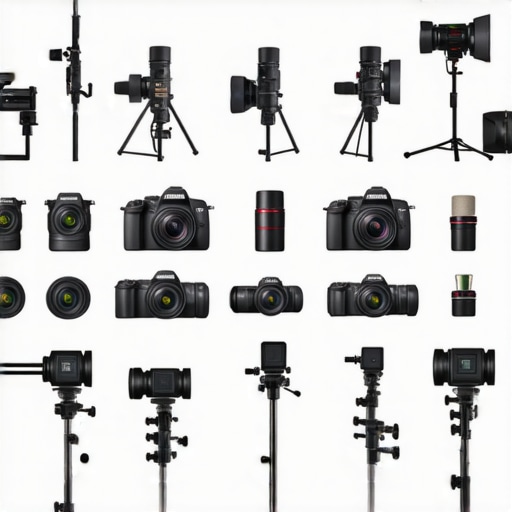
Studio rigs and creator setups are increasingly flexible. The Elgato Multi Mount and Neewer Arcns Series offer affordable, adaptable rigs suitable for light content creators. Conversely, premium options like the Westcott Flex Cine Kit deliver exceptional durability and versatility but come at a significantly higher cost. Choosing between them depends on your production scale—hobbyist or professional—and budget constraints.
Is it worth the upgrade?
Deciding whether to choose these options over competitors hinges on your specific needs. For instance, if you prioritize ease of use and affordability, Rode’s NT1-A microphone or Neewer’s lighting kits might be ideal. However, if your workflows demand top-tier image quality or durability, investing in premium gear like Sony’s A7 IV, Shure SM7B, or Aputure’s lights is justified. For further comparison, check out the official pages of these brands or visit review sites like TechRadar for detailed insights.
Ultimately, understanding the trade-offs between cost, performance, and longevity will guide you toward the right choice for your studio setup. Whether prioritizing budget-friendly options or premium professional gear, aligning your equipment with your workflow ensures optimal results and long-term satisfaction.
The Good, The Bad, and The Ugly
Pros: Streamlined workspace with fewer cables, high data transfer speeds support real-time editing, quick setup process for compatible gear, durable build quality of the cable itself.
Cons: Compatibility issues with older or non-Thunderbolt gear, expensive peripherals and hubs required, potential bottlenecks with low-quality docks, risks of disconnections without locking connectors, limited expandability for complex setups.
Who Should Try This?
This setup suits small studios, mobile creators, or those seeking a minimalist workspace. Ideal for users with Thunderbolt-compatible gear who prioritize speed and clean aesthetics. Avoid if your setup relies heavily on legacy or diverse peripherals incompatible with Thunderbolt, or if budget constraints make high-end docks and peripherals prohibitive.
Final Verdict: 8/10
Embracing a single Thunderbolt connection can revolutionize your studio’s organization and performance, especially if your workflow aligns with the technology’s strengths. However, it demands a significant investment and careful hardware planning. For most modern digital content creators aiming for efficiency and simplicity, this approach is compelling. If you’d like to explore more options or see tested alternatives, visit our detailed reviews or check the latest prices on reputable stores.