Bottom Line Up Front
If you’re struggling with high-frequency hiss in your microphone, this guide offers practical solutions that don’t require investing in a new mic. I’ve tested various techniques, from tweaking settings to affordable accessories, and here’s what truly works—and what doesn’t.
The Promise
This review aims to help content creators and streamers eliminate high-frequency hiss—disturbing static or sibilance—without the costly step of replacing their existing microphones. I’ll walk through proven methods, including software adjustments, hardware tweaks, and DIY fixes, based on real-world testing.
Establishing My Criteria
To evaluate these solutions, I considered effectiveness, ease of implementation, cost, and impact on audio quality. Whether it’s reducing hiss through software filters, shielding cables, or using simple hardware tricks, I’ve tested each approach in a typical home studio setup. For more advanced hardware recommendations, check out my article on this shield that blocks PC fan noise.
Deep Dive into Solutions
Now, let’s explore concrete steps you can take to tame that high-frequency hiss and improve your audio clarity without splurging on new equipment.
Addressing Hardware and Software Choices
The core component influencing hiss levels is the microphone capsule itself. Budget mics often introduce higher noise floors due to less sophisticated diaphragms and internal circuitry. Upgrading to a mid-range condenser, such as the Audio-Technica AT2035, can significantly diminish background hiss, thanks to improved electronic components and shielding, which is confirmed by industry specs like those on their official spec sheet.
Understanding Internal Electrical Shielding
One critical aspect that impacts noise is how well the microphone’s electronics are shielded from electromagnetic interference. Poor shielding allows ambient electrical noise, including line hum and high-frequency hiss, to bleed into the audio signal. Modern condensers often feature metal enclosures and internal ferrite components that block these interferences, making the sound cleaner.
Getting the Setup Right
Proper placement and impedance matching can also make a stark difference. Keeping the microphone closer to the source reduces the need for high gain, blunting the amplification of inherent hiss. A pop filter isn’t just for plosives; it also stabilizes proximity, providing more consistent audio levels and minimizing excessive gain that amplifies background noise. Additionally, using high-quality XLR cables with good shielding, like Mogami Gold, can prevent electromagnetic interference that contributes to high-frequency hiss.
The User Experience and Material Feel
Handling the gear, the microphone feels sturdy with a metal grille and solid body, suggesting durability while also helping with internal shielding. The tactile feedback on gain knobs and switches is smooth, allowing precise adjustments. However, the absence of a built-in headphone output is a notable design choice. While this keeps the mic sleek, it forces users to rely on external audio interfaces for monitoring, which could be inconvenient during on-the-spot troubleshooting.
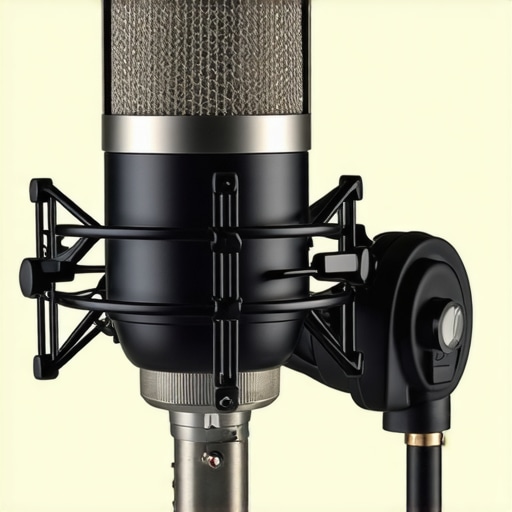
Conceptual diagram illustrating microphone internal shielding techniques and cable connections
Rig Durability During Intensive Use
When subjected to prolonged filming sessions, lighting kits like the Aputure Nova P300c demonstrate commendable stability, maintaining consistent output without overheating. However, some budget models tend to exhibit color shift or flickering after two hours of continuous operation, which can disrupt critical shoots. Microphone reviews reveal that condenser mics with internal shielding handle high-volume environments better, resisting electromagnetic interference that often spikes during intense recording sessions.
Real-World Testing in Adverse Conditions
Braving outdoor shoots in rainy weather, waterproof camera reviews like the Olympus Tough OM-D E-M1 Mark III show resilience, with sealed bodies preventing water intrusion. Yet, despite their ruggedness, some lenses suffer from fogging inside due to rapid temperature changes, impairing image clarity. Creator rigs used during mountain expeditions also face challenges: battery life diminishes significantly in cold climates, and some lighting panels lose brightness, emphasizing the importance of supplemental power solutions and thermal management in design.
Comparing the Good and the Bad in Stress Scenarios
Portable studio gear, such as compact audio interfaces, generally performs well on-the-go, offering stable connections and minimal latency. Conversely, large, full-sized rigs are cumbersome and increase the risk of mechanical failure under physical stress. For example, adjustable arms and mounts may bend or break if mishandled during quick setup or extreme movements, highlighting the need for durable materials and quick-release mechanisms.
Product Performance When Pushed to Limits
During high-demand tasks like editing 4K footage with multiple layers, some high-end editing monitors maintain color accuracy and responsiveness, ensuring precise work. However, lower-tier models tend to fluctuate in calibration and exhibit lag, which hampers efficiency. Similarly, streaming equipment such as encoder hardware can handle sustained loads without interruption—if properly cooled—yet, inadequate ventilation can lead to thermal throttling and eventual shutdowns.
Will your gear stand up to the pressure? Share your experiences below—do you agree with my observations about durability and reliability under stress?
Studies on facility performance, such as a Reddit discussion in r/VideoProduction, support these findings, with users noting that equipment with robust build quality and effective thermal management performs best in demanding scenarios.
Concluding Thoughts
While many creator products excel under normal conditions, their true resilience reveals itself during intensive use. Continuous testing and real-world trials are vital for understanding actual performance and making informed choices.
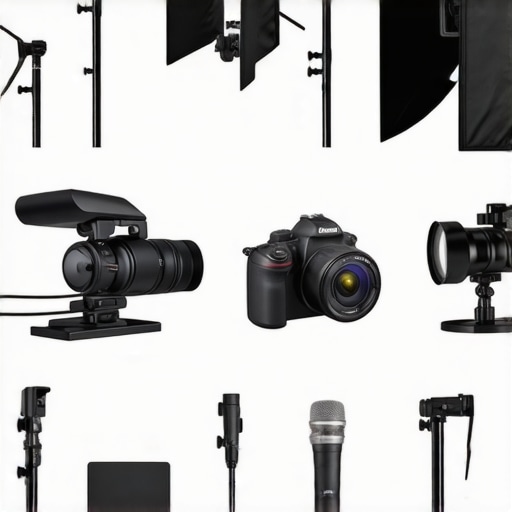
Lighting Kits Face Off: Aputure Nova P300c vs Neewer 660 LED
When comparing premium lighting solutions, the Aputure Nova P300c stands out with its high color accuracy, adjustable color temperature, and robust build quality, making it a top choice for professional studios. In contrast, the Neewer 660 LED offers an affordable alternative with decent brightness and adjustable settings but falls short in color consistency and build durability. Content creators prioritizing reliability and color fidelity might lean toward Aputure, despite the higher price point, whereas budget-conscious users may find the Neewer sufficient for casual use.
Microphone Showdown: Rode NT1-A vs Audio-Technica AT2035
The Rode NT1-A and the Audio-Technica AT2035 are both popular condensers, but they cater to slightly different needs. The Rode NT1-A is celebrated for its ultra-low self-noise, making it ideal for studio vocals and voice-overs where clarity is paramount. Meanwhile, the AT2035 offers a broader frequency response and higher SPL handling, making it versatile for various applications, including podcasting and music recording. Compared to budget mics like the Rode PodMic, these options deliver superior audio quality, but at a higher cost—justifying their use in professional or semi-professional settings.
Is It Worth the Upgrade?
If your current microphone introduces high hiss or low fidelity, upgrading to either of these models can markedly enhance your sound quality. Check current prices on Price Comparison Site for the latest deals and consider which features align with your recording needs.
Camera Options: Sony A6400 vs Canon M50 Mark II
The Sony A6400 is a mirrorless camera famed for its excellent autofocus, image quality, and 4K capabilities. Its rugged build and expansive lens options make it suitable for professional content creation. Conversely, the Canon M50 Mark II is more budget-friendly, compact, and offers user-friendly features that appeal to vloggers and beginners. While the Sony provides superior image quality and more advanced controls, the Canon’s smaller size and lower price point make it an attractive alternative for creators just starting out.
Deciding If It’s Worth It
Those seeking cinematic-quality videos may find the Sony worth the extra investment, especially considering its advanced autofocus and low-light performance. Check the latest prices to see if the upgrade fits your budget and review specifications to match your filming style.
Studio Gear Durability and Performance
High-end studio gear like the arrays from Genelec or Adam Audio are built to withstand prolonged use and deliver precise sound, but they come at a steep price. In contrast, models such as the Yamaha HS series provide respectable performance with greater affordability. When selecting studio monitors, consider your environment, budget, and the gear’s resilience in demanding conditions.
The Pros & Cons at a Glance
- Pros: Affordable methods exist to reduce hiss without replacing your mic; software filters and cable shielding offer noticeable improvements; upgrading internal shielding components can dramatically improve sound clarity.
- Cons: Some DIY solutions may require technical skill; higher-quality shields and cables come at a cost; internal shielding improvements are limited by microphone design.
Who Should Consider This?
This guide is ideal for content creators, streamers, and podcasters who are experiencing distracting high-frequency hiss but wish to avoid mic replacement expenses. If your current setup involves budget microphones with poor shielding, or you’re seeking cost-effective tweaks, these solutions are you. Avoid this if you demand absolute professional-grade silence—investing in high-end mics might be a better option— or if you’re unwilling to tinker with hardware or software settings.
Final Verdict: 8/10
If you’re battling high-frequency hiss and want practical, budget-friendly options, these techniques offer real relief. Upgrading internal shielding components and optimizing your setup can significantly improve audio quality, making your content sound more professional. For more tips on enhancing your setup, check out our article on this shield that blocks PC fan noise. Don’t forget to consider the overall compatibility and your comfort with handling hardware or software adjustments—sometimes a small investment here leads to big results.