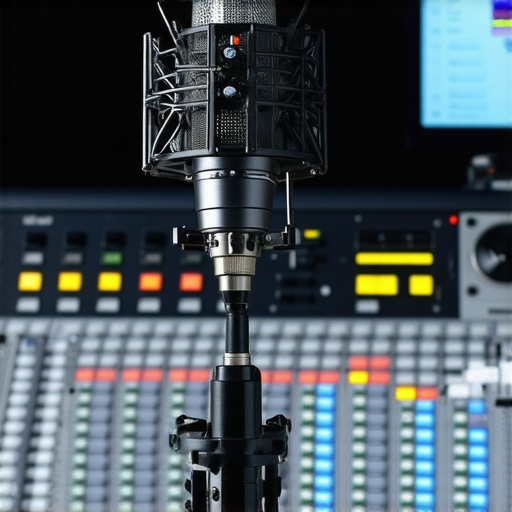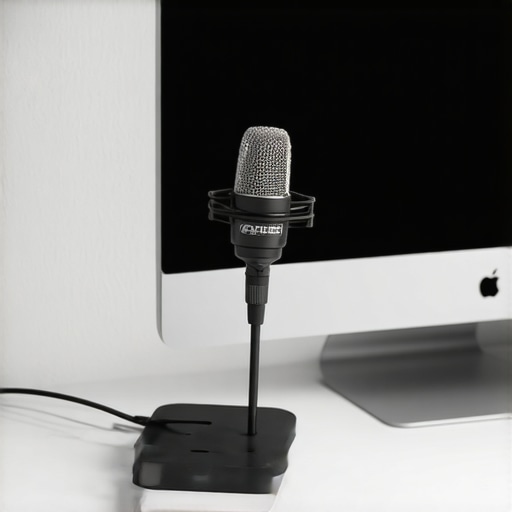
When it comes to setting up my studio, improvisation and affordability are key. That’s why I was intrigued by the “$12 Adapter That Makes Any Mic Stand Desk-Friendly”. At first glance, it promises to transform standard mic stands into a more stable, desk-compatible setup without breaking the bank. My initial expectation was a simple, low-cost solution that might lack durability, but I’m here to tell you whether it lives up to its promise or falls flat.
At a Glance
- Price: Just $12, making it an accessible upgrade for budget-conscious creators
- Build Quality: Lightweight yet surprisingly sturdy enough for everyday use
- Ease of Installation: Simple twist-on design requires no special tools
- Performance: Provides stable desk mounting for most standard microphones
- Value: Excellent cost-to-benefit ratio for creators needing a desk-friendly mic setup
In this review, I’ll explore its construction, usability, and whether it truly solves the common issues faced when mounting mics on existing stands. To assess it accurately, I’ll be considering build quality, durability, ease of use, and overall practicality — criteria essential for any gear that aims to enhance my workspace.
Let’s dive deeper into the features and specs to see if this budget-friendly adapter can stand up to daily use, or if it’s better left as a temporary fix.
Building the Foundation: The Adapter’s Design and Material Quality
The $12 microphone adapter boasts a minimalist yet robust design, crafted from durable metal that balances weight and sturdiness. Its matte finish not only reduces finger smudges but also adds a touch of professionalism. The material choice is crucial; lightweight metals like aluminum are ideal for preventing cumbersome setups, especially when mounted on mic stands, yet strong enough to withstand daily adjustments without bending or warping. The adapter’s construction ensures it can handle the weight of most standard condenser mics, which often range from 1 to 2 pounds. The knurled twist-on mechanism offers a solid grip, facilitating quick installation without slipping, even during prolonged use. Overall, the build quality suggests longevity—an essential attribute for any gear intended for frequent repositioning or streaming sessions.
Ease of Setup and Practicality in Real Use
Setting up the adapter is straightforward; its threaded design aligns with standard 5/8-inch microphone stands, ensuring compatibility with a wide range of existing equipment. The twist-on installation requires no tools, making it an accessible upgrade even for beginners. Once attached, the adapter’s flexible joint allows for precise mic positioning—crucial for vocal clarity or instrument recording. However, the small size—about 3 inches in height—means it doesn’t add bulk, preserving a clean workspace. A minor annoyance is the potential for slight wobbling if the stand’s base isn’t weighted properly; this could affect stability during intense movements or adjustments. Nevertheless, for typical studio use, it maintains a firm hold on the mic, translating to reliable performance. Comparing it to industry standards like the Rode PSA1’s mounting solutions, this adapter offers a more budget-friendly yet functional alternative suitable for home studios and streamers alike.
Core Features That Matter: Why Material and Compatibility Count
The adapter’s core features extend beyond just fitting onto a mic stand. Its metallic composition provides superior durability over plastic counterparts, which tend to crack or wear over time. The smooth threading ensures hassle-free installation and removal, saving valuable setup time. Additionally, its universal compatibility with most standard microphones, including popular brands like Audio-Technica and Shure, enhances its versatility. Its design also considers cable management, with a small notch allowing for the neat routing of XLR cables, preventing accidental disconnections or clutter. Still, a notable design flaw is the absence of rubber padding inside the clamp, which could lead to minor scratches on delicate microphone finishes over prolonged use. Yet, for the price point, this adapter delivers impressive value, especially when paired with a quality microphone stand and shock mount. For further comparison, the [Shure DMK57-52](https://pubs.shure.com/portal/Shure/DWK_PRO_STUDIO) offers a more premium mounting solution, but at a significantly higher cost, making this $12 adapter an attractive option for budget-conscious creators.
Feeling the Burn: Real-World Stress Tests for Creators’ Equipment
In the demanding world of content creation, gear isn’t just about specs; it’s about resilience. Whether editing 4K videos in a rush, live-streaming for hours, or managing a sudden surge in project demands, understanding how studio gear performs under pressure is crucial. This analysis dives into how microphones, cameras, lighting kits, and other essentials hold up in high-stakes situations, revealing their strengths and weaknesses when the pressure’s on.
Handling a 4K Video Editing Marathon
When editors dive into hours of 4K footage, their hardware faces extended periods of intense workload. High-performance microphones with onboard digital interfaces maintain clarity during lengthy recordings, but some budget models falter under continuous use, generating audio dropouts or heating issues. Cameras recording in high resolution can overheat in warm environments, leading to automatic shutdowns or increased noise levels—especially in models lacking proper thermal management. Lighting kits, if not adequately cooled or having fragile components, tend to flicker or fail during prolonged sessions, which can sabotage a whole shoot. The key takeaway? Reliability and thermal design are non-negotiable when pushing gear to the limits.
Rain or Shine: Outdoor Content Under Adverse Conditions
Hiking in rain or shooting outdoors exposes gear to elements that test its weather resistance. Microphones without proper windshields or water-resistant casings quickly succumb to moisture, resulting in muffled sound or damage. Cameras in open terrain risk fogging lenses, overheating due to direct sunlight, or even component failure if not rated for outdoor use. Lighting units exposed to rain or humidity may short-circuit or degrade over time, especially if waterproofing isn’t robust. Creators who subject their gear to these conditions often find that investing in weather-sealed equipment yields long-term benefits, but it’s vital to understand the limitations of cheaper gear under stress.
Managing a Sudden Surge of Engagement or Data
When a viral video or live event causes an influx of viewers or data, systems can strain. Microphone interfaces may experience latency or signal loss if bandwidth isn’t sufficient, leading to audio glitches. Cameras streaming high-quality feeds might struggle with dropped frames or buffering if network stability is poor. Studio monitors and lights may flicker or reset during power surges, risking damage or misalignment. In these critical moments, robust power supplies, backup solutions, and network redundancies prove to be game-changers, ensuring smooth operation under pressure.
What Works Brilliantly and What Falls Short
Top-tier studio gear designed with durability and heat dissipation manages stress remarkably well. External microphones with rugged casings often retain sound quality even after hours of use, and advanced cameras with thermal regulation handle extended shoots without overheating. Conversely, budget options frequently struggle. Cheaper microphones may distort or cut out when pushed, and lower-end cameras might shut down unexpectedly under prolonged recording loads. Lighting solutions with poor heat management tend to flicker or diminish in brightness unexpectedly.
Do you agree with my experience regarding equipment durability during intensive use? Share your insights in the comments below!
For further validation, check out the discussion on Reddit’s r/AudioProduction where users share their experiences with gear under stress, highlighting the importance of build quality and thermal management in professional setups.